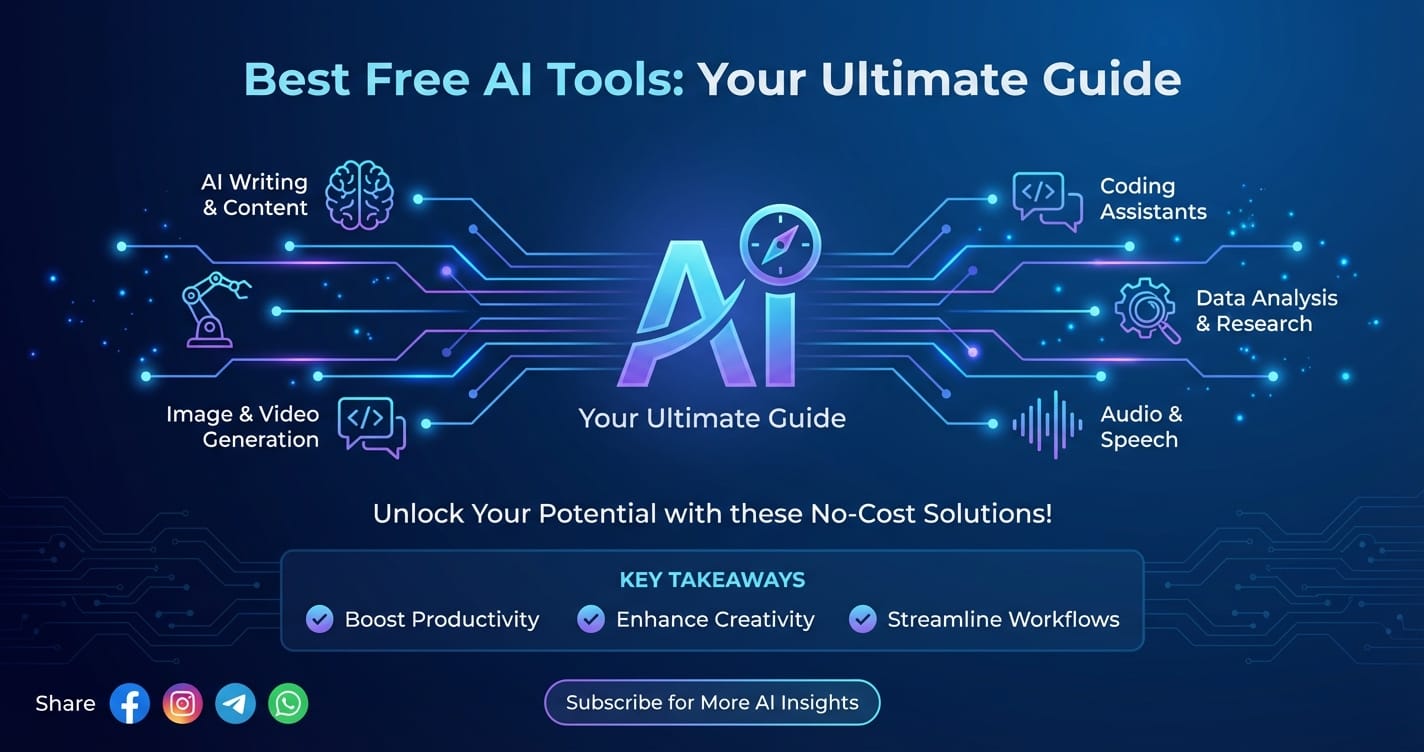
Best Free AI Tools: Your Ultimate Guide

In a world increasingly shaped by artificial intelligence, the perception often lingers that cutting-edge AI technology is exclusively for large corporations or well-funded research institutions. However, this notion is rapidly becoming outdated. The digital landscape is now brimming with an astonishing array of AI tools, many of which are completely free, yet remarkably powerful. These accessible innovations are democratizing AI, putting sophisticated capabilities into the hands of students, small business owners, hobbyists, and professional developers alike. This guide aims to be your ultimate companion in navigating this exciting new frontier, revealing the best AI free resources available and how you can harness their potential across various domains.
We’ll embark on a journey through the diverse world of free AI, exploring everything from creative content generation to complex coding assistance. Whether you’re looking to spark your imagination with an AI story generator, streamline your development workflow with AI for coding, or simply boost your daily productivity, this article will illuminate the most effective and user-friendly options. We’ll delve into the nuances of each category, offering practical insights, comparative analyses, and a clear understanding of what these tools can achieve—and where their limitations lie. Get ready to unlock a new realm of possibilities, powered by intelligence that doesn't cost a dime.
1. Introduction: Unlocking the Power of AI Without Breaking the Bank
The rapid advancements in artificial intelligence have been nothing short of revolutionary, transforming industries, reshaping workflows, and fundamentally altering how we interact with technology. From intelligent assistants that manage our schedules to complex algorithms that predict market trends, AI is no longer a futuristic concept but a tangible, omnipresent force. Yet, for many, the world of AI still feels like an exclusive club, reserved for those with deep pockets or advanced technical degrees. This perception, while perhaps true in the nascent stages of AI development, is quickly being dispelled by a burgeoning ecosystem of free AI tools.
The rise of these accessible platforms marks a significant turning point in the democratization of technology. Never before have individuals and small organizations had such direct access to capabilities that were once the sole preserve of tech giants. This shift is driven by a combination of factors: the open-source movement, competitive market strategies that offer freemium models, and the sheer enthusiasm of developers keen to share their innovations. Consequently, the hunt for the best AI free resources has become a critical endeavor for anyone looking to leverage artificial intelligence without a substantial financial investment.
This comprehensive guide is meticulously crafted to serve as your definitive roadmap to this exciting landscape. Our mission is to demystify the vast array of free AI tools, categorize them effectively, and highlight their practical applications. We'll explore how these tools can empower you to generate compelling narratives, write more efficient code, create stunning visuals, enhance audio and video, analyze data, and significantly boost your overall productivity. By the end of this article, you will not only be aware of the incredible opportunities presented by free AI but also possess the knowledge and confidence to integrate these powerful assistants into your daily work and creative pursuits. Prepare to discover how intelligence can be both cutting-edge and entirely free.
2. The Evolving Landscape of Free AI Tools
The journey of artificial intelligence from academic curiosity to pervasive technology has been swift and dynamic. For decades, AI research was largely confined to university laboratories and corporate R&D departments, often requiring immense computational power and specialized expertise. The tools developed were proprietary, expensive, and generally inaccessible to the broader public. Fast forward to today, and the landscape couldn't be more different.
The proliferation of free AI tools can be attributed to several key trends:
- Open-Source Movement: The philosophy of open-source development has been a monumental force, allowing researchers and developers worldwide to collaborate on projects, share code, and build upon each other's work. Frameworks like TensorFlow and PyTorch, while not "tools" in themselves, have enabled countless developers to build and distribute AI models and applications freely. This collaborative spirit fosters rapid innovation and accessibility.
- Freemium Business Models: Many AI startups and established companies adopt a freemium strategy. They offer a basic, yet functional, version of their AI tool for free, hoping to entice users to upgrade to a paid premium version for more advanced features, higher usage limits, or dedicated support. This model allows users to experience the power of AI firsthand without commitment, making it easier to discover the best AI free options available.
- Increased Computational Power & Cloud Infrastructure: The dramatic reduction in the cost of computing power and the widespread availability of cloud-based AI services have lowered the barrier to entry for AI development. This means even individual developers can train and deploy sophisticated AI models without needing supercomputers, thus facilitating the creation of free tools.
- Community Building and Research: Some free AI tools are released by researchers or passionate developers primarily to gather feedback, promote their work, or contribute to the broader AI community. These often showcase novel techniques or demonstrate specific AI capabilities.
- Competition and Market Saturation: As the AI market becomes more competitive, offering a compelling free tier or a completely free tool can be a powerful way to gain market share, build brand awareness, and disrupt existing solutions.
This dynamic environment has led to an explosion in the variety and sophistication of free AI tools. What started as simple chatbots and rule-based systems has evolved into highly advanced applications capable of generating human-quality text, designing complex visuals, writing functional code, and performing intricate data analysis. The constant innovation means that new and improved free AI solutions are emerging regularly, pushing the boundaries of what's possible without incurring any cost. Understanding this evolving landscape is the first step in effectively leveraging these powerful resources.
3. Categorizing the Best Free AI Tools
To help you navigate the vast and ever-growing ecosystem of free AI tools, we’ve organized them into several key categories. This structured approach will allow you to quickly identify the most relevant tools for your specific needs, whether you're a creative writer, a developer, a designer, or simply someone looking to boost their daily productivity.
3.1. Text Generation & Content Creation: Crafting Words with AI
The realm of text generation and content creation has arguably seen some of the most visible and impactful advancements in free AI. These tools can assist with everything from brainstorming ideas to drafting full-length articles, making them indispensable for writers, marketers, students, and anyone who regularly works with text. The core idea is to leverage large language models (LLMs) to understand context, generate coherent text, and even mimic specific writing styles.
3.1.1. AI Story Generator: Unleashing Creative Narratives
For novelists, scriptwriters, game developers, or simply hobbyists looking to explore new imaginative frontiers, an AI story generator can be a game-changer. These tools use sophisticated algorithms to create plotlines, character descriptions, dialogue, and even entire short stories based on user prompts. They are not merely "random word generators"; rather, they learn from vast datasets of existing literature to produce contextually relevant and engaging narratives.
How They Work: Users typically provide a prompt – a genre, a few keywords, a starting sentence, or a character concept. The AI then processes this input, drawing upon its extensive knowledge base of narrative structures, linguistic patterns, and thematic elements to generate a coherent piece of text. Many tools allow for iterative generation, meaning you can guide the AI through multiple turns, refining the story as you go.
Use Cases: * Novelists & Screenwriters: Overcoming writer's block, brainstorming plot twists, developing character backstories, generating dialogue ideas. * Game Developers: Creating lore, quest descriptions, NPC dialogue, or dynamic storylines. * Marketers: Crafting compelling ad copy, social media narratives, or blog post intros. * Educators: Generating prompts for creative writing exercises. * Hobbyists: Simply for fun, exploring different narrative possibilities.
Examples of Platforms (Free Tiers/Open-Source Playgrounds): * Rytr (Free Plan): While primarily a content writing assistant, Rytr's free tier offers a limited number of characters per month, which can be used for creative writing, including generating short stories, plot outlines, and character bios. It has various use cases beyond just stories, making it versatile. * DeepStory / Inferkit (Limited Demos): Some platforms based on models like GPT-2 or GPT-3 offer limited free demos or playgrounds where you can experiment with story generation. These might have character limits or require occasional account refreshes, but they provide a taste of advanced narrative AI. * ShortlyAI alternatives: Many newer AI writing tools have emerged, often with free trials or limited free access, that offer similar creative generation capabilities to premium tools like ShortlyAI. Searching for "free AI writing assistant" often yields these options. * Hugging Face Spaces: The Hugging Face platform hosts numerous open-source AI models, often deployed as interactive "Spaces." You can find various text generation models here that can be prompted for creative writing.
Tips for Effective Story Generation: * Be Specific with Prompts: The more detailed your initial prompt, the better the AI can understand your vision. * Iterate and Refine: Don't expect perfection on the first try. Use the AI as a co-creator, guiding it through multiple generations. * Edit Heavily: AI-generated content is a starting point, not a final draft. Human editing is crucial for adding nuance, emotional depth, and consistency. * Experiment with Styles: Try different genres or tones in your prompts to see how the AI adapts.
3.1.2. Writing Assistants & Editors
Beyond full-fledged story generation, a host of free AI tools specialize in refining, enhancing, and streamlining your general writing tasks. These are invaluable for anyone who needs to produce clear, correct, and compelling text.
- Grammar and Spell Checkers (Grammarly Free): Grammarly is perhaps the most well-known. Its free version provides essential grammar, spelling, punctuation, and conciseness suggestions across various platforms. It's a foundational tool for polished writing.
- Content Summarization (TLDR This, SummarizeBot): Tools like TLDR This or SummarizeBot (via chat platforms) can condense long articles, reports, or documents into key bullet points or a short paragraph. This is incredibly useful for quickly grasping the essence of lengthy texts.
- Paraphrasing Tools (QuillBot Free): QuillBot's free tier allows you to rewrite sentences and paragraphs, offering different modes like "Standard," "Fluency," or "Creative." This is helpful for avoiding plagiarism, diversifying vocabulary, or rephrasing complex ideas.
- Headline Generators (AnswerThePublic alternatives): While AnswerThePublic itself isn't AI for generation, many content writing tools offer free headline generators that leverage AI to create catchy and SEO-friendly titles based on keywords.
- Content Ideation Tools: Some free AI assistants can help brainstorm blog post ideas, social media captions, or topic clusters based on your niche, overcoming creative blocks before you even start writing.
These tools, while seemingly simple, collectively represent a powerful suite for elevating your written communication, making the task less daunting and the output more professional.
Table 1: Top Free AI Text & Story Generation Tools Comparison
| Tool Name | Primary Function | Key Free Features | Best For | Pros | Cons |
|---|---|---|---|---|---|
| Rytr | AI Writing Assistant (general content, stories) | Limited character generation per month, various writing modes (e.g., blog outlines, creative stories, ad copy) | Quick content drafts, brainstorming, creative writing starts, general writing assistance | Versatile, user-friendly interface, multiple use cases | Strict character limits on free plan |
| Grammarly | Grammar & Writing Assistant | Basic grammar, spelling, punctuation, conciseness checks, tone detection (limited) | Proofreading, improving writing clarity and correctness | Highly accurate, integrates everywhere, tone detection | Advanced suggestions, style guides, plagiarism checker are paid |
| QuillBot | Paraphrasing & Summarizing | Limited word count for paraphrasing, multiple modes, summarization | Rewriting text, avoiding plagiarism, quick summaries of articles | Effective rephrasing, good for academic and content writing | Word limits can be restrictive for longer texts |
| DeepStory / Inferkit (Demos) | AI Story Generator | Limited free generations, short-form creative writing, experimenting with narrative AI | Exploring creative writing prompts, generating short narrative snippets | Focus on creative narrative, diverse genre outputs | Very limited usage, often requires refresh or sign-up |
| TLDR This | Article Summarizer | Summarize web articles into key points or single paragraph, limited free summaries per month | Quickly understanding long articles, research, staying updated | Fast and accurate summarization, web-based | Daily summary limits can be reached quickly |
3.2. Visual Arts & Design: AI as Your Creative Partner
The visual arts have been profoundly impacted by AI, transforming how we create, edit, and enhance images. Free AI tools in this category range from powerful image generators that can conjure images from text descriptions to practical editors that remove backgrounds or upscale low-resolution photos with remarkable accuracy.
3.2.1. Image Generation
Text-to-image AI models have captured widespread public attention, allowing anyone to become a digital artist simply by typing out a description. These tools translate natural language prompts into stunning and often surreal visual artworks.
- Text-to-Image Basics (Craiyon/DALL-E mini, Playground AI):
- Craiyon (formerly DALL-E mini): This tool, accessible directly via its website, allows users to input any text prompt and generate a grid of nine images. While the quality can vary and sometimes be abstract, it's a fantastic free way to experiment with the core concept of text-to-image generation.
- Playground AI (Free Tier): Offers a generous free tier for generating images using various models (including Stable Diffusion). It provides more control over styles, seeds, and negative prompts, making it a powerful free alternative for serious experimentation.
- Dream by Wombo: A mobile-first app that also has a web version, allowing users to generate unique artworks from text prompts with different artistic styles.
- Ethical Considerations and Prompt Engineering: While exciting, it's crucial to be mindful of potential biases in training data and the ethical implications of generated content. Learning "prompt engineering"—the art of crafting effective prompts—is key to achieving desired results and avoiding unintended outputs.
3.2.2. Image Editing & Enhancement
Beyond creation, AI tools are simplifying complex image editing tasks that once required specialized software and skills.
- Upscaling (Upscale.media, BigJPG): These tools use AI to enlarge images without pixelation, enhancing resolution and detail. Ideal for improving old photos or preparing small images for print.
- Background Removal (Remove.bg, ClipDrop Remove Background): Incredibly efficient, these tools can isolate subjects from their backgrounds with astonishing accuracy in seconds, saving designers countless hours.
- Object Removal (Cleanup.pictures, ClipDrop Remove Object): Need to erase an unwanted element from a photo? These AI tools can seamlessly remove objects, filling in the background intelligently.
- Colorization (DeepAI Colorizer): Breathe new life into black-and-white photos by letting AI intelligently add realistic colors.
- Face Enhancement (FaceApp Free, Tencent ARC): While FaceApp is known for fun filters, some AI tools focus on enhancing facial features, smoothing skin, or correcting imperfections in portraits.
3.2.3. Logo & Icon Design
For startups, small businesses, or personal branding, AI-powered logo generators can provide quick, professional-looking designs.
- Simple Logo Generators (Looka Free Logo Maker, Brandmark.io - limited free options): These tools allow you to input your brand name and industry, and the AI generates various logo concepts, often providing customization options for fonts, colors, and layouts. While downloading high-resolution files might require payment, they offer free previews and low-res versions for experimentation.
These visual AI tools empower individuals with limited design skills to create compelling visuals, significantly reducing the barrier to entry for graphic design.
3.3. Audio & Video Production: Enhancing Multimedia with AI
AI is not just for text and images; it's also revolutionizing the way we produce and interact with audio and video content. From voice synthesis to automated transcription, these tools can streamline tedious tasks and open up new creative avenues for content creators, podcasters, and filmmakers.
3.3.1. Voice Synthesis & Text-to-Speech
Generating natural-sounding human speech from text has become remarkably sophisticated, moving far beyond robotic voices.
- Generating Natural-Sounding Voices (Google Text-to-Speech, NaturalReader Free):
- Google Text-to-Speech: Integrated into many Android devices and available through web tools, Google's TTS offers a range of natural-sounding voices that can read out text.
- NaturalReader Free: A web-based and downloadable application that can read various document types and web pages aloud using AI voices. It's excellent for proofreading, accessibility, or converting text into audio for listening on the go.
- Use Cases: Creating audio versions of blog posts, generating voiceovers for presentations or explainer videos, assisting visually impaired users, developing interactive voice applications, and even creating synthetic voices for characters in games or animations.
3.3.2. Transcription Services
Manually transcribing audio can be an incredibly time-consuming process. AI-powered transcription services automate this, converting spoken words into written text with impressive accuracy.
- Converting Audio to Text (Otter.ai Free Tier, Google Recorder, Veed.io Free Captions):
- Otter.ai (Free Plan): Offers a generous free tier allowing users to transcribe up to 30 minutes of audio per month. It's excellent for transcribing meetings, interviews, lectures, or podcasts, and includes speaker identification.
- Google Recorder: Built into Pixel phones, this app provides real-time, on-device transcription with surprising accuracy, even offline.
- Veed.io (Limited Free Access): This online video editor offers free automatic captioning for short videos, which is essentially an AI transcription service integrated into a video workflow.
- Use Cases: Creating meeting minutes, generating subtitles for videos, archiving interviews, academic research, and improving accessibility for audio content.
3.3.3. Basic Video Editing & Enhancement
While professional video editing suites remain complex, AI is starting to automate some basic, yet time-consuming, video tasks.
- Automated Captioning: As mentioned with Veed.io, many online editors now offer AI-powered caption generation, automatically syncing text to spoken words in your video.
- Simple Cuts and Highlight Reels: Some emerging AI tools can analyze video content to identify key moments or remove filler words, assisting in creating quick edits or highlight reels. For instance, tools like Descript (which has a free tier) integrate transcription with video editing, allowing you to edit video by editing text.
- Video Stabilization and Upscaling: Similar to image enhancement, AI can stabilize shaky footage or upscale lower-resolution videos to improve their visual quality.
These audio and video AI tools are a boon for content creators operating on a budget, allowing them to produce higher-quality multimedia content more efficiently.
3.4. Programming & Development: AI for Coding Efficiency
The impact of AI on programming and software development is perhaps one of the most transformative, fundamentally changing how developers write, debug, and understand code. The emergence of AI for coding tools has led to a paradigm shift, turning AI into a valuable co-pilot for developers of all skill levels.
3.4.1. AI for Coding: Your Digital Co-pilot
AI tools for coding are designed to augment human developers, not replace them. They automate repetitive tasks, suggest optimal solutions, identify errors, and even generate entire blocks of code based on natural language descriptions. This significantly speeds up the development process, reduces cognitive load, and helps in learning new technologies.
- Code Generation: This is one of the most impactful applications. AI models, trained on vast repositories of public code, can generate code snippets, functions, or even entire class structures based on comments or descriptive prompts. For instance, you can type
# function to reverse a stringand the AI might suggest the Python code for it. - Code Completion and Suggestion (e.g., GitHub Copilot alternatives, Kite free tier):
- GitHub Copilot (paid, but set the standard): While GitHub Copilot is a paid service, its emergence has spurred the development of many free alternatives and competitors. These tools integrate directly into IDEs (Integrated Development Environments) and offer intelligent code suggestions, predicting what you're trying to type and completing lines or even entire functions.
- Codeium (Free): A prominent free alternative to Copilot, Codeium offers unlimited AI code completion, generation, and chat functionalities directly within popular IDEs like VS Code, JetBrains, and Vim. It supports over 70 languages and is designed for high performance.
- Tabnine Basic (Free): Tabnine provides AI code completions for various languages and IDEs. Its basic free tier offers short code completions, significantly speeding up the coding process by reducing keystrokes.
- Kite (discontinued, but alternatives exist): Kite was a popular free AI coding assistant that offered intelligent completions. Its discontinuation highlights the dynamic nature of this space and the continuous emergence of new, often free, alternatives.
- Debugging and Error Detection: Some AI tools can analyze code for potential bugs, security vulnerabilities, or performance bottlenecks. They can suggest fixes, highlight problematic areas, and even explain why an error occurred, making the debugging process less frustrating.
- Code Refactoring and Optimization: AI can identify areas in your codebase that could be more efficient, readable, or maintainable, suggesting ways to refactor code without changing its external behavior.
- Learning and Explanation: For developers learning new languages or tackling complex frameworks, AI can be an invaluable tutor. You can paste a piece of unfamiliar code and ask the AI to explain what it does, how it works, or even how to improve it. This is a powerful way to understand complex algorithms or legacy codebases quickly.
Use Cases: * Speeding Up Development: Generating boilerplate code, completing repetitive patterns, and quickly drafting functions. * Learning New Languages/Frameworks: Getting immediate examples, explanations, and assistance when grappling with unfamiliar syntax or concepts. * Tackling Complex Algorithms: Receiving suggestions for implementing challenging data structures or algorithms. * Improving Code Quality: Identifying potential errors, security flaws, and performance issues proactively. * Generating Documentation: Automatically generating comments or documentation strings for functions and classes.
The advent of robust AI for coding tools has democratized access to advanced development assistance, making coding faster, smarter, and more accessible to a broader audience.
Table 2: Key Features of Free AI for Coding Tools
| Tool Name | Primary Function | Key Free Features | Supported IDEs/Languages (examples) | Best For | Pros | Cons |
|---|---|---|---|---|---|---|
| Codeium | AI Code Completion & Chat | Unlimited code completion, code generation, in-editor AI chat, supports 70+ languages | VS Code, JetBrains, Vim, Jupyter | Rapid prototyping, learning, general coding acceleration, overcoming writer's block in code | Highly functional free tier, broad IDE/language support, fast, privacy-focused | Can still produce less-than-optimal code, requires human review |
| Tabnine Basic | AI Code Completion | Short, context-aware code completions (up to 5 lines), supports various languages/IDEs | VS Code, JetBrains, Sublime Text | Boosting typing speed, reducing boilerplate, consistent code style | Learns from your code, supports many languages, good for quick completions | Free tier has stricter limits on completion length compared to paid |
| Kite (Discontinued) | (Historical) AI Code Completion | (Previously offered intelligent code completions and documentation lookups) | (VS Code, Sublime Text, Atom) | (N/A - example of past free offering) | (Very smart completions, integrated docs) | (Discontinued, highlights dynamic market) |
| ChatGPT / LLM Playgrounds | General Purpose LLM | Text-to-code generation, code explanation, debugging help, refactoring suggestions | Web-based (no IDE integration) | Getting explanations, understanding complex code, generating conceptual code snippets | Extremely versatile, excellent for explanations and general coding queries | Not directly integrated into development workflow, copy-pasting required, no real-time suggestions |
3.5. Data Analysis & Business Intelligence: Gaining Insights with AI
Making sense of vast datasets is a critical challenge for businesses and researchers alike. While advanced data science often requires specialized, costly tools, free AI is making inroads into simplifying basic data analysis and visualization.
- Data Visualization & Reporting:
- Google Sheets with AI features: Google Sheets offers basic AI capabilities (e.g., "Explore" feature) that can automatically suggest charts, pivot tables, and insights from your data. While not a full BI suite, it's a powerful free way to get quick visual summaries.
- Microsoft Excel (with AI add-ins): Excel has also integrated some AI functionalities and there are free add-ins that can help with simple data pattern recognition and visualization.
- Plotly Chart Studio (Free Tier): Allows users to create interactive D3.js and WebGL charts and dashboards online, offering a free tier for public projects.
- Basic Predictive Analytics:
- Some online calculators and simple models offered by educational platforms might leverage basic AI to demonstrate predictive capabilities, such as simple linear regression forecasts based on your input data. These are typically for learning or very basic estimations rather than robust business forecasting.
- ChatGPT/LLM's for data interpretation: While not a dedicated BI tool, you can upload small datasets (or paste portions) into an LLM and ask it to identify trends, outliers, or suggest simple predictive models, often in natural language. This can be a useful starting point for exploring data.
These tools are not substitutes for professional data scientists or complex BI platforms, but they offer accessible entry points for individuals and small teams to start deriving insights from their data without significant investment.
3.6. Productivity & Automation: Streamlining Your Workflow
AI is increasingly acting as a personal assistant, automating mundane tasks and enhancing efficiency across various aspects of daily work and personal life. These free tools are designed to streamline your workflow and boost your overall productivity.
- Smart Scheduling & Task Management:
- Calendar.AI (Basic Features): Integrates with your calendar to provide insights into your meetings, smart reminders, and sometimes even offers AI-powered summaries of past events.
- Todoist (Free Plan with AI Integrations): While Todoist is a task manager, its integrations with AI tools (or the use of an LLM to generate tasks) can help you break down projects, suggest next steps, or prioritize items based on context.
- Reclaim.ai (Free Plan): Uses AI to intelligently schedule habits, breaks, and flexible tasks around your existing meetings, optimizing your calendar.
- Email Management & Response Generation:
- Gmail's Smart Reply/Smart Compose: Built-in AI features that suggest quick replies to emails and assist in composing emails by predicting what you might type next, saving significant time.
- Spark Mail App (Limited AI features): Offers a "Smart Inbox" that prioritizes important emails, and some free versions of email clients are starting to integrate basic AI for sorting or summarizing.
- Research & Information Gathering:
- Perplexity AI (Free): An AI-powered search engine that provides direct, concise answers to queries by synthesizing information from multiple sources, complete with citations. It's like having a research assistant summarize web pages for you.
- ChatGPT/Bard (Free Tiers): Can be used as powerful research assistants, summarizing articles, explaining complex topics, generating outlines for reports, or finding information across various subjects.
- ResearchGPT (various implementations): Open-source or free demo versions of tools that use LLMs to search academic papers, summarize findings, and extract key information from scientific literature.
By leveraging these free AI productivity tools, individuals and teams can significantly reduce the time spent on administrative tasks, focus on more strategic work, and ultimately achieve more in less time.
XRoute is a cutting-edge unified API platform designed to streamline access to large language models (LLMs) for developers, businesses, and AI enthusiasts. By providing a single, OpenAI-compatible endpoint, XRoute.AI simplifies the integration of over 60 AI models from more than 20 active providers(including OpenAI, Anthropic, Mistral, Llama2, Google Gemini, and more), enabling seamless development of AI-driven applications, chatbots, and automated workflows.
4. The Value Proposition of "Best AI Free" Tools
The concept of "best AI free" isn't merely about cost savings; it represents a profound shift in how innovation, education, and development can occur. These tools offer a unique value proposition that extends far beyond their zero price tag.
4.1. Accessibility and Democratization
Perhaps the most significant value of free AI tools is their ability to democratize access to advanced technology. Historically, AI capabilities were confined to well-resourced organizations. Now, a student in a developing country, a small startup with limited funding, or an individual hobbyist can access tools that rival the power of proprietary software. This levels the playing field, fostering a more inclusive technological ecosystem where brilliant ideas aren't stifled by lack of resources. It allows for broader experimentation and ensures that the benefits of AI are shared more widely across society.
4.2. Learning and Experimentation
For those new to AI, or looking to learn new skills, free tools offer an invaluable playground. You can experiment with different models, understand how AI responds to prompts, and grasp the fundamental concepts of machine learning applications without any financial risk. This hands-on experience is crucial for building intuition and developing practical skills in an increasingly AI-driven world. Whether it's learning prompt engineering for an AI story generator or understanding the nuances of an AI for coding assistant, free tools provide the perfect environment for self-education and skill acquisition.
4.3. Cost-Effectiveness
While obvious, the cost-effectiveness cannot be overstated. For individuals and businesses operating on tight budgets, free AI tools provide a critical avenue to enhance productivity, creativity, and analytical capabilities without incurring additional overheads. This allows resources to be allocated elsewhere, enabling greater investment in core operations or other growth initiatives. It means that even the smallest venture can leverage sophisticated AI to compete with larger, more established entities.
4.4. Innovation and Prototyping
Free AI tools are excellent for rapid prototyping and validating new ideas. Entrepreneurs can quickly generate content, design mock-ups, or even draft initial code for a minimum viable product (MVP) without investing in licenses or hiring specialists. This accelerates the innovation cycle, allowing for faster iteration and quicker market feedback. A developer can test a new application idea using an AI for coding tool to quickly generate proof-of-concept code, significantly reducing the initial development time and cost. Similarly, a marketer can quickly generate several ad copy variations using a free AI writing tool to test which performs best.
In essence, "best AI free" tools are not just about getting something for nothing; they are about fostering a more accessible, innovative, and empowered technological future for everyone.
5. Limitations and Considerations When Using Free AI Tools
While the benefits of free AI tools are undeniable, it’s crucial to approach them with a clear understanding of their inherent limitations and potential considerations. "Free" often comes with certain trade-offs, and being aware of these can help you maximize their utility while mitigating risks.
5.1. Feature Restrictions
The most common limitation of free AI tools is that they typically offer a constrained set of features compared to their paid counterparts. This often includes: * Usage Limits: Daily or monthly caps on the number of generations, queries, or minutes of audio transcribed. * Reduced Functionality: Access only to basic modes, limited customization options, or fewer advanced algorithms. For instance, a free AI story generator might produce shorter, less complex narratives than a premium version. * Slower Performance: Free tiers might operate on lower-priority servers, leading to slower processing times. * Watermarks or Branding: Generated content (especially images or videos) might include the tool's watermark or branding.
These restrictions mean that while free tools are excellent for casual use, learning, or prototyping, they may not be sufficient for high-volume professional work or tasks requiring specialized capabilities.
5.2. Data Privacy and Security
A significant concern with many free online tools is how they handle your data. When you input text into an AI story generator or code into an AI for coding assistant, that data is processed by the service provider. * Data Usage: Some free services might use your input data to further train their models, which could potentially expose sensitive or proprietary information. Always read the terms of service carefully. * Security Vulnerabilities: Free tools, especially those from smaller developers, might not have the same robust security infrastructure as enterprise-grade solutions, making your data potentially more vulnerable to breaches. * Jurisdiction: The data might be stored and processed in different geographical locations, subject to varying data privacy laws.
It's paramount to avoid feeding sensitive, confidential, or proprietary information into free AI tools without thoroughly understanding their data privacy policies.
5.3. Performance and Scalability
Free AI tools are generally not designed for high-throughput or mission-critical applications. * Rate Limits: You'll frequently encounter API rate limits or daily usage caps, which can hinder large-scale projects. * Reliability: Free services may experience more downtime, slower response times, or less consistent performance due to shared resources or lower infrastructure investment. * Lack of Support: Dedicated customer support is usually reserved for paying users, leaving free users to rely on community forums or limited documentation.
For professional applications that require consistent, high-performance, and reliable AI services, free options often fall short.
5.4. Ethical Implications
The ethical landscape of AI is complex, and free tools are not exempt from these considerations. * Bias: AI models are trained on vast datasets, which can sometimes reflect and perpetuate societal biases. This can lead to biased outputs in text generation, image creation, or even code suggestions. * Misinformation and Hallucinations: AI models can sometimes "hallucinate" information, generating plausible-sounding but factually incorrect content. Critical review of all AI-generated output is always necessary. * Intellectual Property and Copyright: The legal implications of AI-generated content (e.g., who owns the copyright to a story generated by an AI, or if AI-generated art infringes on existing copyrighted works) are still evolving and largely unclear. Using AI-generated content commercially requires careful consideration.
5.5. The Road Ahead: When Free Isn't Enough
While free AI tools are revolutionary for personal use, learning, and initial prototyping, professional developers and businesses often hit a wall when attempting to scale their AI-driven applications. The limitations in features, performance, data privacy, and reliability become critical bottlenecks. When you need high throughput, guaranteed low latency, robust security, and the flexibility to swap between the very best AI models available without managing multiple API keys, a more sophisticated solution becomes essential.
This is where platforms like XRoute.AI step in. For developers and businesses outgrowing free tiers and seeking enterprise-grade AI capabilities, XRoute.AI offers a cutting-edge unified API platform designed to streamline access to large language models (LLMs). It provides a single, OpenAI-compatible endpoint, simplifying the integration of over 60 AI models from more than 20 active providers. This means you can effortlessly switch between different models to find the perfect balance of cost and performance for your specific needs, all through one connection.
XRoute.AI emphasizes low latency AI, ensuring your applications respond quickly and efficiently, which is crucial for real-time user experiences. Furthermore, it focuses on cost-effective AI, allowing you to optimize spending by selecting the most efficient models for each task. With its developer-friendly tools, high throughput, scalability, and flexible pricing model, XRoute.AI empowers you to build sophisticated, intelligent solutions without the complexity and limitations of managing multiple API connections or struggling with the restrictions of free tiers. It represents the logical next step for serious projects aiming to leverage the full power of modern AI.
6. Best Practices for Leveraging Free AI
To truly maximize the benefits of free AI tools while minimizing their potential drawbacks, adopting a strategic approach is essential. Here are some best practices:
- Understand Tool Limitations: Before diving in, take the time to understand the specific limitations of any free AI tool you choose. This includes daily usage limits, feature restrictions, data privacy policies, and the types of outputs it's best suited for. Knowing these upfront will prevent frustration and ensure you're using the tool appropriately. For example, don't expect a free AI story generator to produce a publishable novel without significant human input and editing.
- Combine Multiple Tools: Rarely will a single free AI tool meet all your needs. Often, the most powerful approach is to combine several specialized tools. Use one for brainstorming, another for drafting, a third for grammar checking, and a fourth for summarizing. For instance, you might use an AI for coding assistant to generate a function, then paste it into an LLM playground for an explanation or refactoring suggestion. This modular approach leverages the strengths of each tool.
- Continuous Learning and Adaptation: The field of AI is evolving at an incredible pace, with new tools and models emerging constantly. Stay curious, follow AI news, and be open to trying new platforms. What might be the best AI free tool today could be surpassed by an even better option tomorrow. Regularly exploring and adapting to new technologies will keep your workflow optimized and your skills current.
- Data Vigilance: Always be mindful of the data you feed into free AI services. As discussed, sensitive or proprietary information should be handled with extreme caution, if not avoided altogether. For business use, assume that any data you input could potentially be used for model training or stored on third-party servers. Prioritize tools with clear and robust data privacy policies, especially if you're dealing with any form of confidential information.
- Human Oversight and Editing are Crucial: Remember that AI is an assistant, not a replacement. All AI-generated content, whether it's text from an AI story generator or code from an AI for coding tool, requires thorough human review, editing, and refinement. AI can make mistakes, generate biased or nonsensical content, or simply miss the nuance that only human intelligence can provide. Treat AI output as a first draft or a powerful suggestion, rather than a final product.
- Start Small, Scale Smart: Begin by experimenting with free tools on less critical tasks to build familiarity and confidence. As your needs grow and your projects demand more robust, scalable, or specialized AI capabilities (e.g., lower latency, higher throughput, more models, better security), consider transitioning to professional platforms like XRoute.AI that offer unified access to advanced LLMs. This allows you to scale your AI usage intelligently, moving from free experimentation to reliable, high-performance solutions as your requirements evolve.
By adhering to these best practices, you can effectively harness the immense power of free AI tools, integrating them seamlessly into your workflow to enhance creativity, productivity, and innovation without compromising on quality or security.
7. Conclusion: The Future is Free (and Beyond)
The journey through the landscape of free AI tools reveals an undeniable truth: artificial intelligence is no longer an exclusive domain but a pervasive, accessible force capable of empowering individuals and organizations on an unprecedented scale. From the limitless imaginative potential unlocked by an AI story generator to the profound efficiency gains offered by AI for coding assistants, the sheer diversity and capability of the best AI free resources are truly remarkable. These tools have democratized innovation, allowing students to learn, hobbyists to create, and startups to build with minimal financial barriers.
We've explored how AI can assist across numerous categories: crafting compelling narratives, generating stunning visuals, enhancing audio and video content, accelerating software development, simplifying data analysis, and boosting overall productivity. Each category showcases a suite of powerful, free solutions that can significantly augment human capabilities, transforming how we work, create, and learn.
However, we've also acknowledged the essential trade-offs that come with "free"—limitations in features, potential data privacy concerns, and scalability challenges. While invaluable for exploration and initial phases, serious development and enterprise-level applications often necessitate a more robust and flexible infrastructure. This is where platforms like XRoute.AI provide a critical bridge, offering a unified API for seamless, high-performance access to a multitude of large language models, ensuring that as your projects grow, your AI capabilities can scale with them, providing low latency AI and cost-effective AI solutions.
The future of AI is undoubtedly one of increasing accessibility and innovation. The continuous evolution of free tools, driven by open-source collaboration and competitive market dynamics, ensures that powerful AI will remain within reach for everyone. By embracing these tools with a strategic mindset—understanding their strengths, acknowledging their limitations, and employing best practices for integration and data vigilance—we can collectively unlock a new era of creativity, efficiency, and discovery. The journey with AI is just beginning, and the free tools available today are the perfect starting point for anyone ready to embark on this exciting adventure.
8. Frequently Asked Questions (FAQ)
Q1: Are free AI tools truly free forever?
A1: Most free AI tools operate on a "freemium" model, meaning a basic version is free forever, but advanced features, higher usage limits, or dedicated support require a paid subscription. Some tools are genuinely open-source and free, relying on community contributions. Always check the terms of service for specific usage limits and conditions.
Q2: How accurate are free AI content generators?
A2: The accuracy and quality of free AI content generators (like an AI story generator) have improved dramatically but can still vary widely. They are excellent for generating ideas, first drafts, or boilerplate content. However, they may occasionally produce factually incorrect information ("hallucinations"), biased content, or text that lacks human nuance and emotional depth. Human review, editing, and fact-checking are always essential for any AI-generated content, especially for critical applications.
Q3: Can free AI tools replace human professionals?
A3: Generally, no. Free AI tools are designed to augment human capabilities, not replace them. For instance, while AI for coding can significantly speed up development and assist with debugging, it cannot fully replicate a human developer's problem-solving skills, creativity, strategic thinking, or ability to understand complex, evolving project requirements. Similarly, an AI story generator can spark creativity but requires a human writer to craft truly compelling narratives with unique voice and emotional depth. AI is best viewed as a powerful assistant that enhances productivity and opens new possibilities.
Q4: What are the biggest risks of using free AI tools?
A4: The biggest risks include data privacy and security concerns (your input data might be used for model training or exposed), potential for biased or incorrect output, performance limitations (slower speeds, usage caps), and ethical implications regarding intellectual property or misinformation. It's crucial to avoid inputting sensitive information into free tools and always critically evaluate their outputs.
Q5: How do I choose the best free AI tool for my specific need?
A5: To choose the best free AI tool, first, clearly define your specific need (e.g., text generation, image editing, coding assistance). Then, research tools within that category, focusing on those with a reputation for good free tiers. Look for tools that offer the core features you need within their free plan, have a user-friendly interface, and ideally, provide clear privacy policies. Don't be afraid to try out a few different options, as hands-on experience is often the best way to determine which tool aligns best with your workflow and expectations. As your needs evolve and become more demanding, consider robust, scalable platforms like XRoute.AI for professional-grade AI capabilities.
🚀You can securely and efficiently connect to thousands of data sources with XRoute in just two steps:
Step 1: Create Your API Key
To start using XRoute.AI, the first step is to create an account and generate your XRoute API KEY. This key unlocks access to the platform’s unified API interface, allowing you to connect to a vast ecosystem of large language models with minimal setup.
Here’s how to do it: 1. Visit https://xroute.ai/ and sign up for a free account. 2. Upon registration, explore the platform. 3. Navigate to the user dashboard and generate your XRoute API KEY.
This process takes less than a minute, and your API key will serve as the gateway to XRoute.AI’s robust developer tools, enabling seamless integration with LLM APIs for your projects.
Step 2: Select a Model and Make API Calls
Once you have your XRoute API KEY, you can select from over 60 large language models available on XRoute.AI and start making API calls. The platform’s OpenAI-compatible endpoint ensures that you can easily integrate models into your applications using just a few lines of code.
Here’s a sample configuration to call an LLM:
curl --location 'https://api.xroute.ai/openai/v1/chat/completions' \
--header 'Authorization: Bearer $apikey' \
--header 'Content-Type: application/json' \
--data '{
    "model": "gpt-5",
    "messages": [
        {
            "content": "Your text prompt here",
            "role": "user"
        }
    ]
}'
With this setup, your application can instantly connect to XRoute.AI’s unified API platform, leveraging low latency AI and high throughput (handling 891.82K tokens per month globally). XRoute.AI manages provider routing, load balancing, and failover, ensuring reliable performance for real-time applications like chatbots, data analysis tools, or automated workflows. You can also purchase additional API credits to scale your usage as needed, making it a cost-effective AI solution for projects of all sizes.
Note: Explore the documentation on https://xroute.ai/ for model-specific details, SDKs, and open-source examples to accelerate your development.