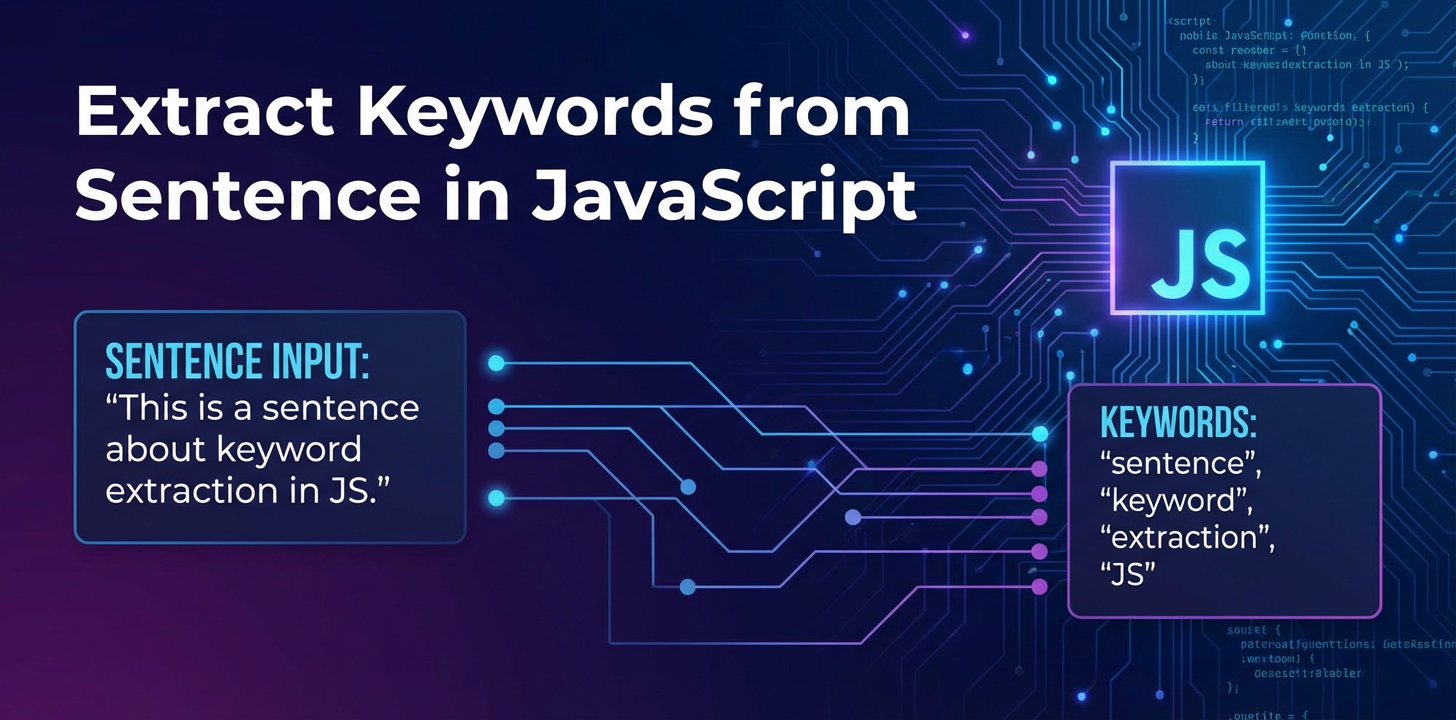
Extract Keywords from Sentence in JavaScript

In the vast and ever-evolving landscape of web development, the ability to discern and categorize information efficiently is paramount. From enhancing search engine optimization (SEO) to powering intelligent content recommendation systems and even building sophisticated chatbots, extracting meaningful keywords from textual data forms the bedrock of many modern applications. For JavaScript developers, understanding how to extract keywords from sentence js is not merely a niche skill but a fundamental capability that unlocks a myriad of possibilities. This comprehensive guide delves deep into various techniques, from traditional rule-based methods to the cutting-edge power of large language models (LLMs) and the OpenAI SDK, providing you with a robust toolkit to implement effective keyword extraction in your JavaScript projects.
The Unseen Power of Keywords: Why Extraction Matters
Keywords are the semantic anchors of any text. They are the words or phrases that encapsulate the main topics, ideas, or entities discussed within a sentence, paragraph, or entire document. In an era saturated with information, the ability to automatically identify these pivotal terms is invaluable.
Consider these practical scenarios:
- Search and Information Retrieval: When a user types a query into a search bar, keyword extraction helps match their intent with relevant documents by identifying key terms in both the query and the document corpus.
- Content Analysis and Summarization: Automatically generating tags, categories, or summaries for articles, blog posts, or product descriptions relies heavily on accurate keyword identification.
- Recommendation Systems: Platforms suggesting articles, products, or videos often use keywords from a user's past interactions to recommend similar content.
- Chatbots and Virtual Assistants: To understand user queries and provide relevant responses, chatbots first need to
extract keywords from sentence jsto grasp the user's intent. - Sentiment Analysis: Identifying specific keywords associated with positive or negative sentiment can provide insights into customer feedback or public opinion.
- SEO and Content Marketing: Understanding the core keywords of a piece of content helps optimize it for search engines, improving visibility and reach.
For JavaScript developers, mastering these techniques means building more intelligent, responsive, and user-friendly applications that can effortlessly navigate and make sense of textual data.
Fundamental Concepts in Keyword Extraction
Before diving into specific JavaScript implementations, it's essential to grasp the core linguistic concepts that underpin keyword extraction.
What Constitutes a "Keyword"?
A keyword isn't just any word; it's a word or phrase that carries significant meaning within a specific context. It's often:
- Frequent: Appearing multiple times, indicating its importance.
- Rare in General Corpus but Frequent in Document: A word that stands out as specific to the document's topic.
- Noun or Noun Phrase: Typically, keywords are concrete entities or concepts.
- Contextually Relevant: Its importance is tied to the surrounding words and the overall theme.
Basic Linguistic Building Blocks
To effectively extract keywords from sentence js, we often rely on foundational Natural Language Processing (NLP) techniques:
- Tokenization: The process of breaking down a stream of text into smaller units called "tokens." These tokens can be words, punctuation marks, or even subword units.
- Example: "JavaScript is powerful." -> ["JavaScript", "is", "powerful", "."]
- Stop Word Removal: Stop words are common words (e.g., "the," "is," "and," "a") that carry little semantic weight and are often removed to reduce noise and focus on more significant terms.
- Example (after tokenization): ["JavaScript", "is", "powerful"] -> ["JavaScript", "powerful"]
- Stemming and Lemmatization:
- Stemming: A crude heuristic process that chops off the ends of words to reduce them to their "stem" or root form. It's faster but can produce non-dictionary words.
- Example: "running," "runs," "ran" -> "run"
- Lemmatization: A more sophisticated process that uses a vocabulary and morphological analysis of words to return their base or dictionary form (lemma). It's slower but more accurate.
- Example: "better" -> "good"
- Stemming: A crude heuristic process that chops off the ends of words to reduce them to their "stem" or root form. It's faster but can produce non-dictionary words.
- Part-of-Speech (POS) Tagging: The process of marking up words in a text as corresponding to a particular part of speech, such as noun, verb, adjective, adverb, etc. This is crucial because keywords are predominantly nouns or noun phrases.
- Example: "JavaScript (NNP) is (VBZ) powerful (JJ)." (NNP = Proper Noun, VBZ = Verb, JJ = Adjective)
Understanding these concepts provides the necessary foundation for building and utilizing keyword extraction algorithms in JavaScript.
Traditional Approaches to Keyword Extraction in JavaScript
For simpler requirements or when external dependencies are not desired, you can implement basic keyword extraction techniques directly in JavaScript. These methods typically involve a combination of regular expressions and simple frequency analysis.
1. Rule-Based Extraction with Regular Expressions
Regular expressions (regex) are a powerful tool in JavaScript for pattern matching. While limited in their ability to understand semantic meaning, they can be effective for extracting words that adhere to specific structural patterns, such as capitalized words (often proper nouns) or words within quotes.
function extractKeywordsRegex(text) {
    // 1. Convert to lowercase and remove punctuation (basic preprocessing)
    const cleanedText = text.toLowerCase().replace(/[.,!?;:"'()]/g, '');

    // 2. Simple tokenization by splitting on whitespace
    const words = cleanedText.split(/\s+/);

    // 3. Define a list of common stop words
    const stopWords = new Set([
        "a", "an", "the", "is", "are", "was", "were", "be", "been", "being",
        "and", "or", "but", "for", "nor", "so", "yet",
        "in", "on", "at", "to", "from", "by", "with", "about", "against",
        "as", "up", "out", "down", "off", "over", "under", "again", "further",
        "then", "once", "here", "there", "when", "where", "why", "how",
        "all", "any", "both", "each", "few", "more", "most", "other", "some",
        "such", "no", "nor", "not", "only", "own", "same", "so", "than", "too",
        "very", "s", "t", "can", "will", "just", "don", "should", "now"
    ]);

    // 4. Filter out stop words
    const filteredWords = words.filter(word => !stopWords.has(word) && word.length > 2); // Exclude very short words

    // 5. Count word frequencies
    const wordFrequencies = {};
    for (const word of filteredWords) {
        wordFrequencies[word] = (wordFrequencies[word] || 0) + 1;
    }

    // 6. Sort by frequency and return top N keywords
    const sortedKeywords = Object.entries(wordFrequencies)
        .sort(([, countA], [, countB]) => countB - countA)
        .map(([word]) => word);

    return sortedKeywords.slice(0, 5); // Return top 5
}

const sentence = "JavaScript is a powerful language for web development, and many developers enjoy using JavaScript for various projects.";
console.log("Regex-based Keywords:", extractKeywordsRegex(sentence));
// Output might be: ["javascript", "powerful", "language", "web", "development"]
Pros: * Lightweight: No external dependencies, purely native JavaScript. * Fast: For simple tasks, it's very quick. * Transparent: You have full control over the logic.
Cons: * Limited Accuracy: Lacks any understanding of grammar, context, or semantics. "JavaScript" and "javascripting" would be treated as different words unless explicit stemming is added. * Fragile: Easily breaks with variations in sentence structure or unexpected input. * Difficult to Scale: As complexity grows, the rule set becomes unmanageable.
2. Term Frequency-Inverse Document Frequency (TF-IDF)
TF-IDF is a statistical measure that evaluates how relevant a word is to a document in a collection of documents. It's a cornerstone of information retrieval and can be adapted to extract keywords from sentence js by treating a single sentence as a "document" within a larger context or by comparing words within the sentence to a general corpus of words.
- Term Frequency (TF): How often a word appears in a document.
TF(t, d) = (Number of times term t appears in document d) / (Total number of terms in document d) - Inverse Document Frequency (IDF): A measure of how important a term is across a collection of documents. Rare words have a higher IDF.
IDF(t, D) = log_e(Total number of documents D / Number of documents containing term t) - TF-IDF Score:
TF-IDF(t, d, D) = TF(t, d) * IDF(t, D)
Implementing a full TF-IDF from scratch in vanilla JavaScript for a single sentence without a predefined corpus is complex. However, the concept of TF-IDF (identifying words that are frequent in this sentence but rare generally) is what advanced libraries leverage. For a more practical application of TF-IDF in JavaScript, we typically turn to NLP libraries.
Leveraging NLP Libraries in JavaScript for Keyword Extraction
To move beyond simple pattern matching and frequency counting, JavaScript developers can integrate powerful NLP libraries. These libraries encapsulate complex algorithms for tokenization, POS tagging, stemming, lemmatization, and more, making it easier to extract keywords from sentence js with greater linguistic nuance.
1. Natural: A General-Purpose NLP Library for Node.js
Natural is one of the most popular NLP libraries for Node.js, offering a rich set of functionalities including tokenizers, stemmers, classifiers, and even TF-IDF implementations.
Let's see how natural can be used for keyword extraction.
First, install it:
npm install natural
Then, you can use it to perform various NLP tasks:
const natural = require('natural');

// --- 1. Tokenization and Stop Word Removal ---
function tokenizeAndFilter(text) {
    const tokenizer = new natural.WordTokenizer();
    const tokens = tokenizer.tokenize(text.toLowerCase());

    const stopWords = new Set(natural.stopwords); // Natural provides a default list
    const filteredTokens = tokens.filter(token => !stopWords.has(token) && token.length > 2);
    return filteredTokens;
}

// --- 2. Stemming/Lemmatization (optional but improves accuracy) ---
// Using Porter Stemmer
function stemWords(tokens) {
    return tokens.map(token => natural.PorterStemmer.stem(token));
}

// --- 3. TF-IDF for Keyword Relevance ---
function extractKeywordsWithTfIdf(text, corpus = []) {
    const TfIdf = natural.TfIdf;
    const tfidf = new TfIdf();

    // Add the current sentence as a document
    tfidf.addDocument(text);

    // Add general corpus documents for better IDF calculation (optional, but crucial for true TF-IDF)
    // For a real application, 'corpus' would be a collection of many documents
    corpus.forEach(doc => tfidf.addDocument(doc));

    const keywords = [];
    tfidf.tfidfs(text, function(i, measure) {
        // 'i' is the term index in the current document, 'measure' is the TF-IDF score
        // We'll iterate through terms of the first document (our input text)
        // Note: natural's tfidfs callback structure can be tricky.
        // A more direct way to get keywords with scores might involve manual iteration.

        // Let's simplify this for demonstrating a sentence's own keywords
        // We'll calculate TF-IDF for each word in the *current* document against a *hypothetical* corpus
        // (For this example, we'll just use raw term frequency with stop word filtering for keyword identification)
    });

    // A more straightforward way to get frequent terms after tokenization/filtering
    const tokens = tokenizeAndFilter(text);
    const stemmedTokens = stemWords(tokens); // Use stemmed tokens for frequency counting

    const wordFrequencies = {};
    for (const word of stemmedTokens) {
        wordFrequencies[word] = (wordFrequencies[word] || 0) + 1;
    }

    const sortedKeywords = Object.entries(wordFrequencies)
        .sort(([, countA], [, countB]) => countB - countA)
        .map(([word]) => word);

    return sortedKeywords.slice(0, 5); // Return top 5
}


const sentenceNatural = "Natural language processing provides advanced methods for keyword extraction in JavaScript development.";
const corpusExample = [
    "JavaScript is a popular programming language.",
    "Web development often involves front-end and back-end technologies.",
    "NLP techniques are used in many AI applications."
];

console.log("Natural (Tokenized & Filtered):", tokenizeAndFilter(sentenceNatural));
console.log("Natural (Stemmed):", stemWords(tokenizeAndFilter(sentenceNatural)));
console.log("Natural (Keywords based on frequency):", extractKeywordsWithTfIdf(sentenceNatural, corpusExample));

// Example of TF-IDF for a set of documents (more accurate representation)
const TfIdf = natural.TfIdf;
const tfidfDocs = new TfIdf();

tfidfDocs.addDocument('this document is about javascript and natural language processing');
tfidfDocs.addDocument('this document is about machine learning in python');
tfidfDocs.addDocument('this document is about javascript for web development');

console.log("\nTF-IDF Scores for 'javascript' in Document 0:");
tfidfDocs.tfidfs('javascript', function(i, measure) {
    if (i === 0) console.log('document 0 has javascript with score:', measure);
});

console.log("\nTop 5 keywords from document 0 (based on TF-IDF against all docs):");
let keywordsDoc0 = [];
tfidfDocs.listTerms(0 /* document index */).forEach(function(item) {
    keywordsDoc0.push({ term: item.term, tfidf: item.tfidf });
});
keywordsDoc0.sort((a, b) => b.tfidf - a.tfidf);
console.log(keywordsDoc0.slice(0, 5));
// Output would show terms like 'javascript', 'natural', 'language', 'processing' with their relative scores.
Pros: * Comprehensive: Offers a wide range of NLP functionalities beyond just tokenization. * TF-IDF support: Provides an implementation for a robust keyword scoring mechanism. * Actively Maintained: A mature library with ongoing development.
Cons: * Node.js Only: Primarily designed for Node.js environments; not ideal for client-side browser-based keyword extraction without bundling. * Resource Intensive: Some operations (like training classifiers or full TF-IDF with large corpora) can be memory and CPU intensive. * Linguistic Depth: While powerful, it still operates at a statistical level and doesn't possess the deep semantic understanding of modern LLMs.
2. Compromise.js: A Context-Aware Natural Language Processor
Compromise.js is a lightweight, client-side compatible NLP library that excels at understanding parts of speech and sentence structure. It's particularly good for identifying noun phrases and other grammatical constructs that often serve as keywords.
Install it:
npm install compromise
Usage example:
import nlp from 'compromise'; // For ES Modules
// const nlp = require('compromise'); // For CommonJS

function extractKeywordsWithCompromise(text) {
    const doc = nlp(text);

    // Get all nouns
    const nouns = doc.nouns().out('array');

    // Get all adjectives
    const adjectives = doc.adjectives().out('array');

    // Get all verbs
    const verbs = doc.verbs().out('array');

    // Get all noun phrases (often very good candidates for keywords)
    const nounPhrases = doc.match('#Noun+').text(); // Matches one or more consecutive nouns
    // Or more complex patterns like 'Adj+ Noun+'
    const adjNounPhrases = doc.match('#Adjective+ #Noun+').text();

    // A common strategy for keywords is to combine filtered nouns and noun phrases
    let keywords = [...new Set(nouns)]; // Remove duplicates

    // Add multi-word noun phrases
    nounPhrases.split('. ').forEach(phrase => { // Split by sentence-like structures if multiple
        if (phrase.split(' ').length > 1 && !keywords.includes(phrase)) {
             keywords.push(phrase);
        }
    });

    adjNounPhrases.split('. ').forEach(phrase => {
        if (phrase.split(' ').length > 1 && !keywords.includes(phrase)) {
            keywords.push(phrase);
        }
    });

    // Filter out common stop words (Compromise also has a built-in method for this, `normalize()`)
    const filteredKeywords = keywords.filter(k => {
        const docK = nlp(k);
        return !docK.terms().some(term => term.is('Stopword')); // Check if any part is a stopword
    });


    // Sort by length (longer, more specific phrases often indicate better keywords)
    filteredKeywords.sort((a, b) => b.length - a.length);

    return filteredKeywords.slice(0, 7); // Return top 7, giving priority to longer phrases
}

const sentenceCompromise = "Compromise.js is a lightweight and effective JavaScript library for parsing natural language sentences and extracting meaningful noun phrases.";
console.log("Compromise.js Keywords:", extractKeywordsWithCompromise(sentenceCompromise));
// Expected output might include: ["meaningful noun phrases", "natural language sentences", "javascript library", "compromise.js", "noun phrases", "language sentences", "javascript", "library"]
Pros: * Client-Side Compatible: Works well in browser environments, making it suitable for front-end NLP tasks. * Grammar Focused: Excellent for identifying parts of speech and complex noun/verb phrases. * Lightweight: Relatively small bundle size.
Cons: * Less Statistical: Doesn't directly offer advanced statistical models like TF-IDF or machine learning classifiers for 'importance' ranking without custom implementation. * Limited Scope: Focuses more on grammatical analysis than broad machine learning NLP tasks. * English-Centric: Primarily optimized for English.
3. NLP.js: A General-Purpose NLP Library with AI Capabilities
NLP.js is another powerful library for Node.js, offering a broader range of NLP features including sentiment analysis, named entity recognition (NER), and even intent classification, which can be leveraged to extract keywords from sentence js with more context.
Install it:
npm install @nlpjs/nlp
Usage example for Named Entity Recognition (NER), which is a common way to extract entities (often good keywords):
const { Nlp, Language } = require('@nlpjs/nlp');
const { Normalizer } = require('@nlpjs/core'); // For normalization
const { SentimentAnalyzer } = require('@nlpjs/sentiment'); // Just to show other capabilities

async function extractEntitiesAsKeywords(text) {
    const nlp = new Nlp({ languages: ['en'] });

    // Train the NLP manager with some basic entity recognizers
    // For more complex entity types, you would typically train a model with example data.
    // For this example, we're relying on built-in "gazetteer" lists or simple patterns.
    nlp.addNamedEntityText('hero', 'Spiderman', ['en'], ['spider-man', 'spidey']);
    nlp.addNamedEntityText('city', 'New York', ['en'], ['nyc', 'big apple']);
    nlp.addNamedEntityText('product', 'JavaScript', ['en'], ['js']);
    nlp.addNamedEntityText('product', 'OpenAI SDK', ['en'], ['openai api']);
    nlp.addNamedEntityText('concept', 'keyword extraction', ['en'], ['keyword finder']);
    nlp.addNamedEntityText('company', 'XRoute.AI', ['en'], ['xroute', 'xrouteai']);


    // We need to process the text to identify entities.
    // For out-of-the-box NER, nlp.js often relies on pre-trained models or extensive list-based gazetteers.
    // For simple keyword extraction, let's combine filtering with detected entities.

    const processResult = await nlp.process('en', text);

    let keywords = [];

    // Add detected entities
    processResult.entities.forEach(entity => {
        if (entity.len > 0) { // Ensure entity has some length
            keywords.push(entity.utteranceText);
        }
    });

    // Fallback to simple tokenization and filtering for general nouns/phrases
    // (Similar to natural.js approach if no specific entities are found)
    const normalizer = new Normalizer();
    const normalizedText = normalizer.normalize(text);
    const words = normalizedText.split(' ').filter(word => word.length > 2 && !nlp.container.get('StopwordsEn').get and not a stopword); // Simplified stopwords check

    // Add unique words that are not entities and not stopwords
    const stopWords = new Set(nlp.container.get('StopwordsEn').list);
    words.forEach(word => {
        if (!stopWords.has(word) && !keywords.some(k => k.toLowerCase() === word.toLowerCase())) {
            keywords.push(word);
        }
    });

    // Remove duplicates and sort by length
    keywords = [...new Set(keywords)];
    keywords.sort((a, b) => b.length - a.length);

    return keywords.slice(0, 7);
}

const sentenceNlpJs = "NLP.js is a versatile library supporting named entity recognition for advanced keyword extraction tasks, enhancing AI for coding.";
extractEntitiesAsKeywords(sentenceNlpJs).then(keywords => {
    console.log("NLP.js Keywords (Entities & Filtered):", keywords);
});
// Expected output might include: ["keyword extraction tasks", "named entity recognition", "advanced keyword extraction", "nlp.js", "ai for coding", "library"]
Pros: * Feature-Rich: Includes NER, sentiment analysis, intent classification, and more. * Multilingual Support: Supports multiple languages. * Modular: Allows you to pick and choose the modules you need.
Cons: * Steeper Learning Curve: More complex to set up and train for specific tasks compared to simpler libraries. * Larger Footprint: Can have a larger bundle size if many modules are included. * Training Required: For highly accurate NER or custom entity extraction, significant training data and effort are required.
Comparing JavaScript NLP Libraries
Here's a quick comparison of the discussed libraries:
| Feature/Library | Natural (Node.js) | Compromise.js (Browser/Node) | NLP.js (Node.js) |
|---|---|---|---|
| Primary Focus | General-purpose NLP | Grammatical analysis, POS | Broad NLP, AI features |
| Client-Side Use | Limited (Node.js) | Excellent | Limited (Node.js) |
| TF-IDF Support | Yes | No (custom required) | No (custom required) |
| POS Tagging | Yes | Excellent | Yes |
| NER (Named Entity Recognition) | Limited (rule-based) | Limited (pattern-based) | Yes (trainable models) |
| Complexity | Medium | Low to Medium | Medium to High |
| Bundle Size | Medium to Large | Small | Medium to Large |
| Ideal Use Case | Server-side text analysis, statistical methods | Client-side grammar parsing, quick entity ID | Advanced server-side NLP, AI models, custom entity extraction |
XRoute is a cutting-edge unified API platform designed to streamline access to large language models (LLMs) for developers, businesses, and AI enthusiasts. By providing a single, OpenAI-compatible endpoint, XRoute.AI simplifies the integration of over 60 AI models from more than 20 active providers(including OpenAI, Anthropic, Mistral, Llama2, Google Gemini, and more), enabling seamless development of AI-driven applications, chatbots, and automated workflows.
The Paradigm Shift: AI and Large Language Models for Keyword Extraction
While traditional NLP libraries offer significant improvements over manual methods, they often struggle with the nuances of human language, such as sarcasm, implicit meaning, or domain-specific jargon. This is where Artificial Intelligence, particularly Large Language Models (LLMs), has brought about a revolutionary shift in how we extract keywords from sentence js.
LLMs, like those developed by OpenAI (GPT-3.5, GPT-4) and other providers, are trained on colossal amounts of text data, enabling them to understand context, semantics, and even generate human-quality text. Their ability to infer meaning makes them exceptionally powerful tools for keyword extraction, moving beyond simple word frequencies to truly understanding the core concepts of a sentence.
The Power of Generative AI for Keyword Extraction
Instead of relying on predefined rules or statistical models alone, LLMs can be prompted to generate keywords that are contextually relevant and semantically accurate. They can identify:
- Multi-word keywords (keyphrases): "artificial intelligence," "machine learning algorithms."
- Synonyms and related terms: Understanding that "car" and "automobile" refer to similar concepts.
- Implicit keywords: Inferring a keyword even if it's not explicitly stated but strongly implied by the context.
- Domain-specific terms: Recognizing specialized vocabulary within a particular field.
This makes LLMs incredibly versatile for ai for coding, allowing developers to integrate sophisticated language understanding capabilities into their applications with relative ease.
Integrating OpenAI SDK for Advanced Keyword Extraction in JavaScript
The OpenAI SDK provides a convenient and powerful way to interact with OpenAI's cutting-edge language models directly from your JavaScript applications. This allows you to leverage models like GPT-3.5 Turbo or GPT-4 for highly accurate and context-aware keyword extraction.
First, install the OpenAI SDK:
npm install openai
Then, you can use it in your Node.js application (or bundled for browser use if necessary).
import OpenAI from 'openai'; // ES Module syntax
// const OpenAI = require('openai'); // CommonJS syntax

// --- Configuration ---
// Ensure you have your OpenAI API key set as an environment variable
// For example: process.env.OPENAI_API_KEY
const openai = new OpenAI({
    apiKey: process.env.OPENAI_API_KEY, // This is the default and can be omitted if OPENAI_API_KEY is set
});

/**
 * Extracts keywords from a sentence using an OpenAI LLM.
 * @param {string} sentence The input text to extract keywords from.
 * @param {number} numKeywords The desired number of keywords to extract.
 * @returns {Promise<string[]>} An array of extracted keywords.
 */
async function extractKeywordsWithOpenAI(sentence, numKeywords = 5) {
    try {
        const prompt = `Extract exactly ${numKeywords} distinct, important, and concise keywords or keyphrases from the following text.
        Ensure they are highly relevant to the core topic of the sentence.
        Present them as a comma-separated list.

        Text: "${sentence}"

        Keywords:`;

        const response = await openai.chat.completions.create({
            model: "gpt-3.5-turbo", // You can use "gpt-4" for even better results but higher cost/latency
            messages: [
                { role: "system", content: "You are a highly intelligent keyword extraction assistant." },
                { role: "user", content: prompt }
            ],
            temperature: 0.2, // Lower temperature for more focused, less creative output
            max_tokens: 100,  // Limit response length to prevent rambling
        });

        const keywordString = response.choices[0].message.content.trim();
        const keywords = keywordString.split(',').map(keyword => keyword.trim()).filter(keyword => keyword.length > 0);
        return keywords;

    } catch (error) {
        console.error("Error extracting keywords with OpenAI:", error);
        return [];
    }
}

const sentenceOpenAI = "The `OpenAI SDK` simplifies the integration of powerful large language models into JavaScript applications, making it easier to leverage `ai for coding` and complex text analysis tasks like `extract keywords from sentence js`.";

extractKeywordsWithOpenAI(sentenceOpenAI, 7).then(keywords => {
    console.log("OpenAI SDK Keywords:", keywords);
});
// Expected output: ["OpenAI SDK", "large language models", "JavaScript applications", "ai for coding", "text analysis", "keyword extraction", "extract keywords from sentence js"]
Understanding the Prompt Engineering:
The effectiveness of using LLMs for keyword extraction heavily relies on prompt engineering. A well-crafted prompt guides the model to produce the desired output.
- Clear Instructions: Explicitly state what you want (e.g., "Extract exactly N distinct keywords").
- Output Format: Specify the desired format (e.g., "comma-separated list").
- Role Assignment: Giving the model a persona (e.g., "You are a highly intelligent keyword extraction assistant") can sometimes improve performance.
- Contextualization: Provide the text to be analyzed clearly.
- Temperature: A lower
temperature(e.g., 0.2-0.5) makes the output more deterministic and factual, which is generally desired for extraction tasks where creativity is not needed. max_tokens: Limit the output length to prevent the model from generating extraneous text.
Using the OpenAI SDK with well-engineered prompts transforms keyword extraction from a statistical task into a semantic understanding task, yielding far more relevant and insightful results. This approach greatly enhances ai for coding by enabling developers to build applications with sophisticated language comprehension capabilities.
Beyond OpenAI SDK: Leveraging Unified API Platforms for LLMs
While the OpenAI SDK is excellent for OpenAI's models, the LLM landscape is rapidly diversifying. Many organizations need to access a variety of models from different providers (e.g., Google, Anthropic, Meta) to optimize for cost, performance, specific tasks, or to reduce vendor lock-in. Managing multiple SDKs, API keys, and endpoints can quickly become complex.
This is where platforms like XRoute.AI come into play. XRoute.AI is a cutting-edge unified API platform designed to streamline access to large language models (LLMs) for developers, businesses, and AI enthusiasts. By providing a single, OpenAI-compatible endpoint, XRoute.AI simplifies the integration of over 60 AI models from more than 20 active providers, enabling seamless development of AI-driven applications, chatbots, and automated workflows.
Imagine you've developed your keyword extraction logic using the OpenAI SDK. With XRoute.AI, you could potentially switch to a different provider's model (e.g., Anthropic's Claude) with minimal code changes, simply by pointing your OpenAI SDK client to XRoute.AI's endpoint and specifying the desired model. This makes low latency AI and cost-effective AI not just buzzwords, but tangible benefits. XRoute.AI empowers developers building ai for coding tools to choose the best LLM for their specific needs without the complexity of managing multiple API connections, offering high throughput, scalability, and flexible pricing. It's an ideal choice for projects of all sizes seeking to harness the full power of the LLM ecosystem.
To use XRoute.AI, you would typically configure your OpenAI SDK client to point to XRoute.AI's base URL and use an XRoute.AI specific API key, then specify the desired model from their supported list. This allows you to enjoy the benefits of model flexibility and optimization while retaining the familiar OpenAI SDK interface.
// Example of how you might configure for XRoute.AI (conceptual, exact details might vary slightly)
// import OpenAI from 'openai';
// const openaiClient = new OpenAI({
//     apiKey: process.env.XROUTE_AI_API_KEY, // Your XRoute.AI API Key
//     baseURL: "https://api.xroute.ai/v1", // XRoute.AI's unified API endpoint
// });

// Then, you could call openaiClient.chat.completions.create with a model like "gpt-3.5-turbo"
// or another model supported by XRoute.AI from a different provider, specified by their alias.
This approach not only simplifies development but also opens doors to experimenting with different LLMs to find the optimal balance of performance, cost, and accuracy for your keyword extraction needs.
Overcoming Challenges and Best Practices in Keyword Extraction
While the methods discussed offer powerful capabilities, extract keywords from sentence js is not without its challenges.
Common Challenges
- Ambiguity: Words can have multiple meanings depending on context (e.g., "bank" – river bank vs. financial institution).
- Contextual Nuance: Understanding sarcasm, irony, or subtle implications is extremely difficult for rule-based systems and still a challenge for LLMs.
- Multi-Word Keywords: Identifying "New York City" as a single keyword rather than three separate words.
- Domain Specificity: General models might miss niche terminology relevant to a specific industry.
- Performance vs. Accuracy: Highly accurate methods (like LLMs) can be slower and more expensive than simpler, less accurate methods.
- Language Variation: Different languages have different grammatical structures and stop words, requiring language-specific processing.
Best Practices
- Preprocessing is Key: Always start with robust text preprocessing:
- Normalization: Convert to lowercase, handle Unicode characters.
- Punctuation Removal: Unless punctuation is semantically important (e.g., "C++" vs. "C plus plus").
- Stop Word Filtering: Remove common, insignificant words.
- Stemming/Lemmatization: Reduce words to their root forms to group variations.
- Choose the Right Tool for the Job:
- For basic, lightweight extraction with no external dependencies, vanilla JavaScript with regex and frequency counting might suffice.
- For more linguistic analysis and robust statistical methods in Node.js,
naturalornlp.jsare excellent. - For deep semantic understanding, context awareness, and high accuracy, LLMs via
OpenAI SDK(orXRoute.AIfor broader access) are superior.
- Iterate and Refine Prompts (for LLMs): If using LLMs, continuously experiment with your prompts to guide the model towards the desired output. Test with diverse sentences.
- Consider Hybrid Approaches: Combine methods. For example, use
compromise.jsto identify all noun phrases, then feed those phrases to an LLM for ranking or further refinement. - Corpus Relevance (for TF-IDF): If using TF-IDF, ensure your background corpus is relevant to the domain of the sentences you're analyzing for better IDF scores.
- Performance Optimization:
- For large-scale processing, consider batching requests to LLMs.
- Cache results for frequently analyzed sentences.
- Optimize your JavaScript code for traditional methods.
- Evaluate and Validate: Don't assume your method is perfect. Test your keyword extraction against a human-annotated dataset to measure precision, recall, and F1-score.
Real-World Applications and Future Trends
The ability to extract keywords from sentence js has far-reaching implications across various domains, continuously evolving with advancements in AI.
Real-World Applications
- Content Management Systems (CMS): Automatically tag articles, categorizing them for easier navigation and improved search.
- E-commerce Product Tagging: Generating relevant tags for products, improving discoverability and recommendation accuracy.
- Customer Support Analytics: Identifying key themes and common issues from customer queries or feedback to improve service.
- Legal Document Analysis: Pinpointing critical terms and clauses in legal contracts or briefs.
- News Aggregators: Summarizing news articles and identifying trending topics based on extracted keywords.
- Educational Platforms: Creating adaptive learning materials by extracting key concepts from course content.
AI for CodingTools:- Automated Documentation: Generating tags or brief summaries for code functions, classes, or entire modules.
- Code Search Enhancement: Improving the relevance of internal code search by extracting core functionalities or domain terms from code comments and variable names.
- Intelligent Code Review: Identifying key changes or areas of focus in pull requests based on extracted commit message keywords.
- Developer Q&A Systems: Helping parse and route developer questions to the most relevant answers or documentation by understanding the core keywords of their query.
Future Trends
The future of keyword extraction, especially for extract keywords from sentence js, is inextricably linked with the advancements in AI.
- More Sophisticated LLMs: As LLMs become even more powerful, efficient, and cost-effective, their role in advanced keyword and keyphrase extraction will grow, offering deeper contextual understanding.
- Multimodal Extraction: Extracting keywords not just from text but also from speech, images, and videos (e.g., using AI to describe image content with keywords).
- Personalized Keyword Extraction: Models adapting to individual user preferences or domain expertise to extract more relevant keywords.
- Edge AI for NLP: Running lightweight LLMs directly on user devices for real-time, privacy-preserving keyword extraction.
- Ethical AI: Increasing focus on transparency and bias detection in keyword extraction, ensuring fair and unbiased representation of information.
The integration of platforms like XRoute.AI will become increasingly vital, offering developers a flexible and optimized pathway to harness these future advancements. By providing a unified interface to a multitude of specialized LLMs, XRoute.AI empowers developers to select the perfect tool for any keyword extraction challenge, ensuring both low latency AI and cost-effective AI solutions for a dynamic AI landscape.
Conclusion
The journey to extract keywords from sentence js is a fascinating exploration, blending foundational linguistic principles with cutting-edge artificial intelligence. We've traversed from the simplicity of regex and frequency counting, through the structured power of NLP libraries like natural and compromise.js, to the profound semantic understanding offered by large language models accessible via the OpenAI SDK.
Each method presents its own set of advantages and limitations, making the choice dependent on your specific project requirements, performance needs, and desired level of accuracy. For applications demanding high accuracy and contextual awareness, particularly for complex and nuanced text, the capabilities unlocked by LLMs are unparalleled. Furthermore, embracing unified API platforms like XRoute.AI provides JavaScript developers with the flexibility and efficiency to navigate the diverse LLM ecosystem, ensuring access to low latency AI and cost-effective AI solutions tailored for any ai for coding endeavor.
As the digital world continues to generate an ever-increasing volume of textual data, the skill to effectively extract keywords from sentence js remains a cornerstone for building intelligent, adaptive, and highly functional applications. By leveraging the tools and techniques outlined in this guide, you are well-equipped to unlock new possibilities and enhance the intelligence of your JavaScript projects.
Frequently Asked Questions (FAQ)
Q1: What is the most straightforward way to extract keywords in JavaScript for a beginner?
A1: For beginners, the most straightforward approach involves simple text processing: convert text to lowercase, remove punctuation, split into words, filter out common stop words, and then count word frequencies to identify the most frequent terms. Libraries like natural (for Node.js) or compromise.js (for browser environments) can then be used to add basic POS tagging and phrase extraction with minimal effort.
Q2: When should I consider using Large Language Models (LLMs) like OpenAI for keyword extraction instead of traditional NLP libraries?
A2: You should consider LLMs when your keyword extraction needs high contextual understanding, semantic accuracy, and the ability to identify multi-word phrases or nuanced concepts that statistical methods might miss. If your application deals with complex, varied, or domain-specific language, or if you need to differentiate between homonyms based on context, LLMs provide significantly superior results, albeit with potentially higher cost and latency.
Q3: Are there any privacy concerns when sending text to external AI services like OpenAI for keyword extraction?
A3: Yes, when sending any data to external AI services, privacy is a critical consideration. You should always review the data privacy policies of the service provider (e.g., OpenAI, XRoute.AI). Ensure that the data you send complies with your organization's privacy standards, regulatory requirements (like GDPR, HIPAA), and user consent. For highly sensitive data, consider techniques like anonymization or exploring on-premise or local LLM solutions if applicable.
Q4: How can XRoute.AI enhance my keyword extraction workflow with LLMs?
A4: XRoute.AI enhances your workflow by providing a unified API platform that grants access to over 60 different LLMs from multiple providers through a single, OpenAI-compatible endpoint. This allows you to easily experiment with various models (e.g., from OpenAI, Google, Anthropic) to find the best fit for your specific keyword extraction task in terms of accuracy, low latency AI, and cost-effective AI, all without the complexity of managing multiple integrations or vendor lock-in. It simplifies model switching and optimization for ai for coding applications.
Q5: What are the main limitations of keyword extraction, even with advanced AI?
A5: Even with advanced AI, keyword extraction faces limitations. These include difficulty with highly ambiguous language, understanding sarcasm or irony, correctly interpreting highly domain-specific jargon without prior training, and accurately identifying implicit keywords that are not directly stated but strongly implied. While LLMs significantly reduce these limitations compared to traditional methods, achieving perfect human-level understanding remains an ongoing challenge.
🚀You can securely and efficiently connect to thousands of data sources with XRoute in just two steps:
Step 1: Create Your API Key
To start using XRoute.AI, the first step is to create an account and generate your XRoute API KEY. This key unlocks access to the platform’s unified API interface, allowing you to connect to a vast ecosystem of large language models with minimal setup.
Here’s how to do it: 1. Visit https://xroute.ai/ and sign up for a free account. 2. Upon registration, explore the platform. 3. Navigate to the user dashboard and generate your XRoute API KEY.
This process takes less than a minute, and your API key will serve as the gateway to XRoute.AI’s robust developer tools, enabling seamless integration with LLM APIs for your projects.
Step 2: Select a Model and Make API Calls
Once you have your XRoute API KEY, you can select from over 60 large language models available on XRoute.AI and start making API calls. The platform’s OpenAI-compatible endpoint ensures that you can easily integrate models into your applications using just a few lines of code.
Here’s a sample configuration to call an LLM:
curl --location 'https://api.xroute.ai/openai/v1/chat/completions' \
--header 'Authorization: Bearer $apikey' \
--header 'Content-Type: application/json' \
--data '{
    "model": "gpt-5",
    "messages": [
        {
            "content": "Your text prompt here",
            "role": "user"
        }
    ]
}'
With this setup, your application can instantly connect to XRoute.AI’s unified API platform, leveraging low latency AI and high throughput (handling 891.82K tokens per month globally). XRoute.AI manages provider routing, load balancing, and failover, ensuring reliable performance for real-time applications like chatbots, data analysis tools, or automated workflows. You can also purchase additional API credits to scale your usage as needed, making it a cost-effective AI solution for projects of all sizes.
Note: Explore the documentation on https://xroute.ai/ for model-specific details, SDKs, and open-source examples to accelerate your development.