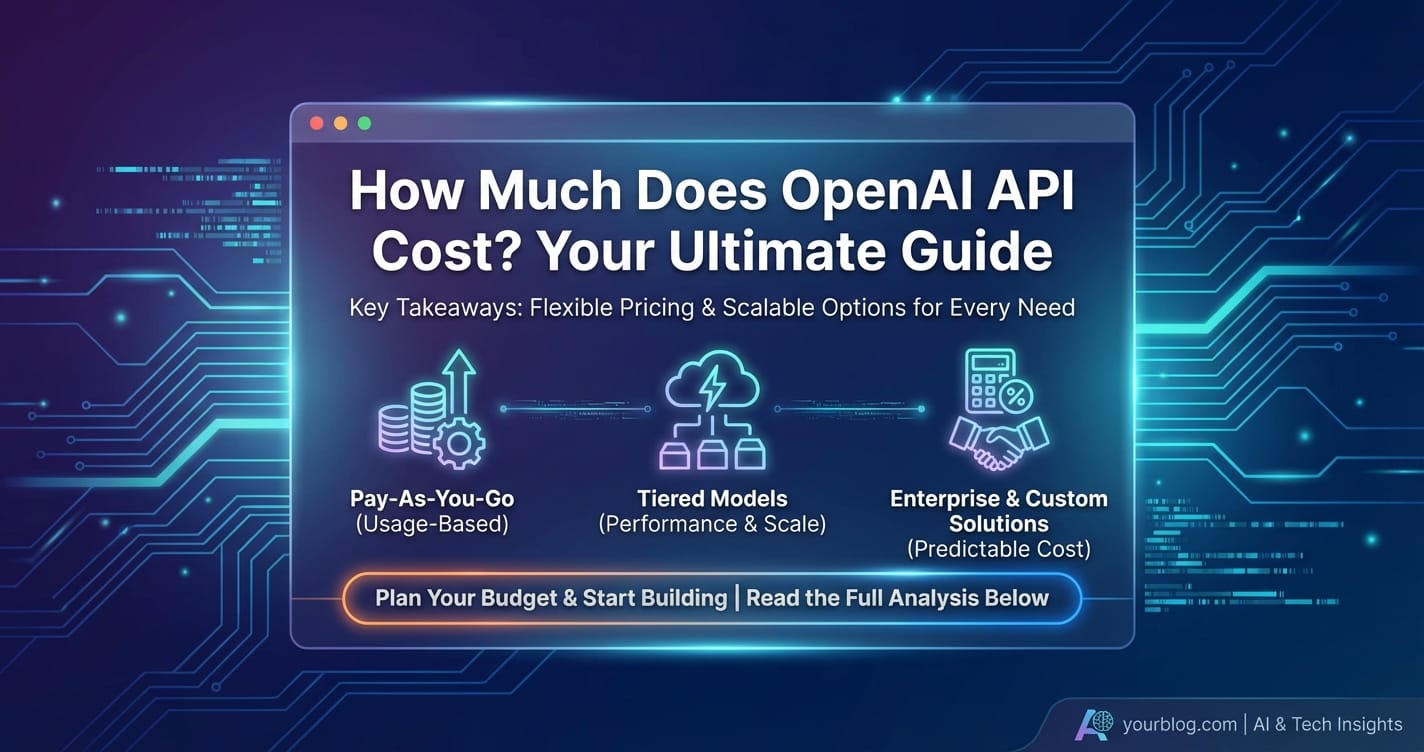
How Much Does OpenAI API Cost? Your Ultimate Guide

In the rapidly evolving landscape of artificial intelligence, OpenAI's powerful suite of models has become an indispensable tool for developers, businesses, and researchers alike. From sophisticated language generation with GPT models to stunning image creation with DALL-E and accurate audio transcription via Whisper, these APIs unlock unprecedented capabilities. However, integrating these cutting-edge technologies into your applications inevitably brings a crucial question to the forefront: how much does OpenAI API cost? Understanding the intricate pricing structure is not merely about budgeting; it's about optimizing your usage, making informed decisions, and ensuring the long-term viability and profitability of your AI-powered solutions.
This comprehensive guide will meticulously break down the pricing models for each of OpenAI's core offerings. We will delve into the nuances of token-based billing, explore the cost differences across various models, and provide actionable strategies for managing and minimizing your expenditures. Whether you are a solo developer experimenting with a personal project or an enterprise architect designing a large-scale AI system, mastering OpenAI API costs is paramount to your success.
Deconstructing the Core: Understanding OpenAI's Token-Based Pricing
At the heart of OpenAI's API billing lies the concept of "tokens." Unlike traditional software licensing or subscription models that might charge based on requests or monthly access, OpenAI primarily employs a usage-based pricing system centered around tokens. To truly grasp how much does OpenAI API cost, you must first understand what a token is and how it's calculated.
What Exactly Are Tokens?
Think of tokens as fragments of words. When you send text to an OpenAI model, or when the model generates a response, that text is broken down into these smaller units. A common rule of thumb is that 100 tokens roughly equate to 75 English words. However, this is an approximation, and the actual token count can vary based on the specific language, character encoding, and even the complexity of the words themselves.
OpenAI's tokenizers process text in a way that aims to be efficient, often breaking down common words into single tokens and less common or complex words into multiple tokens. For example, "token" might be one token, while "tokenization" could be two or three. Special characters, spaces, and punctuation also contribute to the token count.
There are two critical types of tokens that impact your bill:
- Input Tokens (Prompt Tokens): These are the tokens in the text you send to the API. This includes your prompt, any context you provide, instructions, and even previous turns in a conversation history that you pass along.
- Output Tokens (Completion Tokens): These are the tokens generated by the AI model in response to your input. This is the model's answer, creative text, code, or any other output it produces.
The cost for input tokens and output tokens is often different, with output tokens typically being more expensive due to the computational resources required for generation. This distinction is crucial because it means that verbose prompts or extensive conversational histories can significantly increase your input token count, even before the model starts generating its response.
Why Token-Based Billing?
Token-based billing offers several advantages for both OpenAI and its users:
- Granularity: It allows for highly granular billing, ensuring you only pay for what you actually use. This is particularly beneficial for applications with variable usage patterns.
- Scalability: The model scales naturally with usage. As your application grows and processes more text, your costs will increase proportionally, but you're not locked into fixed tiers that might not align with your actual consumption.
- Fairness: It attempts to fairly price the computational effort involved. Generating text is generally more resource-intensive than processing input, which is reflected in the higher cost per output token.
Understanding tokens is the foundational step. Every dollar you spend on the OpenAI API will be directly tied to the number of tokens processed and generated across the various models you utilize.
Deep Dive into Model-Specific Pricing: How Much Does OpenAI API Cost Per Model?
OpenAI offers a diverse portfolio of models, each optimized for different tasks and carrying its own price tag. The variation in cost primarily reflects the model's complexity, its performance capabilities (e.g., reasoning, creativity, speed), and the sheer amount of data it was trained on. Let's meticulously examine the pricing for the most commonly used categories.
GPT Models: The Brains Behind the Text
The GPT (Generative Pre-trained Transformer) series forms the backbone of OpenAI's language capabilities, powering everything from chatbots and content creation to code generation and data analysis. The pricing for GPT models is where most users will see the bulk of their expenditure.
GPT-4o: The Flagship Multimodal Model
GPT-4o ("omni" for omni-modal) is OpenAI's latest and most advanced flagship model, designed for native multimodal capabilities. It can process and generate text, audio, and images seamlessly. Its introduction significantly lowered the cost compared to its predecessors (GPT-4 Turbo), while offering superior speed and intelligence.
- Pricing:
- Input Tokens: $5.00 / 1M tokens
- Output Tokens: $15.00 / 1M tokens
- Key Features & Use Cases: GPT-4o excels in complex reasoning, sophisticated dialogue, multilingual conversations, and understanding nuanced instructions across various modalities. It's ideal for applications requiring high accuracy, intricate problem-solving, and the integration of different data types (e.g., analyzing an image and discussing it, transcribing audio and summarizing it). Its speed makes it suitable for real-time interactions where latency is critical.
GPT-4o mini: The Cost-Effective Powerhouse
A significant development for developers seeking both performance and affordability is the introduction of gpt-4o mini. This model offers a highly optimized balance of intelligence and cost-effectiveness, making advanced AI capabilities accessible for a broader range of applications. It's designed to be much faster and cheaper than larger GPT-4 models while retaining a significant portion of their reasoning capabilities. For many common use cases, gpt-4o mini provides an excellent sweet spot.
- Pricing:
- Input Tokens: $0.15 / 1M tokens
- Output Tokens: $0.60 / 1M tokens
- Key Features & Use Cases: Despite its "mini" designation, this model is incredibly capable. It's particularly well-suited for high-volume tasks where cost efficiency is paramount, but where the level of reasoning required goes beyond what GPT-3.5 Turbo can offer. This includes:
- Customer Service Chatbots: Handling common queries, providing rapid responses.
- Content Summarization: Quickly distilling information from articles or documents.
- Data Extraction: Identifying and extracting specific pieces of information from unstructured text.
- Translation: Performing accurate translations at scale.
- Basic Code Generation and Refactoring: Assisting developers with boilerplate code or simple bug fixes.
- Educational Tools: Providing explanations and answering questions in an academic context.
The introduction of gpt-4o mini addresses a critical need in the market, allowing developers to leverage advanced AI without incurring the higher costs associated with the full GPT-4o model. For many applications, this model will be the primary answer to how much does OpenAI API cost efficiently.
GPT-4 Turbo: The Previous Generation's Workhorse
Before GPT-4o, GPT-4 Turbo was OpenAI's most advanced text-centric model. It still offers a vast context window and strong reasoning capabilities. While its multimodal successor (GPT-4o) offers better performance at lower prices, GPT-4 Turbo remains available for legacy applications or specific requirements.
- Pricing (e.g.,
gpt-4-turbo/gpt-4-turbo-2024-04-09):- Input Tokens: $10.00 / 1M tokens
- Output Tokens: $30.00 / 1M tokens
- Key Features: Larger context window, improved instruction following, updated knowledge cutoff compared to earlier GPT-4 models. Suitable for complex tasks requiring extensive context or high-quality output where
gpt-4omight not be integrated yet.
GPT-3.5 Turbo: The Speed and Affordability Champion
GPT-3.5 Turbo remains a highly popular choice due to its excellent balance of speed, performance, and cost-effectiveness. It's often the go-to model for applications where quick responses and reasonable quality are preferred over the absolute cutting-edge reasoning of GPT-4 or GPT-4o.
- Pricing (e.g.,
gpt-3.5-turbo-0125):- Input Tokens: $0.50 / 1M tokens
- Output Tokens: $1.50 / 1M tokens
- Key Features & Use Cases: Ideal for tasks like:
- Rapid Content Generation: Blog post drafts, social media updates, email templates.
- Summarization of Shorter Texts: Summarizing articles, reviews, or emails.
- Chatbots and Virtual Assistants: Handling common questions, guiding users through processes.
- Prototyping: Quickly testing AI-powered features without significant cost overhead.
- Code Explanation and Basic Generation: Providing quick explanations of code snippets or generating simple functions.
It's clear that for many applications, GPT-3.5 Turbo is still a very strong contender, especially when focusing on how much does OpenAI API cost per transaction.
Older GPT-3.5 and Instruction Models
OpenAI also maintains access to older GPT-3.5 models and instruction-tuned models (like text-davinci-003) which were prevalent before the gpt-3.5-turbo series. These are generally more expensive and less efficient than their turbo counterparts and are mostly maintained for backward compatibility. It's typically recommended to migrate to the newer turbo or gpt-4o models for better performance and cost.
GPT Model Token Price Comparison
To provide a clearer perspective on how much does OpenAI API cost across the key GPT models, here's a detailed comparison table. Note that prices are per 1 Million tokens, a common benchmark for large-scale usage.
| Model | Input Tokens (per 1M) | Output Tokens (per 1M) | Key Strengths | Ideal Use Cases |
|---|---|---|---|---|
GPT-4o (gpt-4o, gpt-4o-2024-05-13) |
$5.00 | $15.00 | Cutting-edge intelligence, multimodal (text, audio, vision), faster than GPT-4 Turbo, more cost-effective than GPT-4. Best-in-class reasoning, creativity, and instruction following. | Complex problem-solving, advanced research, intricate dialogue systems, real-time multimodal applications, high-stakes content generation, creative writing, nuanced data analysis. |
GPT-4o mini (gpt-4o-mini) |
$0.15 | $0.60 | Exceptional intelligence-to-cost ratio, highly efficient for common tasks, very fast. Offers a significant portion of GPT-4o's capabilities at a fraction of the cost, making it ideal for scalable, cost-sensitive applications. | High-volume customer support, efficient content summarization, data extraction, translation at scale, educational tools, rapid prototyping, intelligent search enhancements, routine automation where accuracy is still critical. |
GPT-4 Turbo (gpt-4-turbo, etc.) |
$10.00 | $30.00 | Strong reasoning, large context window (128K tokens), updated knowledge cutoff. Excellent for complex tasks requiring extensive context. (Generally superseded by GPT-4o for new projects due to cost/performance). | Deep content analysis, legal document review, extensive code generation, strategic planning support, applications requiring very long context windows. (Consider migrating to GPT-4o for cost savings and improved performance if applicable). |
GPT-3.5 Turbo (gpt-3.5-turbo-0125) |
$0.50 | $1.50 | Fast, highly cost-effective, good general-purpose performance. Excellent for tasks where speed and affordability are priorities over absolute top-tier reasoning. | Basic chatbots, quick content drafting, summarization of short texts, simple code generation, sentiment analysis, language translation for general purposes, rapid experimentation. |
Note: All prices are subject to change. Always consult the official OpenAI pricing page for the most up-to-date information.
This Token Price Comparison table vividly illustrates the economic advantage of choosing the right model for the task. For many standard applications, gpt-4o mini and gpt-3.5-turbo offer incredible value.
DALL-E: Crafting Visuals from Words
OpenAI's DALL-E models allow you to generate high-quality images from textual descriptions (prompts). Unlike text models, DALL-E's pricing is based on the number of images generated and their specific attributes, such as resolution and quality.
DALL-E 3
DALL-E 3 is integrated into GPT-4o and can also be accessed directly via its API. It offers superior image quality, better prompt adherence, and more nuanced control compared to DALL-E 2.
- Pricing for DALL-E 3 (per image):
- Standard Quality:
- 1024x1024: $0.040
- 1024x1792 (portrait): $0.080
- 1792x1024 (landscape): $0.080
- HD Quality: (Offers finer detail and better consistency)
- 1024x1024: $0.080
- 1024x1792 (portrait): $0.120
- 1792x1024 (landscape): $0.120
- Standard Quality:
- Use Cases: High-fidelity image generation for marketing materials, website assets, artistic creations, storyboarding, concept art, and personalized content.
DALL-E 2
DALL-E 2 is an older generation model, still available but generally superseded by DALL-E 3 for quality and prompt adherence. Its pricing is simpler.
- Pricing for DALL-E 2 (per image):
- 1024x1024: $0.020
- 512x512: $0.018
- 256x256: $0.016
- Use Cases: Rapid prototyping, generating placeholder images, or applications where extreme detail isn't critical and budget is very tight.
| DALL-E Model | Size | Quality | Price (per image) |
|---|---|---|---|
| DALL-E 3 | 1024x1024 | Standard | $0.040 |
| 1024x1792 | Standard | $0.080 | |
| 1792x1024 | Standard | $0.080 | |
| 1024x1024 | HD | $0.080 | |
| 1024x1792 | HD | $0.120 | |
| 1792x1024 | HD | $0.120 | |
| DALL-E 2 | 1024x1024 | Standard | $0.020 |
| 512x512 | Standard | $0.018 | |
| 256x256 | Standard | $0.016 |
When considering how much does OpenAI API cost for image generation, remember that higher quality and larger resolutions directly translate to higher per-image costs.
Audio Models: From Speech to Text and Vice Versa
OpenAI offers robust models for both speech-to-text (Whisper) and text-to-speech (TTS), enabling a wide range of audio-based applications.
Whisper API: Speech-to-Text Transcription
The Whisper model is capable of transcribing audio into text with high accuracy, supporting multiple languages. Its pricing is based on the duration of the audio processed.
- Pricing (
whisper-1): $0.006 / minute - Use Cases:
- Meeting Transcriptions: Converting spoken meetings into searchable text.
- Voice Notes: Transcribing personal voice recordings.
- Call Center Analysis: Analyzing customer service calls for sentiment or keywords.
- Podcasting and Media: Generating captions or transcripts for audio/video content.
- Voice Control: Enabling voice commands for applications.
Text-to-Speech (TTS) API: Converting Text to Natural-Sounding Audio
OpenAI's TTS models convert written text into natural-sounding speech. You can choose from various standard and expressive voices. Pricing is based on the number of output characters.
- Pricing (e.g.,
tts-1,tts-1-hd): $15.00 / 1M characters - Key Features:
tts-1-hdoffers higher fidelity audio, whiletts-1is faster and more cost-effective for general use. Both offer multiple voices (alloy,echo,fable,onyx,nova,shimmer). - Use Cases:
- Audiobooks and Podcasts: Creating synthetic voices for narratives.
- Accessibility Features: Providing screen readers or voiceovers for visually impaired users.
- E-learning: Generating voiceovers for educational modules.
- Customer Service Bots: Giving chatbots a natural voice.
- Gaming: Generating dynamic dialogue for characters.
| Audio Model | Type | Pricing Unit | Price | Notes |
|---|---|---|---|---|
| Whisper-1 | Speech-to-Text | Per minute of audio | $0.006 | Highly accurate transcription, multilingual. |
| TTS-1 | Text-to-Speech | Per 1M characters | $15.00 | Faster, standard fidelity. Multiple voices. |
| TTS-1-HD | Text-to-Speech | Per 1M characters | $15.00 | Higher fidelity audio. Multiple voices. |
When calculating how much does OpenAI API cost for audio, it's a simple per-minute for transcription and per-character for speech synthesis.
Embedding Models: Understanding Semantic Relationships
Embedding models convert text into numerical vectors, representing the semantic meaning of the text. These embeddings are crucial for tasks like semantic search, recommendation systems, and clustering. The pricing is based on the number of input tokens.
- Pricing (
text-embedding-3-small,text-embedding-3-large):text-embedding-3-small: $0.02 / 1M tokenstext-embedding-3-large: $0.13 / 1M tokens
- Key Features:
text-embedding-3-largeoffers higher performance (better semantic understanding) at a higher cost, whiletext-embedding-3-smallprovides a more cost-effective option for many tasks. Both support reducing embedding dimensions, which can save storage and computational cost downstream. - Use Cases:
- Semantic Search: Finding documents or products based on meaning, not just keywords.
- Recommendation Systems: Suggesting similar items or content.
- Clustering: Grouping similar pieces of text together.
- Retrieval-Augmented Generation (RAG): Enhancing LLM responses with relevant external knowledge by finding contextually similar documents.
| Embedding Model | Input Tokens (per 1M) | Key Strengths |
|---|---|---|
text-embedding-3-small |
$0.02 | Highly cost-effective, good general-purpose performance, supports dimension reduction. Excellent for budget-conscious applications or those not requiring the absolute highest semantic precision. |
text-embedding-3-large |
$0.13 | Higher performance, more precise semantic understanding, supports dimension reduction. Ideal for critical applications where embedding quality directly impacts search relevance, recommendation accuracy, or RAG performance. |
For embedding models, the choice between small and large largely depends on the required precision and budget.
Fine-tuning Models: Customizing for Specific Needs
Fine-tuning allows you to adapt OpenAI's base models (like GPT-3.5 Turbo) to your specific datasets and tasks, often resulting in higher accuracy and more tailored responses than prompt engineering alone. The pricing for fine-tuning involves two components: training costs and usage costs.
- Training Costs:
- Calculated based on the number of tokens in your training data and the chosen model.
- Example: For
gpt-3.5-turbo, training costs are $8.00 / 1M tokens.
- Usage Costs:
- Once a model is fine-tuned, its usage is also token-based, but often at a higher rate than the base model.
- Example: For fine-tuned
gpt-3.5-turbo: $3.00 / 1M input tokens, $6.00 / 1M output tokens.
- Use Cases:
- Domain-Specific Chatbots: Training a model on internal documentation to create an expert chatbot.
- Consistent Tone and Style: Ensuring generated content adheres to a specific brand voice.
- Specialized Tasks: Improving performance on niche tasks like medical coding, legal analysis, or specific creative writing styles.
Fine-tuning is an investment. It requires initial data preparation and training costs, but it can lead to significant improvements in task performance and potentially reduce prompt length over time, indirectly saving on usage costs if the fine-tuned model becomes much more efficient. When considering how much does OpenAI API cost for fine-tuning, factor in both the upfront training and the ongoing higher inference rates.
XRoute is a cutting-edge unified API platform designed to streamline access to large language models (LLMs) for developers, businesses, and AI enthusiasts. By providing a single, OpenAI-compatible endpoint, XRoute.AI simplifies the integration of over 60 AI models from more than 20 active providers(including OpenAI, Anthropic, Mistral, Llama2, Google Gemini, and more), enabling seamless development of AI-driven applications, chatbots, and automated workflows.
Factors Beyond Tokens: What Else Influences Your OpenAI API Bill?
While tokens are the primary determinant of how much does OpenAI API cost, several other factors and usage patterns can significantly impact your monthly expenditure. Understanding these nuances is crucial for effective cost management.
1. The Chosen Model (Most Impactful)
As extensively detailed above, the single biggest factor influencing your bill is the specific AI model you choose. A single gpt-4o output token can be 10 times more expensive than a gpt-3.5-turbo output token, and gpt-4o mini offers an even steeper reduction. Always select the least powerful model that can still effectively accomplish your task. Do you need the nuanced reasoning of gpt-4o for every internal communication, or can gpt-4o mini or gpt-3.5-turbo handle the bulk of your needs? This decision alone can shift your costs by orders of magnitude.
2. Input vs. Output Token Ratio
OpenAI typically charges more for output tokens than input tokens. This means: * Concise Prompts are King: While context is important, sending overly verbose or redundant prompts increases your input token count without necessarily improving the output. Every word you send costs money. * Output Length Matters: For tasks like summarization, aim for the shortest possible summary that still conveys the necessary information. For content generation, consider if you truly need a 1000-word article when 500 words would suffice.
3. Prompt Engineering Efficiency
Effective prompt engineering isn't just about getting better answers; it's also about cost efficiency. * Few-shot Learning: Instead of fine-tuning for simpler tasks, providing a few examples within your prompt (few-shot learning) can guide the model effectively without the overhead of fine-tuning or consistently needing more powerful, expensive models. However, be mindful of the increased input tokens. * Iterative Refinement: If a model consistently requires follow-up prompts to refine its output, you're paying for multiple rounds of input and output tokens. A well-crafted initial prompt that yields a good result on the first try is more cost-effective. * Structured Output: Asking for JSON or other structured output can sometimes lead to more predictable and shorter responses, reducing unnecessary prose.
4. Context Window Management in Conversational AI
For conversational applications (chatbots, assistants), managing the context window is paramount. Every turn of the conversation you send to the API for context counts as input tokens. * Summarization/Compression: Instead of sending the entire conversation history, summarize previous turns or use techniques to compress the context. * Sliding Window: Keep only the most recent N turns or a certain number of tokens in the context window, discarding older, less relevant parts of the conversation. * Semantic Search for Relevant Context: For very long-running conversations or knowledge bases, use embedding models to retrieve only the most relevant snippets of conversation or documents to inject into the current prompt.
5. Error Handling and Retries
Poor error handling or excessive retries can inadvertently inflate your bill. * Rate Limits: Hitting rate limits frequently and retrying immediately can lead to wasted requests. Implement exponential backoff strategies. * Invalid Requests: Sending malformed requests that don't conform to the API's schema will consume your quota without providing useful output. Ensure your API calls are well-formed. * Model Failures: While rare, models can sometimes produce nonsensical output or fail to complete a request. Robust error checking and intelligent retry logic are essential.
6. Batch Processing vs. Real-time
For tasks that don't require immediate responses, batching requests can sometimes be more efficient. While OpenAI's direct pricing doesn't offer explicit batch discounts, processing multiple smaller requests into a single, larger request (within context window limits) can sometimes streamline API calls, although the total token count will still dictate the cost. The primary benefit of batching is often operational rather than direct cost savings per token.
7. Data Volume and Frequency of Use
This is straightforward: the more you use the API, the higher your bill. Applications with high throughput requirements or those processing vast amounts of data will naturally incur higher costs. Monitoring your usage patterns and identifying peak times can help in capacity planning and cost prediction.
8. Vision Inputs (for GPT-4o / GPT-4V)
When using GPT-4o or GPT-4V with vision capabilities, sending images along with your text prompt also incurs costs. The cost depends on the image's resolution and complexity. OpenAI has a specific pricing model for vision tokens, where a "tile" system is used to calculate image cost based on the number of 512x512 pixel tiles an image would require. This is an additional cost layer to consider when using multimodal models.
By meticulously managing these factors, developers and businesses can gain better control over how much does OpenAI API cost and build more sustainable AI applications.
Strategies for Savvy Spending: Optimizing Your OpenAI API Costs
Effectively managing OpenAI API costs requires a proactive approach, integrating best practices into your development and operational workflows. Here's a detailed look at strategies to optimize your expenditures.
1. Monitor Your Usage Relentlessly
The first step to cost control is understanding where your money is going. * OpenAI Dashboard: Regularly check your OpenAI API dashboard. It provides detailed breakdowns of your usage by model, date, and project. * Custom Logging: Implement logging in your application to track token usage for each API call, model used, and user/feature associated with it. This granular data is invaluable for identifying cost hotspots. * Set Usage Limits & Alerts: Configure hard limits and soft alerts on your OpenAI account. This prevents unexpected bill shocks by stopping usage once a threshold is reached or notifying you to take action.
2. Choose the Right Model for the Job
This cannot be overstated. As demonstrated in our Token Price Comparison, the difference between gpt-4o and gpt-4o mini or gpt-3.5-turbo is immense. * Hierarchy of Needs: Start by evaluating if gpt-3.5-turbo suffices. If not, step up to gpt-4o mini. Only if gpt-4o mini falls short on specific, critical tasks, consider the full gpt-4o. * Micro-tasks vs. Macro-tasks: For simple tasks like rephrasing a sentence or extracting a single piece of information, gpt-3.5-turbo or gpt-4o mini are usually sufficient. Reserve the more powerful models for complex reasoning, multi-turn dialogues, or highly creative content generation where their advanced capabilities are truly leveraged. * A/B Testing: Don't assume. A/B test different models for a given task with real user data to find the sweet spot between performance and cost.
3. Optimize Your Prompts and Context
Efficient prompting directly translates to token savings. * Be Concise, Yet Clear: Remove unnecessary filler words or redundant instructions from your prompts. Every word counts. * Pre-process Input: If possible, clean, summarize, or extract key information from user input before sending it to the LLM. For instance, if a user provides a 500-word essay for a simple question-answering task, you might summarize the essay down to 100 words first using a cheaper model or local processing. * Instruction Optimization: Experiment with different phrasing and structures for your instructions. Sometimes a slight reword can yield better results with fewer output tokens, or reduce the need for follow-up prompts. * Context Window Management: For chatbots, implement strategies like: * Summarizing Previous Turns: Periodically summarize the conversation so far and inject only the summary into the prompt, rather than the entire raw history. * Fixed Window: Maintain a fixed-size context window (e.g., last 5-10 turns or a maximum of 2000 tokens) and discard older history. * Semantic Retrieval: Use an embedding model to retrieve only the most semantically relevant parts of a long conversation history or knowledge base, reducing the overall input token count.
4. Implement Input/Output Token Limits
Guardrails are essential. * Max Input Tokens: Set a maximum limit on the number of tokens your application will send as input to the API for any single request. If user input exceeds this, prompt them to shorten it or truncate it programmatically. * Max Output Tokens: Always specify max_tokens in your API calls. This prevents the model from generating overly long responses, which can be costly and sometimes unnecessary. Determine a reasonable maximum output length for each task.
5. Leverage Caching Mechanisms
For frequently asked questions or highly repeatable tasks with predictable outputs, implement a caching layer. * Response Caching: Store API responses for identical or very similar prompts. Before making an API call, check your cache. If a match is found, return the cached response, saving an API call and its associated cost. * Embedding Caching: If you're generating embeddings for a fixed set of documents, cache these embeddings rather than re-generating them with every request.
6. Error Handling and Resilience
Robust error handling not only improves user experience but also saves costs. * Rate Limit Backoff: Implement exponential backoff for retries when encountering rate limit errors (HTTP 429). Don't pound the API with retries immediately. * Input Validation: Validate user inputs before sending them to the API. Prevent malformed or excessively long inputs from consuming tokens unnecessarily. * Circuit Breakers: For critical components, implement circuit breakers to temporarily stop sending requests if the API is experiencing prolonged issues, preventing a cascade of failed, token-consuming calls.
7. Explore Open-Source Alternatives and Hybrid Approaches
While OpenAI offers unparalleled convenience and performance, not every task requires it. * Local LLMs: For less complex tasks or where data privacy is paramount, consider running smaller open-source LLMs (e.g., Llama 3 8B, Mistral 7B) locally or on your own infrastructure. This shifts compute costs from OpenAI's API to your own servers but eliminates per-token charges. * Hybrid Architectures: Design your application to use OpenAI for complex, high-value tasks and local/cheaper models for simpler, high-volume tasks. For example, a local model might classify user intent, and only if a complex intent is detected, is the request forwarded to OpenAI. * Open-Source Tools for Pre-processing/Post-processing: Utilize open-source libraries for tasks like text summarization, data extraction, or content filtering before or after interacting with the OpenAI API, reducing the load on the more expensive LLMs.
8. Consider Unified API Platforms for Multi-Provider Strategies
As you explore various AI models and even other providers, managing multiple API keys, different endpoints, and varying pricing structures can become complex. This is where unified API platforms become incredibly valuable.
For developers and businesses navigating the complexities of multiple AI models and striving for cost-effective AI solutions, platforms like XRoute.AI offer a compelling alternative. XRoute.AI acts as a cutting-edge unified API platform designed to streamline access to large language models (LLMs) for developers, businesses, and AI enthusiasts.
By providing a single, OpenAI-compatible endpoint, XRoute.AI simplifies the integration of over 60 AI models from more than 20 active providers. This means you can easily switch between OpenAI models (like GPT-4o, gpt-4o mini) and models from other providers (e.g., Anthropic, Google, Mistral) without rewriting your codebase. This flexibility is crucial for cost optimization because it allows you to:
- Dynamically Route Requests: Send a request to the cheapest or fastest model that meets your performance criteria, potentially routing simpler tasks to more affordable models and complex ones to the best-performing, regardless of provider.
- Centralized Cost Management: Monitor and manage your API usage and costs across multiple providers from a single dashboard.
- Seamless Fallback: Configure automatic fallbacks to alternative models or providers if your primary choice experiences downtime or rate limits.
- Leverage
gpt-4o miniand Others with Ease: XRoute.AI's focus on low latency AI and cost-effective AI ensures that you can take full advantage of models like gpt-4o mini for your high-volume tasks, while having the flexibility to tap into other advanced models when needed, all through a simplified integration.
With XRoute.AI, you can build intelligent solutions without the complexity of managing multiple API connections, ensuring high throughput, scalability, and a flexible pricing model tailored for projects of all sizes. This unified approach is not just about convenience; it's a strategic move for advanced cost control and future-proofing your AI infrastructure.
By implementing these optimization strategies, you can gain a firm grip on how much does OpenAI API cost and ensure your AI investments yield maximum returns.
Conclusion: Mastering OpenAI API Costs for Sustainable AI Innovation
Navigating the financial landscape of artificial intelligence APIs can initially seem daunting, but with a clear understanding of OpenAI's token-based pricing, model-specific costs, and the various influencing factors, you can transform potential cost uncertainties into predictable expenditures. Our exploration has revealed that the answer to how much does OpenAI API cost is not a static number, but rather a dynamic calculation influenced by every decision you make, from model selection to prompt engineering.
The introduction of models like gpt-4o mini represents a significant leap forward in making advanced AI capabilities more accessible and cost-effective, particularly for high-volume applications where budget is a primary concern. Simultaneously, the power of gpt-4o and GPT-4 Turbo remains indispensable for tasks demanding peak intelligence and reasoning. Our detailed Token Price Comparison has underscored the profound impact that choosing the right model has on your bottom line.
Beyond model selection, diligent monitoring, strategic prompt optimization, intelligent context management, and the wise application of caching and error handling are all crucial levers you can pull to control costs. Furthermore, for those looking to expand their AI toolkit beyond a single provider, platforms like XRoute.AI offer a compelling solution. By unifying access to a multitude of LLMs through a single, OpenAI-compatible endpoint, XRoute.AI empowers developers to seamlessly switch between models for optimal performance and cost-effective AI, ensuring low latency AI and scalability without the overhead of managing complex multi-API integrations.
Ultimately, mastering how much does OpenAI API cost is an ongoing process of learning, testing, and refining. By adopting a strategic and informed approach, you can harness the full potential of OpenAI's incredible suite of tools, build innovative AI-powered applications, and ensure the financial sustainability of your projects in the ever-evolving world of artificial intelligence.
Frequently Asked Questions (FAQ)
Here are some common questions developers and businesses have when estimating and managing their OpenAI API costs:
Q1: What is the most significant factor impacting my OpenAI API bill?
A1: The most significant factor is the choice of the AI model. More powerful and capable models like gpt-4o are significantly more expensive per token than models like gpt-4o mini or gpt-3.5-turbo. Selecting the least powerful model that can effectively accomplish your task is the single best way to optimize costs.
Q2: How do input tokens and output tokens differ in terms of cost?
A2: Input tokens are the tokens in the text you send to the API (your prompt and context), while output tokens are the tokens the model generates as a response. Generally, output tokens are more expensive than input tokens because generating text is more computationally intensive than processing input. This means overly verbose model responses will cost more than long prompts.
Q3: Is there a free tier or free usage for the OpenAI API?
A3: OpenAI typically offers a free trial credit to new users upon signing up, which can be used to explore the API. However, there isn't a perpetually free tier for ongoing usage. After the trial credit is exhausted, all usage is billed according to the documented pricing. It's always best to check the official OpenAI website for the most current free trial offers.
Q4: How can I minimize costs for a conversational AI application (chatbot)?
A4: For chatbots, cost optimization is crucial. Strategies include: 1. Model Selection: Use gpt-3.5-turbo or gpt-4o mini for the majority of interactions unless complex reasoning is absolutely required. 2. Context Management: Don't send the entire conversation history with every turn. Implement techniques like summarizing past turns, using a sliding window to keep only recent context, or employing embeddings to retrieve only semantically relevant portions of the conversation history. 3. Output Limits: Always set a max_tokens parameter in your API calls to prevent overly long and costly responses.
Q5: Can I reduce costs by fine-tuning a model instead of using powerful base models?
A5: Fine-tuning can be a cost-optimization strategy, but it requires careful consideration. While a fine-tuned gpt-3.5-turbo might perform better than a base gpt-3.5-turbo for specific tasks, and potentially reduce the need for more complex prompts (thus saving input tokens), the usage cost of a fine-tuned model is higher than its base counterpart. Additionally, there are upfront training costs. It's most effective for highly specialized tasks where fine-tuning significantly improves performance or consistency, leading to overall efficiency gains over time.
🚀You can securely and efficiently connect to thousands of data sources with XRoute in just two steps:
Step 1: Create Your API Key
To start using XRoute.AI, the first step is to create an account and generate your XRoute API KEY. This key unlocks access to the platform’s unified API interface, allowing you to connect to a vast ecosystem of large language models with minimal setup.
Here’s how to do it: 1. Visit https://xroute.ai/ and sign up for a free account. 2. Upon registration, explore the platform. 3. Navigate to the user dashboard and generate your XRoute API KEY.
This process takes less than a minute, and your API key will serve as the gateway to XRoute.AI’s robust developer tools, enabling seamless integration with LLM APIs for your projects.
Step 2: Select a Model and Make API Calls
Once you have your XRoute API KEY, you can select from over 60 large language models available on XRoute.AI and start making API calls. The platform’s OpenAI-compatible endpoint ensures that you can easily integrate models into your applications using just a few lines of code.
Here’s a sample configuration to call an LLM:
curl --location 'https://api.xroute.ai/openai/v1/chat/completions' \
--header 'Authorization: Bearer $apikey' \
--header 'Content-Type: application/json' \
--data '{
    "model": "gpt-5",
    "messages": [
        {
            "content": "Your text prompt here",
            "role": "user"
        }
    ]
}'
With this setup, your application can instantly connect to XRoute.AI’s unified API platform, leveraging low latency AI and high throughput (handling 891.82K tokens per month globally). XRoute.AI manages provider routing, load balancing, and failover, ensuring reliable performance for real-time applications like chatbots, data analysis tools, or automated workflows. You can also purchase additional API credits to scale your usage as needed, making it a cost-effective AI solution for projects of all sizes.
Note: Explore the documentation on https://xroute.ai/ for model-specific details, SDKs, and open-source examples to accelerate your development.