How to Extract Keywords from Sentences in JavaScript

In the vast and ever-evolving landscape of natural language processing (NLP), the ability to discern the core subjects and most pertinent information within a given text is invaluable. This process, known as keyword extraction, serves as a cornerstone for countless applications, from search engine optimization (SEO) and content analysis to sophisticated recommendation systems and intelligent chatbots. For developers working with web technologies, mastering how to extract keywords from sentence JS (JavaScript) becomes a fundamental skill, opening doors to more dynamic and context-aware applications.
This comprehensive guide will delve deep into various techniques for keyword extraction using JavaScript, starting from basic rule-based methods and progressing to advanced statistical models, and finally exploring the transformative power of artificial intelligence (AI) and large language models (LLMs) accessible via powerful APIs. We'll explore the nuances of each approach, provide practical JavaScript code examples, discuss their strengths and limitations, and ultimately equip you with the knowledge to choose the most suitable method for your specific needs. As we navigate through these techniques, we'll see how modern solutions, particularly those leveraging external AI services, can dramatically enhance the accuracy and depth of keyword identification.
Understanding Keyword Extraction: The Foundation
Before we dive into the technicalities of implementation, it's crucial to establish a clear understanding of what keyword extraction entails and why it holds such significance in today's data-driven world.
What are Keywords?
At its simplest, a keyword is a word or a short phrase that captures the main topic or theme of a document or sentence. They are the words that carry the most semantic weight, distinguishing the text from others and summarizing its essence. Keywords can be: * Single words (unigrams): e.g., "JavaScript," "extraction," "AI." * Multi-word phrases (n-grams): e.g., "keyword extraction," "natural language processing," "OpenAI SDK."
The challenge lies not just in identifying individual words, but in understanding which words or phrases truly represent the core meaning, often requiring a grasp of context that goes beyond simple word frequency.
Why is Keyword Extraction Important?
The applications of effective keyword extraction are diverse and impactful:
- Search and Information Retrieval: Keywords are fundamental to how search engines index and retrieve relevant documents. By extracting keywords, systems can match user queries more accurately.
- Content Summarization: Identifying key terms can help create concise summaries of longer texts, allowing users to quickly grasp the main points.
- Topic Modeling and Categorization: Keywords can group similar documents together, making it easier to organize and browse large collections of information.
- Sentiment Analysis: Keywords related to emotions or opinions can be crucial for determining the overall sentiment of a piece of text.
- Chatbots and Virtual Assistants: Understanding user intent often hinges on extracting keywords from their queries, allowing AI to provide relevant responses.
- Recommendation Systems: By analyzing keywords from user preferences or past interactions, systems can recommend relevant products, articles, or services.
- SEO and Marketing: For content creators, understanding and optimizing for relevant keywords is paramount for visibility and reaching target audiences.
The Inherent Challenges
Despite its apparent simplicity, keyword extraction is fraught with challenges:
- Contextual Ambiguity: The same word can have different meanings in different contexts (e.g., "bank" of a river vs. a financial "bank").
- Synonymy and Polysemy: Multiple words can have the same meaning (synonyms), and one word can have multiple meanings (polysemy).
- Inflection and Derivation: Words can appear in different forms (e.g., "run," "running," "ran").
- Stop Words: Common words like "the," "a," "is," which carry little semantic value, need to be filtered out.
- Domain Specificity: What constitutes a keyword can vary significantly between domains (e.g., medical jargon vs. tech terms).
- Noise and Irrelevant Information: Texts often contain extraneous details that can obscure the true keywords.
Overcoming these challenges requires increasingly sophisticated techniques, which we will now explore in detail.
Simple Rule-Based Approaches in JavaScript
For many basic applications, or as a foundational step for more complex systems, rule-based keyword extraction offers a lightweight and understandable solution directly within JavaScript. These methods rely on predefined rules and patterns to identify potential keywords.
A. Tokenization: Breaking Down Sentences
The first step in virtually any NLP task is tokenization – the process of breaking down a stream of text into smaller units called tokens. In most cases, tokens are individual words, but they can also be punctuation marks, numbers, or even sub-word units.
Basic split() Method
The simplest way to tokenize a sentence in JavaScript is to use the split() method, typically splitting by whitespace.
function basicTokenize(sentence) {
    return sentence.toLowerCase().split(/\s+/).filter(token => token.length > 0);
}

const sentence1 = "JavaScript is a versatile programming language.";
console.log(basicTokenize(sentence1));
// Output: [ 'javascript', 'is', 'a', 'versatile', 'programming', 'language.' ]
Handling Punctuation with Regular Expressions
The split() method alone isn't robust enough. It leaves punctuation attached to words (e.g., "language."). A more sophisticated approach uses regular expressions to isolate words and discard punctuation or handle it separately.
function tokenize(sentence) {
    // Convert to lowercase for consistent processing
    const lowercasedSentence = sentence.toLowerCase();
    // Use regex to split by non-alphanumeric characters, and filter empty strings
    return lowercasedSentence.split(/[^a-z0-9]+/).filter(token => token.length > 0);
}

const sentence2 = "Hello, world! JavaScript is fun, isn't it?";
console.log(tokenize(sentence2));
// Output: [ 'hello', 'world', 'javascript', 'is', 'fun', 'isn', 't', 'it' ]
This improved tokenize function gives us a cleaner list of words, ready for further processing.
B. Stop Word Removal: Filtering the Noise
Stop words are common words in a language (like "the," "a," "is," "and," "in") that often carry little significant meaning for keyword extraction. Removing them can significantly reduce noise and highlight more important terms.
Creating a Custom Stop Word List
For English, a list of common stop words can be defined as a JavaScript array.
const englishStopWords = new Set([
    "a", "an", "the", "and", "or", "but", "is", "are", "was", "were", "be", "been", "being",
    "have", "has", "had", "do", "does", "did", "not", "no", "yes", "for", "with", "on", "at",
    "by", "from", "up", "down", "in", "out", "over", "under", "again", "further", "then", "once",
    "here", "there", "when", "where", "why", "how", "all", "any", "both", "each", "few", "more",
    "most", "other", "some", "such", "no", "nor", "only", "own", "same", "so", "than", "too",
    "very", "s", "t", "can", "will", "just", "don", "should", "now", "d", "ll", "m", "o", "re",
    "ve", "y", "ain", "aren", "couldn", "didn", "doesn", "hadn", "hasn", "haven", "isn", "ma",
    "mightn", "mustn", "needn", "shan", "shouldn", "wasn", "weren", "won", "wouldn"
]);

function removeStopWords(tokens, stopWords) {
    return tokens.filter(token => !stopWords.has(token));
}

const tokens = tokenize("JavaScript is a powerful programming language for web development.");
const filteredTokens = removeStopWords(tokens, englishStopWords);
console.log(filteredTokens);
// Output: [ 'javascript', 'powerful', 'programming', 'language', 'web', 'development' ]
This step significantly refines our list of potential keywords.
C. Simple Part-of-Speech (POS) Tagging (Heuristic)
Words that are most likely to be keywords are typically nouns, proper nouns, or adjectives. While full-fledged POS tagging requires sophisticated NLP libraries, we can apply simple heuristics in JavaScript to favor certain types of words.
For instance, proper nouns often start with a capital letter (though our current tokenization lowercases everything, so this would require processing before lowercasing or a more complex approach). More generally, we can consider words that are not verbs or adverbs as stronger candidates. Without a full POS tagger, this is largely an educated guess.
// This is highly simplified and not a true POS tagger.
// It relies on a conceptual understanding of what makes a 'keyword'.
// For genuine POS tagging, external libraries are needed.
function heuristicFilter(tokens) {
    // In a real scenario, you'd feed these tokens to a proper POS tagger
    // and filter based on 'NN' (noun), 'NNS' (plural noun), 'NNP' (proper noun), 'JJ' (adjective) tags.
    // For this rule-based example, we just use the filtered tokens.
    // The previous stop-word removal and capitalization (if preserved) already help.
    return tokens; // For this simple example, we assume previous filtering is sufficient.
}

const candidateKeywords = heuristicFilter(filteredTokens);
console.log(candidateKeywords);
// Output: [ 'javascript', 'powerful', 'programming', 'language', 'web', 'development' ]
Note: A truly effective POS tagger goes beyond simple heuristics and requires pre-trained models. We'll explore libraries that offer this functionality later. For pure JavaScript, building a robust POS tagger from scratch is a significant undertaking.
D. N-Gram Extraction: Capturing Multi-Word Phrases
Often, keywords aren't single words but multi-word phrases (e.g., "natural language processing," "web development"). These are called n-grams. An n-gram is a contiguous sequence of 'n' items from a given sample of text or speech.
- Unigrams: Single words (n=1)
- Bigrams: Two-word phrases (n=2)
- Trigrams: Three-word phrases (n=3)
function generateNGrams(tokens, n) {
    const ngrams = [];
    for (let i = 0; i <= tokens.length - n; i++) {
        ngrams.push(tokens.slice(i, i + n).join(' '));
    }
    return ngrams;
}

const processedTokens = [ 'javascript', 'powerful', 'programming', 'language', 'web', 'development' ];

console.log("Unigrams:", generateNGrams(processedTokens, 1));
// Output: [ 'javascript', 'powerful', 'programming', 'language', 'web', 'development' ]

console.log("Bigrams:", generateNGrams(processedTokens, 2));
// Output: [ 'javascript powerful', 'powerful programming', 'programming language', 'language web', 'web development' ]

console.log("Trigrams:", generateNGrams(processedTokens, 3));
// Output: [ 'javascript powerful programming', 'powerful programming language', 'programming language web', 'language web development' ]
Combining these rule-based steps allows us to generate a list of candidate keywords and multi-word phrases. However, this approach lacks a way to rank or score these candidates based on their importance or relevance. This is where statistical methods come into play.
Statistical Approaches for Keyword Extraction in JavaScript
Statistical methods move beyond simple rules by quantifying the importance of words and phrases within a document or across a collection of documents. They are more robust and often yield better results than purely rule-based systems.
A. Term Frequency (TF): The Simplest Metric
Term Frequency (TF) is the most straightforward statistical measure. It simply counts how many times a particular word appears in a document. The intuition is that if a word appears frequently, it's likely to be important.
function calculateTermFrequency(tokens) {
    const tf = {};
    tokens.forEach(token => {
        tf[token] = (tf[token] || 0) + 1;
    });
    return tf;
}

const sentence = "JavaScript is a programming language. JavaScript is widely used for web development.";
const tokens = tokenize(sentence); // [ 'javascript', 'is', 'a', 'programming', 'language', 'javascript', 'is', 'widely', 'used', 'for', 'web', 'development' ]
const filteredTokens = removeStopWords(tokens, englishStopWords); // [ 'javascript', 'programming', 'language', 'javascript', 'widely', 'used', 'web', 'development' ]

const tfScores = calculateTermFrequency(filteredTokens);
console.log(tfScores);
/*
Output:
{
  javascript: 2,
  programming: 1,
  language: 1,
  widely: 1,
  used: 1,
  web: 1,
  development: 1
}
*/
While simple, TF has a significant drawback: very common words (even after stop word removal) can still have high frequencies without being particularly discriminative. For example, "language" might appear frequently but might not be as critical as a more specific term.
B. TF-IDF (Term Frequency-Inverse Document Frequency)
TF-IDF is a powerful statistical measure that evaluates how relevant a word is to a document in a collection of documents (corpus). It addresses the limitations of pure TF by giving higher scores to words that are frequent in a specific document but rare across the entire corpus. This makes it an excellent choice for keyword extraction, especially when comparing documents.
The TF-IDF score for a term t in a document d from a corpus D is calculated as:
TF-IDF(t, d, D) = TF(t, d) * IDF(t, D)
Where: * TF(t, d): Term Frequency, the number of times term t appears in document d. Often normalized by the total number of terms in d. * IDF(t, D): Inverse Document Frequency, which measures how rare a term is across the entire corpus D. It's calculated as log(N / df(t)) where N is the total number of documents in the corpus and df(t) is the number of documents in D that contain term t.
Implementing TF-IDF in JavaScript
Implementing TF-IDF from scratch requires a corpus (multiple documents). Let's simulate a small corpus.
const corpus = [
    "JavaScript is a versatile programming language for web development.",
    "Python is popular for data science and machine learning.",
    "Web development often uses JavaScript frameworks like React.",
    "Machine learning applications benefit from Python's libraries."
];

// Step 1: Preprocess the corpus (tokenize and remove stop words for each document)
function preprocessDocument(doc) {
    const tokens = tokenize(doc);
    return removeStopWords(tokens, englishStopWords);
}

const preprocessedCorpus = corpus.map(preprocessDocument);
// console.log(preprocessedCorpus);
/*
[
  [ 'javascript', 'versatile', 'programming', 'language', 'web', 'development' ],
  [ 'python', 'popular', 'data', 'science', 'machine', 'learning' ],
  [ 'web', 'development', 'often', 'uses', 'javascript', 'frameworks', 'like', 'react' ],
  [ 'machine', 'learning', 'applications', 'benefit', 'python', 'libraries' ]
]
*/

// Step 2: Calculate Document Frequency (df) for each term in the corpus
function calculateDocumentFrequency(preprocessedCorpus) {
    const df = {};
    preprocessedCorpus.forEach(docTokens => {
        const uniqueTokens = new Set(docTokens); // Only count once per document
        uniqueTokens.forEach(token => {
            df[token] = (df[token] || 0) + 1;
        });
    });
    return df;
}

const documentFrequency = calculateDocumentFrequency(preprocessedCorpus);
// console.log(documentFrequency);
/*
{
  javascript: 2, versatile: 1, programming: 1, language: 1, web: 2,
  development: 2, python: 2, popular: 1, data: 1, science: 1,
  machine: 2, learning: 2, often: 1, uses: 1, frameworks: 1,
  like: 1, react: 1, applications: 1, benefit: 1, libraries: 1
}
*/

// Step 3: Calculate IDF
function calculateIDF(df, totalDocuments) {
    const idf = {};
    for (const term in df) {
        idf[term] = Math.log(totalDocuments / df[term]);
    }
    return idf;
}

const totalDocuments = corpus.length;
const idfScores = calculateIDF(documentFrequency, totalDocuments);
// console.log(idfScores);
/*
{
  javascript: 0.693, versatile: 1.386, programming: 1.386, language: 1.386,
  web: 0.693, development: 0.693, python: 0.693, popular: 1.386,
  data: 1.386, science: 1.386, machine: 0.693, learning: 0.693,
  often: 1.386, uses: 1.386, frameworks: 1.386, like: 1.386,
  react: 1.386, applications: 1.386, benefit: 1.386, libraries: 1.386
}
*/

// Step 4: Calculate TF-IDF for a specific document
function calculateTFIDFForDocument(documentTokens, idfScores) {
    const tf = calculateTermFrequency(documentTokens);
    const tfidf = {};
    for (const term in tf) {
        if (idfScores[term] !== undefined) {
            tfidf[term] = tf[term] * idfScores[term];
        } else {
            // Term not in corpus, assign a low score or 0
            tfidf[term] = 0;
        }
    }
    return tfidf;
}

// Let's calculate TF-IDF for the first document in our corpus
const doc1Tokens = preprocessedCorpus[0];
const tfidfDoc1 = calculateTFIDFForDocument(doc1Tokens, idfScores);
console.log("TF-IDF scores for Document 1:");
console.log(tfidfDoc1);
/*
TF-IDF scores for Document 1:
{
  javascript: 0.6931471805599453,
  versatile: 1.3862943611198906,
  programming: 1.3862943611198906,
  language: 1.3862943611198906,
  web: 0.6931471805599453,
  development: 0.6931471805599453
}
*/

// To get top keywords, sort by TF-IDF score
function getTopKeywords(tfidfScores, numKeywords = 5) {
    return Object.entries(tfidfScores)
        .sort(([, scoreA], [, scoreB]) => scoreB - scoreA) // Descending order
        .slice(0, numKeywords)
        .map(([term]) => term);
}

console.log("\nTop Keywords for Document 1:", getTopKeywords(tfidfDoc1, 3));
// Output: [ 'versatile', 'programming', 'language' ]
Notice how "versatile," "programming," and "language" get higher scores than "javascript," "web," and "development" because they appear less frequently across the entire corpus (i.e., in fewer documents), thus being more distinctive for Document 1 specifically.
TF-IDF is a cornerstone of many keyword extraction systems due to its effectiveness in highlighting words that are important to a specific document rather than generally important.
C. RAKE (Rapid Automatic Keyword Extraction) Algorithm
RAKE is a popular, unsupervised, domain-independent algorithm for extracting keywords from individual documents. It's often favored for its simplicity and effectiveness compared to other statistical methods. RAKE works by identifying candidate keywords (sequences of words that don't contain stop words) and then scoring them based on the frequency of their constituent words and how often they co-occur within a sentence.
Here's a conceptual breakdown of the RAKE algorithm, which you could implement in JavaScript:
- Tokenization and Stop Word Removal: Similar to our initial steps, break the text into words and remove stop words.
- Candidate Keyword Generation: Identify sequences of words that are not separated by stop words. These sequences become candidate keywords. For example, in "JavaScript is a powerful programming language for web development," after stop word removal, "JavaScript," "powerful programming language," and "web development" could be candidate phrases.
- Co-occurrence Graph Construction: For each candidate keyword, build a graph where nodes are words and edges represent co-occurrence within the candidate keywords.
- Word Score Calculation: Each word in the candidate phrases gets a score. A common scoring method is
degree(word) / frequency(word), wheredegreeis the number of times a word co-occurs with other words, andfrequencyis its count within the candidate phrases. Words that co-occur frequently with many other words in candidate phrases get higher scores. - Candidate Keyword Scoring: The score for a candidate keyword phrase is the sum of the scores of its constituent words.
- Ranking: Sort candidate keywords by their scores in descending order to get the most relevant keywords.
Implementing RAKE from scratch in JavaScript is more involved than TF-IDF due to graph construction and scoring logic. For a detailed implementation, one might look for existing JavaScript NLP libraries that provide RAKE or similar algorithms.
Example RAKE-like logic (simplified for conceptual understanding):
function extractCandidatePhrases(sentence, stopWords) {
    const words = sentence.toLowerCase().match(/\b\w+\b/g); // Get words, not split by punctuation
    const phrases = [];
    let currentPhrase = [];

    for (const word of words) {
        if (stopWords.has(word)) {
            if (currentPhrase.length > 0) {
                phrases.push(currentPhrase.join(' '));
                currentPhrase = [];
            }
        } else {
            currentPhrase.push(word);
        }
    }
    if (currentPhrase.length > 0) {
        phrases.push(currentPhrase.join(' '));
    }
    return phrases;
}

// ... (rest of RAKE requires more complex graph theory and score aggregation) ...

const text = "JavaScript is a popular language for web development and powerful programming.";
const candidatePhrases = extractCandidatePhrases(text, englishStopWords);
console.log("\nCandidate Phrases (RAKE-like step):", candidatePhrases);
// Output: [ 'javascript', 'popular language', 'web development', 'powerful programming' ]
This table summarizes the different methods we've discussed so far for extract keywords from sentence JS:
| Method | Complexity (JS Implementation) | Data Required | Pros | Cons | Typical Use Cases |
|---|---|---|---|---|---|
| Rule-Based (Tokenization, Stop Words, N-grams) | Low | None (just text) | Fast, easy to understand and implement | Limited accuracy, no semantic understanding, context-agnostic | Basic filtering, pre-processing, very simple keyword needs |
| Term Frequency (TF) | Low-Medium | Single document | Identifies frequently used terms in a document | Ignores term rarity across documents, prone to common words | Basic content analysis, local document relevance |
| TF-IDF | Medium | Corpus (multiple documents) | Balances term frequency with rarity, context-aware for corpus | Requires a representative corpus, computationally more intensive | Document ranking, information retrieval, topic identification |
| RAKE | Medium-High | Single document | Good for multi-word phrases, unsupervised, domain-independent | More complex to implement from scratch than TF-IDF, still statistical | Automated keyword tagging, text summarization, content suggestion |
Leveraging External Libraries and NLP Tools in JavaScript
While implementing algorithms from scratch provides a deep understanding, for real-world applications, leveraging existing NLP libraries saves immense development time and often provides more robust and accurate results.
A. Natural Language Toolkit for JavaScript (e.g., natural library)
The natural library is a comprehensive NLP library for Node.js (and can be used in some browser environments with bundling). It provides many features seen in more established NLP toolkits like NLTK in Python.
Installation:
npm install natural
Usage Examples:
const natural = require('natural');

const sentence = "Node.js is an open-source, cross-platform, JavaScript runtime environment.";

// 1. Tokenization
const tokenizer = new natural.WordTokenizer();
const tokens = tokenizer.tokenize(sentence);
console.log("\nNatural.js Tokens:", tokens);
// Output: [ 'Node.js', 'is', 'an', 'open-source', 'cross-platform', 'JavaScript', 'runtime', 'environment' ]

// 2. Stop Word Removal (can be done manually or integrated with a stemmer/analyzer)
const stopWordsSet = new Set(natural.stopwords); // `natural` provides a list of stop words
const filteredTokensNatural = tokens.filter(token => !stopWordsSet.has(token.toLowerCase()));
console.log("Natural.js Filtered Tokens:", filteredTokensNatural);
// Output: [ 'Node.js', 'open-source', 'cross-platform', 'JavaScript', 'runtime', 'environment' ]

// 3. Stemming (reducing words to their root form)
const stemmer = natural.PorterStemmer;
const stemmedTokens = filteredTokensNatural.map(token => stemmer.stem(token));
console.log("Natural.js Stemmed Tokens:", stemmedTokens);
// Output: [ 'node.j', 'open-sourc', 'cross-platform', 'javascript', 'runtim', 'environ' ]

// 4. TF-IDF using natural.js
const TfIdf = natural.TfIdf;
const tfidf = new TfIdf();

const corpusNatural = [
    "Node.js is an open-source, cross-platform, JavaScript runtime environment.",
    "JavaScript is a versatile programming language for web development.",
    "Python is popular for data science and machine learning."
];

corpusNatural.forEach((doc, index) => {
    tfidf.addDocument(doc, index); // Add each document to the TF-IDF instance
});

console.log("\nNatural.js TF-IDF Scores for first document:");
tfidf.tfidfs('node.js', 0, function(err, measures) {
    if (err) throw err;
    console.log(`node.js: ${measures}`);
});
tfidf.tfidfs('javascript', 0, function(err, measures) {
    if (err) throw err;
    console.log(`javascript: ${measures}`);
});
tfidf.tfidfs('environment', 0, function(err, measures) {
    if (err) throw err;
    console.log(`environment: ${measures}`);
});
// You can also get all terms and their scores for a document:
tfidf.listTerms(0).forEach(function(item) {
    console.log(`${item.term}: ${item.tfidf}`);
});
/*
Example Output for listTerms(0):
Node.js: 2.302585092994046
environment: 2.302585092994046
cross-platform: 2.302585092994046
runtime: 2.302585092994046
open-source: 2.302585092994046
javascript: 0.8109302162162817 (lower because it appears in more documents)
*/
The natural library provides a more streamlined way to perform many of the statistical and linguistic processing steps required for keyword extraction. It simplifies tasks like tokenization, stemming, and TF-IDF calculation, making it a powerful tool for JavaScript-based NLP projects.
XRoute is a cutting-edge unified API platform designed to streamline access to large language models (LLMs) for developers, businesses, and AI enthusiasts. By providing a single, OpenAI-compatible endpoint, XRoute.AI simplifies the integration of over 60 AI models from more than 20 active providers(including OpenAI, Anthropic, Mistral, Llama2, Google Gemini, and more), enabling seamless development of AI-driven applications, chatbots, and automated workflows.
Advanced Keyword Extraction with AI and Machine Learning
While statistical methods like TF-IDF and RAKE are effective, they primarily operate at a lexical or statistical level. They don't truly "understand" the meaning or context of words in the way humans do. This is where the power of Artificial Intelligence (AI) and Machine Learning (ML), particularly Large Language Models (LLMs), comes into play. These models have been trained on vast amounts of text data, allowing them to grasp semantic relationships, nuance, and context with unparalleled accuracy.
A. The Power of Large Language Models (LLMs)
LLMs, such as those developed by OpenAI, Google, and others, have revolutionized NLP. They can perform a wide range of tasks, including text generation, summarization, translation, and crucially for our topic, advanced keyword extraction. Unlike statistical methods that rely on word counts and frequencies, LLMs analyze text for deep semantic understanding.
How LLMs perform keyword extraction: * Zero-shot/Few-shot Learning: With carefully crafted prompts, LLMs can extract keywords without explicit training examples for that specific task. You simply ask them to "extract keywords from the following sentence" or "identify the most important terms." * Contextual Understanding: LLMs consider the entire sentence and even surrounding text to determine what constitutes a key term, understanding synonyms, anaphora, and complex grammatical structures. * Multi-word Phrase Identification: They are exceptionally good at identifying relevant multi-word phrases (n-grams) that statistical methods might miss or incorrectly score. * Domain Adaptation (with fine-tuning): While powerful out-of-the-box, LLMs can be fine-tuned on domain-specific data to improve keyword extraction for particular industries or topics.
The shift from purely statistical methods to AI-driven approaches marks a significant leap in the accuracy and richness of keyword extraction.
B. Integrating AI Services via APIs: The Rise of api ai
To harness the power of LLMs, developers typically integrate with AI services through Application Programming Interfaces (APIs). These APIs provide access to pre-trained models, allowing you to send text and receive processed results without needing to host or manage complex ML infrastructure yourself. The term "api ai" broadly refers to these services that offer AI capabilities through an API endpoint.
One of the most prominent and widely adopted api ai providers for general-purpose NLP tasks, including advanced keyword extraction, is OpenAI.
Using the OpenAI SDK in JavaScript
OpenAI offers a robust JavaScript SDK that simplifies interaction with its powerful models, such as GPT-3.5 and GPT-4. This allows developers to seamlessly "extract keywords from sentence JS" by sending text to OpenAI's models and processing their intelligent responses.
Installation:
npm install openai
Setting up and Making API Calls:
First, you need an OpenAI API key, which you can obtain from the OpenAI developer platform.
const OpenAI = require('openai');

// Ensure you set your OpenAI API key securely
// It's recommended to use environment variables for API keys in production
const openai = new OpenAI({
    apiKey: process.env.OPENAI_API_KEY, // Or directly 'YOUR_OPENAI_API_KEY' for testing
});

async function extractKeywordsWithOpenAI(sentence, model = "gpt-3.5-turbo") {
    try {
        const response = await openai.chat.completions.create({
            model: model,
            messages: [
                {
                    role: "system",
                    content: "You are a highly intelligent and accurate keyword extraction tool. Extract the most important keywords and key phrases from the given text. Provide them as a comma-separated list. Focus on nouns and descriptive phrases that capture the main topic. Do not include stop words unless they are part of a crucial phrase."
                },
                {
                    role: "user",
                    content: `Extract keywords from the following sentence: "${sentence}"`
                }
            ],
            temperature: 0.2, // Lower temperature for more focused, less creative output
            max_tokens: 100, // Limit the response length for keyword lists
        });

        const keywords = response.choices[0].message.content.trim();
        console.log(`Original Sentence: "${sentence}"`);
        console.log(`Extracted Keywords (OpenAI): ${keywords}`);
        return keywords.split(',').map(kw => kw.trim());

    } catch (error) {
        console.error("Error extracting keywords with OpenAI:", error);
        if (error.response) {
            console.error("OpenAI API error details:", error.response.data);
        }
        return [];
    }
}

// Example Usage:
(async () => {
    const sentence1 = "The latest advancements in artificial intelligence are transforming various industries.";
    await extractKeywordsWithOpenAI(sentence1);
    // Expected Output:
    // Original Sentence: "The latest advancements in artificial intelligence are transforming various industries."
    // Extracted Keywords (OpenAI): artificial intelligence, advancements, transforming, industries

    const sentence2 = "JavaScript developers frequently use the OpenAI SDK to build intelligent applications.";
    await extractKeywordsWithOpenAI(sentence2);
    // Expected Output:
    // Original Sentence: "JavaScript developers frequently use the OpenAI SDK to build intelligent applications."
    // Extracted Keywords (OpenAI): JavaScript developers, OpenAI SDK, intelligent applications

    const sentence3 = "XRoute.AI offers a unified API platform for seamless access to large language models, reducing latency and cost.";
    await extractKeywordsWithOpenAI(sentence3);
    // Expected Output (might vary slightly but capture core ideas):
    // Original Sentence: "XRoute.AI offers a unified API platform for seamless access to large language models, reducing latency and cost."
    // Extracted Keywords (OpenAI): XRoute.AI, unified API platform, large language models, latency, cost

})();
The key to effective keyword extraction with LLMs lies in prompt engineering. The "system" message in our example provides crucial instructions to the model, guiding it to produce relevant and clean keyword lists. By adjusting this prompt, you can fine-tune the behavior of the model to extract specific types of keywords (e.g., only proper nouns, technical terms, sentiment-bearing words).
C. Challenges of AI API Integration
While powerful, relying on external AI APIs presents its own set of challenges for developers:
- Managing Multiple APIs: Different AI models or providers often have distinct API formats, authentication methods, and SDKs. Integrating several can lead to significant development overhead and code complexity.
- Latency Concerns: API calls involve network requests, which introduce latency. For real-time applications, this can be a critical bottleneck.
- Cost Management: Pricing models vary wildly between providers and models. Keeping track of usage and optimizing costs across multiple services can be a headache.
- Rate Limits: APIs often have limits on how many requests you can make in a given period. Bypassing these requires careful management and retry logic.
- Reliability and Uptime: Relying on external services means your application's stability is tied to theirs.
- Model Selection and Optimization: Choosing the right model for a specific task and region, and optimizing its performance (e.g., for speed or cost), adds another layer of complexity.
These challenges highlight a need for solutions that abstract away the complexities of interacting with diverse AI models and providers.
Streamlining AI API Access with XRoute.AI
The intricate landscape of AI APIs, with its myriad models, varying endpoints, and complex management requirements, can be a significant hurdle for developers and businesses alike. This is precisely where a cutting-edge unified API platform like XRoute.AI shines.
XRoute.AI is designed to streamline access to large language models (LLMs) by providing a single, OpenAI-compatible endpoint. Imagine a world where you don't need to write custom integration code for every new AI model or provider you want to use. XRoute.AI makes this a reality, simplifying the integration of over 60 AI models from more than 20 active providers. This means you can effortlessly switch between models like GPT-4, Claude, Llama, and many others, all through one consistent interface.
For tasks like keyword extraction, XRoute.AI dramatically simplifies the process: * One Endpoint, Many Models: Instead of managing separate OpenAI SDK instances, Cohere SDK instances, or custom api ai wrappers, you interact with XRoute.AI's unified endpoint. This allows you to call different LLMs for your keyword extraction needs, simply by specifying the model name in your request, all while using a familiar OpenAI-compatible structure. * Optimized Performance: XRoute.AI is built with a focus on low latency AI. It intelligently routes your requests to the best performing and most cost-effective models globally, ensuring your applications receive responses quickly and reliably. For real-time keyword extraction in interactive applications, this low latency is a game-changer. * Cost-Effective AI: The platform's intelligent routing and flexible pricing model also contribute to cost-effective AI. It helps you minimize expenses by automatically selecting the most economical model for your specific query, or allowing you to configure preferences based on performance or cost. * Simplified Development: By abstracting away the underlying complexities, XRoute.AI enables seamless development of AI-driven applications, chatbots, and automated workflows. Developers can focus on building intelligent solutions rather than grappling with API integrations and infrastructure management. * Scalability and High Throughput: Whether you're a startup or an enterprise, XRoute.AI's high throughput and scalability ensure that your keyword extraction (and other AI tasks) can handle increasing demand without performance degradation.
Let's illustrate how integrating XRoute.AI for keyword extraction would look, building upon our OpenAI SDK example. The beauty is, your OpenAI SDK code often needs only a minimal change to point to XRoute.AI's endpoint:
const OpenAI = require('openai');

// Configure the OpenAI SDK to point to XRoute.AI's endpoint
const xrouteClient = new OpenAI({
    apiKey: process.env.XROUTE_API_KEY, // Use your XRoute.AI API key
    baseURL: "https://api.xroute.ai/v1", // XRoute.AI's unified API endpoint
});

async function extractKeywordsWithXRouteAI(sentence, model = "gpt-3.5-turbo") {
    try {
        const response = await xrouteClient.chat.completions.create({
            model: model, // Specify the LLM you want XRoute.AI to use (e.g., "gpt-3.5-turbo", "claude-2", "llama-2")
            messages: [
                {
                    role: "system",
                    content: "You are a highly intelligent and accurate keyword extraction tool. Extract the most important keywords and key phrases from the given text. Provide them as a comma-separated list. Focus on nouns and descriptive phrases that capture the main topic. Do not include stop words unless they are part of a crucial phrase."
                },
                {
                    role: "user",
                    content: `Extract keywords from the following sentence: "${sentence}"`
                }
            ],
            temperature: 0.2,
            max_tokens: 100,
        });

        const keywords = response.choices[0].message.content.trim();
        console.log(`\nOriginal Sentence: "${sentence}"`);
        console.log(`Extracted Keywords (via XRoute.AI using ${model}): ${keywords}`);
        return keywords.split(',').map(kw => kw.trim());

    } catch (error) {
        console.error("Error extracting keywords with XRoute.AI:", error);
        if (error.response) {
            console.error("XRoute.AI API error details:", error.response.data);
        }
        return [];
    }
}

// Example Usage with different models via XRoute.AI
(async () => {
    const sentence = "The future of artificial intelligence in healthcare depends on robust data privacy measures.";

    // Use a default GPT model via XRoute.AI
    await extractKeywordsWithXRouteAI(sentence, "gpt-3.5-turbo");

    // Try a different model (e.g., a Claude model, if your XRoute.AI plan supports it)
    // await extractKeywordsWithXRouteAI(sentence, "claude-2");

    // Experiment with other models accessible through XRoute.AI
    // await extractKeywordsWithXRouteAI(sentence, "llama-2-70b-chat");
})();
By changing just the baseURL and apiKey in your OpenAI SDK configuration, you unlock the full power of XRoute.AI, seamlessly integrating with a multitude of LLMs for your keyword extraction needs, enjoying the benefits of lower latency and optimized costs. It truly empowers developers to build intelligent solutions without the complexity of managing multiple API connections.
Best Practices and Considerations for Keyword Extraction
Regardless of the method chosen, adopting certain best practices can significantly improve the quality and utility of your keyword extraction system.
A. Context is King: Understanding the Domain
The "best" keywords are highly dependent on the context and domain of the text. Keywords in a medical document will differ greatly from those in a legal brief or a tech blog post.
- Custom Stop Word Lists: For highly specialized domains, you might need to create or augment your stop word list to include common terms within that domain that don't carry specific meaning (e.g., "patient" in a medical record, "case" in a legal document).
- Domain-Specific N-grams: Certain multi-word phrases are critical in specific domains (e.g., "magnetic resonance imaging" in medicine). Statistical and AI methods are generally better at identifying these, but custom rules can supplement.
B. Evaluating Performance: Metrics for Keyword Extraction
How do you know if your keyword extraction is "good"? Evaluation typically involves comparing the extracted keywords against a "gold standard" set of human-annotated keywords.
Common metrics include: * Precision: The proportion of extracted keywords that are actually relevant. * Recall: The proportion of relevant keywords (from the gold standard) that were successfully extracted. * F1-Score: The harmonic mean of precision and recall, providing a single metric that balances both.
These metrics require a test set where human experts have identified the true keywords.
C. Handling Edge Cases: Slang, Misspellings, Proper Nouns
Real-world text is messy. * Normalization: Techniques like stemming (reducing words to their root, e.g., "running" -> "run") or lemmatization (reducing words to their dictionary form, e.g., "better" -> "good") can help group variations of the same word. The natural library offers stemming. * Spell Correction: For noisy data, integrating a spell checker before extraction can improve results, although this adds complexity. * Proper Nouns: Identifying proper nouns (people, places, organizations) is crucial, as they are often key identifiers. AI models excel at this. For rule-based systems, recognizing capitalized words can be a heuristic, but it's imperfect.
D. Combining Approaches: Hybrid Models
Often, the most effective keyword extraction systems are hybrid, combining the strengths of different methods: * Start with rule-based pre-processing (tokenization, basic stop word removal). * Use statistical methods (like TF-IDF or RAKE) to get initial candidate scores. * Filter or refine these candidates using heuristics or even pass the top candidates to an LLM for further semantic validation. * For critical applications, leverage the full power of LLMs via APIs for direct, highly contextualized extraction.
E. Scalability and Performance for JavaScript Applications
When building applications that need to process large volumes of text or handle many concurrent requests for keyword extraction: * Asynchronous Operations: Ensure your JavaScript code uses async/await for API calls to prevent blocking the event loop. * Batch Processing: If possible, batch multiple sentences or documents into a single API request (if the API supports it) to reduce overhead. * Caching: Cache frequently extracted keywords or results for commonly processed sentences to reduce redundant API calls and improve latency. * Efficient Local Algorithms: Optimize your local JavaScript algorithms (tokenization, TF-IDF calculation) for performance, especially when dealing with large local texts. * Leverage Unified API Platforms: As discussed, platforms like XRoute.AI are specifically designed to manage the performance and cost of AI API interactions, making them indispensable for scalable applications.
Conclusion
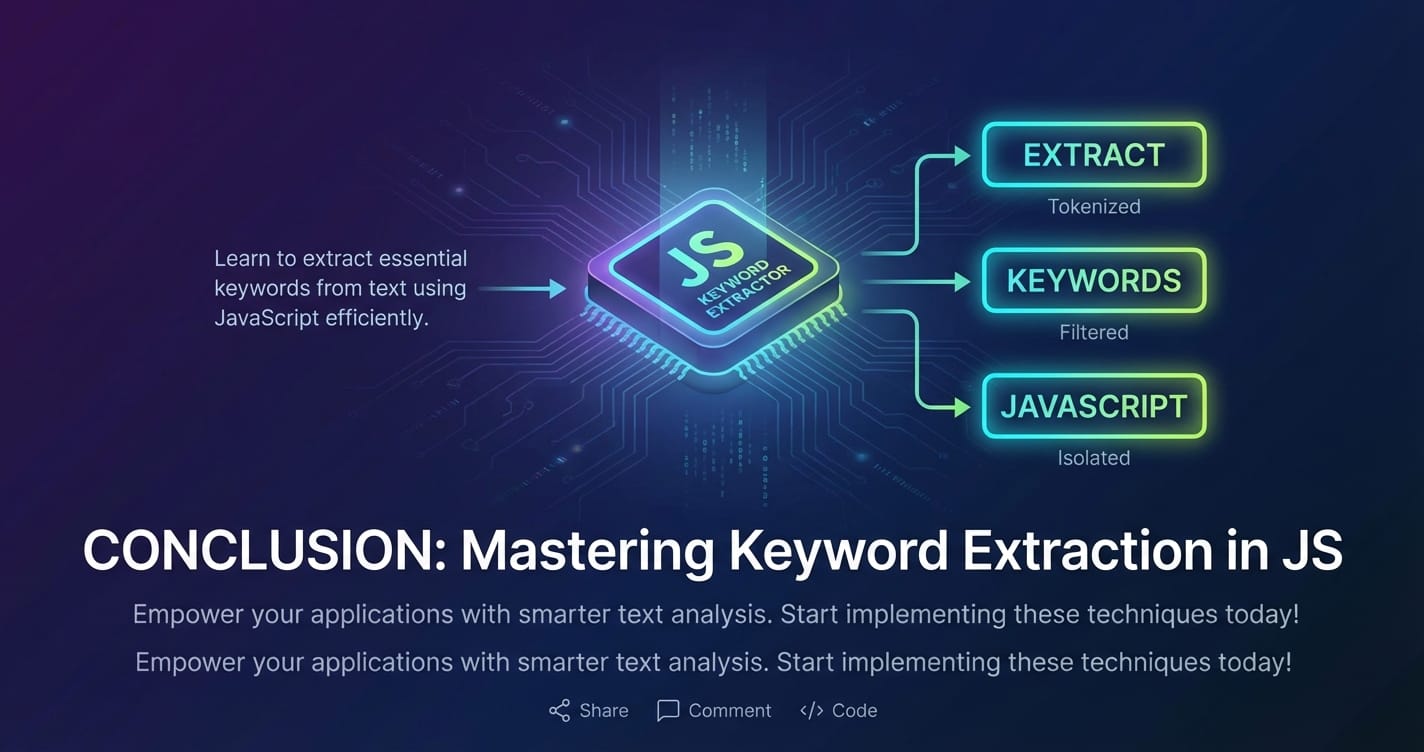
The journey to effectively extract keywords from sentence JS is a fascinating exploration into the heart of natural language processing. We've traversed from the foundational, deterministic steps of tokenization and stop word removal, through the nuanced statistical insights of TF-IDF and RAKE, all the way to the sophisticated, context-aware capabilities of large language models accessed via powerful APIs.
For simple, client-side applications with minimal requirements, basic rule-based or even light statistical methods can suffice. However, as the demand for accuracy, contextual understanding, and multi-word phrase identification grows, the necessity of leveraging advanced AI models becomes undeniable. Tools like the OpenAI SDK empower developers to tap into this advanced intelligence, transforming raw text into meaningful insights.
The future of keyword extraction, and indeed much of AI-driven development, lies in abstracting away complexity while maximizing performance and cost-efficiency. This is precisely the mission of platforms like XRoute.AI. By offering a unified API platform that provides seamless, low latency AI and cost-effective AI access to a diverse ecosystem of LLMs, XRoute.AI enables developers and businesses to build intelligent applications with unprecedented ease and power. Whether you're building the next-generation chatbot, an advanced content analysis tool, or a sophisticated search engine, understanding these techniques and utilizing modern AI platforms will be key to unlocking the full potential of your JavaScript applications. Choose your approach wisely, keeping in mind the specific demands of your project, and empower your applications with the ability to truly understand the essence of text.
FAQ: Frequently Asked Questions about Keyword Extraction in JavaScript
Q1: What's the best method for keyword extraction in JavaScript? A1: There's no single "best" method; it depends on your specific needs, budget, and performance requirements. * For simple, fast, and local processing without external dependencies, rule-based (tokenization, stop word removal, n-grams) or basic statistical methods (TF, TF-IDF with a small corpus) are good. * For high accuracy, contextual understanding, and identifying multi-word phrases, leveraging AI/LLM APIs (like OpenAI's models) is superior. * For balancing ease of integration, cost, and performance across various LLMs, a unified API platform like XRoute.AI is highly recommended.
Q2: How do I handle proper nouns or multi-word keywords like "New York City"? A2: * Rule-based: You can use heuristics (e.g., sequences of capitalized words), but this is prone to errors. N-gram generation helps identify potential multi-word phrases. * Statistical: TF-IDF can score multi-word n-grams, and the RAKE algorithm is specifically designed to identify multi-word candidate phrases. * AI/LLM APIs: These models excel at recognizing proper nouns and complex multi-word entities due to their vast training data and contextual understanding. With appropriate prompt engineering, they can reliably extract these.
Q3: Is it possible to extract keywords without an external API or library in JavaScript? A3: Yes, it is possible. You can implement rule-based methods (tokenization, stop word removal, simple n-gram generation) and statistical methods (Term Frequency, TF-IDF if you manage your own corpus) entirely in vanilla JavaScript, as demonstrated in the early sections of this article. However, these methods will have limitations in terms of semantic understanding and accuracy compared to dedicated NLP libraries or AI models.
Q4: What are the performance implications of using AI APIs for keyword extraction? A4: Using AI APIs generally involves network latency, which can impact real-time applications. Costs are also a factor, as most APIs charge per token or request. However, the benefits in terms of accuracy, scalability, and reduced local processing often outweigh these concerns. Platforms like XRoute.AI specifically address these performance and cost implications by optimizing API routing for low latency AI and cost-effective AI, providing a more efficient solution for developers.
Q5: How can XRoute.AI help with my keyword extraction project? A5: XRoute.AI acts as a powerful intermediary for your keyword extraction needs. It offers a unified API platform that allows you to access over 60 different large language models (LLMs) from more than 20 providers through a single, OpenAI-compatible endpoint. This means: * Simplified Integration: No need to manage multiple APIs; use one SDK for many models. * Optimized Performance: Benefit from low latency AI by intelligently routing requests to the fastest available models. * Cost Efficiency: Achieve cost-effective AI through optimized model selection and flexible pricing. * Flexibility: Easily switch between different LLMs to find the best one for your specific keyword extraction accuracy and budget. By leveraging XRoute.AI, you can build robust and scalable keyword extraction features without the common complexities of direct AI API management.
🚀You can securely and efficiently connect to thousands of data sources with XRoute in just two steps:
Step 1: Create Your API Key
To start using XRoute.AI, the first step is to create an account and generate your XRoute API KEY. This key unlocks access to the platform’s unified API interface, allowing you to connect to a vast ecosystem of large language models with minimal setup.
Here’s how to do it: 1. Visit https://xroute.ai/ and sign up for a free account. 2. Upon registration, explore the platform. 3. Navigate to the user dashboard and generate your XRoute API KEY.
This process takes less than a minute, and your API key will serve as the gateway to XRoute.AI’s robust developer tools, enabling seamless integration with LLM APIs for your projects.
Step 2: Select a Model and Make API Calls
Once you have your XRoute API KEY, you can select from over 60 large language models available on XRoute.AI and start making API calls. The platform’s OpenAI-compatible endpoint ensures that you can easily integrate models into your applications using just a few lines of code.
Here’s a sample configuration to call an LLM:
curl --location 'https://api.xroute.ai/openai/v1/chat/completions' \
--header 'Authorization: Bearer $apikey' \
--header 'Content-Type: application/json' \
--data '{
    "model": "gpt-5",
    "messages": [
        {
            "content": "Your text prompt here",
            "role": "user"
        }
    ]
}'
With this setup, your application can instantly connect to XRoute.AI’s unified API platform, leveraging low latency AI and high throughput (handling 891.82K tokens per month globally). XRoute.AI manages provider routing, load balancing, and failover, ensuring reliable performance for real-time applications like chatbots, data analysis tools, or automated workflows. You can also purchase additional API credits to scale your usage as needed, making it a cost-effective AI solution for projects of all sizes.
Note: Explore the documentation on https://xroute.ai/ for model-specific details, SDKs, and open-source examples to accelerate your development.