How to Use AI API: Easy Steps for Integration
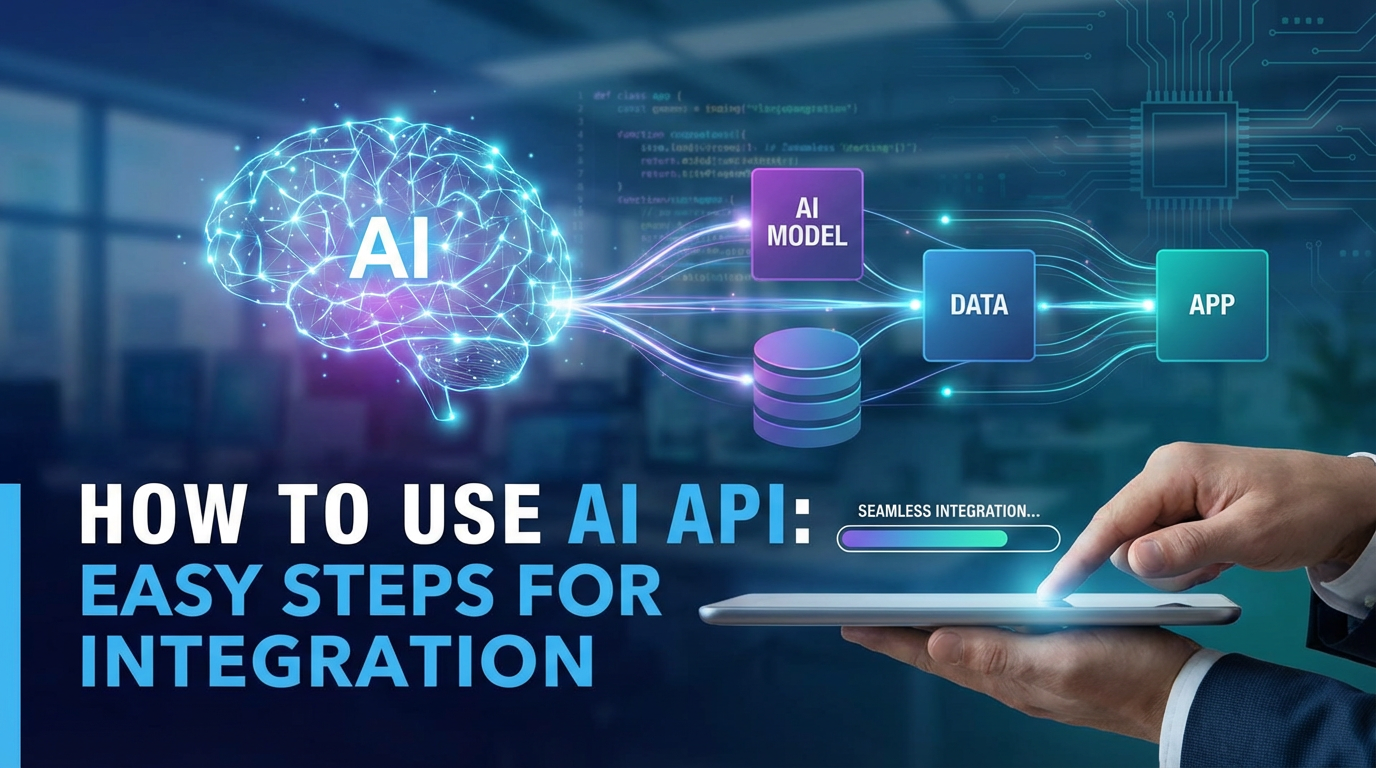

In an era increasingly defined by digital innovation and data-driven decision-making, Artificial Intelligence (AI) has transcended from a futuristic concept to an indispensable tool in virtually every industry. From enhancing customer service through intelligent chatbots to revolutionizing data analysis and content creation, AI’s potential is limitless. For developers, businesses, and innovators eager to harness this power without delving into the complexities of building AI models from scratch, how to use AI API becomes a critical skill. An AI API (Application Programming Interface) acts as a bridge, allowing your applications to communicate with sophisticated AI models, enabling them to perform tasks like natural language processing, image recognition, and predictive analytics with remarkable ease.
This comprehensive guide aims to demystify the process of integrating AI APIs, providing a detailed, step-by-step roadmap from conceptualization to deployment. We will explore the nuances of various AI APIs, delve into the transformative advantages of Unified API platforms, and equip you with the knowledge to leverage AI for your specific needs, all while ensuring your integration is robust, efficient, and scalable. By the end of this journey, you'll not only understand the technicalities but also grasp the strategic implications of bringing AI intelligence directly into your software ecosystem.
Understanding AI APIs: The Foundation of Intelligent Applications
Before we dive into the "how-to," it's crucial to establish a solid understanding of what an AI API entails and why it has become so pivotal in modern software development.
What Exactly is an AI API?
At its core, an AI API is a set of defined rules, protocols, and tools that allow different software applications to communicate with each other. Specifically, an AI API enables your application to send data to an AI model hosted on a server (often in the cloud) and receive intelligent responses or insights back. Think of it as ordering a meal from a restaurant: your application is the customer, the API is the waiter taking your order (request), and the AI model is the chef preparing the meal (processing data and generating a response). You don't need to know how the chef cooks; you just need to know how to place your order and what to expect.
This abstraction is immensely powerful. It means developers don't need deep expertise in machine learning, access to vast computational resources, or large datasets to train models. Instead, they can simply plug into pre-trained, high-performance AI models developed by experts, significantly accelerating development cycles and reducing operational costs.
The Diverse Landscape of AI APIs
The world of AI is vast, and consequently, the types of AI APIs available are equally diverse, each designed to tackle specific problems. Understanding these categories is the first step in deciding which api ai service aligns with your project goals.
- Natural Language Processing (NLP) APIs: These are designed to understand, interpret, and generate human language.
- Text Analysis: Sentiment analysis, entity recognition, keyword extraction, topic modeling.
- Translation: Converting text from one language to another.
- Summarization: Condensing long texts into shorter, coherent summaries.
- Generative AI (Text): Creating human-like text, articles, code, or creative content (e.g., OpenAI's GPT models).
- Chatbot/Conversational AI: Powering intelligent dialogue systems for customer service, virtual assistants.
- Computer Vision APIs: Focus on enabling computers to "see" and interpret visual information from images and videos.
- Object Detection & Recognition: Identifying and locating objects within an image (e.g., cars, faces, products).
- Image Classification: Categorizing images based on their content (e.g., "outdoor," "animal," "food").
- Facial Recognition: Identifying individuals from images or video streams.
- Optical Character Recognition (OCR): Extracting text from images (e.g., scanning documents).
- Image Moderation: Detecting inappropriate content in images.
- Speech AI APIs: Deal with spoken language, converting it to text or vice-versa.
- Speech-to-Text (STT): Transcribing audio into written text.
- Text-to-Speech (TTS): Converting written text into natural-sounding spoken audio.
- Predictive Analytics & Machine Learning APIs: These APIs offer more general-purpose machine learning capabilities, allowing developers to build predictive models or integrate existing ones.
- Recommendation Engines: Suggesting products, content, or services based on user behavior.
- Fraud Detection: Identifying suspicious patterns in transactions.
- Forecasting: Predicting future trends (e.g., sales, stock prices).
- Data & Document AI APIs: Specialized for extracting, processing, and understanding information from various document types and datasets.
- Document Understanding: Analyzing contracts, invoices, or forms to extract specific fields.
- Knowledge Graph APIs: Building and querying knowledge graphs for complex data relationships.
The Irrefutable Benefits of Leveraging AI APIs
The rapid adoption of AI APIs isn't just a trend; it's a strategic move driven by compelling advantages that reshape the development landscape.
- Accelerated Time-to-Market: Building AI models from scratch is a time-consuming and resource-intensive endeavor, often requiring years of research and development. AI APIs provide instant access to sophisticated models, drastically cutting down development time from months or years to days or weeks. This speed allows businesses to rapidly prototype, test, and deploy AI-powered features, gaining a significant competitive edge.
- Cost-Effectiveness: Training and maintaining powerful AI models demand substantial computational resources (GPUs, specialized hardware) and highly skilled data scientists and ML engineers. By using an api ai, you pay for usage, often on a pay-as-you-go model, eliminating the hefty upfront investment in infrastructure and talent. This makes advanced AI accessible even for startups and small businesses.
- Scalability and Reliability: Cloud-based AI APIs are designed for high availability and elastic scalability. As your application's user base grows or demand fluctuates, the underlying AI infrastructure automatically scales to meet the load. This ensures consistent performance without requiring developers to manage complex infrastructure. Providers invest heavily in robust systems, ensuring high uptime and reliability, which is crucial for business-critical applications.
- Access to Cutting-Edge Research: Leading AI API providers continually update their models with the latest advancements in AI research, incorporating new algorithms, larger datasets, and improved performance. By integrating these APIs, your application automatically benefits from these continuous improvements without requiring any internal R&D effort, keeping your product at the forefront of AI capabilities.
- Focus on Core Business Logic: By offloading the AI heavy lifting to external APIs, your development teams can concentrate on building core application features, user experience, and business logic. This allows for a more efficient allocation of internal resources and expertise, fostering innovation where it truly matters for your unique product.
- Reduced Complexity and Maintenance: Managing machine learning models involves a complex lifecycle: data collection, preprocessing, model training, evaluation, deployment, and continuous monitoring and retraining. AI APIs abstract away much of this complexity. The API provider handles model versioning, infrastructure management, security patches, and performance tuning, freeing your team from these operational burdens.
Key Considerations Before Choosing an AI API
While the benefits are clear, making an informed choice requires careful consideration of several factors. The right AI API can propel your project, while a misstep can lead to technical debt and missed opportunities.
- Performance Metrics:
- Latency: How quickly does the API respond to a request? Crucial for real-time applications like chatbots or voice assistants.
- Throughput: How many requests can the API handle per second? Important for applications with high user traffic or batch processing needs.
- Accuracy: How precise and reliable are the AI model's outputs? This is paramount for tasks like facial recognition or medical diagnosis.
- Cost Model:
- Pricing Structure: Is it per call, per character, per minute of audio, per image? Understand the units of billing.
- Tiered Pricing: Are there different pricing tiers based on usage volume?
- Free Tiers/Trials: Many providers offer a free tier or trial period, which is excellent for initial testing.
- Hidden Costs: Be aware of potential costs for data storage, bandwidth, or additional features.
- Documentation and SDKs:
- Clarity and Completeness: Is the documentation easy to understand, comprehensive, and up-to-date?
- Examples: Does it provide clear code examples in popular programming languages (Python, Node.js, Java, Go)?
- SDKs (Software Development Kits): Are there official SDKs available? These simplify integration by providing pre-built libraries for common tasks.
- Support and Community:
- Customer Support: What kind of support channels are available (email, forum, dedicated account manager)? What are the response times?
- Community: Is there an active developer community around the API? This can be a valuable resource for troubleshooting and sharing best practices.
- Data Privacy and Security:
- Data Handling Policies: How does the provider handle your data? Is it stored, used for model training, or anonymized?
- Compliance: Does the API comply with relevant regulations (GDPR, HIPAA, CCPA)?
- Encryption: Is data encrypted in transit and at rest?
- Authentication: What authentication mechanisms are used (API keys, OAuth)?
- Flexibility and Customization:
- Can you fine-tune the model with your own data?
- Are there options to adjust model parameters for specific use cases?
- How easily can you switch models or providers if needed? (This is where the concept of a "Unified API" truly shines).
By thoroughly evaluating these points, you can select an AI API that not only meets your current technical requirements but also supports your long-term strategic objectives.
The Core Steps of "How to Use AI API" for Seamless Integration
Integrating an api ai into your application might seem daunting at first glance, but by breaking it down into manageable steps, the process becomes clear and achievable. This section outlines a practical workflow for developers looking to inject intelligence into their software.
Step 1: Define Your Use Case and Goals
Before writing a single line of code, clarity on why you're integrating AI is paramount. * What problem are you trying to solve? Is it automating customer support, enhancing content creation, analyzing user sentiment, or improving search capabilities? * What AI capability do you need? Do you need to understand natural language, recognize objects in images, or generate creative text? * What are your success metrics? How will you measure the impact of the AI integration? For example, reducing customer support response time by 30%, increasing content production efficiency by 50%, or improving sales lead quality by 20%.
A well-defined use case guides your choice of API, helps in setting up experiments, and provides a clear vision for the project's success. Without this foundational step, you risk building something that doesn't truly address a business need.
Step 2: Choose the Right AI API Provider (and Consider a Unified API)
Once your goals are clear, it's time to find the right tool for the job. This involves researching various AI API providers. Major cloud players like Google Cloud AI, Amazon AWS AI Services, Microsoft Azure AI, and IBM Watson offer a broad spectrum of services. Additionally, there are specialized providers focusing on niche areas like specific NLP models or computer vision tasks.
This is also a crucial point to consider the emerging and increasingly powerful concept of a Unified API. * Traditional Approach: You might integrate directly with a single vendor (e.g., Google's Natural Language API). If you later need to switch providers for better performance, cost, or features, or if you want to combine capabilities from multiple vendors (e.g., Google for NLP, AWS for Text-to-Speech), you'll face significant re-integration work. Each provider has its own API structure, authentication methods, and data formats. * Unified API Approach: A Unified API platform acts as an abstraction layer, providing a single, standardized interface to access multiple underlying AI models from various providers. This simplifies the integration process immensely. You write your code once to interact with the Unified API, and it handles the complexities of routing your requests to the best-suited backend AI model.
For instance, if your goal is to experiment with different Large Language Models (LLMs) to find the best fit for your generative AI application, integrating with a Unified API platform like XRoute.AI allows you to switch between models from OpenAI, Anthropic, Google, and others with minimal code changes, often by just updating a model identifier in your request. This flexibility is invaluable for optimizing performance, cost, and resilience.
Step 3: Account Setup and API Key Generation
Once you've selected your provider(s), the next step is typically to create an account on their platform. During this process, or shortly after, you will generate an API key. * API Key: This is a unique identifier that authenticates your application when it makes requests to the API. Treat your API keys like passwords; they grant access to your account and potentially incur costs. * Security Best Practices: * Never hardcode API keys directly into your source code. * Use environment variables, secret management services (like AWS Secrets Manager, Azure Key Vault, HashiCorp Vault), or configuration files that are not committed to version control. * Restrict API key permissions to the minimum necessary for your application. * Rotate API keys regularly.
Step 4: Explore Documentation and SDKs
This step is critical for a smooth integration. Thoroughly read the API documentation provided by your chosen vendor. Pay attention to: * Endpoint URLs: The specific web addresses your application will send requests to. * Authentication Methods: How to correctly include your API key or other credentials in requests. * Request Formats: The expected structure of the data you send to the API (e.g., JSON, XML). * Response Formats: The structure of the data you'll receive back from the API. * Error Codes: What different error codes mean and how to handle them. * Rate Limits: The maximum number of requests you can make within a certain timeframe to prevent abuse and ensure fair usage.
Many providers offer Software Development Kits (SDKs) in various programming languages (Python, JavaScript, Java, Go, C#). SDKs are pre-built libraries that encapsulate the complexities of interacting with the API, making it much easier to send requests and parse responses. If an SDK is available for your preferred language, it's almost always recommended to use it.
Step 5: Basic Integration – Your First API Call
With your API key and documentation in hand, it's time to make your first interaction.
Setting up Your Development Environment
Ensure you have your chosen programming language (e.g., Python), a package manager (pip for Python, npm for Node.js), and any necessary libraries or SDKs installed.
Authentication
How you authenticate will depend on the API. Common methods include: * API Key in Header: Sending your API key in an Authorization or x-api-key header. * API Key in Query Parameter: Less secure, generally avoided for sensitive APIs. * OAuth 2.0: For more complex scenarios requiring user authorization.
Making a Simple Request
Let's illustrate with a hypothetical text sentiment analysis api ai call using Python and the requests library (assuming a direct API call without an SDK for demonstration purposes).
import requests
import os
import json

# It's best practice to get your API key from environment variables
API_KEY = os.getenv("MY_AI_API_KEY")
API_ENDPOINT = "https://api.example.com/sentiment-analysis/v1"

if not API_KEY:
    raise ValueError("MY_AI_API_KEY environment variable not set.")

def analyze_sentiment(text_to_analyze):
    headers = {
        "Content-Type": "application/json",
        "Authorization": f"Bearer {API_KEY}" # Common way to send API key
    }
    payload = {
        "text": text_to_analyze,
        "language": "en"
    }

    try:
        response = requests.post(API_ENDPOINT, headers=headers, data=json.dumps(payload))
        response.raise_for_status() # Raise an exception for HTTP errors (4xx or 5xx)
        return response.json()
    except requests.exceptions.HTTPError as err:
        print(f"HTTP error occurred: {err}")
        print(f"Response content: {response.text}")
        return None
    except requests.exceptions.ConnectionError as err:
        print(f"Error connecting to the API: {err}")
        return None
    except requests.exceptions.Timeout as err:
        print(f"Request timed out: {err}")
        return None
    except requests.exceptions.RequestException as err:
        print(f"An unexpected error occurred: {err}")
        return None

# Example usage:
text1 = "This product is absolutely fantastic! I love it."
result1 = analyze_sentiment(text1)
if result1:
    print(f"Text: '{text1}'")
    print(f"Sentiment Analysis Result: {json.dumps(result1, indent=2)}")

text2 = "I'm quite disappointed with the service. It was slow."
result2 = analyze_sentiment(text2)
if result2:
    print(f"Text: '{text2}'")
    print(f"Sentiment Analysis Result: {json.dumps(result2, indent=2)}")
This snippet demonstrates a basic POST request, sending JSON data, and handling the response. If you were using an SDK, the code would be even cleaner, often just a single function call.
Handling Responses
The API will return a response, typically in JSON format, containing the AI's output and potentially status information. Your application needs to parse this response and extract the relevant data. * Check the HTTP status code (200 OK for success). * Parse the JSON response. * Handle potential error messages returned by the API (e.g., invalid input, rate limit exceeded).
Step 6: Advanced Integration and Customization
Once the basic connection is established, you can refine your integration.
- Parameter Tuning: Most AI APIs offer various parameters to fine-tune the model's behavior. For instance, in a generative AI API, you might adjust
temperature(creativity),max_tokens(length of response), ortop_p(diversity). Experiment with these parameters to achieve the desired output for your specific use case. - Batch Processing: Instead of sending requests one by one, many APIs support batch processing, where you send multiple inputs in a single request. This can significantly reduce latency and cost for tasks involving large volumes of data.
- Error Handling and Retry Mechanisms: Robust applications anticipate failures. Implement comprehensive error handling for network issues, API errors (e.g., 400 Bad Request, 401 Unauthorized, 429 Too Many Requests), and unexpected responses. For transient errors, implement retry mechanisms with exponential backoff to avoid overwhelming the API and gracefully recover.
- Webhook Integration: For asynchronous tasks (e.g., long-running video processing), some APIs offer webhooks. Instead of polling the API repeatedly, you provide a URL, and the API calls your endpoint once the task is complete, notifying your application of the result. This is more efficient and reactive.
Step 7: Testing and Validation
Thorough testing is non-negotiable for any API integration, especially with AI, where outputs can be nuanced.
- Unit Tests: Test individual components of your integration (e.g., parsing functions, authentication logic).
- Integration Tests: Verify that your application correctly interacts with the AI API, sending requests and processing responses as expected. Use mock APIs or a dedicated testing environment to avoid incurring costs on production APIs during development.
- Performance Testing: Measure the API's latency, throughput, and error rates under expected load. This helps in capacity planning and identifying bottlenecks.
- Quality Assurance (QA) and User Acceptance Testing (UAT): Crucially, evaluate the quality and relevance of the AI's outputs for your specific use case. Does the sentiment analysis accurately reflect user emotions? Is the generated content coherent and useful? Does facial recognition work reliably across different conditions? AI models can sometimes produce unexpected or biased results; rigorous testing with diverse datasets is essential.
Step 8: Deployment and Monitoring
After thorough testing, it's time to deploy your application.
- Cloud Deployment: Deploy your application to a cloud platform (AWS, Azure, GCP, Heroku, Vercel) that offers scalability and reliability.
- Logging: Implement comprehensive logging to track API requests, responses, errors, and performance metrics. This is vital for debugging and auditing.
- Monitoring: Set up monitoring tools (e.g., Prometheus, Grafana, cloud-native monitoring services) to track API usage, latency, error rates, and overall application health. Configure alerts for critical issues (e.g., high error rates, API downtime) to ensure prompt intervention.
- Cost Monitoring: Regularly review your API usage and costs to ensure they align with your budget and expectations. Adjust configurations or switch providers if costs become prohibitive.
By following these structured steps, you can effectively navigate the complexities of AI API integration, transforming your applications into intelligent, responsive, and powerful tools.
Diving Deeper into Unified API Advantages: The Smart Path to AI Integration
While direct integration with individual AI APIs is a valid approach, the landscape of AI is rapidly evolving, with new models and providers emerging constantly. This dynamic environment has given rise to the concept of a Unified API, a game-changer for developers seeking agility, flexibility, and cost-efficiency in their AI strategies.
What is a Unified API, Revisited?
A Unified API platform acts as an intelligent intermediary. Instead of your application directly calling specific AI APIs from different vendors (e.g., OpenAI, Anthropic, Google), you make a single, standardized call to the Unified API. This platform then intelligently routes your request to the best-performing, most cost-effective, or preferred backend AI model available across its network of integrated providers. It normalizes inputs and outputs, meaning you write your integration code once, regardless of which underlying model is actually fulfilling your request.
Why Choose a Unified API for "How to Use AI API" Scenarios?
The benefits of a Unified API are profound, addressing many of the challenges associated with managing multiple AI integrations.
- Simplified Integration (Single Endpoint): This is arguably the biggest advantage. Instead of learning multiple API schemas, authentication methods, and data formats, you interact with just one. This dramatically reduces development time and effort, making it significantly easier to answer the question, "how to use AI API" effectively across diverse models. A single, consistent interface streamlines development and maintenance.
- Increased Flexibility and Model Agility: The AI landscape changes rapidly. A new, more powerful, or more cost-effective model might emerge next month. With a Unified API, you can switch between models or even providers with minimal to zero code changes in your application. This could mean updating a single configuration parameter rather than rewriting entire API integration modules. This agility is crucial for staying competitive and leveraging the latest AI breakthroughs.
- Cost Optimization and Load Balancing: Unified API platforms often include built-in intelligence to route requests based on cost, latency, or availability. For example, if Provider A's NLP model is cheaper for a specific type of query than Provider B's, the Unified API can automatically route that query to Provider A. It can also distribute traffic across multiple providers to prevent rate limit issues or leverage different pricing tiers, leading to significant cost savings.
- Reduced Vendor Lock-in: By abstracting away the specifics of individual providers, a Unified API mitigates the risk of vendor lock-in. If a provider changes its pricing, degrades its service, or discontinues a model, your application can seamlessly switch to another provider via the Unified API, protecting your investment and ensuring business continuity.
- Enhanced Reliability and Redundancy: A Unified API can offer failover mechanisms. If one underlying AI model or provider experiences downtime, the platform can automatically reroute requests to an alternative, ensuring your application remains operational and highly available. This redundancy is critical for mission-critical AI-powered features.
- Performance Optimization (Low Latency AI, High Throughput): Many Unified API platforms are engineered for performance. They optimize routing decisions to minimize latency and manage high throughput by distributing requests efficiently across multiple providers. This ensures your api ai interactions are swift and responsive, which is vital for real-time applications.
- Unified Observability and Analytics: Instead of piecing together usage data and performance metrics from multiple provider dashboards, a Unified API offers a single pane of glass for monitoring all your AI API interactions. This simplifies debugging, cost tracking, and performance analysis.
XRoute.AI: A Leading Example of a Unified API Platform
To illustrate the power of a Unified API, let's look at XRoute.AI. It is a cutting-edge unified API platform specifically designed to streamline access to large language models (LLMs) for developers, businesses, and AI enthusiasts.
- Single, OpenAI-Compatible Endpoint: This is a major draw. For developers already familiar with the OpenAI API, XRoute.AI offers an identical interface. This means you can integrate a vast array of LLMs with virtually no learning curve, drastically simplifying how to use AI API for generative tasks.
- Access to 60+ AI Models from 20+ Active Providers: XRoute.AI doesn't limit you to a single vendor. It aggregates an impressive selection of models from major players and specialized providers, giving you unparalleled choice and flexibility. This breadth of options ensures you can always find the optimal model for your specific task, whether it's for creative writing, code generation, summarization, or advanced conversational AI.
- Focus on Low Latency AI and Cost-Effective AI: The platform is engineered to deliver fast response times, critical for interactive AI applications. Furthermore, its intelligent routing capabilities help users achieve cost-effective AI solutions by directing requests to the most economically viable model for a given task, without sacrificing performance.
- Developer-Friendly Tools and High Throughput: XRoute.AI prioritizes the developer experience with robust documentation and easy integration. Its architecture supports high throughput, making it suitable for applications with demanding workloads, from startups to large enterprise-level applications requiring scalable AI solutions.
- Seamless Development of AI-Driven Applications: By simplifying the integration of multiple models, XRoute.AI empowers developers to build sophisticated AI-driven applications, chatbots, and automated workflows without the complexity of managing numerous distinct API connections.
Comparison: Traditional API Integration vs. Unified API
To further highlight the advantages, consider the following comparison:
| Feature/Aspect | Traditional AI API Integration | Unified API Integration (e.g., XRoute.AI) |
|---|---|---|
| Integration Effort | High, learn each provider's unique API, authentication, data formats. | Low, learn one standardized API (often OpenAI-compatible), single endpoint. |
| Model Selection | Limited to specific models of one chosen provider. | Access to 60+ models from 20+ providers. Easy to switch and compare. |
| Flexibility | Low, switching providers or models requires significant code changes. | High, seamless switching between models/providers via configuration, minimal code changes. |
| Cost Management | Manual comparison and selection per provider, potential for vendor-specific costs. | Automated cost optimization, intelligent routing to cheaper models, consolidated billing. |
| Performance | Dependent on single provider's infrastructure. | Optimized routing for low latency AI, high throughput, failover to maintain performance. |
| Reliability | Dependent on single provider's uptime. | Enhanced redundancy and failover across multiple providers. |
| Vendor Lock-in | High, deep coupling to a specific vendor's ecosystem. | Low, abstraction layer provides independence from individual providers. |
| Maintenance | Managing multiple SDKs, API versions, and potential breaking changes from different vendors. | Single point of maintenance for all AI integrations, Unified API provider handles underlying updates and changes. |
| Experimentation | Difficult and time-consuming to A/B test different models. | Easy to experiment with and compare various models to find the optimal solution. |
The choice between direct integration and a Unified API often boils down to the scale and complexity of your AI strategy. For projects that anticipate needing diverse AI capabilities, desiring flexibility, or aiming for optimal cost and performance across multiple models, a Unified API like XRoute.AI offers a compelling and future-proof solution.
XRoute is a cutting-edge unified API platform designed to streamline access to large language models (LLMs) for developers, businesses, and AI enthusiasts. By providing a single, OpenAI-compatible endpoint, XRoute.AI simplifies the integration of over 60 AI models from more than 20 active providers(including OpenAI, Anthropic, Mistral, Llama2, Google Gemini, and more), enabling seamless development of AI-driven applications, chatbots, and automated workflows.
Best Practices for AI API Integration
Beyond the technical steps, adopting best practices ensures your AI API integrations are secure, performant, cost-effective, and ethically sound.
Security Best Practices
Security is paramount when dealing with external APIs and potentially sensitive data.
- API Key Management: As stressed earlier, never hardcode API keys. Use environment variables, secret management services, or encrypted configuration files. Restrict API key permissions to the minimum necessary (Least Privilege Principle). Regularly rotate your API keys.
- Secure Data Handling:
- Data Minimization: Only send the data absolutely necessary to the AI API. Avoid sending personally identifiable information (PII) if the API doesn't require it.
- Encryption: Ensure data is encrypted in transit (using HTTPS/SSL/TLS) and at rest (if the API provider stores any data). Verify the provider's data security policies.
- Anonymization/Pseudonymization: Before sending data to an API, consider anonymizing or pseudonymizing sensitive information.
- Input Validation: Sanitize and validate all inputs sent to the AI API to prevent injection attacks or unexpected behavior. This also helps reduce unnecessary processing and potential costs from malformed requests.
- Output Validation: Verify the API's response for expected formats and content before using it in your application, as a compromised API or an unexpected error could return malicious data.
- Authentication and Authorization: Implement robust user authentication and authorization within your application to control who can trigger AI API calls and with what data.
Performance Optimization
Even with highly optimized AI APIs, your integration can introduce bottlenecks.
- Asynchronous Calls: For long-running or non-critical AI tasks, use asynchronous programming models. Instead of waiting for the API response before proceeding, your application can continue processing other tasks and handle the AI response when it becomes available. This improves the overall responsiveness of your application.
- Caching: For requests that produce static or infrequently changing results (e.g., common entity recognition queries), implement caching. Store the API's response locally for a certain period, reducing the need to make repeated calls, which saves time and money.
- Batching Requests: If your application needs to process multiple inputs for the same AI task, use the API's batch processing capabilities. Sending one large request with multiple items is almost always more efficient than sending many small individual requests.
- Rate Limit Handling: Understand the API's rate limits and implement robust handling. Use techniques like token buckets or leaky buckets, along with exponential backoff, to queue and retry requests gracefully without exceeding limits.
- Geographic Proximity: If possible, deploy your application servers in the same geographic region as the AI API's servers to minimize network latency.
- Efficient Data Serialization/Deserialization: Use efficient libraries and methods for converting data to and from JSON (or other formats) to reduce processing overhead.
Cost Management Strategies
AI APIs are pay-per-use, so diligent cost management is essential.
- Monitor Usage: Regularly check your API provider's dashboard or use a Unified API's consolidated analytics to track usage. Set up alerts for high consumption or unexpected spikes.
- Optimize Model Choice: For tasks where multiple models offer comparable performance, prioritize the more cost-effective options. A Unified API like XRoute.AI can automate this decision-making.
- Leverage Free Tiers and Discounts: Utilize any free tiers for development and testing. Explore commitment-based pricing or volume discounts for production use if applicable.
- Batching and Caching: As mentioned in performance, these also directly impact costs by reducing the number of API calls.
- Input/Output Optimization: Reduce the size of your input data (e.g., shorten text, compress images) and request only the necessary output fields from the API to minimize data transfer costs and processing units.
- Pre-filtering Data: Before sending data to an AI API, implement simple rules or filters to determine if AI processing is truly necessary. For instance, filter out trivial customer support queries that can be answered by static FAQs before sending them to a chatbot API.
Scalability Considerations
As your application grows, your AI integration must scale with it.
- Stateless Design: Design your API integration to be stateless. Each request should contain all necessary information, and the server shouldn't retain any client-specific data between requests. This makes horizontal scaling much easier.
- Queuing Systems: For high-volume or asynchronous tasks, use message queues (e.g., RabbitMQ, Apache Kafka, AWS SQS) to decouple your application from the AI API. Your application publishes tasks to the queue, and dedicated workers consume these tasks and make API calls. This handles spikes in demand and prevents your application from blocking.
- Containerization: Use container technologies like Docker and orchestration platforms like Kubernetes to deploy your application. This provides a portable, scalable, and resilient environment for your AI-powered services.
Ethical AI Usage
Integrating AI APIs means taking responsibility for their output and impact.
- Bias Detection and Mitigation: Be aware that AI models can inherit biases from their training data. Test your AI integrations with diverse datasets to identify and mitigate potential biases, especially in sensitive applications like hiring or loan approvals.
- Transparency and Explainability: Where appropriate, strive for transparency in how AI is used and explain its decisions to users. For example, if a chatbot uses AI to generate responses, users should be aware they are interacting with an AI.
- Privacy by Design: Incorporate privacy considerations from the outset. Design your systems to collect, process, and store data in a way that respects user privacy and complies with regulations.
- Human Oversight: For critical decisions, maintain a human-in-the-loop approach. AI should augment human capabilities, not replace critical human judgment entirely.
- Regular Audits: Continuously monitor and audit the performance and behavior of your AI integrations to ensure they remain fair, accurate, and aligned with ethical guidelines.
By meticulously adhering to these best practices, you can build AI-powered applications that are not only intelligent and efficient but also secure, reliable, and responsible.
Real-World Applications and Use Cases (Illustrative Examples)
The versatility of AI APIs means they can be integrated into almost any application across diverse industries, transforming processes and creating new possibilities. Understanding real-world examples helps solidify the practical implications of "how to use AI API."
1. Enhanced Customer Service Chatbots (NLP)
- Scenario: A large e-commerce company wants to reduce the load on its human customer support agents and provide instant, 24/7 assistance to customers.
- AI API Integration: They integrate an NLP-focused api ai (like a conversational AI API, potentially powered by LLMs accessed via a Unified API like XRoute.AI) into their website and mobile app.
- Functionality:
- Intent Recognition: The API identifies the user's intent (e.g., "track order," "return item," "change address").
- Entity Extraction: It extracts key information from the query (e.g., order number, product name).
- Response Generation: For common queries, the API generates direct, accurate responses based on predefined knowledge bases. For complex issues, it summarizes the conversation for a human agent.
- Sentiment Analysis: It analyzes the customer's tone to prioritize urgent or frustrated customers.
- Impact: Reduces average response time, frees up human agents for complex issues, improves customer satisfaction, and operates around the clock.
2. Automated Content Generation and Summarization (Generative AI)
- Scenario: A digital marketing agency needs to produce large volumes of diverse content (blog posts, social media updates, product descriptions) efficiently.
- AI API Integration: They integrate a generative AI API (e.g., a large language model endpoint provided by XRoute.AI) into their content management system.
- Functionality:
- Draft Generation: The API generates initial drafts of articles or marketing copy based on input prompts (keywords, topics, target audience).
- Summarization: It condenses long reports or articles into concise summaries for quick internal reviews or social media snippets.
- Variant Creation: It creates multiple variations of ad copy or headlines for A/B testing.
- Impact: Significantly boosts content production speed, reduces writer's block, allows human writers to focus on editing and strategy, and improves content consistency.
3. Intelligent Image Analysis for Retail (Computer Vision)
- Scenario: A retail chain wants to monitor shelf stocking levels, identify popular products, and ensure planogram compliance across hundreds of stores.
- AI API Integration: They integrate a computer vision api ai (object detection and classification) with their in-store cameras or image upload system.
- Functionality:
- Product Recognition: The API identifies specific products on shelves from camera feeds or uploaded photos.
- Stock Level Monitoring: It counts products to determine real-time stock levels and trigger reorder alerts.
- Planogram Compliance: It compares actual shelf layouts against ideal planograms to flag discrepancies.
- Customer Traffic Analysis: Anonymously tracks customer movement patterns to identify high-traffic areas.
- Impact: Automates tedious manual checks, reduces out-of-stock situations, optimizes store layouts, and provides actionable insights for inventory management and merchandising.
4. Voice Assistants and Accessibility Features (Speech AI)
- Scenario: A smartphone manufacturer wants to integrate advanced voice control and accessibility features into their devices.
- AI API Integration: They integrate Speech-to-Text (STT) and Text-to-Speech (TTS) AI APIs.
- Functionality:
- Voice Commands: STT converts spoken commands into text, which can then be processed by an NLP API or the device's operating system to execute actions.
- Read-Aloud Functionality: TTS converts screen content, messages, or e-books into natural-sounding speech for visually impaired users or for hands-free interaction.
- Dictation: Users can dictate text messages or emails, which the STT API transcribes.
- Impact: Enhances user experience, improves accessibility for a wider audience, and allows for hands-free device operation.
5. Financial Fraud Detection (Predictive Analytics/ML)
- Scenario: A bank needs to identify and prevent fraudulent transactions in real time.
- AI API Integration: They integrate a predictive analytics/machine learning api ai trained on historical transaction data.
- Functionality:
- Anomaly Detection: The API analyzes transaction patterns, user behavior, and other data points to flag unusual or suspicious activities that deviate from normal patterns.
- Risk Scoring: It assigns a fraud risk score to each transaction, allowing the bank to prioritize investigations or automatically block high-risk transactions.
- Pattern Recognition: Identifies emerging fraud patterns that might be too complex for rule-based systems.
- Impact: Reduces financial losses due to fraud, improves security for customers, and streamlines the fraud investigation process.
These examples merely scratch the surface of what's possible. From personalizing user experiences to automating complex industrial processes, AI APIs are empowering developers and businesses to innovate at an unprecedented pace. The key is to identify a clear problem, choose the right AI tool, and integrate it thoughtfully, keeping best practices in mind.
Conclusion: Empowering Your Applications with Intelligent AI API Integration
The journey of understanding "how to use AI API" is one of unlocking immense potential. We've traversed the foundational concepts, detailed the step-by-step integration process, and highlighted the strategic advantages of leveraging a Unified API platform. From defining your core problem to deploying and monitoring your intelligent applications, each stage is a critical piece in building robust, scalable, and impactful AI-powered solutions.
The proliferation of advanced AI models, now readily accessible through user-friendly APIs, has democratized artificial intelligence. Developers no longer need to be machine learning experts to infuse their applications with sophisticated capabilities like natural language understanding, computer vision, or generative text. By following the outlined steps – clearly defining your use case, meticulously choosing the right provider (with a strong recommendation for flexible Unified APIs like XRoute.AI), securing your integration, optimizing for performance, managing costs, and adhering to ethical guidelines – you can transform your ideas into intelligent realities.
The future of software is undeniably intelligent, and AI APIs are the conduits connecting your applications to that future. Embrace this powerful technology, experiment, innovate, and watch as your applications not only perform tasks but truly understand, predict, and create, driving unprecedented value for your users and your business. The tools are ready; now it's your turn to build.
Frequently Asked Questions (FAQ)
1. What is the primary difference between a regular AI API and a Unified API?
A regular AI API typically provides access to specific AI models from a single vendor (e.g., Google's Natural Language API). A Unified API, like XRoute.AI, acts as an abstraction layer, offering a single, standardized endpoint to access multiple AI models from various providers. This simplifies integration, offers greater flexibility to switch models, and often includes features for cost optimization and enhanced reliability across different providers.
2. How can I ensure the data I send to an AI API is secure and private?
Always use HTTPS for all API communications. Never hardcode API keys; instead, use environment variables or secret management services. Prioritize data minimization, sending only the essential information. Verify the AI API provider's data privacy policies, especially regarding data storage, usage for model training, and compliance with regulations like GDPR or HIPAA. Consider anonymizing or pseudonymizing sensitive data before transmission.
3. What programming languages are best suited for AI API integration?
Most AI APIs provide SDKs (Software Development Kits) and documentation for popular programming languages. Python is widely favored due to its extensive libraries for data handling and its common use in the AI/ML ecosystem. Other popular choices include JavaScript (Node.js), Java, Go, and C#. The "best" language often depends on your existing tech stack and developer expertise.
4. How can I effectively manage costs when using multiple AI APIs?
To manage costs: * Monitor API usage regularly through provider dashboards or a Unified API's analytics. * Leverage batch processing and caching to reduce the number of API calls. * Optimize your model choice, selecting more cost-effective options when performance is comparable. A Unified API like XRoute.AI can automate this by intelligently routing requests. * Utilize free tiers for testing and explore volume discounts for production. * Implement smart logic to only call the AI API when truly necessary, pre-filtering data if possible.
5. Is a Unified API like XRoute.AI suitable for small projects or startups?
Absolutely. A Unified API is often ideal for small projects and startups. It significantly reduces initial integration complexity and development time, allowing quick prototyping and iteration. For startups with limited resources, the ability to easily switch models for better cost or performance without refactoring code, and access a wide array of models through a single, developer-friendly interface (like XRoute.AI's OpenAI-compatible endpoint), provides immense agility and a competitive edge, ensuring low latency AI and cost-effective AI from the outset.
🚀You can securely and efficiently connect to thousands of data sources with XRoute in just two steps:
Step 1: Create Your API Key
To start using XRoute.AI, the first step is to create an account and generate your XRoute API KEY. This key unlocks access to the platform’s unified API interface, allowing you to connect to a vast ecosystem of large language models with minimal setup.
Here’s how to do it: 1. Visit https://xroute.ai/ and sign up for a free account. 2. Upon registration, explore the platform. 3. Navigate to the user dashboard and generate your XRoute API KEY.
This process takes less than a minute, and your API key will serve as the gateway to XRoute.AI’s robust developer tools, enabling seamless integration with LLM APIs for your projects.
Step 2: Select a Model and Make API Calls
Once you have your XRoute API KEY, you can select from over 60 large language models available on XRoute.AI and start making API calls. The platform’s OpenAI-compatible endpoint ensures that you can easily integrate models into your applications using just a few lines of code.
Here’s a sample configuration to call an LLM:
curl --location 'https://api.xroute.ai/openai/v1/chat/completions' \
--header 'Authorization: Bearer $apikey' \
--header 'Content-Type: application/json' \
--data '{
    "model": "gpt-5",
    "messages": [
        {
            "content": "Your text prompt here",
            "role": "user"
        }
    ]
}'
With this setup, your application can instantly connect to XRoute.AI’s unified API platform, leveraging low latency AI and high throughput (handling 891.82K tokens per month globally). XRoute.AI manages provider routing, load balancing, and failover, ensuring reliable performance for real-time applications like chatbots, data analysis tools, or automated workflows. You can also purchase additional API credits to scale your usage as needed, making it a cost-effective AI solution for projects of all sizes.
Note: Explore the documentation on https://xroute.ai/ for model-specific details, SDKs, and open-source examples to accelerate your development.