Master How to Use AI to Create YouTube Dialogue
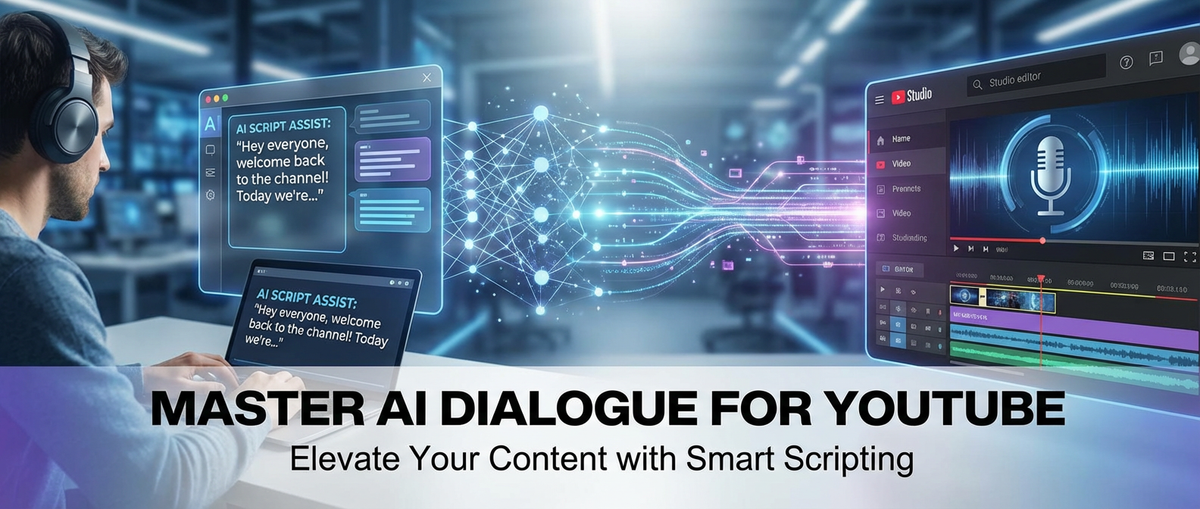

The digital landscape of content creation is a constantly evolving ecosystem, with YouTube standing as one of its most vibrant and competitive arenas. For creators, the quest for engagement is relentless, demanding a consistent output of high-quality, compelling, and unique video content. At the heart of every great video lies a story, an explanation, or an interaction, all conveyed through dialogue. Crafting captivating dialogue that resonates with an audience, maintains a consistent tone, and delivers information effectively is a time-consuming and often creatively taxing endeavor. From scripting complex narratives to improvising engaging monologues, the spoken word is the lifeblood of a successful YouTube channel.
In this relentless pursuit of digital excellence, artificial intelligence has emerged not as a futuristic fantasy, but as a practical, powerful ally for creators. The advent of sophisticated AI models has begun to redefine the possibilities of content production, offering innovative solutions to some of the most persistent challenges faced by YouTubers. This article delves deep into the practicalities of how to use AI to create YouTube dialogue, transforming what was once a laborious process into an efficient, streamlined, and even more creative endeavor. We will explore not only the nuances of generating compelling scripts and conversational flows but also broaden our scope to understand how to use AI for content creation across the entire YouTube production spectrum, from brainstorming to audience engagement. Furthermore, we'll examine the indispensable role of an AI response generator in fostering community and managing viewer interactions at scale.
Prepare to unlock the secrets to leveraging AI as your ultimate creative partner. This comprehensive guide is designed to empower you with the knowledge and strategies to integrate AI seamlessly into your YouTube workflow, helping you conquer creative blocks, scale your output, and elevate the quality of your content to unprecedented levels. Whether you're a seasoned creator struggling with writer's block or a newcomer eager to optimize your production process from day one, mastering AI's capabilities will undoubtedly become your most significant competitive advantage.
1. The Transformative Power of AI in YouTube Content
The journey of a YouTube creator is fraught with challenges. The initial spark of an idea must be fanned into a coherent narrative, translated into compelling visuals, and ultimately delivered with engaging dialogue. This multi-faceted process is often bottlenecked by the sheer time and creative energy required to produce consistent, high-quality content. This section lays the groundwork for understanding why AI is not just a passing trend but a fundamental shift in the paradigm of digital content creation, particularly for YouTube.
1.1 The Evolving Demands of YouTube: More Than Just Uploading
Today's YouTube audience is more discerning and diverse than ever. Viewers have an insatiable appetite for fresh perspectives, informative tutorials, entertaining stories, and authentic interactions. This escalating demand places immense pressure on creators to:
- Maintain Consistency: Regular uploads are crucial for algorithm visibility and audience retention. Slacking off means losing momentum.
- Innovate Constantly: Trends emerge and fade with dizzying speed. Creators must perpetually invent new formats, tackle new topics, and refine their storytelling.
- Deliver High Quality: From crisp visuals to crystal-clear audio and, most importantly, engaging dialogue, production value matters. Sloppy content gets skipped.
- Foster Community: Beyond passively consuming videos, viewers want to feel connected to creators, posing questions, leaving comments, and seeking responses.
Meeting these demands solo is a Herculean task. The sheer mental load of brainstorming, scripting, filming, editing, and then engaging with an audience often leads to burnout, inconsistent output, and a plateau in channel growth. It's a continuous creative marathon where the finish line keeps moving further away.
1.2 Why AI is No Longer Optional: A Paradigm Shift for Creators
In this demanding environment, AI offers a lifeline. It’s no longer a tool reserved for tech giants or niche applications; it's becoming an indispensable assistant for individual creators and small teams. The shift towards AI-assisted content creation is driven by several compelling advantages:
- Unprecedented Efficiency: AI can perform tasks that would take humans hours, even days, in mere minutes. This speed allows creators to iterate faster, experiment more, and produce a higher volume of content. Imagine generating multiple script variations for a single video concept in less time than it takes to write one from scratch.
- Overcoming Creative Blocks: Every creator faces moments of writer's block or a lack of inspiration. AI acts as an endless wellspring of ideas, capable of generating prompts, outlines, and even full drafts to jumpstart the creative process. It can offer fresh angles or unexpected twists you might not have considered.
- Scaling Production Without Scaling Teams: For solo creators or small teams, AI allows for a significant increase in output without the need for additional human resources. It effectively extends your creative bandwidth, letting you tackle more ambitious projects or manage multiple channels simultaneously.
- Data-Driven Insights: Many AI tools integrate with data analytics, helping creators understand what types of dialogue, topics, or engagement strategies perform best. This feedback loop allows for continuous improvement and a more strategic approach to content planning.
The integration of AI isn't about replacing human creativity but augmenting it. It takes over the mundane, repetitive, or creatively challenging tasks, freeing up creators to focus on the unique human elements that only they can provide: authenticity, emotional connection, and original vision. The core question for successful YouTubers is no longer if they should use AI, but how to use AI to create YouTube dialogue and other content assets effectively.
1.3 Understanding AI's Role in Dialogue Generation: Beyond Simple Text
When we talk about using AI for dialogue, it's crucial to understand that we're moving beyond simple text generation. Modern AI models are sophisticated enough to grasp context, infer tone, and even simulate different personas. Their role encompasses several key aspects:
- Contextual Understanding: Advanced AI can analyze your video's topic, target audience, and desired message to generate dialogue that is not just grammatically correct but also contextually appropriate. If you're creating a tech review, the AI understands the need for precise terminology; if it's a comedic sketch, it can weave in humor.
- Tone and Style Adaptation: You can prompt AI to generate dialogue in a specific tone—be it authoritative, casual, humorous, educational, or empathetic. This ensures consistency across your content and helps establish your channel's unique voice.
- Persona Development: For channels featuring multiple characters, interviewers and interviewees, or distinct segments with different narrators, AI can help maintain consistent character voices. It can generate dialogue that sounds like a specific persona, complete with their quirks and linguistic patterns.
- Structuring Conversations: AI isn't limited to generating isolated sentences. It can help structure entire conversations, suggesting introductions, transitions, rhetorical questions, and compelling conclusions that guide the viewer through your narrative smoothly.
The goal when learning how to use AI to create YouTube dialogue is to leverage these capabilities to produce scripts that are engaging, informative, and sound utterly natural when spoken aloud. It's about crafting a blueprint that your human voice will then bring to life, ensuring every word serves a purpose and resonates with your audience.
2. Deep Dive into AI for YouTube Dialogue Creation
Dialogue is the backbone of almost every YouTube video. Whether it's a presenter explaining a concept, characters interacting in a skit, or a voiceover narrating a documentary, the words spoken shape the viewer's experience. This section provides a meticulous, step-by-step guide on how to use AI to create YouTube dialogue, focusing on practical strategies and best practices.
2.1 Defining "Dialogue" in the YouTube Context
Before diving into AI tools, it's essential to broaden our understanding of what "dialogue" means on YouTube. It's not just back-and-forth conversation, but any spoken content designed to communicate effectively with an audience. This includes:
- Scripted Narrations: For explainer videos, documentaries, tutorials, or product reviews, where a single voice guides the viewer through information.
- Conversational Vlogs: While often appearing spontaneous, successful vlogs often have a loose structure and key talking points that could benefit from AI assistance.
- Interview Questions and Responses: For interviews, AI can generate insightful questions or even hypothetical answers to help prepare interviewees or structure a discussion.
- Character Interactions: For comedy sketches, short films, or animated content, AI can develop unique voices and compelling interactions between characters.
- Voiceovers for B-roll or Montages: Short, punchy lines that complement visuals and maintain viewer engagement.
Each of these dialogue types requires a different approach, and AI can be tailored to meet the specific needs of each.
2.2 Step-by-Step Guide: How to Use AI to Create YouTube Dialogue
The process of using AI to generate dialogue is iterative, combining the AI's generative power with your creative input and refinement.
Step 1: Define Your Video's Core Message and Audience
Before you even think about AI, clearly articulate what your video aims to achieve and who it's for. This foundational step is critical for guiding the AI towards relevant and impactful dialogue.
- Target Demographic: Who are you trying to reach? (e.g., tech enthusiasts, aspiring chefs, students, casual viewers). Their age, interests, and prior knowledge will dictate the language, complexity, and tone of your dialogue.
- Video Purpose: What is the primary goal of the video? (e.g., to educate on a complex topic, to entertain with a humorous story, to review a product, to inspire action). This purpose will shape the overall narrative arc and the specific points the dialogue needs to cover.
- Desired Tone: How do you want your audience to feel? (e.g., informed, amused, inspired, empathetic, intrigued). The tone influences word choice, sentence structure, and even the emotional beats within the dialogue.
Example: * Topic: "Beginner's Guide to Cryptocurrency" * Audience: Complete novices, young adults (18-30), interested in investing but intimidated. * Purpose: Educate, demystify, encourage safe exploration. * Tone: Approachable, clear, reassuring, slightly enthusiastic.
Step 2: Persona Development and Character Voice (if applicable)
If your video features a consistent presenter or distinct characters, establishing their persona beforehand is crucial for generating authentic dialogue.
- Presenter Persona: Describe your channel's voice. Are you a knowledgeable expert, a friendly guide, a sarcastic commentator? What are your catchphrases, your typical way of explaining things?
- Character Profiles: For scripted content, create brief profiles for each character: age, background, motivations, unique speech patterns, vocabulary, and emotional range.
Example (for "Beginner's Guide to Cryptocurrency"): * Presenter Persona: "The Enthusiastic Educator." Speaks clearly, uses analogies, occasionally self-deprecating humor, avoids jargon where possible, emphasizes safety first.
Step 3: Crafting Effective Prompts for Dialogue Generation
The quality of AI-generated dialogue hinges entirely on the quality of your prompts. Think of prompting as having a conversation with a highly intelligent, but literal, assistant.
- Specificity is Key: Don't just say "Write a script." Instead, provide all the context you defined in Steps 1 & 2.
- Provide Context: Give the AI background information. What has happened so far? What is the current scene? Who is speaking to whom?
- Specify Output Format: Do you need a monologue, a dialogue between two characters, bullet points for a voiceover, or an entire script with stage directions?
- Give Examples: If you have a specific style or a few sentences that exemplify the desired tone, include them in your prompt. "Write in the style of [famous Youtuber/character]."
- Iterate and Refine: Your first prompt might not yield perfect results. It's a process of trial and error. Analyze the output, identify what's missing or off, and refine your prompt.
Example Prompts (for "Beginner's Guide to Cryptocurrency"):
- Initial Prompt: "Write a YouTube script about cryptocurrency." (Too vague)
- Improved Prompt: "Generate a 3-minute introductory monologue for a YouTube video titled 'Crypto for Newbies: Your First Steps into Digital Currency.' The target audience is young adults (18-30) with no prior crypto knowledge, who are curious but cautious. The tone should be friendly, reassuring, and easy to understand, avoiding complex jargon. The presenter's persona is an 'Enthusiastic Educator' who simplifies complex ideas with relatable analogies. Start by explaining what crypto is, then briefly touch on its potential and common misconceptions, emphasizing responsible exploration. Include a hook that grabs attention immediately."
Step 4: Leveraging AI Tools for Scripting
Once you have your refined prompts, it's time to engage with the AI. Different models and platforms will offer varying capabilities, but the core principle remains the same: use the AI to generate raw material, then sculpt it.
- Large Language Models (LLMs): Tools like ChatGPT, Claude, Gemini, or even custom models accessible via platforms like XRoute.AI are excellent for generating extensive text. They can handle complex prompts and produce coherent, contextually aware dialogue.
- Specialized Scriptwriting AI: Some platforms are specifically designed for script generation, offering features like character management, scene breakdown, and dialogue formatting.
- Voice Synthesis Integration: For voiceovers, some AI tools can directly convert generated text into spoken audio, allowing you to preview how the dialogue sounds.
Structuring Dialogue: AI can help with: * Opening Hooks: Engaging introductions that immediately capture viewer interest. * Transitions: Smooth segues between different topics or video segments. * Explanations: Breaking down complex subjects into digestible pieces. * Calls to Action: Encouraging viewers to like, subscribe, or visit a link. * Closings: Memorable outros that leave a lasting impression.
Here’s a table outlining effective prompting strategies for various dialogue needs:
| Dialogue Type | Purpose | Prompting Strategy | Key AI Focus |
|---|---|---|---|
| Explainer Monologue | Educate, inform, guide | "Generate a 5-minute script for a video explaining [topic] to [audience] with [level of knowledge]. Use a [tone] voice. Break it into intro, 3 main points, conclusion. Simplify complex terms with analogies. Focus on clarity and engagement." | Information accuracy, clarity, flow, tone |
| Conversational Dialogue | Interview, debate, character interaction | "Write a dialogue between [Character A, description] and [Character B, description] discussing [topic]. Character A is [trait], Character B is [trait]. Include [number] lines of dialogue, natural pauses, and a specific conflict/resolution." | Persona consistency, realistic exchange, emotional subtext |
| Call to Action (CTA) | Encourage subscription, visit link, engage | "Create 3 variations of a 15-second CTA script for the end of a [video type] video. Make them [tone] and include prompts to [specific action, e.g., 'subscribe' and 'check link in description']." | Conciseness, persuasiveness, directness |
| Ad-Read/Sponsor Segment | Integrate promotional message naturally | "Write a 60-second integrated ad-read for [product/service] within a [video type] video. The presenter is [persona]. Highlight [key features] and benefits. Make it sound natural and authentic, not overly 'salesy'." | Brand voice alignment, benefit articulation, natural integration |
| Short Hooks/Intros | Grab attention, set context | "Generate 5 catchy, 15-second opening lines for a video about [topic] for [audience]. Aim for curiosity, humor, or a bold statement." | Impact, brevity, intrigue |
Step 5: Review, Refine, and Humanize
This is perhaps the most crucial step in mastering how to use AI to create YouTube dialogue. AI is a tool, not a replacement for human creativity and judgment. Its output, while impressive, often lacks the subtle nuances, authentic voice, and specific personal touches that make content truly resonate.
- Read Aloud: Always read the AI-generated dialogue aloud. This will immediately highlight awkward phrasing, unnatural cadences, or sentences that simply don't roll off the tongue. Spoken dialogue differs significantly from written prose.
- Inject Your Persona: Does it sound like you? Add your unique catchphrases, your specific sense of humor, your personal anecdotes, or your signature style of explanation. This is where your brand voice truly comes through.
- Ensure Natural Flow and Pacing: Dialogue needs a rhythm. Break up long sentences, add rhetorical questions, incorporate conversational fillers (used sparingly), and ensure transitions are smooth.
- Check for Accuracy and Relevance: AI can sometimes "hallucinate" or provide slightly outdated information. Always fact-check any statistics, names, or technical details.
- Eliminate "AI Feel": This is perhaps the hardest part. AI dialogue can sometimes be too perfect, too generic, or too verbose. Look for:
- Overly formal language: Simplify where appropriate.
- Repetitive phrasing: Vary sentence structure and vocabulary.
- Lack of emotional depth: Add specific reactions, exclamations, or pauses.
- Generic examples: Replace them with specific, relatable anecdotes.
- Consider Visual Cues: As you refine the dialogue, think about what visuals will accompany it. Does the dialogue leave room for B-roll, on-screen text, or visual demonstrations?
Case Study Example: Refining an AI-Generated Script Segment
Let's imagine AI generated this for our "Crypto for Newbies" video:
AI Output (raw): "Welcome to this discussion regarding digital currencies. My objective today is to elucidate the fundamental principles of cryptocurrency for individuals unacquainted with its intricacies. We will proceed by defining it as a decentralized digital asset and subsequently address its potential applications and common erroneous beliefs. Prudent engagement is advised."
Human Refinement: "Hey everyone, and welcome to 'Crypto for Newbies'! If you've ever felt overwhelmed by all the buzz around Bitcoin and Ethereum, or just wondered what on earth 'blockchain' actually means, you're in the right place. My goal today isn't to turn you into a crypto guru overnight, but to strip away the jargon and give you a super clear, beginner-friendly intro to what cryptocurrency actually is. We'll talk about why it's such a big deal, clear up some common myths, and – most importantly – chat about how to explore this space safely. Let's dive in!"
Notice the difference: * More conversational, direct address ("Hey everyone," "you're in the right place"). * Relatable pain points ("overwhelmed by the buzz," "what on earth 'blockchain' actually means"). * Personalized goals ("My goal today isn't to turn you into a crypto guru"). * Enthusiastic and less formal language ("super clear," "big deal," "chat about," "Let's dive in!"). * A clear, engaging hook.
This iterative process ensures that the AI serves as a powerful accelerator, but the final product retains your authentic voice and creative vision, captivating your audience.
3. Broadening Horizons: How to Use AI for Content Creation Beyond Dialogue
While dialogue is central, a successful YouTube channel requires a holistic approach to content creation. AI's utility extends far beyond just generating spoken words. Understanding how to use AI for content creation across your entire workflow can dramatically enhance productivity, creativity, and strategic planning.
3.1 Idea Generation and Brainstorming
The blank page (or empty video timeline) is a common enemy for creators. AI can be an inexhaustible source of inspiration:
- Topic Suggestions: Based on your niche, audience, and current trends, AI can suggest hundreds of video ideas. "Generate 10 video ideas for a cooking channel focusing on budget-friendly vegan meals for students."
- Video Series Concepts: Develop interconnected video series ideas to keep viewers engaged over time. "Propose a 5-part video series about sustainable living for urban dwellers, including titles and a brief description for each episode."
- Unique Angles: If a topic is saturated, AI can help you find fresh perspectives. "Suggest unique angles for a video reviewing the latest smartphone, considering it's been widely reviewed already."
- Keyword Research Integration: Many AI tools can be prompted to suggest ideas that are also optimized for search, helping you rank higher on YouTube and Google. "Brainstorm YouTube video ideas about 'home workout routines for seniors' that incorporate SEO keywords."
3.2 Script Outlines and Storyboarding
Before writing full dialogue, an outline provides structure. AI excels at this:
- Structuring Video Flow: AI can create detailed outlines, breaking down your video into sections, key points, and suggested visual cues. "Create a detailed outline for a 10-minute tutorial on 'how to edit videos on DaVinci Resolve for beginners,' including an intro, 4 main steps, and a conclusion. Suggest visual elements for each step."
- Scene Descriptions: For more narrative content, AI can generate descriptions of scenes, character actions, and environmental details, aiding in visualization for filming or animation.
- Storyboarding Prompts: While AI can't generate images for storyboards directly within a text interface, it can provide detailed descriptions that you can then feed into an AI image generator or use for your own drawings. "Describe a compelling opening shot for a travel vlog about exploring ancient ruins, emphasizing mystery and scale."
3.3 Description and Title Optimization
SEO (Search Engine Optimization) is crucial for discoverability on YouTube. AI can significantly boost your video's visibility:
- SEO-Friendly Descriptions: AI can craft detailed video descriptions that include relevant keywords, summarize the content effectively, and encourage viewers to watch. "Write a YouTube video description for a video titled 'Mastering Public Speaking: Tips for Confidence and Clarity.' Include keywords like 'public speaking tips,' 'boost confidence,' 'effective communication,' and a call to action."
- Catchy Titles: Generate multiple title options that are engaging, informative, and optimized for search. "Suggest 10 clickbait-style and 10 informative-style titles for a video about 'the psychological impact of social media on teenagers.'"
- Hashtag Suggestions: AI can identify relevant and trending hashtags to increase your video's reach. "List 20 relevant hashtags for a fitness video about 'HIIT workouts for weight loss at home.'"
3.4 Thumbnail Ideas and Visual Cues
Thumbnails are your video's first impression. AI can spark creative ideas:
- Generating Concepts: Describe your video, and AI can suggest visual themes, colors, and compositions for eye-catching thumbnails. "Describe 5 compelling thumbnail concepts for a video about 'the secret history of ancient Egypt,' focusing on intrigue and visual impact."
- In-Video Visual Cues: Throughout your script, AI can suggest moments for specific graphics, text overlays, or B-roll footage to enhance viewer understanding and engagement. "Within this script segment about quantum physics, suggest specific points where animated diagrams or explanatory text overlays would be beneficial."
3.5 Social Media Promotion
Once your video is live, promotion is key. AI can help you craft engaging snippets for various platforms:
- Captions and Posts: Generate engaging captions for Instagram, Facebook, LinkedIn, or X (formerly Twitter) to promote your latest video. "Create 3 engaging Instagram captions for a YouTube video about 'healthy meal prep for busy professionals,' including relevant emojis and hashtags."
- Short Summaries: Condense your video's core message into brief, shareable blurbs. "Summarize a 15-minute video on 'understanding climate change' into a 30-second script for a TikTok or YouTube Short, highlighting key takeaways."
- Teaser Scripts: Develop short, exciting teaser scripts to build anticipation for upcoming content.
3.6 Audience Engagement Strategies
Building a community around your channel is vital. AI can assist in fostering interaction:
- Q&A Ideas: Generate questions to ask your audience in comments or community posts to encourage interaction. "Suggest 5 thought-provoking questions to ask my viewers about their experiences with remote work for an upcoming Q&A video."
- Poll Ideas: Create engaging poll questions for your community tab.
- Community Post Content: Draft text for announcements, updates, or behind-the-scenes insights for your community tab.
Integrating AI into these various aspects of your workflow transforms the daunting task of how to use AI for content creation into a streamlined, more manageable, and ultimately more rewarding process. It frees you from the mundane, allowing you to focus on the truly creative and strategic elements that define your unique YouTube presence.
Here's a table summarizing AI applications across the YouTube content workflow:
| Workflow Stage | AI Application Examples | Benefits |
|---|---|---|
| Pre-Production | Idea generation, topic brainstorming, series concepts, competitive analysis, keyword research suggestions. | Overcomes creative blocks, ensures market relevance, enhances discoverability from the outset. |
| Scripting & Planning | Dialogue generation, script outlines, scene descriptions, character development, emotional arc planning. | Saves significant writing time, maintains consistency, helps structure complex narratives, ensures smooth flow. |
| Optimization | SEO-friendly titles, compelling video descriptions, hashtag suggestions, thumbnail concept generation. | Increases video visibility, improves click-through rates, attracts targeted audience. |
| Post-Production | Voiceover script refinement, background music suggestions, sound effect ideas, transition ideas, subtitle generation. | Enhances audio-visual quality, saves time on detailed refinement, ensures accessibility. |
| Promotion | Social media captions, short video teasers, blog post outlines for video embeds, email newsletter content. | Extends video reach, drives external traffic, maintains consistent brand messaging across platforms. |
| Engagement | Comment response drafts, FAQ generation, community post ideas, poll questions, Q&A video prompts. | Fosters community, scales audience interaction, saves time on repetitive responses, provides valuable feedback. |
XRoute is a cutting-edge unified API platform designed to streamline access to large language models (LLMs) for developers, businesses, and AI enthusiasts. By providing a single, OpenAI-compatible endpoint, XRoute.AI simplifies the integration of over 60 AI models from more than 20 active providers(including OpenAI, Anthropic, Mistral, Llama2, Google Gemini, and more), enabling seamless development of AI-driven applications, chatbots, and automated workflows.
4. The Role of an AI Response Generator in Engagement
Beyond the creation of video content itself, a crucial element of YouTube success is audience engagement. Responding to comments, managing social media interactions, and communicating with your community can be incredibly time-consuming, especially as your channel grows. This is where an AI response generator becomes an invaluable tool, transforming how creators manage and scale their interactions.
4.1 What is an AI Response Generator?
An AI response generator is a specialized application of AI designed to produce contextually relevant, human-like replies to various prompts or queries. Unlike simple canned responses, these generators leverage advanced natural language processing (NLP) to understand the nuances of an incoming message and craft a unique, appropriate, and often personalized response. They go beyond basic chatbots by aiming for conversational depth and tone alignment.
Think of it as having a highly efficient and articulate assistant who can understand the sentiment of a message, extract key information, and formulate a reply that aligns with your brand's voice, all in a fraction of the time it would take a human.
4.2 Applications for YouTube Creators
The utility of an AI response generator for YouTube creators spans several critical areas, particularly for managing the digital deluge of audience interactions.
Comment Moderation and Replies
This is perhaps the most immediate and impactful application. As your channel gains traction, the volume of comments can become overwhelming. Manually replying to every single one is often impossible, yet neglecting them can alienate your community.
- Responding to Audience Questions: AI can analyze common questions in your comments section and draft clear, concise, and helpful answers. You can then review, personalize slightly, and post.
- Acknowledging Feedback: Whether positive or constructive criticism, AI can generate appreciative or thoughtful replies that show you're listening.
- Maintaining a Positive Community: AI can help filter out spam or potentially harmful comments (though human moderation is still crucial for complex cases) and draft neutral or corrective responses where appropriate.
- Scaling Responses: For channels with thousands of comments per video, AI allows you to interact with a much larger portion of your audience, fostering a sense of community and appreciation without sacrificing your time to create new content. Imagine a prompt like: "Draft a friendly, encouraging reply to a viewer who said, 'Loved the video! I'm still struggling with [specific problem mentioned in the video].'"
Email Communication
Beyond YouTube comments, creators often receive emails from fans, collaborators, brands, and media.
- Brand Inquiries: AI can draft professional, polite responses to sponsorship proposals or partnership queries, saving you time on initial screening and template creation.
- Collaborations: Generate introductory emails or follow-ups for potential collaborations.
- Fan Mail: While truly personal fan mail deserves a human touch, AI can help draft general acknowledgments or answers to frequently asked fan questions.
Social Media Interaction
Promoting your YouTube content on other platforms (Instagram, X, Facebook, TikTok) means managing interactions there too.
- Engaging Across Platforms: Use an AI response generator to craft quick replies to DMs, comments, or mentions related to your YouTube content, ensuring a consistent brand voice.
- Consistent Brand Voice: Train the AI on your specific tone and style to ensure all external communications reflect your channel's personality.
Live Chat Support (for events/premieres)
During live streams or video premieres, the chat can explode with questions.
- Instantaneous Support: An AI response generator can be integrated to provide quick answers to common questions, freeing you up to focus on the live presentation or more complex interactions. This can be especially useful for answering FAQs about the video topic or channel.
4.3 Best Practices for Using an AI Response Generator
While powerful, an AI response generator is a tool that requires thoughtful application to be truly effective.
- Personalization is Key: Don't Just Copy-Paste: The biggest pitfall is sounding robotic. Always review and add a personal touch. Refer to the commenter's username, their specific point, or add a unique emoji or phrase that's characteristic of your channel. AI provides a draft; you provide the soul.
- Review and Edit: Ensure Accuracy and Tone: Always double-check AI-generated responses for factual accuracy, grammatical correctness, and appropriate tone. AI might misinterpret sarcasm or generate a reply that's too formal or too casual for the context.
- Training the AI: Providing Context for Better Responses: The more context and examples you provide, the better the AI will perform.
- Create a "Knowledge Base": Feed the AI information about your channel's FAQs, your common responses to certain types of comments, and your general channel guidelines.
- Define Your Persona: Clearly articulate your brand voice, tone, and any specific phrases you use. "Act as a friendly, knowledgeable, slightly witty YouTube creator. When responding to questions about [topic], always emphasize [key principle]."
- Ethical Considerations: Transparency and Authenticity: While you don't need to declare "this comment was AI-generated," it's important that the interaction feels authentic. If an AI response is too generic or clearly automated, it can erode trust. Use AI to assist genuine interaction, not replace it entirely. Always maintain human oversight and be prepared to step in for complex or sensitive conversations.
- Use for Efficiency, Not Avoidance: The goal is to free up your time for deeper, more meaningful creative work, not to avoid interacting with your audience altogether. Use AI for high-volume, repetitive tasks, reserving your direct, personal attention for super fans, crucial feedback, or unique engagement opportunities.
By skillfully integrating an AI response generator into your workflow, you can cultivate a thriving, interactive community around your YouTube channel, ensuring no viewer feels unheard, and every comment has the potential to spark further engagement, all while managing your time effectively.
5. Choosing the Right AI Tools and Platforms
The AI landscape is vast and rapidly expanding. For YouTube creators, navigating the myriad of tools and platforms can be daunting. Making the right choice is crucial for maximizing efficiency, ensuring quality, and integrating AI seamlessly into your existing workflow. This section will guide you through the types of AI models available and highlight key considerations, including a powerful solution for unified access to diverse AI capabilities.
5.1 Overview of AI Models: Understanding the Core Technologies
At the heart of AI-driven content creation are several fundamental technologies:
- Generative AI (Text-to-Text): These are the workhorses for dialogue and script generation. Large Language Models (LLMs) like those based on transformer architectures (e.g., GPT-series, Claude, Gemini) are trained on vast datasets of text, enabling them to understand, generate, and manipulate human language. They excel at producing coherent, contextually relevant prose, outlines, and summaries.
- Natural Language Processing (NLP): Beyond generation, NLP focuses on enabling computers to understand, interpret, and process human language. This is vital for tasks like sentiment analysis (understanding if a comment is positive or negative), topic extraction, and summarizing content—all of which feed into effective dialogue and response generation.
- Text-to-Speech (TTS): While not directly for dialogue creation, TTS tools convert written text into spoken audio. This is invaluable for previewing how AI-generated dialogue sounds, creating voiceovers quickly, or even generating preliminary voice tracks for animations.
- AI Image Generation (Text-to-Image): While not covered in depth for dialogue, these tools are useful for thumbnail concepts or visual storyboarding (as mentioned in Section 3.4).
For dialogue and general content creation, your primary focus will be on generative AI and NLP capabilities.
5.2 Specific AI Tools for Dialogue & Content
The market offers a range of tools, from general-purpose LLMs to specialized scriptwriting assistants:
- General-Purpose LLM Interfaces (e.g., ChatGPT, Claude AI, Gemini): These are powerful and versatile. You can interact with them directly via chat interfaces to generate dialogue, brainstorm ideas, write descriptions, and much more. They are a great starting point due to their accessibility and broad capabilities.
- Dedicated AI Writers & Content Generators (e.g., Jasper, Copy.ai, Rytr): These platforms often sit on top of LLMs but provide more specialized templates and workflows tailored for marketing copy, blog posts, and sometimes even video scripts. They can streamline the content generation process with specific prompts designed for common creative tasks.
- Scriptwriting-Specific AI Tools: A smaller but growing niche, these tools may offer features like character management, scene formatting, dialogue tagging, and even integration with visual storyboarding. They are designed for professional scriptwriters but can be adapted for YouTube.
- AI Voice Generators (e.g., ElevenLabs, Play.ht): While not generating dialogue, these convert your AI-written (and human-refined) scripts into natural-sounding voiceovers, which can be a huge time-saver for certain types of videos.
When exploring these tools, consider their ease of use, the quality of their output (which varies depending on the underlying model and training), pricing, and integration capabilities.
5.3 The Unified API Advantage: Simplifying AI Integration with XRoute.AI
A significant challenge for creators and developers looking to leverage multiple AI models is the complexity of managing various API integrations. Different providers have different endpoints, authentication methods, pricing structures, and rate limits. This fragmentation can lead to:
- Increased Development Time: Integrating and maintaining multiple APIs requires significant coding effort.
- Higher Costs: Managing different subscription models and potential overages can be expensive.
- Performance Issues: Inconsistent latency across different APIs can lead to slow response times for your applications.
- Limited Flexibility: Being locked into one provider’s ecosystem limits your ability to switch models or leverage the best one for a specific task without a complete re-architecture.
This is precisely where platforms like XRoute.AI offer a transformative solution.
XRoute.AI is a cutting-edge unified API platform designed to streamline access to large language models (LLMs) for developers, businesses, and AI enthusiasts. By providing a single, OpenAI-compatible endpoint, XRoute.AI simplifies the integration of over 60 AI models from more than 20 active providers, enabling seamless development of AI-driven applications, chatbots, and automated workflows. With a focus on low latency AI, cost-effective AI, and developer-friendly tools, XRoute.AI empowers users to build intelligent solutions without the complexity of managing multiple API connections. The platform’s high throughput, scalability, and flexible pricing model make it an ideal choice for projects of all sizes, from startups to enterprise-level applications.
For a YouTube creator, especially one looking to build custom tools or automate complex workflows (e.g., integrating dialogue generation with a video editing script, or dynamically generating social media posts from video transcripts), XRoute.AI’s unified API provides immense value. It allows you to:
- Access the Best Model for the Job: Instead of being limited to one AI provider, you can easily switch between different LLMs (e.g., GPT-4 for creative writing, Claude for long-form content, Gemini for specific data tasks) through a single interface, ensuring you’re always using the most effective tool for your specific dialogue or content generation needs.
- Reduce Latency and Improve Performance: XRoute.AI optimizes requests to ensure you get the fastest possible responses, which is critical for real-time applications or high-volume content production.
- Optimize Costs: By intelligently routing requests and offering flexible pricing, XRoute.AI helps you leverage the most cost-effective models for different tasks, without manual oversight.
- Simplify Development: An OpenAI-compatible endpoint means if you're already familiar with OpenAI's API, integrating other models via XRoute.AI is incredibly straightforward, significantly reducing development time and complexity.
In essence, XRoute.AI acts as a central hub for all your LLM needs, abstracting away the complexities of interacting with multiple providers. This gives creators and developers unparalleled flexibility, efficiency, and control over their AI-powered workflows.
5.4 Considerations for Selection
When choosing an AI tool or platform, keep these factors in mind:
- Cost vs. Features: Evaluate the pricing models (subscription, pay-as-you-go) against the features offered. Does it fit your budget and provide the specific capabilities you need for dialogue, content, or response generation?
- Quality of Output: Test different tools with your specific content requirements. Some AIs might be better at creative writing, others at factual explanations.
- Ease of Integration: How easy is it to incorporate into your existing workflow? Does it have a user-friendly interface or robust API documentation if you're building custom solutions? (This is where XRoute.AI shines for API users).
- Scalability: As your channel grows, will the tool be able to handle increased demands without performance issues or prohibitive costs?
- Learning Curve: How much time will it take to learn and master the tool?
- Ethical Guidelines & Data Privacy: Understand how the platform handles your data and its stance on ethical AI usage.
By carefully considering these points, and exploring innovative solutions like XRoute.AI for a unified approach, you can equip yourself with the perfect AI arsenal to supercharge your YouTube content creation journey.
Conclusion
The digital frontier of YouTube content creation is dynamic, demanding relentless creativity, efficiency, and a deep understanding of audience engagement. For years, creators have navigated this landscape with grit and sheer effort, often battling creative blocks and the immense time commitment required to produce compelling videos. However, as we've explored in depth, artificial intelligence is no longer just a futuristic concept; it is an immediate, powerful ally, fundamentally reshaping the possibilities for content creators.
We've meticulously detailed how to use AI to create YouTube dialogue, transforming the arduous task of scriptwriting into an iterative, collaborative process. From defining your core message and audience to crafting precise prompts and, crucially, refining AI-generated output with your unique human touch, the path to authentic and engaging dialogue is now more accessible than ever. AI doesn't just write words; it learns context, adapts tone, and helps structure narratives, providing a robust foundation upon which your creative vision can flourish.
Beyond dialogue, we broadened our perspective to encompass how to use AI for content creation across the entire YouTube workflow. From sparking innovative video ideas and outlining complex scripts to optimizing titles for SEO, generating compelling social media promotions, and even suggesting visual cues, AI serves as an omnipresent assistant. It alleviates the burden of repetitive tasks and fuels creative breakthroughs, allowing you to focus on the strategic and artistic aspects that truly differentiate your channel.
Furthermore, we highlighted the indispensable role of an AI response generator in cultivating a vibrant and loyal community. In an era where audience interaction is paramount, AI empowers creators to scale their engagement efforts, responding thoughtfully to comments, managing social media queries, and even streamlining email communication. This not only builds stronger viewer relationships but also frees up valuable time for more content production.
The journey of mastering AI for YouTube is not about relinquishing creativity to machines, but rather about leveraging these intelligent tools to amplify your own human ingenuity. AI acts as an extension of your creative mind, an endless source of inspiration, and an unparalleled efficiency booster. Tools and platforms, ranging from versatile LLM interfaces to unified API solutions like XRoute.AI, are democratizing access to these advanced capabilities, enabling creators of all scales to integrate sophisticated AI into their daily operations seamlessly.
Embrace AI as your co-pilot in the vast skies of YouTube. By strategically applying these technologies, you won't just keep up with the evolving demands of the platform; you'll set new standards, break through creative plateaus, and build a more impactful, sustainable, and truly innovative YouTube presence. The future of content creation is here, and it's powered by a harmonious collaboration between human vision and artificial intelligence.
Frequently Asked Questions (FAQ)
Q1: Can AI fully replace a human scriptwriter for YouTube?
A1: No, AI cannot fully replace a human scriptwriter. While AI is exceptionally good at generating dialogue, outlines, and various content ideas based on prompts, it lacks genuine understanding of human emotion, nuanced storytelling, personal experiences, and the unique creative spark that defines a creator's voice. AI is best viewed as a powerful assistant that handles the heavy lifting of drafting and ideation, freeing up human scriptwriters to focus on refinement, injecting personality, ensuring emotional depth, and weaving in the authentic details that make a script truly resonate with an audience. The final touch of human creativity and oversight is always essential to prevent content from sounding generic or "AI-generated."
Q2: How can I ensure AI-generated dialogue sounds natural and not "robotic"?
A2: To make AI-generated dialogue sound natural, follow these key steps: 1. Refine Your Prompts: Be highly specific about the desired tone, persona, and context. Provide examples of natural-sounding dialogue. 2. Read Aloud: Always read the AI's output aloud. This immediately highlights awkward phrasing, unnatural cadences, or overly formal language that doesn't flow well when spoken. 3. Inject Your Persona: Add your unique catchphrases, humor, specific anecdotes, and conversational fillers (used sparingly) to make the dialogue sound like you. 4. Simplify and Break Down: AI can sometimes produce long, complex sentences. Break them down, simplify vocabulary, and vary sentence structure to mimic natural speech. 5. Focus on Emotional Arc: Ensure the dialogue conveys appropriate emotions and contributes to the overall feeling you want to evoke. 6. Fact-Check and Personalize: Replace generic examples or facts with specific, relatable details relevant to your niche.
Q3: Is using AI for content creation ethical?
A3: The ethical implications of using AI for content creation are a widely discussed topic. Generally, using AI as a tool to assist in content creation, brainstorming, drafting, and optimization is considered ethical, provided that: * Transparency: You are honest about using AI as an aid, especially if it significantly contributes to the content's core. * Originality: You use AI to generate ideas and drafts, not to plagiarize existing works or claim AI's output as entirely your own human creation without significant transformation. * Accuracy: You verify all AI-generated facts and information to prevent the spread of misinformation. * Human Oversight: You maintain active human review and refinement to ensure quality, ethical standards, and alignment with your values. * Copyright/Ownership: Be aware of the evolving legal landscape regarding AI-generated content and ownership.
Using AI responsibly and transparently as a productivity and creative enhancement tool is generally accepted and increasingly common in the industry.
Q4: What are the main benefits of using an AI response generator for my YouTube channel?
A4: An AI response generator offers several significant benefits for YouTube channels: 1. Increased Engagement: Allows you to respond to a higher volume of comments and messages, fostering a more interactive and appreciative community. 2. Time Efficiency: Dramatically reduces the time spent on repetitive replies, freeing you to focus on content creation or more personal interactions. 3. Consistent Brand Voice: Helps maintain a consistent tone and style across all your interactions, reinforcing your channel's identity. 4. Improved Community Management: Can assist in addressing common questions, feedback, and even filtering out spam or negative comments. 5. Enhanced Scalability: Enables channel growth without proportionally increasing the manual effort required for audience engagement. 6. 24/7 Availability: Can provide immediate responses, even when you're offline, ensuring your audience feels heard.
Q5: How can I choose the best AI tool for my specific YouTube needs?
A5: Choosing the best AI tool depends on your specific needs and budget. Consider these factors: 1. Identify Your Primary Need: Are you focused primarily on dialogue generation, broader content ideas, social media captions, or audience response management? Some tools excel in specific areas. 2. Evaluate Output Quality: Test several tools with small tasks relevant to your content. Assess the naturalness, creativity, and accuracy of their output. 3. Ease of Use & Integration: Opt for tools with intuitive interfaces if you're not tech-savvy. If you plan custom integrations, look for robust API documentation (platforms like XRoute.AI offer a unified API for multiple models, simplifying integration). 4. Pricing Model: Compare subscription costs, credit systems, and free tiers. Choose one that aligns with your budget and anticipated usage. 5. Features Offered: Look for features relevant to YouTube, such as SEO optimization, various content templates, and multilingual support. 6. Scalability: Ensure the tool can grow with your channel without becoming prohibitively expensive or complex. 7. Community & Support: Good customer support and an active user community can be invaluable for learning and troubleshooting.
🚀You can securely and efficiently connect to thousands of data sources with XRoute in just two steps:
Step 1: Create Your API Key
To start using XRoute.AI, the first step is to create an account and generate your XRoute API KEY. This key unlocks access to the platform’s unified API interface, allowing you to connect to a vast ecosystem of large language models with minimal setup.
Here’s how to do it: 1. Visit https://xroute.ai/ and sign up for a free account. 2. Upon registration, explore the platform. 3. Navigate to the user dashboard and generate your XRoute API KEY.
This process takes less than a minute, and your API key will serve as the gateway to XRoute.AI’s robust developer tools, enabling seamless integration with LLM APIs for your projects.
Step 2: Select a Model and Make API Calls
Once you have your XRoute API KEY, you can select from over 60 large language models available on XRoute.AI and start making API calls. The platform’s OpenAI-compatible endpoint ensures that you can easily integrate models into your applications using just a few lines of code.
Here’s a sample configuration to call an LLM:
curl --location 'https://api.xroute.ai/openai/v1/chat/completions' \
--header 'Authorization: Bearer $apikey' \
--header 'Content-Type: application/json' \
--data '{
    "model": "gpt-5",
    "messages": [
        {
            "content": "Your text prompt here",
            "role": "user"
        }
    ]
}'
With this setup, your application can instantly connect to XRoute.AI’s unified API platform, leveraging low latency AI and high throughput (handling 891.82K tokens per month globally). XRoute.AI manages provider routing, load balancing, and failover, ensuring reliable performance for real-time applications like chatbots, data analysis tools, or automated workflows. You can also purchase additional API credits to scale your usage as needed, making it a cost-effective AI solution for projects of all sizes.
Note: Explore the documentation on https://xroute.ai/ for model-specific details, SDKs, and open-source examples to accelerate your development.