Mastering GPT Chat: Tips for Boosting Productivity

In an era defined by rapid technological advancements, artificial intelligence has transitioned from a futuristic concept to an indispensable tool integrated into our daily professional and personal lives. At the forefront of this revolution stands the Large Language Model (LLM), with GPT chat leading the charge, redefining how we interact with information, generate content, and solve complex problems. What began as a sophisticated chatbot has evolved into a versatile digital assistant, capable of accelerating workflows, sparking creativity, and augmenting human capabilities across an astounding array of tasks. Yet, merely having access to this powerful technology is not enough; true mastery lies in understanding its nuances, crafting effective interactions, and strategically deploying its capabilities to unlock unprecedented levels of productivity.
This comprehensive guide is designed for anyone looking to move beyond basic interactions and truly master GPT chat. Whether you're a content creator struggling with writer's block, a developer seeking to streamline code generation, a marketer aiming to optimize campaigns, or simply an individual keen on enhancing your personal efficiency, the strategies outlined herein will equip you with the knowledge to harness this AI's full potential. We will delve into the core mechanics, explore the art of prompt engineering, unveil advanced techniques for maximizing output, and examine real-world applications where GPT chat (often referred to interchangeably as "chat gtp" or even "cht gpt" by many users) can transform your workflow. Our journey will culminate in a discussion of ethical considerations and a glimpse into the future of AI integration, highlighting how platforms like XRoute.AI are further simplifying access to these powerful models, ultimately empowering you to not just use GPT chat, but to truly make it a cornerstone of your productivity toolkit.
Chapter 1: Understanding the Core Mechanics of GPT Chat
To truly master any tool, one must first grasp its fundamental principles. GPT chat, an acronym for Generative Pre-trained Transformer chat, represents a sophisticated leap in artificial intelligence, designed to understand and generate human-like text based on the vast amount of data it has been trained on. It's not a sentient being, nor does it "think" in the human sense; rather, it's a highly complex statistical model that predicts the most probable sequence of words to respond to a given input. This understanding forms the bedrock upon which all advanced productivity techniques are built.
At its heart, GPT chat operates on the principle of a transformer architecture, a neural network design specifically adept at handling sequential data like natural language. During its pre-training phase, the model ingested an immense corpus of text from the internet – books, articles, websites, and more – learning grammar, facts, writing styles, and common conversational patterns. This exposure allows it to generate coherent, contextually relevant, and often surprisingly creative responses. The "generative" aspect means it can produce new text, not just retrieve existing information, making it an incredibly powerful tool for content creation, brainstorming, and problem-solving.
The primary mechanism of interaction with GPT chat revolves around the prompt. A prompt is essentially the instruction or question you provide to the AI. The quality and specificity of your prompt directly correlate with the quality and utility of the AI's response. Think of it as steering a ship; a vague command will result in a wandering course, while precise instructions will guide it exactly where you intend. The model then processes this prompt, considers the context of the ongoing conversation (if any), and generates a response by predicting the next most plausible word, token by token, until the response is complete or a specified length is reached.
Crucially, GPT chat maintains context within a conversational thread. This means that if you ask a follow-up question, the AI remembers what was discussed previously in that same session. This allows for iterative refinement, clarification, and the development of complex ideas over multiple turns. However, there are practical limitations to this context window, often measured in "tokens." A token can be a word, a part of a word, or even punctuation. If a conversation becomes too long, the earliest parts might be "forgotten" as new information pushes older context out of the window. Understanding this limitation is vital for managing lengthy tasks and knowing when to start a new thread for a fresh context.
For instance, when engaging with "chat gtp" or "cht gpt" – common informal references to the technology – a user might initially ask: "Explain the concept of quantum entanglement." The AI would provide a detailed explanation. A follow-up might be: "Can you simplify that for a high school student?" The AI then uses the context of the previous explanation and the new instruction to rephrase its response, demonstrating its contextual awareness.
Another key aspect is the probabilistic nature of the model. When GPT chat generates text, it doesn't "know" the absolute correct answer in the human sense. Instead, for each new token it generates, it calculates the probability of various words appearing next, given the preceding text. It then selects one based on these probabilities, often with a degree of randomness introduced by parameters like "temperature" (which we'll discuss later). This probabilistic approach is what gives GPT chat its flexibility and ability to generate diverse outputs, but it also underscores the importance of human oversight and verification, especially for factual information.
In summary, mastering GPT chat begins with internalizing these core mechanics: it's a transformer-based generative model, trained on vast data, that responds to prompts by predicting the most probable next words while maintaining a limited conversational context. Armed with this foundational understanding, we can now move on to the art of crafting effective prompts, the very cornerstone of boosting your productivity with this remarkable AI.
Chapter 2: Crafting Effective Prompts: The Foundation of Productivity
The interaction with GPT chat is largely defined by the quality of your prompts. Think of prompt engineering as the art and science of guiding the AI to produce precisely what you need. It’s not just about asking a question; it’s about constructing a clear, comprehensive, and strategic set of instructions that leaves little room for ambiguity. This foundational skill is arguably the most critical for anyone looking to boost productivity with GPT chat, transforming vague requests into actionable, high-quality outputs.
The Art of Prompt Engineering: Why it's Crucial
Poorly constructed prompts lead to irrelevant, generic, or even nonsensical responses. Conversely, well-engineered prompts elicit precise, insightful, and useful information, directly impacting your efficiency. The goal is to minimize iteration and maximize the value of each interaction. This requires a shift in mindset from simply asking to carefully instructing.
Specificity and Clarity: How Detailed Should Prompts Be?
Vagueness is the enemy of good output. The more specific and clear your prompt, the better GPT chat can understand your intent. Instead of: "Write about marketing," consider: "Write a 500-word blog post introduction for a B2B SaaS company about the benefits of AI-driven lead generation, targeting small business owners. Use a friendly, informative tone and include a call to action to learn more."
Key elements of specificity include: * Target Audience: Who are you writing for? (e.g., high school students, industry experts, general public). * Desired Tone: What emotional quality should the text convey? (e.g., formal, casual, persuasive, humorous, academic). * Format: How should the output be structured? (e.g., bullet points, essay, table, code snippet, email). * Length: Approximately how long should the response be? (e.g., "brief," "2 paragraphs," "500 words"). * Key Information to Include/Exclude: Any specific facts, concepts, or limitations.
Role-Playing: Assigning a Persona to GPT Chat
One of the most powerful prompt engineering techniques is to assign a specific persona or role to GPT chat. By doing so, you tap into the model's vast training data to simulate the expertise and style of that persona.
Example: * Instead of: "Give me ideas for a social media campaign." * Try: "You are a seasoned social media strategist specializing in eco-friendly products. Brainstorm 10 engaging social media campaign ideas for a new line of sustainable bamboo toothbrushes, focusing on Instagram and TikTok. Include hashtags and a brief description for each."
This elevates the response from generic suggestions to context-rich, professionally framed ideas.
Contextual Information: Providing Background
Often, GPT chat needs context to provide truly relevant answers. Don't assume it knows everything about your specific project or situation. Provide necessary background information upfront.
Example: * You're working on a new feature for a project management tool. * Prompt: "Our current project management tool lacks a robust task prioritization system. We want to implement a 'Smart Priority' feature that uses AI to suggest task order based on deadlines, dependencies, and estimated effort. As a product manager, draft a user story for this feature, focusing on the problem it solves for the user."
This kind of prompt, though longer, ensures that the AI's output is directly applicable to your specific project needs, making your "chat gtp" experience far more productive.
Iterative Prompting: Refining Prompts for Better Results
It's rare to get a perfect output on the first try, especially for complex tasks. Iterative prompting involves a back-and-forth conversation, refining your requests based on previous responses.
Workflow: 1. Initial Prompt: Get a baseline response. 2. Evaluate: What worked? What didn't? What's missing? 3. Refine/Add Instructions: "That's a good start, but can you make the tone more enthusiastic?" or "Expand on point number three with specific examples." 4. Repeat: Continue refining until satisfied.
This process allows you to gradually sculpt the AI's output to meet your exact specifications, much like a sculptor refines a block of marble.
Negative Constraints: Telling GPT What Not to Do
Just as important as telling GPT what you want is telling it what you don't want. Negative constraints help prevent unwanted elements or styles in the output.
Example: * "Write a product description for a new smart thermostat. Do not use technical jargon or complicated explanations; focus on the benefits for an average homeowner."
By explicitly stating what to avoid, you prevent the AI from defaulting to overly technical language, ensuring the message resonates with your target audience. This is a subtle but powerful way to guide your "cht gpt" assistant.
Examples for Different Tasks
| Task Category | Example Prompt Structure | Keywords Used |
|---|---|---|
| Brainstorming | "As a marketing director for a renewable energy startup, generate 15 unique and creative names for a new solar panel installation service. Ensure the names are memorable, convey innovation, and appeal to environmentally conscious homeowners. Avoid generic terms like 'Solar Solutions'." | gpt chat, marketing, brainstorming |
| Writing | "Write a persuasive email to potential investors for a seed-stage AI startup. The email should highlight our unique value proposition: a unified API for LLMs that reduces latency and cost. Keep it concise (under 200 words) and professional, ending with an invitation to a demo." | gpt chat, email writing, persuasive writing, AI startup |
| Coding | "Provide a Python function that takes a list of numbers and returns a new list containing only the prime numbers from the original list. Include docstrings and type hints. Do not use any external libraries beyond standard Python." | gpt chat, python, coding, function |
| Research | "Summarize the main findings of the latest IPCC report on climate change, specifically focusing on the impacts on global water resources. Present the summary in bullet points, with each point being no more than two sentences long." | gpt chat, research, climate change |
| Problem Solving | "Imagine you are a customer support agent. A customer is complaining that their new smart home device is constantly disconnecting from Wi-Fi. What are 5 troubleshooting steps you would recommend, presented as a clear, numbered list? Start with the simplest solution." | gpt chat, customer support, troubleshooting |
Mastering prompt engineering is an ongoing process of learning and experimentation. By consistently applying these principles—specificity, role-playing, context, iteration, and negative constraints—you will transform your interactions with GPT chat into highly productive engagements, allowing you to harness its immense power for a myriad of tasks.
Chapter 3: Advanced Strategies for Maximizing GPT Chat Output
Beyond crafting effective prompts, there are sophisticated techniques that can unlock even greater potential from GPT chat, allowing you to tackle more complex projects and achieve highly refined results. These advanced strategies move beyond simple request-response interactions, transforming your "gpt chat" experience into a powerful collaborative workflow.
Chaining Prompts: Breaking Down Complex Tasks
One of the most effective advanced techniques is chaining prompts. Instead of trying to get GPT chat to complete a multifaceted task in a single, monolithic prompt, you break it down into smaller, sequential steps. Each step builds upon the previous one, using the output of one prompt as the input or context for the next. This mimics a human's approach to complex problems, where large goals are disaggregated into manageable sub-tasks.
Example Workflow: 1. Initial Prompt (Brainstorming): "Generate 10 unique blog post topics about sustainable living for millennials." 2. Second Prompt (Outline): "Choose topic #3 from the previous list: 'The Zero-Waste Kitchen: A Beginner's Guide.' Now, create a detailed outline for a 1000-word blog post based on this topic, including an introduction, 3-4 main sections with sub-points, and a conclusion. Suggest specific actionable tips for each section." 3. Third Prompt (Content Generation): "Using the outline you just provided for 'The Zero-Waste Kitchen,' write the introduction and the first main section (e.g., 'Understanding Food Waste'). Focus on an engaging, practical tone." 4. Subsequent Prompts: Continue generating sections, then ask for a conclusion, and finally, for a call to action or SEO optimization.
This method not only produces more structured and higher-quality output but also helps manage the AI's context window more effectively, ensuring that it remains focused on the immediate sub-task without getting overwhelmed by the entirety of a large project.
Temperature and Top-P Settings (If Applicable and Accessible)
Many interfaces for GPT chat models allow users to adjust parameters like "temperature" and "top-p." Understanding these can significantly influence the output's creativity and coherence.
- Temperature: This parameter controls the randomness of the output.
- Low Temperature (e.g., 0.2-0.5): Makes the output more predictable and focused. Ideal for tasks requiring factual accuracy, direct answers, or precise code.
- High Temperature (e.g., 0.7-1.0): Encourages more diverse, creative, and sometimes surprising outputs. Useful for brainstorming, generating creative stories, or exploring different perspectives.
- Top-P (Nucleus Sampling): This parameter also controls diversity but in a different way. Instead of picking from the entire vocabulary, it only considers the smallest set of words whose cumulative probability exceeds the
top_pvalue.- A
top_pof 1.0 means considering all words (similar to high temperature). - A
top_pof 0.1 means considering only the most probable words, making the output very focused and deterministic.
- A
Experimenting with these settings can fine-tune your "chat gtp" experience to match the specific demands of your task. For instance, if you're drafting a legal document, a low temperature is paramount. If you're ideating a marketing slogan, a higher temperature might yield more innovative results.
Few-Shot Learning: Providing Examples Within the Prompt
Few-shot learning involves providing GPT chat with a few examples of input-output pairs to demonstrate the desired pattern or style, right within your prompt. This significantly improves the model's ability to conform to specific formats, tones, or logical structures, even without explicit programming.
Example: "Here are some examples of converting technical feature descriptions into user-friendly benefits: * Input: 'Our API supports GraphQL and REST endpoints.' Output: 'Easily integrate with your existing systems, whether you prefer modern GraphQL or traditional REST APIs.' * Input: 'The camera features a 1-inch, 20-megapixel sensor.' Output: 'Capture stunning, highly detailed photos with exceptional clarity, even in challenging lighting conditions.'
Now, convert the following: * Input: 'Our CRM offers real-time analytics dashboards and customizable reporting.' Output: "
By providing these "few shots," you guide the AI to understand the transformation logic without needing extensive descriptive instructions. This is particularly effective for tasks like data formatting, style transfers, or generating responses that follow a very particular pattern. This method is incredibly powerful for consistent outputs when engaging with your "cht gpt" helper.
Output Format Specification: Requesting Specific Structures
Don't just ask for information; ask for it in the most usable format. GPT chat can be instructed to output text in various structured formats, which can save you significant time in data organization.
Examples of format requests: * "Summarize this article as a bulleted list of key takeaways." * "Generate 5 interview questions for a Senior Software Engineer position, outputting them as a numbered list." * "Create a table comparing three cloud providers (AWS, Azure, GCP) based on their pricing models for compute, storage, and networking." * "Extract the names, email addresses, and phone numbers from the following text, and present them as a JSON array of objects." * "Write a Python script that uses the requests library to fetch data from an API endpoint, and then parses the JSON response. Include comments."
Specifying the output format directly makes the AI's response immediately actionable, reducing the need for manual reformatting.
Summarization Techniques: Effective Strategies for Condensing Information
GPT chat excels at summarization, but you can refine its ability to provide precisely the type of summary you need.
- Length-based Summaries: "Summarize this document in 3 sentences." or "Provide a summary approximately 200 words long."
- Audience-specific Summaries: "Summarize this research paper for a non-technical audience."
- Perspective-based Summaries: "From the perspective of a critic, summarize the pros and cons of this new policy."
- Key Information Extraction: "What are the 5 most important arguments presented in this essay?"
Information Extraction: Pulling Specific Data Points
Beyond summarization, GPT chat can be a powerful tool for extracting specific pieces of information from unstructured text. This is invaluable for research, data collection, and analysis.
Example: "From the following meeting transcript, extract all action items, assigning them to the relevant team member mentioned. If no team member is explicitly mentioned, assign it to 'Unassigned'. Present this as a list of 'Action: [Task] - Assignee: [Name]'."
By employing these advanced strategies, your interactions with GPT chat will become far more sophisticated and productive. You'll move from simply asking questions to orchestrating complex AI-driven workflows, making "gpt chat" an even more indispensable asset in your professional and personal toolkit.
XRoute is a cutting-edge unified API platform designed to streamline access to large language models (LLMs) for developers, businesses, and AI enthusiasts. By providing a single, OpenAI-compatible endpoint, XRoute.AI simplifies the integration of over 60 AI models from more than 20 active providers(including OpenAI, Anthropic, Mistral, Llama2, Google Gemini, and more), enabling seamless development of AI-driven applications, chatbots, and automated workflows.
Chapter 4: GPT Chat in Action: Real-World Productivity Boosters
The theoretical understanding of GPT chat and advanced prompt engineering finds its true value in practical application. Across various industries and personal endeavors, GPT chat is proving to be a game-changer, augmenting human capabilities and boosting productivity in ways previously unimaginable. Let's explore some of the most impactful real-world applications where mastering your "gpt chat" interactions can yield significant benefits.
Content Creation: Supercharging Your Writing Workflow
For anyone involved in content generation, GPT chat is a powerful ally that can alleviate writer's block, accelerate drafting, and refine existing material.
- Blog Posts and Articles:
- Brainstorming Ideas: Provide a theme, target audience, and desired tone, and GPT chat can generate a plethora of engaging blog post titles and topic ideas.
- Outlines and Structure: Once a topic is chosen, ask for a detailed outline, including headings, subheadings, and key points to cover. This provides a solid framework, saving hours of organizational effort.
- First Drafts: With an outline in hand, GPT chat can generate initial drafts for sections or even entire articles. While these drafts require human review and refinement for accuracy, tone, and unique voice, they significantly reduce the time spent staring at a blank page.
- Editing and Proofreading: Use GPT chat to check for grammatical errors, spelling mistakes, awkward phrasing, or to suggest improvements for clarity and conciseness. You can also ask it to rewrite sections in a different tone or style.
- SEO Optimization: Provide your target keywords (e.g., "gpt chat," "chat gtp") and ask GPT chat to optimize your article for search engines by suggesting relevant headings, meta descriptions, and keyword placement.
- Social Media Captions and Marketing Copy: Quickly generate engaging captions for Instagram, Twitter threads, LinkedIn posts, or catchy headlines for advertisements. Specify platform, character limits, tone, and target audience for best results.
- Email Marketing: Draft compelling email subject lines, body content for newsletters, promotional emails, or follow-up sequences. GPT chat can help craft calls to action that drive engagement.
Coding and Development: Your AI Pair Programmer
Developers can leverage GPT chat to accelerate their coding process, understand complex concepts, and debug issues more efficiently.
- Generating Code Snippets: Need a quick function in Python to parse JSON, or a JavaScript snippet for DOM manipulation? Describe your requirements, and GPT chat can generate functional code. This is particularly useful for boilerplate code or when working with unfamiliar libraries.
- Debugging Assistance: Paste error messages or snippets of problematic code and ask GPT chat to identify potential issues and suggest fixes. It can often pinpoint syntax errors, logical flaws, or common pitfalls.
- Explaining Complex Code: If you encounter unfamiliar code, paste it into GPT chat and ask for an explanation of what it does, how it works, and its purpose. This is invaluable for understanding legacy systems or new projects.
- Documenting Code: Generate docstrings, comments, or even entire README files for your projects, saving time on documentation, which is often neglected.
- Learning New Programming Concepts: Ask GPT chat to explain algorithms, design patterns, or framework concepts in simple terms, providing examples and analogies. This turns "cht gpt" into an on-demand tutor.
Research and Information Gathering: A Smarter Search Engine
While not a substitute for critical analysis, GPT chat can significantly speed up the initial stages of research.
- Quick Summaries of Topics: Get a concise overview of a complex subject, helping you grasp the core concepts before diving into deeper research.
- Identifying Key Concepts and Terms: Ask GPT chat to list the most important terms or concepts related to a topic, providing a vocabulary foundation for further study.
- Generating Questions: If you're preparing for an interview or a deep dive into a subject, GPT chat can generate insightful questions to guide your inquiry.
- Synthesizing Information (with caution): Provide multiple pieces of information (e.g., bullet points from different articles) and ask GPT chat to synthesize them into a coherent summary, identifying common themes or contradictions. Always verify the accuracy of the synthesized output.
Business and Marketing: Streamlining Operations and Strategy
From internal communications to external campaigns, GPT chat can be a valuable asset for business professionals.
- Drafting Emails and Reports: Quickly compose professional emails, meeting summaries, or components of reports. Specify the purpose, audience, and key information to include.
- Presentation Content: Generate bullet points for presentations, speaking notes, or even outline entire slide decks based on a given topic.
- Market Research Summaries: Provide raw market data or reports and ask for concise summaries, identifying trends, opportunities, or competitive analysis points.
- Customer Service Script Generation: Develop initial drafts of FAQ responses, chatbot scripts, or common customer service replies, ensuring consistent and helpful communication.
Learning and Education: Personalized and Accessible Knowledge
GPT chat can transform how students and lifelong learners acquire and process information.
- Explaining Complex Topics: Ask for explanations of scientific principles, historical events, philosophical concepts, or mathematical theorems in simplified language, tailored to your learning style.
- Creating Study Guides: Provide notes or course material and ask GPT chat to generate practice questions, flashcards, or study summaries.
- Language Learning: Practice conversational skills, translate phrases, get grammar explanations, or generate sentences using specific vocabulary.
- Personalized Tutoring (as a supplementary tool): While not a human tutor, GPT chat can answer specific questions, provide examples, and walk through problem-solving steps, offering an accessible learning aid.
By strategically integrating "gpt chat" into these various workflows, individuals and teams can drastically cut down on time spent on repetitive tasks, free up cognitive resources for more complex problem-solving, and ultimately achieve a significant boost in productivity and innovation.
Chapter 5: Overcoming Challenges and Ethical Considerations
While GPT chat is an incredibly powerful tool for productivity, its effective and responsible use necessitates an understanding of its limitations and the ethical considerations involved. Navigating these challenges is crucial for leveraging AI augmentation while maintaining integrity and accuracy in your work.
Hallucinations and Accuracy: Verifying Information
One of the most significant challenges with current LLMs, including GPT chat, is the phenomenon of "hallucinations." This refers to the AI generating information that sounds plausible and confident but is entirely false, fabricated, or nonsensical. These hallucinations can range from incorrect dates and names to entirely fictional events or citations.
- Why it Happens: GPT chat is a prediction engine, not a knowledge database. It constructs responses based on patterns learned from its training data, and sometimes these patterns lead to confidently incorrect predictions, especially when asked about niche facts, future events, or very specific details that weren't adequately represented in its training data.
- Mitigation: Always verify critical information generated by GPT chat, especially for factual content, research, or anything that requires accuracy. Cross-reference with reliable sources, consult subject matter experts, and use your own judgment. Think of GPT chat as a brilliant, verbose brainstorming partner, not an infallible oracle. For tasks requiring high accuracy, use it to generate ideas or first drafts, but assume the responsibility of fact-checking.
Bias in AI Models: Awareness and Mitigation
AI models, including GPT chat, are trained on vast datasets that reflect existing human biases present in the internet and other sources. This can lead to the AI generating responses that exhibit gender bias, racial bias, stereotypes, or other forms of discrimination.
- Why it Matters: Biased outputs can perpetuate harmful stereotypes, lead to unfair decisions (e.g., in HR or legal contexts), or alienate diverse audiences.
- Mitigation:
- Be Aware: Understand that bias exists. Critically review outputs for any signs of unfairness, stereotypes, or exclusionary language.
- Diverse Prompts: Try rephrasing prompts or specifying diverse scenarios to encourage less biased outputs. For example, instead of "Describe a CEO," try "Describe a CEO, ensuring to represent diverse backgrounds and genders."
- Human Oversight: Ultimately, human review is the most effective safeguard against AI bias. Ethical deployment requires conscious effort to identify and correct biased outputs.
Privacy and Data Security: Inputting Sensitive Information
When you interact with GPT chat, the information you provide in your prompts is processed by the AI. Depending on the service provider's data policies, this information might be used for training future models, stored, or reviewed.
- The Risk: Inputting sensitive company data, personal identifiable information (PII), confidential client details, or proprietary code can expose that information to privacy risks.
- Mitigation:
- Never input confidential or sensitive information into public GPT chat interfaces. Assume that anything you type might be stored or used.
- Redact: If you must use internal data for a prompt, redact all sensitive details before inputting it.
- Enterprise Solutions: For businesses, explore enterprise-level AI solutions that offer stronger data privacy agreements and secure environments, ensuring your prompts are not used for public model training. This is where unified API platforms become especially relevant, as they can route traffic to models that adhere to specific privacy standards.
Over-reliance vs. Augmentation: Keeping Human Oversight
The efficiency gained from GPT chat can tempt users into over-reliance, potentially leading to a decline in critical thinking skills or a loss of genuine human creativity.
- The Danger: If you let GPT chat do all the heavy lifting for brainstorming or writing, you might miss unique insights or novel approaches that only a human can generate. It can also lead to generic, uninspired content if not properly guided and refined.
- Mitigation:
- Use it as an Assistant: View GPT chat as a tool to augment your abilities, not replace them. It should free you up for higher-level thinking, creativity, and strategic decision-making.
- Maintain Criticality: Always critically evaluate the output. Does it make sense? Is it accurate? Does it align with your goals and values?
- Practice Your Skills: Don't let AI atrophy your own writing, coding, or problem-solving skills. Continue to practice and refine them independently.
Ethical AI Use: Plagiarism, Deepfakes, Responsible Deployment
The power of generative AI raises broader ethical questions that extend beyond individual use cases.
- Plagiarism: Content generated by "chat gtp" can sometimes resemble existing works. While it's not direct copying, using AI-generated content without proper attribution or significant human modification can raise ethical concerns regarding originality and plagiarism.
- Deepfakes and Misinformation: The ability to generate highly realistic text, images, or audio can be misused to create deepfakes or spread misinformation, posing significant societal risks.
- Responsible Deployment: Businesses and individuals have a responsibility to use AI ethically, transparently, and in ways that benefit society, avoiding its deployment for harmful or deceptive purposes.
Mastering GPT chat involves more than just knowing how to prompt it; it requires a deep understanding of its capabilities and its limitations, coupled with a strong ethical framework. By being mindful of hallucinations, biases, privacy concerns, and the need for human oversight, you can harness the immense productivity benefits of "cht gpt" while ensuring its responsible and effective integration into your work.
Chapter 6: The Future of AI Integration and the Role of Unified APIs
The landscape of artificial intelligence is evolving at an astonishing pace. What started with individual models like GPT chat has rapidly expanded into a complex ecosystem of diverse Large Language Models, each with its own strengths, weaknesses, and specialized applications. As developers and businesses increasingly seek to integrate the best of these AI capabilities into their products and services, they face a growing challenge: managing multiple APIs, varying documentation, and inconsistent data formats. This increasing complexity highlights the critical need for streamlined, efficient, and flexible AI integration solutions, paving the way for platforms like XRoute.AI.
The current state of AI development often requires developers to juggle numerous API keys, understand different rate limits, handle various authentication methods, and adapt to unique data schemas for each AI provider. Imagine a scenario where a company wants to leverage the cutting-edge text generation of a specific GPT chat model, simultaneously use another model optimized for code completion, and a third for image generation – all within a single application. This multi-model, multi-provider approach quickly becomes a labyrinth of integration challenges, draining developer resources and slowing down innovation.
This is precisely where unified API platforms come into play, fundamentally changing how organizations interact with the burgeoning world of AI. They act as a crucial abstraction layer, simplifying the complexities of the diverse AI landscape into a single, standardized interface. Instead of developers needing to write bespoke code for each individual LLM, a unified API allows them to connect to a multitude of models through one consistent endpoint.
One such pioneering platform is XRoute.AI. XRoute.AI stands out as a cutting-edge unified API platform designed to streamline access to large language models (LLMs) for developers, businesses, and AI enthusiasts. Its core value proposition is to remove the significant overhead associated with integrating multiple AI models. By providing a single, OpenAI-compatible endpoint, XRoute.AI drastically simplifies the integration of over 60 AI models from more than 20 active providers. This means that whether you're working with a leading GPT chat model or another specialized LLM, you can interact with them all through the same familiar interface.
The benefits of such a platform are profound, directly contributing to enhanced productivity and innovation:
- Simplified Integration: Developers no longer need to learn new APIs for every model. A single integration point means faster development cycles and reduced time to market for AI-powered applications, chatbots, and automated workflows. This allows them to focus on building features rather than managing complex backend integrations.
- Low Latency AI: XRoute.AI is engineered for performance, prioritizing low latency AI. In applications where quick responses are critical—such as real-time customer service chatbots or interactive AI assistants—minimal delay is paramount. By intelligently routing requests and optimizing connections, XRoute.AI ensures that your applications receive responses from LLMs as quickly as possible.
- Cost-Effective AI: Managing multiple API subscriptions and negotiating individual provider contracts can be financially burdensome. XRoute.AI's model often provides cost-effective AI solutions by abstracting pricing and offering flexible models that can optimize costs across different providers. This allows businesses to access powerful AI without the complexity of managing multiple billing cycles or overspending on underutilized models.
- Model Agnosticism and Flexibility: The AI landscape is dynamic, with new models and improvements emerging constantly. XRoute.AI allows users to easily switch between different models or even run A/B tests to determine the best-performing LLM for a specific task, all without changing their application's core code. This future-proofs development and ensures access to the latest and most suitable AI technologies.
- High Throughput and Scalability: As AI applications grow, the ability to handle a large volume of requests becomes crucial. XRoute.AI is built for high throughput and scalability, ensuring that applications can meet demand without performance degradation, making it an ideal choice for projects of all sizes, from startups to enterprise-level applications.
- Developer-Friendly Tools: With a focus on developers, XRoute.AI provides clear documentation, robust SDKs, and an intuitive platform that empowers users to build intelligent solutions without the complexity of managing multiple API connections. This reduces the learning curve and accelerates deployment.
Imagine building an application where you want to leverage the best of GPT chat for creative writing, but perhaps a specialized open-source model for sensitive legal text analysis, and another for summarization. Without a unified API, this would entail three separate integrations. With XRoute.AI, it's a single, consistent call, allowing you to seamlessly tap into the power of diverse models and choose the optimal one for each specific sub-task within your application. This is true mastery of AI, where the underlying complexity is handled, allowing you to focus on innovation and delivering value.
The proliferation of powerful LLMs like GPT chat has ushered in an era of unprecedented productivity potential. However, realizing this potential at scale requires intelligent infrastructure. Platforms like XRoute.AI are not just facilitating access; they are building the highways for the next generation of AI-powered applications, making sophisticated AI more accessible, manageable, and ultimately, more productive for everyone.
Conclusion
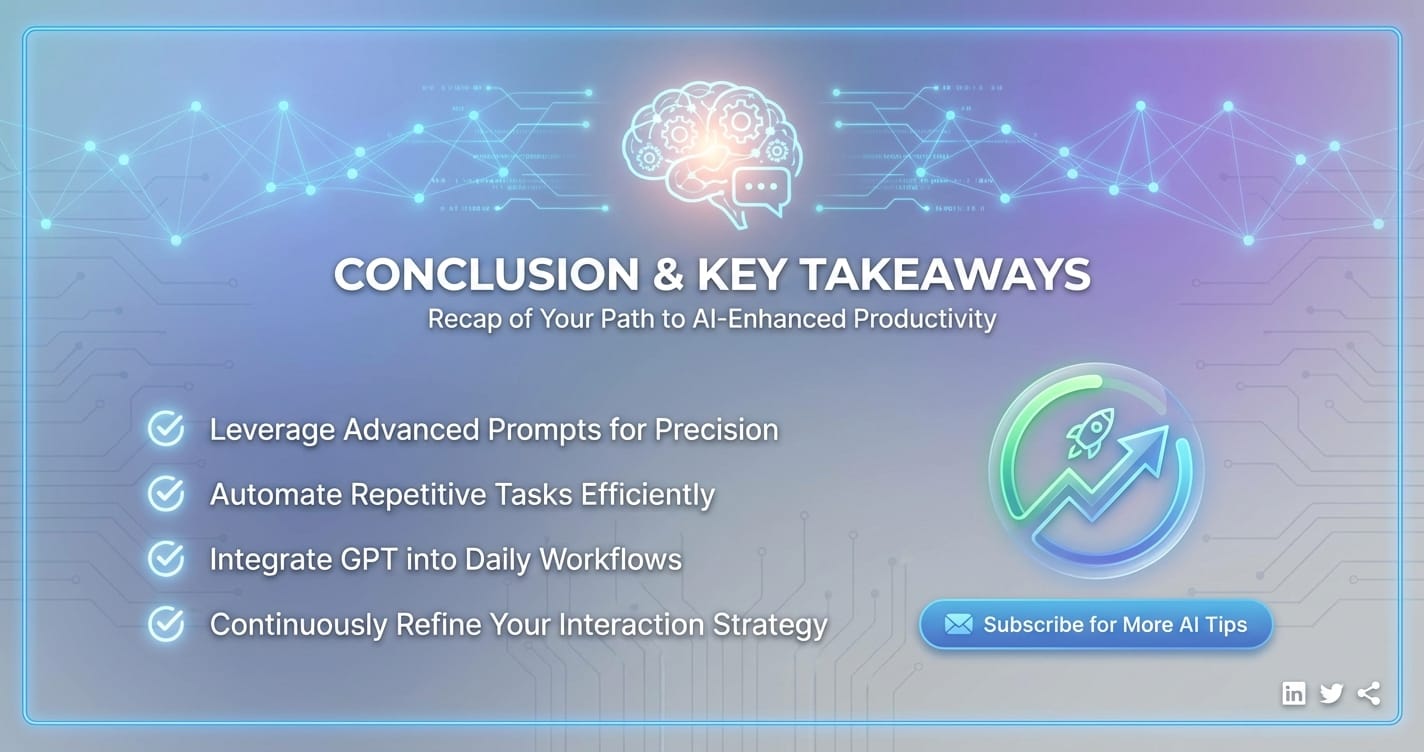
The journey to mastering GPT chat is one of continuous learning, strategic application, and thoughtful engagement. We've explored the foundational mechanics that govern its responses, delving into the critical importance of crafting clear, specific, and context-rich prompts. From assigning personas to employing negative constraints, effective prompt engineering emerges as the linchpin for unlocking high-quality, relevant outputs from your AI assistant.
Beyond the basics, we've uncovered advanced strategies that elevate interaction to a collaborative workflow. Techniques like chaining prompts, understanding temperature settings, employing few-shot learning, and specifying output formats empower users to tackle complex tasks with precision and efficiency. The diverse real-world applications of GPT chat—spanning content creation, coding, research, business, and education—underscore its transformative power to augment human capabilities and significantly boost productivity. Whether you're a content creator leveraging "gpt chat" for brainstorming, a developer using "chat gtp" for debugging, or a student utilizing "cht gpt" for learning, the potential for efficiency gains is immense.
However, true mastery also demands a keen awareness of the AI's limitations and ethical considerations. Vigilance against hallucinations, recognition of inherent biases, careful management of privacy, and a commitment to responsible augmentation over blind reliance are crucial for ethical and effective AI deployment.
Looking ahead, the evolving AI landscape necessitates intelligent solutions for integration. Platforms like XRoute.AI are at the forefront of this evolution, simplifying access to a vast array of LLMs, including GPT chat models, through a single, unified API. By focusing on low latency, cost-effectiveness, and developer-friendly tools, XRoute.AI empowers businesses and individuals to seamlessly integrate the best of AI into their workflows, accelerating innovation and further enhancing productivity by removing integration complexities.
In essence, GPT chat is more than just a tool; it's a paradigm shift. By understanding its capabilities, diligently refining your interaction techniques, and embracing ethical practices, you can transform your relationship with AI from passive usage to active mastery. The future of productivity is collaborative, intelligent, and perpetually evolving, and with the insights gained here, you are well-equipped to navigate and lead in this exciting new era.
Frequently Asked Questions (FAQ)
1. What are the common pitfalls when using GPT chat for productivity?
The most common pitfalls include using overly vague prompts, leading to generic responses; over-relying on the AI's output without verification, which can lead to inaccuracies ("hallucinations"); and inputting sensitive personal or proprietary information into public models, posing privacy risks. Additionally, treating GPT chat as an all-knowing oracle instead of a predictive text engine can lead to frustration and missed opportunities for refinement.
2. How accurate is GPT chat for factual information?
GPT chat is a language model designed to generate human-like text based on patterns in its training data, not a factual database. While it can often provide accurate information, it is prone to "hallucinations" – confidently generating false or misleading statements. Therefore, always verify any critical factual information obtained from GPT chat with reliable, authoritative sources, especially for academic, professional, or sensitive content.
3. Can GPT chat replace human writers/developers/researchers?
No, GPT chat is best viewed as a powerful augmentation tool rather than a replacement. It can significantly boost productivity by automating repetitive tasks, generating first drafts, brainstorming ideas, and assisting with debugging or summarization. However, it lacks human creativity, critical thinking, nuanced understanding of context, and ethical judgment. Human oversight, refinement, and strategic direction are essential to produce high-quality, original, and responsible work.
4. What are some ethical considerations when using GPT chat for professional tasks?
Key ethical considerations include: * Plagiarism: Ensuring originality and proper attribution, as AI-generated content can sometimes resemble existing works. * Bias: Being aware that AI models can perpetuate biases present in their training data and actively working to mitigate biased outputs. * Privacy & Data Security: Never inputting confidential, sensitive, or proprietary information into public AI models. * Accountability: Taking full responsibility for the accuracy and ethical implications of content or code generated with AI assistance. * Transparency: Being clear when AI has been used in content creation, especially in professional or academic contexts.
5. How can platforms like XRoute.AI enhance my GPT chat experience?
Platforms like XRoute.AI enhance your GPT chat experience by providing a unified API platform that simplifies access to over 60 AI models from more than 20 providers, including various GPT chat models. This means you can easily switch between different LLMs to find the best one for a specific task without complex integrations. XRoute.AI offers low latency AI for faster responses, cost-effective AI solutions by optimizing usage across providers, and developer-friendly tools, enabling you to build more robust, scalable, and intelligent AI applications with significantly reduced development complexity and overhead.
🚀You can securely and efficiently connect to thousands of data sources with XRoute in just two steps:
Step 1: Create Your API Key
To start using XRoute.AI, the first step is to create an account and generate your XRoute API KEY. This key unlocks access to the platform’s unified API interface, allowing you to connect to a vast ecosystem of large language models with minimal setup.
Here’s how to do it: 1. Visit https://xroute.ai/ and sign up for a free account. 2. Upon registration, explore the platform. 3. Navigate to the user dashboard and generate your XRoute API KEY.
This process takes less than a minute, and your API key will serve as the gateway to XRoute.AI’s robust developer tools, enabling seamless integration with LLM APIs for your projects.
Step 2: Select a Model and Make API Calls
Once you have your XRoute API KEY, you can select from over 60 large language models available on XRoute.AI and start making API calls. The platform’s OpenAI-compatible endpoint ensures that you can easily integrate models into your applications using just a few lines of code.
Here’s a sample configuration to call an LLM:
curl --location 'https://api.xroute.ai/openai/v1/chat/completions' \
--header 'Authorization: Bearer $apikey' \
--header 'Content-Type: application/json' \
--data '{
    "model": "gpt-5",
    "messages": [
        {
            "content": "Your text prompt here",
            "role": "user"
        }
    ]
}'
With this setup, your application can instantly connect to XRoute.AI’s unified API platform, leveraging low latency AI and high throughput (handling 891.82K tokens per month globally). XRoute.AI manages provider routing, load balancing, and failover, ensuring reliable performance for real-time applications like chatbots, data analysis tools, or automated workflows. You can also purchase additional API credits to scale your usage as needed, making it a cost-effective AI solution for projects of all sizes.
Note: Explore the documentation on https://xroute.ai/ for model-specific details, SDKs, and open-source examples to accelerate your development.