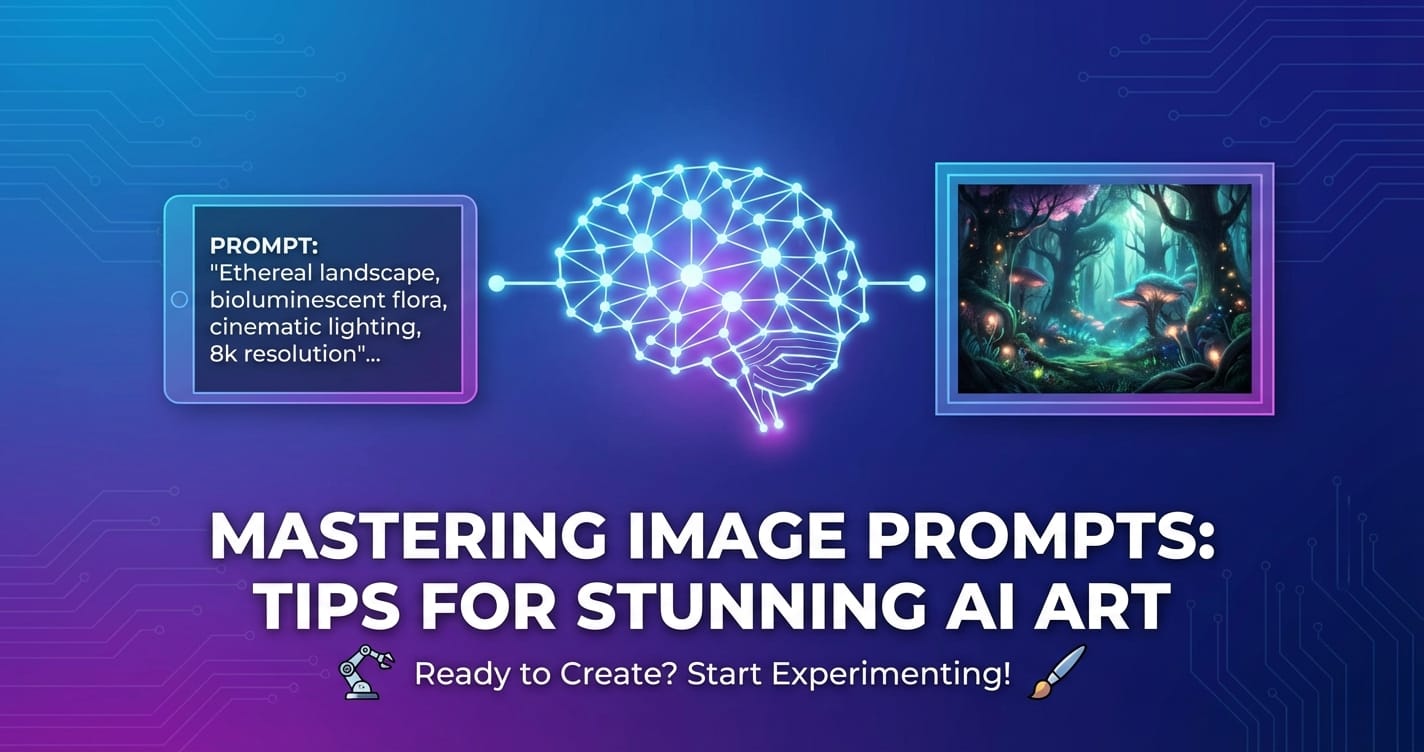
Mastering Image Prompts: Tips for Stunning AI Art

The world of artificial intelligence has gifted us an astonishing new medium for creativity: AI art. What once seemed like science fiction, the ability to conjure breathtaking visuals from mere words, is now a tangible reality for artists, designers, and enthusiasts alike. At the heart of this revolution lies the image prompt – the textual instruction that guides the AI in generating its visual masterpiece. Far from being a simple phrase, a well-crafted image prompt is an art form in itself, a delicate balance of specificity, creativity, and technical understanding. This comprehensive guide will delve deep into the nuances of prompt engineering, equipping you with the knowledge and strategies to transform your conceptual visions into truly stunning AI art.
The Dawn of AI Creativity: Understanding the Image Prompt
Before we dive into the intricacies of crafting exceptional prompts, it's crucial to grasp the fundamental concept of an image prompt. In essence, an image prompt is a string of text that describes the desired output image to an AI model. These models, often trained on vast datasets of images and their corresponding text descriptions, learn to associate words and phrases with visual attributes, styles, and compositions. When you input a prompt, the AI deciphers these instructions, drawing upon its learned understanding to synthesize a novel image that attempts to match your description.
The journey from text to image is not a simple linear translation. AI models interpret prompts probabilistically, meaning they don't always produce the exact image you envision on the first try. This inherent variability is both a challenge and an opportunity. It challenges us to be precise and iterative, but it also opens doors to unexpected creative avenues, allowing the AI to surprise us with its interpretations. Mastering the image prompt is therefore about learning to communicate effectively with these intelligent systems, guiding them towards your artistic intent while embracing the serendipity of the AI's creative process.
The landscape of AI art generators is diverse, with powerful tools like Midjourney, Stable Diffusion, DALL-E, and others, each offering unique strengths and interpretations of prompts. While the core principles of prompt engineering remain universal, understanding the specific nuances of your chosen generator can significantly enhance your results. For instance, a sophisticated platform like the seedream image generator might offer advanced parameters or leverage specific models that respond uniquely to certain keywords or structures, allowing for even greater control and fidelity in your creations.
Why Prompt Engineering Matters
Without effective prompt engineering, AI art can often fall short of expectations, producing generic, bizarre, or aesthetically unpleasing results. A vague prompt like "a dog" will likely yield a commonplace dog image, lacking character or artistic flair. However, a meticulously crafted prompt – "A majestic golden retriever, bathed in the warm glow of a setting sun, standing proudly on a misty Scottish highland, detailed fur, photorealistic, cinematic lighting, f/1.8" – invites the AI to generate a scene teeming with atmosphere and detail.
The ability to write compelling prompts unlocks several advantages: * Precision and Control: Guide the AI towards specific artistic styles, subjects, and moods. * Creative Exploration: Discover novel compositions and aesthetics that might be difficult to achieve through traditional means. * Efficiency: Reduce the number of iterations needed to achieve a desired outcome, saving time and computational resources. * Uniqueness: Generate distinct and original pieces that stand out in the burgeoning world of AI art.
Ultimately, mastering the image prompt transforms you from a passive observer into an active collaborator with the AI, enabling you to co-create art that pushes the boundaries of imagination.
The Anatomy of a Powerful Image Prompt
An effective image prompt is rarely a single word; it's a carefully constructed phrase or sentence, often broken down into various components that each contribute to the final image. Think of it as painting with words, where each descriptive element adds a stroke to the AI's canvas.
Let's dissect the key components that typically make up a robust image prompt:
1. The Subject: What is the Main Focus?
This is the most critical element. Clearly define what you want the AI to depict. * Specificity is Key: Instead of "a flower," try "a vibrant red rose," or "a singular, dew-kissed crimson rosebud." * Adjectives and Nouns: Use descriptive adjectives to imbue the subject with character. "A futuristic cityscape," "an ancient warrior," "a playful kitten." * Quantity: Specify numbers if important. "Three dragons flying," "a lone astronaut."
2. The Action or Pose: What is the Subject Doing?
If your subject is a living entity, describing its action or pose brings life to the image. * "A knight riding a horse," "a ballerina mid-pirouette," "a robot offering a flower." * Consider the emotion implied by the action: "A contemplative philosopher gazing at stars," "a joyous child playing in the rain."
3. The Setting or Environment: Where is it Happening?
The backdrop significantly influences the mood and context of the image. * Location: "In a dense jungle," "on the surface of Mars," "inside a bustling café." * Time of Day/Year: "At dawn," "under a full moon," "during autumn." * Atmospheric Elements: "Misty forest," "snow-covered mountains," "a city street glistening after rain."
4. Lighting: How is the Scene Illuminated?
Lighting is paramount for establishing mood, depth, and realism. * Types of Lighting: "Golden hour light," "neon glow," "dramatic chiaroscuro," "soft ambient light," "harsh direct sunlight," "volumetric lighting." * Direction: "Backlit," "side-lit," "overhead light." * Color Temperature: "Warm light," "cool blue light."
5. Camera Angle and Shot Type: How is it Framed?
These elements mimic cinematic techniques, dictating how the viewer perceives the scene. * Angles: "Low-angle shot," "high-angle perspective," "dutch angle." * Shot Types: "Close-up portrait," "wide-angle landscape," "medium shot," "cinematic establishing shot." * Lens Effects: "Bokeh effect," "fisheye lens distortion," "anamorphic flare."
6. Art Style or Medium: What is the Aesthetic?
This is where you define the artistic "vibe" of the image. * Art Movements: "Impressionistic painting," "surrealist artwork," "futuristic cyberpunk style," "baroque masterpiece." * Artists: "In the style of Van Gogh," "Rembrandt lighting," "inspired by Hayao Miyazaki." * Media: "Oil painting," "watercolor," "charcoal sketch," "digital art," "3D render," "photorealistic." * Render Engines: "Octane render," "Unreal Engine 5."
7. Mood and Atmosphere: What is the Feeling?
Conveying emotion and feeling can profoundly impact the AI's interpretation. * "Serene," "mysterious," "eerie," "joyful," "melancholy," "epic," "dreamlike."
8. Color Palette: What Colors Dominate?
Specific color choices can enhance the overall aesthetic. * "Monochromatic blues," "vibrant pastels," "muted earth tones," "contrasting colors of red and green."
9. Negative Prompts: What to AVOID?
Crucially important, negative prompts tell the AI what not to include. This helps refine the output and prevent common undesirable artifacts. * "ugly," "deformed," "extra limbs," "bad anatomy," "blurry," "text," "watermark." * For realistic images: "cartoon," "painting," "drawing."
10. Technical Parameters (Implicit or Explicit)
While often handled by the generator's UI, some models allow specific parameters within the prompt or alongside it. These might include: * Aspect Ratio: —ar 16:9 (Midjourney example). * Resolution: "8k," "4k," "high detail." * Model Version: —v 5.2 (Midjourney example). * Seed: A unique identifier that allows you to regenerate a similar image (more on this later). A good seedream image generator will make seed management intuitive.
By combining these elements thoughtfully, you construct a rich tapestry of instructions for the AI, increasing the likelihood of generating a stunning and cohesive image.
Let's illustrate with an example:
Simple Prompt: "A cat" Potential Output: Generic cat photo.
Detailed Image Prompt: "A regal Maine Coon cat, with luxurious ginger fur and emerald green eyes, perched majestically on a baroque velvet armchair in a dimly lit Victorian library, dust motes dancing in a single shaft of moonlight from a tall window, cinematic lighting, hyper-realistic, intricate details, moody atmosphere, in the style of Rembrandt, wide shot, 8K resolution, f/2.8. Negative prompt: blurry, ugly, deformed, cartoon, low quality." Potential Output: A breathtaking, art-quality image matching the description.
This structured approach significantly elevates the quality of the AI's output.
Table 1: Essential Image Prompt Components and Examples
| Component | Description | Example Phrase | Impact on Image |
|---|---|---|---|
| Subject | The primary object, person, or scene. | a lone astronaut, a futuristic samurai, a majestic ancient dragon |
Defines the core content. Specificity here is paramount for clear representation. |
| Action/Pose | What the subject is doing or its posture. | gazing at a nebula, in mid-air combat, perched on a jagged peak |
Adds dynamism and context to the subject, conveying narrative or emotion. |
| Setting | The environment or background. | on a desolate alien planet, within a neon-lit cybercity, above stormy clouds |
Establishes context, mood, and atmosphere. Essential for world-building. |
| Lighting | The nature and source of light. | dramatic volumetric lighting, soft golden hour glow, eerie bioluminescent light |
Crucial for mood, depth, and realism. Influences shadows, highlights, and overall aesthetic. |
| Camera Angle | The virtual camera's position relative to the subject. | low-angle shot, extreme close-up, overhead drone view |
Dictates perspective, scale, and emphasis, mimicking photographic and cinematic techniques. |
| Art Style | The aesthetic or artistic movement. | cyberpunk art, oil painting by J.M.W. Turner, anime style |
Guides the AI on the overall visual language, textures, colors, and brushstrokes. |
| Mood/Atmosphere | The emotional tone or feeling. | serene and ethereal, dark and mysterious, vibrant and energetic |
Influences color choices, composition, and details to evoke a specific emotional response. |
| Color Palette | Specific colors or color schemes. | deep blues and purples, monochromatic sepia, contrasting vivid colors |
Defines the dominant hues, impacting visual harmony, contrast, and emotional resonance. |
| Negative Prompt | Elements to exclude from the image. | ugly, deformed, blurry, extra limbs, watermark, text |
Refines output by preventing common artifacts, inconsistencies, or undesirable elements. |
| Technicalities | Resolution, detail level, render engine, etc. (often implicit) | 8K, hyper-detailed, photorealistic, cinematic, Unreal Engine 5 |
Specifies technical quality, realism level, and often impacts the overall polish and fidelity of the image. |
Advanced Prompting Techniques for Nuanced Control
Once you've mastered the basic anatomy of an image prompt, you can explore more sophisticated techniques to achieve even greater control and artistic expression. These methods allow for fine-tuning specific elements, creating intricate compositions, and maintaining consistency across multiple generations.
1. Weighting Keywords
Many AI image generators allow you to assign "weights" or emphasis to specific words or phrases within your prompt. This tells the AI to prioritize certain concepts over others. * Syntax Varies: * Midjourney uses parentheses and numbers: (word:1.2) to increase weight, (word:0.8) to decrease. * Stable Diffusion might use (word) for slight emphasis or ((word)) for stronger emphasis, or [word:strength] syntax. * Use Cases: Emphasize a particular color, a subject's emotion, or a specific style. For instance, a forest (fire:1.5) at night will give more prominence to the fire than a forest fire at night. * Caution: Over-weighting can lead to distorted or overly dominant features. Experiment to find the right balance.
2. Blending and Compositional Prompts
Instead of a single descriptive sentence, you can sometimes blend multiple concepts or reference images. * Image-to-Image: Some generators allow you to start with an input image and modify it with a text prompt. This is powerful for maintaining a specific composition or subject while altering style or details. * Prompt Stacking/Piping: Certain platforms allow you to combine different prompts, often with specific separators. For example, in Midjourney, prompt1 :: prompt2 might blend the concepts. This is excellent for complex scenes where you want distinct elements to be equally prominent without clashing. * Subject/Object Separation: If you have multiple distinct subjects, describe each clearly, potentially using separate clauses or even numerical weighting if applicable. "A red car and a blue bicycle on a busy street" is better than "a busy street with a red car blue bicycle."
3. Iterative Prompting: The Art of Refinement
Rarely does the perfect image emerge from the first prompt. Iterative prompting is about making small, incremental changes to your prompt based on the AI's previous outputs. * Analyze the Output: Identify what worked well and what didn't. Was the lighting off? Did the subject look strange? Was the style not quite right? * Adjust: Add, remove, or modify keywords. Experiment with synonyms. Tweak weighting. * Refine Negative Prompts: If you see recurring undesirable elements, add them to your negative prompt list. * Leverage Seeds: This is where the concept of a "seed" becomes invaluable.
4. Using Seed Numbers for Consistency
A "seed" is a unique numerical identifier associated with an AI image generation. If you use the same prompt and the same seed number (along with identical parameters), you should get a highly similar, if not identical, image output. * Why Seeds are Important: * Iteration: When you get an image you almost like, using its seed allows you to make minor prompt adjustments and regenerate, keeping the core composition and elements stable. * Consistency: For generating character sheets, sequential art, or variations on a theme, seeds are critical for maintaining visual continuity. * Exploration: You can keep a good seed and experiment with drastically different prompts to see how the AI reinterprets it. * Finding Seeds: Most sophisticated generators, including a quality seedream image generator, will display the seed number alongside your generated image. You can then copy and paste this seed for future use. * Seed Dream AI Image: When you achieve a particularly stunning seedream ai image, saving its seed number is like saving a blueprint for that specific creative direction. It ensures that if you need variations or want to continue that artistic thread, you have a consistent starting point.
5. Prompt Chaining and Storytelling
For ambitious projects, you can use a series of prompts to tell a story or develop a character over time. * Character Development: Generate a character with a seed, then use that seed with new prompts to depict the character in different scenarios, outfits, or emotional states. * Sequential Art: Create individual panels of a comic or graphic novel, ensuring consistency by reusing seeds or maintaining key descriptive elements. * World Building: Generate different locations or objects within the same fictional universe, using consistent style prompts.
6. Leveraging Reference Images (for some models)
Some advanced models allow you to upload an image alongside your text prompt. The AI then uses this image as a visual reference, trying to match its style, composition, or even specific elements while incorporating your textual instructions. This is a powerful way to bridge the gap between your existing visual ideas and the AI's generation capabilities.
Table 2: Exploring Art Styles and Their Prompt Keywords
| Art Style | Description | Common Keywords/Phrases to Use in Prompts |
|---|---|---|
| Photorealistic | Aims for extreme realism, indistinguishable from a photograph. | photorealistic, ultra detail, 8K, cinematic, high resolution, hyper-realistic, CGI, shot on Arri Alexa, Fujifilm, Unreal Engine 5, V-Ray render, f/1.8 |
| Impressionism | Characterized by visible brushstrokes, open composition, emphasis on light, and ordinary subject matter. | impressionistic painting, thick brushstrokes, soft light, pastel colors, alla prima, monet style, renoir aesthetic |
| Surrealism | Juxtaposes unexpected and unrelated elements, often dreamlike or bizarre. | surrealist painting, dreamlike, Salvador Dalí style, magical realism, metaphysical, bizarre, unsettling |
| Cyberpunk | Futuristic dystopian themes, high tech low life, neon lights, urban decay. | cyberpunk city, neon lit, futuristic architecture, dystopian, hacker culture, rainy streets, synthwave, bladerunner aesthetic |
| Fantasy Art | Depicts mythical creatures, magical realms, epic heroes, often with rich detail. | fantasy art, epic, magical kingdom, mythical creature, dragon, elven city, D&D style, Frank Frazetta inspired, lord of the rings aesthetic |
| Watercolor | Characterized by translucent washes of color, often with visible paper texture. | watercolor painting, light washes, delicate, transparent colors, splashes, wet-on-wet, loose brushwork |
| Art Deco | Geometric forms, streamlined shapes, rich colors, and luxurious ornamentation, popular in the 1920s-30s. | art deco style, geometric patterns, flapper era, streamlined design, luxurious, gold accents, Roaring Twenties |
| Steampunk | A subgenre of science fiction incorporating technology and aesthetic designs inspired by 19th-century industrial steam-powered machinery. | steampunk aesthetic, Victorian era, gears and cogs, brass and copper, airship, clockwork mechanisms, gothic industrial |
| Anime/Manga | Distinct Japanese animation/comic book style, often with large eyes, dynamic poses, and vibrant colors. | anime style, manga art, Japanese animation, cell shaded, vibrant colors, Studio Ghibli inspired, Makoto Shinkai aesthetic, detailed characters |
| Abstract Art | Non-representational art, focusing on shapes, colors, forms, and gestural marks. | abstract art, geometric abstraction, expressionist, color field, Jackson Pollock style, dynamic forms, non-representational |
XRoute is a cutting-edge unified API platform designed to streamline access to large language models (LLMs) for developers, businesses, and AI enthusiasts. By providing a single, OpenAI-compatible endpoint, XRoute.AI simplifies the integration of over 60 AI models from more than 20 active providers(including OpenAI, Anthropic, Mistral, Llama2, Google Gemini, and more), enabling seamless development of AI-driven applications, chatbots, and automated workflows.
Strategies for Crafting Killer Prompts
Now that you understand the components and advanced techniques, let's consolidate this knowledge into actionable strategies for consistently generating stunning image prompt results.
1. Start Simple, Iterate Complex
Don't try to cram every detail into your first prompt. Begin with a clear subject and a basic style, then gradually add layers of detail, lighting, atmosphere, and negative prompts. This iterative process is less overwhelming and allows you to understand how each addition influences the AI's output.
2. Be Specific, But Not Overly Restrictive
Specificity is crucial for guiding the AI, but too much detail can sometimes confuse it or lead to unnatural results. Find a balance. Instead of listing every single leaf on a tree, describe the type of leaves, the color, and the light hitting them. The AI is good at filling in believable details if given a strong foundation.
3. Use Descriptive Adjectives and Verbs
The more evocative your language, the better the AI can interpret your vision. * Instead of "a house," try "a weathered, ancient cottage nestled beneath gnarled oak trees." * Instead of "walking," try "striding purposefully," "meandering slowly," or "sprinting wildly." * Think about the sensory details: "velvet texture," "glistening surface," "whispering wind."
4. Learn from Others: Prompt Libraries and Communities
The AI art community is incredibly vibrant and generous. Explore prompt libraries, Reddit communities (like r/midjourney or r/StableDiffusion), and Discord servers. Analyze successful prompts, reverse-engineer them, and adapt concepts to your own work. This is an excellent way to discover new keywords, styles, and techniques. A quick search for "seedream image generator prompts" might yield specific examples tailored to that platform, offering direct insights.
5. Experiment with Synonyms and Related Concepts
The AI's understanding of language is vast but not always perfectly intuitive. If a keyword isn't yielding the desired result, try synonyms. * "Beautiful" could be "stunning," "gorgeous," "aesthetically pleasing." * "Forest" could be "woodland," "grove," "copse." * Sometimes, describing the effect rather than the cause works better. Instead of "blurry background," try "shallow depth of field with bokeh effect."
6. Understand AI Bias and Limitations
AI models are trained on existing data, which inevitably contains biases present in that data. This can manifest in stereotypical representations, lack of diversity, or difficulty with certain concepts (e.g., hands often being problematic). * Be Explicit with Diversity: If you want diverse subjects, include keywords like "diverse group," "person of color," "female scientist," etc. * Iterate on Problem Areas: If the AI struggles with specific details (like hands), try generating multiple variations, using negative prompts, or isolating that element in a separate generation if possible. * The seedream ai image you get might reflect these biases, making awareness crucial for critical evaluation and refinement.
7. The Power of "In the style of..."
Mentioning famous artists or art movements is a powerful shortcut for guiding the AI's style. However, use it judiciously. * "In the style of Vincent Van Gogh" will give you swirling brushstrokes and vibrant colors. * "Rembrandt lighting" will produce dramatic chiaroscuro. * Combine styles for unique results: "a futuristic cityscape in the style of Edward Hopper."
8. Use Quotation Marks (If Supported)
Some generators treat phrases in quotation marks as a single concept, rather than individual words. Check your specific generator's documentation for how it handles this, as it can sometimes improve coherence for multi-word concepts like "golden hour."
9. Control the Chaos with Parameters
Beyond the prompt itself, most generators offer various parameters to control the output. * "Chaos" or "Stylize" sliders: These adjust how much the AI adheres strictly to your prompt versus how much it adds its own creative interpretation. * "Steps" or "Iterations": Affects the quality and detail of the image generation process. More steps generally mean higher quality but longer generation times. * "Guidance Scale" or "CFG Scale": Controls how strongly the AI follows your prompt versus its own creative license. Higher values make it stick closer to the prompt but can make the image less artistic.
Understanding and tweaking these parameters, often found in the UI of a seedream image generator, can significantly impact your results.
Table 3: Troubleshooting Common Prompt Issues
| Issue | Description | Recommended Prompt Adjustments |
|---|---|---|
| Vague/Generic Output | Image lacks specificity, detail, or artistic flair. | Add more descriptive adjectives: a majestic golden retriever instead of a dog. Specify style: oil painting, cyberpunk art. Detail environment/lighting: golden hour light, misty forest. |
| Conflicting Elements | AI struggles to combine instructions, resulting in messy or illogical images. | Simplify the prompt: Remove contradictory terms. Prioritize with weighting: (red:1.5) car and a blue bicycle. Break into simpler concepts: Generate elements separately if complex. Rephrase: Use clearer, less ambiguous language. |
| Unwanted Artifacts | Deformed limbs, strange textures, extra elements, blurring. | Use Negative Prompts: ugly, deformed, extra limbs, bad anatomy, blurry, watermark, text. Increase resolution/quality: Add 8K, high detail, photorealistic. Lower chaos/stylize parameter. |
| Inconsistent Style | Images generated with similar prompts look different in style or quality. | Specify style clearly: in the style of [artist], [art movement]. Use technical quality terms: cinematic, Unreal Engine 5. Maintain consistency in parameters: Use the same seed (if iterating). |
| Subject Not Prominent | Main subject gets lost in the background or is too small. | Increase weighting on subject: (main subject:1.3). Specify camera angle: close-up portrait, medium shot. Simplify background: Reduce background detail if it's overshadowing. |
| AI Misinterprets a Word | The AI generates something different from your intention. | Use synonyms: Try canine instead of dog if dog is producing weird results. Describe the concept: Instead of happy, describe smiling, joyful expression. Add clarifying context. |
| Image is Too Dark/Bright | Lighting is off, making the scene unreadable or blown out. | Specify lighting type: soft ambient light, harsh sunlight, dramatic chiaroscuro. Adjust intensity: brightly lit, dimly lit. Mention time of day: at dawn, under a full moon. |
The Future of AI Art and Prompt Engineering
The field of AI art is evolving at a breakneck pace. What's cutting-edge today might be commonplace tomorrow. As models become more sophisticated, prompt engineering will likely become even more nuanced, integrating aspects of natural language processing, semantic understanding, and even multi-modal input.
We're already seeing the rise of advanced tools and platforms designed to streamline and enhance the creative process. These aren't just about generating images; they're about managing the entire AI workflow, from initial concept to final output, and even integrating with other AI capabilities.
Imagine a scenario where an AI assistant could help you construct your initial prompt, suggesting descriptive keywords based on your vague ideas, or even analyzing existing images to extract stylistic elements for a new prompt. This level of intelligent assistance requires robust backend infrastructure capable of handling diverse AI models and complex data flows.
This is precisely where platforms like XRoute.AI come into play. XRoute.AI is a cutting-edge unified API platform designed to streamline access to large language models (LLMs) for developers, businesses, and AI enthusiasts. While primarily focused on LLMs for text-based tasks, the principles apply directly to the future of AI art. Think about it: crafting an effective image prompt is fundamentally a language task. Leveraging an LLM through a platform like XRoute.AI could enable: * Advanced Prompt Generation: LLMs could analyze your high-level artistic vision and generate highly detailed, optimized image prompt strings, freeing you from manual keyword hunting. * Multi-modal Workflows: Integrate text-to-image generation with other AI functions, such as image analysis, style transfer, or even generating descriptive text about your AI art for marketing or documentation. * Cost-Effective and Low Latency AI: XRoute.AI's focus on low latency AI and cost-effective AI means developers can experiment with a vast array of prompt generation techniques and models without prohibitive costs or delays. Its ability to provide a single, OpenAI-compatible endpoint simplifies the integration of over 60 AI models from more than 20 active providers. This means you could potentially tap into different LLMs to generate different parts of a complex prompt, or use one LLM to critique and refine a prompt for a seedream image generator. * Scalable AI Art Development: For studios or businesses looking to integrate AI art generation into their products or services, XRoute.AI offers the high throughput and scalability needed to manage extensive prompt engineering at an enterprise level. The future of a stunning seedream ai image might very well involve multiple AI components working seamlessly together, orchestrated by platforms designed for unified AI access.
The ongoing advancements mean that prompt engineering will continue to be a vital skill, even as the tools themselves become more intelligent. The human element – creativity, vision, and the ability to critically evaluate and refine – will remain indispensable.
Conclusion: Unleash Your Inner Prompt Engineer
The journey to mastering image prompt creation is an exciting one, filled with experimentation, discovery, and breathtaking artistic outcomes. From understanding the core components of a descriptive prompt to leveraging advanced techniques like weighting and seed numbers, you now possess a comprehensive toolkit to guide AI models toward your unique vision. Remember that patience and iteration are your greatest allies. The AI is a powerful, yet sometimes enigmatic, collaborator. The more clearly and artfully you communicate your intentions through your prompts, the more likely you are to generate truly stunning AI art.
Don't be afraid to experiment, push boundaries, and even make "mistakes"—often, the most unexpected and beautiful seedream ai image emerges from serendipitous prompts. Embrace the iterative process, learn from every generation, and continuously refine your language. As you become more adept at prompt engineering, you'll find yourself not just creating images, but actively shaping the future of digital artistry. So, go forth, prompt, and create your next visual masterpiece.
Frequently Asked Questions (FAQ)
Q1: What is an image prompt in AI art generation?
A1: An image prompt is a text description that you provide to an AI art generator (like Midjourney, Stable Diffusion, or a seedream image generator) to describe the image you want it to create. The AI then interprets these words and phrases to synthesize a visual output that matches your instructions. It's essentially "painting with words."
Q2: How long should an image prompt be for the best results?
A2: There's no fixed ideal length. A good prompt balances specificity with conciseness. While a simple prompt might be a few words, a highly detailed and effective prompt can range from a short phrase to a complex sentence or even a paragraph, incorporating elements like subject, action, setting, lighting, style, and negative prompts. The key is to include enough detail for the AI to understand your vision without being overly verbose or contradictory.
Q3: What are negative prompts, and why are they important?
A3: Negative prompts are crucial instructions that tell the AI what not to include or what undesirable qualities to avoid in the generated image. They are essential for refining outputs and preventing common issues like distorted anatomy, blurriness, extra limbs, or unwanted text. By specifying what you don't want, you help the AI focus on generating higher quality, more aesthetically pleasing results.
Q4: How can I achieve a consistent style across multiple AI-generated images?
A4: To maintain consistency, you should primarily use the same core style-related keywords (e.g., "in the style of [artist]," "cyberpunk aesthetic," "oil painting") in all your prompts. Additionally, if your generator supports it, re-using the seed number from a successful generation and making minor prompt adjustments is a powerful technique. For platforms like a seedream image generator, look for features that help manage and re-apply seeds for consistent seedream ai image outputs.
Q5: Can I mention specific artists or art movements in my prompts?
A5: Yes, absolutely! Mentioning specific artists (e.g., "in the style of Vincent Van Gogh," "Rembrandt lighting") or art movements (e.g., "Impressionistic painting," "Art Deco style") is a very effective way to guide the AI's stylistic interpretation. The AI models have been trained on vast datasets of art, allowing them to draw inspiration from these references to produce images with similar aesthetic qualities.
🚀You can securely and efficiently connect to thousands of data sources with XRoute in just two steps:
Step 1: Create Your API Key
To start using XRoute.AI, the first step is to create an account and generate your XRoute API KEY. This key unlocks access to the platform’s unified API interface, allowing you to connect to a vast ecosystem of large language models with minimal setup.
Here’s how to do it: 1. Visit https://xroute.ai/ and sign up for a free account. 2. Upon registration, explore the platform. 3. Navigate to the user dashboard and generate your XRoute API KEY.
This process takes less than a minute, and your API key will serve as the gateway to XRoute.AI’s robust developer tools, enabling seamless integration with LLM APIs for your projects.
Step 2: Select a Model and Make API Calls
Once you have your XRoute API KEY, you can select from over 60 large language models available on XRoute.AI and start making API calls. The platform’s OpenAI-compatible endpoint ensures that you can easily integrate models into your applications using just a few lines of code.
Here’s a sample configuration to call an LLM:
curl --location 'https://api.xroute.ai/openai/v1/chat/completions' \
--header 'Authorization: Bearer $apikey' \
--header 'Content-Type: application/json' \
--data '{
    "model": "gpt-5",
    "messages": [
        {
            "content": "Your text prompt here",
            "role": "user"
        }
    ]
}'
With this setup, your application can instantly connect to XRoute.AI’s unified API platform, leveraging low latency AI and high throughput (handling 891.82K tokens per month globally). XRoute.AI manages provider routing, load balancing, and failover, ensuring reliable performance for real-time applications like chatbots, data analysis tools, or automated workflows. You can also purchase additional API credits to scale your usage as needed, making it a cost-effective AI solution for projects of all sizes.
Note: Explore the documentation on https://xroute.ai/ for model-specific details, SDKs, and open-source examples to accelerate your development.