Mastering OpenClaw File Attachment: Best Practices

In the rapidly evolving landscape of artificial intelligence, particularly with the proliferation of large language models (LLMs), the ability to attach and process external files has emerged as a critical feature. These attachments — ranging from simple text documents and spreadsheets to complex images, audio files, and even proprietary data formats — unlock a new dimension of interaction, allowing LLMs to process richer, more context-aware information. OpenClaw, as a conceptual representation of advanced LLM interaction capabilities, epitomizes this need, requiring robust and intelligent mechanisms for handling file attachments.
However, the seemingly straightforward act of "attaching a file" to an AI interaction is fraught with complexities. Developers and businesses leveraging OpenClaw-like systems face a multifaceted challenge that encompasses technical integration, data security, performance bottlenecks, and the ever-present concern of escalating operational costs. Without a strategic approach, what promises to be a powerful enhancement can quickly become a source of frustration, inefficiency, and unexpected expenses.
This comprehensive guide delves into the best practices for mastering OpenClaw file attachment. We will explore the technical intricacies, strategic considerations, and actionable steps necessary to ensure your AI applications can handle diverse file types efficiently, securely, and cost-effectively. From optimizing data preparation and managing API keys with diligence to ensuring peak performance and controlling expenditure, we aim to provide a holistic framework that empowers you to unlock the full potential of file attachments in your LLM-driven solutions. By adopting these practices, you can transform potential obstacles into pathways for innovation, building more intelligent, versatile, and economically viable AI applications.
The Foundation: Understanding OpenClaw File Attachments and Their Significance
Before diving into best practices, it's crucial to establish a clear understanding of what "OpenClaw file attachment" entails and why it holds such paramount importance in the AI ecosystem. Conceptually, OpenClaw refers to an advanced LLM or an API gateway that extends the traditional text-in, text-out paradigm to include rich, multi-modal inputs. File attachments, in this context, are external data inputs that provide the LLM with additional context, data, or instructions beyond the primary text prompt.
What Constitutes a File Attachment?
File attachments can take various forms, each presenting unique challenges and opportunities:
- Text Documents: PDFs, Word documents (.docx), plain text (.txt), Markdown (.md), and code files (.py, .js) provide structured or unstructured textual data that can extend the LLM's knowledge base for specific queries.
- Spreadsheets: Excel (.xlsx), CSV (.csv), and Google Sheets data often contain tabular information, financial records, or statistical data that require the LLM to perform data analysis, summarization, or trend identification.
- Images: JPEGs, PNGs, SVGs, and other image formats can be used for visual question answering, image description generation, object recognition, or even generating code from mockups.
- Audio Files: MP3s, WAVs, and other audio formats enable transcription, sentiment analysis from voice, or direct audio-to-text processing for conversational AI.
- Proprietary Formats: Specialized files unique to certain industries (e.g., CAD files, medical imaging formats) may require pre-processing or conversion before being consumable by the LLM.
Why Are File Attachments Critical for Modern LLMs?
The ability to attach files dramatically enhances the utility and intelligence of LLMs:
- Enhanced Context and Accuracy: LLMs are powerful, but their knowledge is often limited to their training data. File attachments provide real-time, specific, and often proprietary context that dramatically improves the accuracy and relevance of their responses. Imagine asking an LLM to summarize a specific legal document or analyze a company's financial report without attaching the actual files – the results would be generic at best.
- Multimodality: The world isn't just text. Information comes in various forms. File attachments pave the way for true multimodal AI, allowing LLMs to "see," "hear," and "read" alongside understanding text, leading to more human-like and versatile interactions.
- Data-Driven Decision Making: Businesses rely on data. Attaching datasets allows LLMs to assist in data analysis, identify patterns, generate reports, or even predict outcomes based on specific business data.
- Specialized Applications: From healthcare to finance, engineering, and creative industries, specific applications often involve unique data formats. File attachment capabilities enable LLMs to integrate into these specialized workflows, performing tasks like medical image analysis, financial modeling, or scriptwriting from attached treatments.
- Reduced Hallucinations: By grounding the LLM's responses in specific, provided data, the likelihood of "hallucinations" (generating factually incorrect but plausible-sounding information) is significantly reduced. The LLM is forced to work with the evidence at hand.
In essence, OpenClaw file attachment capabilities transform LLMs from general knowledge engines into highly specialized, context-aware, and data-driven analytical tools. However, realizing this potential requires a meticulous approach to implementation, beginning with robust data preparation and integration strategies.
Best Practice 1: Intelligent Data Pre-processing and Preparation
The journey of a file attachment to an OpenClaw-like system begins long before it reaches the API endpoint. Effective data pre-processing is arguably the most critical step, directly impacting the quality of the LLM's output, the efficiency of the processing, and ultimately, the associated costs. Neglecting this stage can lead to misinterpretations, slow performance, and unnecessary resource consumption.
1.1 Understanding File Type Nuances and Conversion Strategies
Different file types require different handling. An LLM primarily understands text, so non-textual data must be converted or embedded in a text-friendly format.
- Text Documents (PDFs, DOCX): These often contain formatting, images, and complex layouts.
- Challenge: Extracting clean, readable text while preserving essential structure (headings, lists). OCR (Optical Character Recognition) is necessary for scanned PDFs.
- Strategy: Utilize robust parsing libraries (e.g., Apache Tika, PyPDF2, python-docx) to extract text. For PDFs, consider whether a full-text extraction or a semantic chunking approach is better. If the document has tables, consider extracting them as structured data (CSV, JSON) rather than plain text.
- Spreadsheets (XLSX, CSV): Tabular data needs to retain its structure for meaningful analysis.
- Challenge: Representing rows and columns in a text format that the LLM can easily interpret.
- Strategy: Convert to CSV or JSON. For CSV, ensure proper escaping. For JSON, an array of objects (each object representing a row) is often effective. Provide schema or column headers explicitly in the prompt.
- Images (JPEG, PNG): For visual content.
- Challenge: LLMs are text-based. How do they "see" an image?
- Strategy:
- Image Captioning: Use a separate vision model (e.g., Vision Transformer, CLIP) to generate a textual description or summary of the image. This caption is then attached as text.
- Object Detection/OCR: Extract specific entities, text, or features from the image and provide them as structured text.
- Direct Multimodal Input: If the OpenClaw system itself supports multimodal inputs (e.g., accepts image embeddings), then the pre-processing might involve generating these embeddings.
- Audio Files (MP3, WAV): For spoken content.
- Challenge: Converting speech to text accurately, especially with background noise, accents, or technical jargon.
- Strategy: Use high-quality Speech-to-Text (STT) services (e.g., OpenAI Whisper, Google Cloud Speech-to-Text). Consider transcribing into a structured format (e.g., including timestamps) if detailed analysis is required.
Table 1: File Type Pre-processing Strategies
| File Type | Pre-processing Challenge | Recommended Strategy | Output Format for LLM |
|---|---|---|---|
| PDF/DOCX | Layout preservation, text extraction, OCR for scans | Text parsing libraries, OCR for images, semantic chunking | Clean Text, Markdown |
| XLSX/CSV | Structure retention, data interpretation | Convert to CSV or JSON, explicit header inclusion | CSV String, JSON Text |
| Images | Vision-to-text conversion | Image captioning, object detection, OCR, embedding generation | Text Description, JSON |
| Audio | Speech-to-text accuracy, noise reduction | High-quality STT services, timestamp inclusion | Transcribed Text |
| Proprietary | Format interpretation, specialized parsing | Custom parsers, conversion to common formats (XML, JSON) | Structured Text |
1.2 Data Size Limits and Chunking Strategies
LLMs have context window limitations. A 4000-word document might easily exceed the token limit of many models, especially after tokenization. Large files also incur higher transfer costs and longer processing times.
- Identify Limits: Be aware of the maximum attachment size and token limits imposed by the OpenClaw API. These limits can vary significantly between models and API providers.
- Chunking: For large text documents, break them into smaller, semantically coherent chunks.
- Sentence-based: Split by sentences.
- Paragraph-based: Split by paragraphs.
- Fixed Token Size: Split into chunks of a predefined token count (e.g., 500-1000 tokens), overlapping chunks slightly to maintain context.
- Hierarchical Chunking: Break by headings, then paragraphs, then sentences.
- Retrieval Augmented Generation (RAG): Instead of sending the entire document, store chunks in a vector database. When a query comes in, retrieve the most relevant chunks using semantic search and attach only those to the prompt. This is a powerful cost optimization and performance optimization strategy.
- Summarization/Extraction: For truly massive files, consider running an initial LLM pass to summarize the content or extract key entities/facts, then attach only this distilled information.
1.3 Data Compression and Encoding
Reducing file size before transmission is crucial for performance optimization and cost optimization, especially over networks with high latency or for large volumes of attachments.
- Text Compression: Standard text compression algorithms (Gzip, Brotli) can significantly reduce the size of text-based attachments. Most HTTP clients/servers handle this automatically if configured.
- Image/Audio Compression: Ensure images and audio files are appropriately compressed without losing critical information. Choose formats and compression levels suitable for the AI's needs (e.g., WebP for images, Opus for audio, if supported).
- Base64 Encoding: While not true compression, binary files (images, audio) often need to be Base64 encoded to be embedded directly into JSON payloads for API requests. Be mindful that Base64 encoding increases file size by about 33%, so it should ideally be applied after other forms of compression.
1.4 Metadata Attachment and Semantic Tagging
Beyond the raw content, providing structured metadata can significantly enhance the LLM's understanding and ability to process the attachment.
- File Origin: Where did the file come from? (e.g., "internal_report_2023", "customer_feedback_survey").
- File Type: Explicitly state the original file type if it underwent conversion (e.g., "Original format: PDF").
- Author/Date: For documents, author and creation date can be critical context.
- Keywords/Tags: Pre-analyze the document and attach relevant keywords or tags.
- Purpose: Explain the intent behind attaching the file (e.g., "This document needs to be summarized," "Analyze this financial data for anomalies").
This metadata can be included in the initial prompt or within a structured JSON object accompanying the file content, guiding the LLM on how to interpret and utilize the attached data. Intelligent pre-processing lays a solid groundwork, ensuring that the OpenClaw system receives data in the most digestible, efficient, and semantically rich format possible.
Best Practice 2: Robust API Integration and Error Handling
Once files are meticulously prepared, the next critical step is their reliable and secure transmission to the OpenClaw API. This involves choosing the right integration strategy, anticipating potential failures, and implementing resilient mechanisms to ensure data integrity and system stability. A well-designed API integration is foundational for both performance optimization and overall application reliability.
2.1 Choosing the Right API Endpoint and Method
OpenClaw-like systems often provide various API endpoints tailored for different interaction patterns. Understanding these is crucial.
- Direct Attachment (Multipart/Form-Data): Some APIs allow files to be directly uploaded as part of a multipart/form-data request, similar to traditional web forms. This is straightforward for smaller files and simple use cases.
- JSON Payload with Base64 Encoding: For many LLM APIs, files are Base64-encoded and embedded within a JSON payload. This is common for smaller text or image data when the primary interaction is still text-based JSON.
- Pre-signed URLs / Cloud Storage Integration: For very large files, direct API upload might be inefficient or hit size limits. A common pattern is:
- Your application requests a pre-signed URL from the OpenClaw API (or your own backend).
- Your application directly uploads the file to a cloud storage bucket (e.g., S3, GCS) using the pre-signed URL.
- Your application then sends a request to the OpenClaw API, referencing the file's location in cloud storage. This offloads the heavy lifting of file transfer.
Table 2: File Attachment API Integration Methods
| Method | File Size Suitability | Pros | Cons |
|---|---|---|---|
| Multipart/Form-Data | Small to Medium | Simple, standard web practice | Can be less flexible for complex JSON prompts |
| Base64 in JSON Payload | Small | Seamless with JSON-centric workflows, single request | 33% size increase, can hit payload limits quickly |
| Pre-signed URLs/Cloud Storage | Large | Scalable, efficient for large files, offloads transfer | More complex workflow, requires cloud storage setup |
2.2 Asynchronous vs. Synchronous Processing
The nature of file processing can vary.
- Synchronous: The API processes the file and returns a response within the same request. Suitable for small files where immediate results are needed. Be mindful of timeouts.
- Asynchronous: The API accepts the file, queues it for processing, and returns an immediate acknowledgment (e.g., a job ID). Your application then polls for results or receives a webhook notification when processing is complete. Essential for larger files or computationally intensive tasks to prevent timeouts and ensure responsiveness.
Always favor asynchronous processing for any non-trivial file attachment to improve user experience and system stability.
2.3 Robust Error Handling and Retry Mechanisms
API integrations are prone to transient network issues, rate limits, or server-side errors. Robust error handling is non-negotiable.
- Identify Error Codes: Understand the HTTP status codes and custom error messages returned by the OpenClaw API. Differentiate between transient errors (e.g., 429 Too Many Requests, 5xx server errors) and permanent errors (e.g., 400 Bad Request, 401 Unauthorized).
- Exponential Backoff with Jitter: For transient errors, implement a retry mechanism. Instead of retrying immediately, wait for increasing intervals between retries (exponential backoff) and add a small random delay (jitter) to prevent thundering herd problems. Limit the number of retries.
- Circuit Breakers: Implement circuit breakers to temporarily stop sending requests to an endpoint that is consistently failing. This prevents overwhelming a struggling service and allows it time to recover.
- Logging and Alerting: Comprehensive logging of API requests, responses, and errors is crucial for debugging and monitoring. Set up alerts for critical errors or sustained failure rates.
- Idempotency: Design your file attachment process to be idempotent where possible. If a retry occurs, sending the same file twice should not cause adverse side effects (e.g., duplicate processing or charging). This might involve generating a unique transaction ID for each attachment attempt.
2.4 Security Considerations During Transmission
Files in transit are vulnerable.
- HTTPS Everywhere: Always use HTTPS to encrypt data in transit, protecting against eavesdropping and tampering.
- API Key Protection: Never embed Api key management directly in client-side code or public repositories. Transmit them securely (see Best Practice 3).
- File Validation: Before uploading, perform basic validation on the client or server side:
- File Size: Ensure it's within acceptable limits.
- File Type/MIME Type: Verify that the attached file is of an expected type to prevent malicious uploads or unsupported formats.
- Malware Scanning: For critical applications, consider integrating a malware scanner as part of your pre-processing pipeline, especially if users are uploading arbitrary files.
By meticulously designing the API integration and incorporating robust error handling and security measures, you ensure that your OpenClaw file attachments are reliably delivered and processed, forming the bedrock of a stable and high-performing AI application.
Best Practice 3: Meticulous API Key Management
The API key is the gateway to your OpenClaw services, linking your application directly to your usage quota, capabilities, and billing. Poor Api key management is a primary security vulnerability and can lead to unauthorized access, inflated costs, and service disruptions. This section outlines practices to safeguard your keys and ensure responsible access.
3.1 Secure Storage and Environment Variables
Hardcoding API keys directly into your application's source code is an absolute no-go. This exposes your keys in version control systems, making them easily discoverable.
- Environment Variables: The most common and recommended approach for server-side applications. Load API keys from environment variables during application startup.
export OPENCLAW_API_KEY="sk-..."- Your application then accesses
process.env.OPENCLAW_API_KEY(Node.js),os.environ.get('OPENCLAW_API_KEY')(Python), etc.
- Configuration Management Tools: For complex deployments, use tools like AWS Systems Manager Parameter Store, Azure Key Vault, Google Secret Manager, HashiCorp Vault, or Kubernetes Secrets. These provide secure, centralized storage and management for sensitive credentials.
- Avoid Client-Side Exposure: Never embed production API keys directly in client-side code (e.g., JavaScript in a browser app). If client-side access is required, use a backend proxy that authenticates requests and then makes the call to OpenClaw with the secure server-side key. This prevents keys from being scraped from browser source code.
3.2 Key Rotation Policies
Even with secure storage, a key can potentially be compromised. Regular rotation minimizes the impact of such an event.
- Scheduled Rotation: Implement a policy to rotate API keys periodically (e.g., every 30, 60, or 90 days). Most API providers offer mechanisms to generate new keys and revoke old ones.
- Automated Rotation: Where possible, automate the rotation process using your configuration management tools and CI/CD pipelines. This reduces manual effort and human error.
- Emergency Rotation: Have a clear procedure for emergency key rotation in case of a suspected breach. This should be a high-priority incident response.
3.3 Principle of Least Privilege
Granting an API key more permissions than it needs is a significant security risk.
- Dedicated Keys: Create separate API keys for different applications, environments (development, staging, production), or even different functionalities (e.g., one key for file attachments, another for basic text generation if the API supports granular permissions).
- Scoped Permissions: If the OpenClaw API allows for granular permissions, configure each key with the minimum necessary access rights. For example, if a key only needs to upload files, it shouldn't have permissions to delete resources or access user data.
- Temporary Credentials: For some cloud-based integrations, consider using temporary, short-lived credentials (e.g., AWS IAM roles, OIDC tokens) instead of long-lived static API keys.
3.4 Monitoring and Auditing Key Usage
Vigilance is key to detecting misuse or anomalies.
- Usage Monitoring: Regularly review the usage patterns associated with each API key. Sudden spikes in requests, unusual file types, or activity outside of typical hours could indicate a compromised key.
- Audit Logs: Leverage the audit logs provided by OpenClaw or your configuration management system to track when keys are used, by whom, and for what purpose. This helps in forensic analysis if a breach occurs.
- Alerting: Set up alerts for suspicious activity related to API keys (e.g., usage exceeding predefined thresholds, failed authentication attempts from unusual IP addresses).
3.5 Versioning and Deprecation
When API schemas or capabilities change, keys might need to be associated with specific API versions.
- Clear Documentation: Maintain clear documentation of which API key is used for which service, environment, and API version.
- Phased Deprecation: When deprecating old keys, implement a phased approach. Issue new keys, update applications, and monitor usage of old keys before revoking them entirely.
By implementing these rigorous Api key management practices, you not only fortify the security posture of your OpenClaw integrations but also ensure that your valuable resources are protected from misuse, contributing significantly to overall system integrity and controlled cost optimization.
Best Practice 4: Advanced Performance Optimization Strategies
Achieving optimal performance for OpenClaw file attachments is multifaceted, extending beyond just fast internet connections. It involves minimizing latency, maximizing throughput, and ensuring the application remains responsive under various loads. Performance optimization directly impacts user experience, operational costs, and the overall efficiency of your AI solutions.
4.1 Network Latency and Proximity
The physical distance between your application servers and the OpenClaw API endpoints can introduce significant latency, especially for larger files.
- Regional Deployment: Deploy your application servers in the same geographic region as the OpenClaw API endpoint, if possible. Cloud providers often have multiple regions, and choosing the closest one can dramatically reduce network round-trip times.
- Edge Computing/CDNs: For client-side uploads, consider using Content Delivery Networks (CDNs) or edge computing services (e.g., Cloudflare Workers, AWS Lambda@Edge) for initial file ingestion. This brings the upload endpoint closer to the user, reducing the first-mile latency. The files can then be securely transferred from the CDN to your backend or directly to OpenClaw's storage.
- Optimized Network Protocols: Ensure your infrastructure is using modern HTTP/2 or HTTP/3 protocols where available, which offer multiplexing and reduced overhead compared to HTTP/1.1.
4.2 Batching and Concurrency for Throughput
Sending files one by one can be inefficient.
- Batch Uploads: If your application processes multiple files, consider batching them into a single request, if the OpenClaw API supports it. This reduces the overhead of multiple HTTP connections and API calls.
- Example: Instead of
POST /attach_file?file=file1andPOST /attach_file?file=file2, usePOST /attach_files?files=[file1, file2].
- Example: Instead of
- Concurrent Processing: For scenarios where multiple independent files need to be processed quickly, leverage concurrency.
- Worker Queues: Use message queues (e.g., RabbitMQ, Kafka, AWS SQS) to decouple file upload from processing. Your application uploads files to a queue, and multiple worker instances consume messages from the queue, processing files in parallel. This significantly increases throughput and resilience.
- Asynchronous I/O: Use asynchronous programming patterns (e.g.,
async/awaitin Python, JavaScript) to handle multiple file uploads concurrently without blocking the main thread.
- Throttling and Rate Limiting: While concurrency is good, avoid overwhelming the OpenClaw API. Respect API rate limits and implement client-side throttling to prevent
429 Too Many Requestserrors. Exponential backoff (as discussed in error handling) is crucial here.
4.3 Efficient Resource Utilization
Beyond network and concurrency, optimize the resources involved in processing.
- Memory Management: File attachments, especially large ones, can consume significant memory during processing (e.g., reading into memory for Base64 encoding).
- Streaming: Whenever possible, stream file data instead of loading the entire file into memory. This is critical for very large files.
- Garbage Collection: Ensure your application's memory management (e.g., Python's garbage collector, Java's JVM) is optimized to release resources promptly after file processing.
- CPU Optimization: Pre-processing tasks like OCR, image resizing, or complex text extraction can be CPU-intensive.
- Offload Heavy Tasks: Delegate heavy pre-processing to dedicated microservices, serverless functions (e.g., AWS Lambda), or GPU-accelerated instances if applicable.
- Caching: Cache the results of computationally expensive pre-processing steps if the same file or data segment might be processed multiple times.
4.4 Monitoring and Profiling Performance
You can't optimize what you don't measure.
- Key Performance Indicators (KPIs): Track metrics such as:
- Upload Time: Time taken to upload a file to the OpenClaw API.
- Processing Latency: Time from attachment submission to result availability.
- Throughput: Number of files processed per unit of time.
- Error Rate: Percentage of failed attachment attempts.
- Resource Utilization: CPU, memory, and network usage on your application servers.
- APM Tools: Utilize Application Performance Monitoring (APM) tools (e.g., Datadog, New Relic, Prometheus, Grafana) to gain deep insights into the performance of your file attachment pipeline. These tools can identify bottlenecks, track latency, and provide alerts.
- Synthetic Monitoring: Implement synthetic transactions to periodically test the file attachment process end-to-end, simulating real user interactions to catch regressions before they impact users.
By proactively addressing these performance factors, you ensure that your OpenClaw file attachments are not just functional but also operate at peak efficiency, delivering timely and reliable results while keeping your operational costs in check. This comprehensive approach to performance optimization is vital for any production-grade AI application.
XRoute is a cutting-edge unified API platform designed to streamline access to large language models (LLMs) for developers, businesses, and AI enthusiasts. By providing a single, OpenAI-compatible endpoint, XRoute.AI simplifies the integration of over 60 AI models from more than 20 active providers(including OpenAI, Anthropic, Mistral, Llama2, Google Gemini, and more), enabling seamless development of AI-driven applications, chatbots, and automated workflows.
Best Practice 5: Strategic Cost Optimization
Leveraging OpenClaw for file attachments can incur significant costs, especially at scale. These costs stem from various sources: API calls, data storage, network transfer, and computational resources for pre-processing. A strategic approach to Cost optimization is essential to maintain financial viability and maximize ROI.
5.1 Understanding OpenClaw's Pricing Model
The first step in cost optimization is to thoroughly understand how OpenClaw (or any LLM API provider) charges for its services.
- Token-based Pricing: Most LLMs charge per token for input and output. File attachments that are converted to text contribute to input tokens. Larger files mean more tokens, thus higher costs.
- Per-request Pricing: Some APIs might have a base charge per request, regardless of token count, especially for specialized endpoints.
- Storage Costs: If OpenClaw provides temporary or persistent storage for attachments, be aware of per-GB costs.
- Data Transfer (Egress) Costs: Transferring data out of a cloud provider's network (egress) or between regions can be expensive.
- Specialized Features: Certain advanced features (e.g., multimodal analysis, long-context windows) might have premium pricing.
5.2 Optimizing Data Size and Relevance
The most direct way to save costs on token-based models is to reduce the amount of data sent.
- Aggressive Pre-processing:
- Summarization: Before sending a large document, use a smaller, cheaper LLM or a rule-based system to extract only the most relevant sections or generate a concise summary. Only attach this summarized content.
- Entity Extraction: Extract specific entities, facts, or data points rather than the entire document.
- Redundancy Elimination: Remove duplicate content within or across files.
- Noise Reduction: Clean text by removing boilerplate, advertisements, or irrelevant sections.
- Smart Chunking with RAG: As discussed, only sending relevant chunks from a vector database through a Retrieval Augmented Generation (RAG) approach dramatically reduces input token count compared to sending entire documents. This is a paramount cost optimization technique.
- Selective Attachment: Only attach files that are strictly necessary for the current query. Avoid attaching entire libraries of documents if only one specific reference is needed.
5.3 Storage and Transfer Cost Management
If you manage your own file storage before passing to OpenClaw, these costs become significant.
- Tiered Storage: Utilize tiered cloud storage solutions (e.g., AWS S3 Standard, S3 Infrequent Access, S3 Glacier). Store frequently accessed, recent files in standard tiers, and older, less accessed files in colder, cheaper tiers.
- Data Lifecycle Policies: Implement automated policies to move old data to cheaper storage tiers or delete it after a certain retention period, aligning with compliance and business needs.
- Region Selection: Choose a storage region that minimizes egress costs to your application and to the OpenClaw API endpoint.
- Compression at Rest: Ensure files are compressed even when stored (e.g., Gzip, ZIP archives) to reduce storage footprint.
- Deduplication: Implement mechanisms to detect and avoid storing duplicate files, especially for user uploads.
5.4 Compute Cost for Pre-processing
The compute resources used for file conversion, OCR, summarization, and other pre-processing steps also incur costs.
- Serverless Functions: Use serverless platforms (AWS Lambda, Azure Functions, Google Cloud Functions) for burstable and event-driven pre-processing. You only pay for the compute time actually used.
- Optimized Algorithms: Employ efficient algorithms and libraries for parsing, OCR, and compression to minimize CPU cycles and execution time.
- Resource Sizing: Right-size your virtual machines or container instances for pre-processing tasks. Don't over-provision compute if the workload is inconsistent.
- Spot Instances/Preemptible VMs: For non-critical, interruptible pre-processing jobs, consider using spot instances or preemptible VMs, which offer significant cost savings.
5.5 Monitoring, Budgeting, and Alerts
Proactive financial management is key.
- Cost Monitoring Tools: Use cloud provider cost management tools (e.g., AWS Cost Explorer, Azure Cost Management) to track OpenClaw API usage and related infrastructure costs in detail.
- Budgeting and Forecasts: Set clear budgets for your OpenClaw usage and related services. Forecast future costs based on anticipated attachment volumes.
- Alerts: Configure alerts to notify you when spending approaches predefined thresholds. This allows you to react quickly to unexpected cost spikes.
- Tagging: Implement a robust resource tagging strategy to attribute costs to specific projects, teams, or features, enabling better financial accountability.
By meticulously applying these Cost optimization strategies, you can significantly reduce the operational expenses associated with OpenClaw file attachments, ensuring that your powerful AI capabilities remain economically sustainable and deliver maximum value without breaking the bank.
Best Practice 6: Designing for Scalability and High Availability
As your application grows and the volume of file attachments increases, the underlying infrastructure must scale to meet demand without compromising performance or reliability. Designing for scalability and high availability is critical to ensure that your OpenClaw integration remains robust and always accessible.
6.1 Horizontal Scaling of Application Components
The core principle of scalability is to add more identical resources rather than making existing ones larger.
- Stateless Services: Design your application services that interact with OpenClaw to be stateless. This means no session data or file content is stored locally on the server. This allows you to easily spin up or down instances as needed.
- Load Balancing: Place load balancers (e.g., AWS ELB, Nginx, HAProxy) in front of your application servers. Load balancers distribute incoming requests across multiple instances, preventing any single server from becoming a bottleneck and ensuring high availability.
- Auto-Scaling Groups: Utilize auto-scaling groups in cloud environments (e.g., AWS Auto Scaling, Azure Virtual Machine Scale Sets) to automatically adjust the number of application instances based on predefined metrics like CPU utilization, request queue length, or network traffic. This ensures your system scales dynamically with demand.
- Containerization and Orchestration: Deploying your application in containers (Docker) and orchestrating them with platforms like Kubernetes or AWS ECS/Fargate simplifies scaling. These platforms can automatically manage container lifecycles, scaling, and self-healing.
6.2 Asynchronous Processing and Message Queues
Decoupling the file upload process from the LLM processing significantly improves scalability and resilience.
- Message Queues: Implement a message queue system (e.g., RabbitMQ, Apache Kafka, AWS SQS, Azure Service Bus) to manage file attachment requests. When a file is uploaded, a message is placed on the queue.
- Producers: Your frontend or API gateway acts as a producer, adding messages to the queue.
- Consumers/Workers: Backend worker services consume messages from the queue, perform pre-processing, and interact with the OpenClaw API. You can scale the number of workers independently based on the queue depth.
- Benefits:
- Load Leveling: Handles spikes in demand by buffering requests.
- Improved Responsiveness: The user gets an immediate acknowledgment, even if processing takes time.
- Resilience: If a worker fails, the message can be reprocessed by another worker, preventing data loss.
- Decoupling: Different parts of your system can evolve independently.
6.3 Resilient Storage and Database Solutions
The storage for your files and any metadata needs to be highly available and scalable.
- Cloud Object Storage: Use highly available and durable object storage services (e.g., AWS S3, Azure Blob Storage, Google Cloud Storage) for storing raw file attachments. These services offer built-in redundancy across multiple availability zones and high scalability.
- Managed Databases: For storing file metadata (e.g., file IDs, processing status, associated users), use managed database services that offer high availability features like automatic failover, replication, and backups (e.g., AWS RDS, Azure SQL Database, Google Cloud SQL, MongoDB Atlas). Avoid single points of failure.
- Distributed Caching: Implement distributed caching layers (e.g., Redis, Memcached) to store frequently accessed data or temporary processing results, reducing database load and improving response times.
6.4 Geo-Redundancy and Disaster Recovery
For mission-critical applications, consider a multi-region deployment strategy.
- Multi-Region Deployment: Deploy your application and data storage across multiple geographic regions. In case of a regional outage, traffic can be rerouted to another region, ensuring continuous operation.
- Data Replication: Replicate critical data (e.g., file metadata, configuration) across regions to ensure data consistency and availability.
- Disaster Recovery Plan: Develop a comprehensive disaster recovery plan that outlines procedures for failover, data restoration, and system recovery in the event of a major outage. Regularly test this plan.
6.5 Monitoring and Observability for Scalability
To ensure effective scaling, robust monitoring is indispensable.
- Scalability Metrics: Monitor key metrics that indicate system load and bottlenecks: queue depth, processing latency, worker instance CPU/memory usage, network I/O, and API error rates.
- Distributed Tracing: Implement distributed tracing (e.g., OpenTelemetry, Jaeger) to trace requests as they flow through various microservices and components. This helps identify bottlenecks in a complex, scaled architecture.
- Logging: Centralize logs from all components of your file attachment pipeline (e.g., using ELK stack, Splunk, Datadog Logs) to provide a unified view for troubleshooting and performance analysis.
By meticulously implementing these scalability and high availability practices, you build an OpenClaw file attachment system that can confidently handle increasing user demand, large volumes of data, and unexpected failures, ensuring a stable and performant experience for all users.
Best Practice 7: Security and Compliance
Security is not an afterthought; it must be ingrained into every stage of the file attachment process. When handling potentially sensitive user data, adhering to robust security protocols and relevant compliance standards is paramount. A breach can have devastating consequences, including reputational damage, significant fines, and loss of user trust.
7.1 Data Encryption: At Rest and In Transit
Encryption is the bedrock of data security.
- Encryption In Transit (TLS/SSL): Ensure all communication between your application, your storage, and the OpenClaw API uses Transport Layer Security (TLS/SSL - commonly known as HTTPS). This encrypts data as it travels across networks, preventing eavesdropping and man-in-the-middle attacks.
- Encryption At Rest: Encrypt files stored in your cloud storage (e.g., AWS S3, Azure Blob Storage) and any associated metadata in your databases.
- Platform-Managed Keys: Use encryption keys managed by the cloud provider (e.g., AWS KMS, Azure Key Vault).
- Customer-Managed Keys (CMK): For higher security requirements, use customer-managed encryption keys, giving you more control over key lifecycle and access.
- Client-Side Encryption: For extremely sensitive data, consider encrypting files on the client side before uploading, so that the data remains encrypted even in your storage and potentially through the OpenClaw API (depending on its capabilities).
7.2 Strict Access Control (IAM)
Who can access what data and perform what actions? This needs to be tightly controlled.
- Principle of Least Privilege: Grant users, applications, and services only the minimum permissions necessary to perform their specific tasks. Avoid broad "administrator" access.
- Role-Based Access Control (RBAC): Define roles (e.g., "file uploader," "file processor," "admin") with specific permissions and assign users/services to these roles.
- Identity and Access Management (IAM): Utilize your cloud provider's IAM services (e.g., AWS IAM, Azure AD, Google Cloud IAM) to manage identities, authentication, and authorization for all resources involved in the file attachment pipeline.
- Multi-Factor Authentication (MFA): Enforce MFA for all administrative access to your cloud accounts and critical systems.
- Secure API Key Management: (As detailed in Best Practice 3) This is a critical component of access control.
7.3 Input Validation and Sanitization
Untrusted inputs are a common attack vector.
- File Type Validation: Strictly validate the MIME type and extension of uploaded files on both the client and server side. Do not rely solely on the file extension, as it can be easily spoofed.
- File Size Validation: Enforce maximum file size limits to prevent denial-of-service attacks and control costs.
- Content Scanning: For user-uploaded files, especially if they are processed by external systems, implement malware and virus scanning. Consider integrating with services like ClamAV or commercial malware scanners.
- Data Sanitization: If the attached content is later displayed to users or incorporated into other systems, sanitize it to prevent cross-site scripting (XSS) or injection attacks. Remove or escape any potentially malicious scripts or code.
7.4 Data Retention and Deletion Policies
Managing data lifecycle is crucial for compliance and privacy.
- Define Retention Periods: Establish clear policies for how long different types of attached files and their processed outputs are stored, based on legal, regulatory, and business requirements.
- Automated Deletion: Implement automated processes to securely delete files and associated data once their retention period expires. Ensure data is truly purged and not just marked for deletion.
- Right to Be Forgotten (GDPR): If dealing with personal data, be prepared to handle requests for deletion and have auditable processes to comply with regulations like GDPR or CCPA.
- Secure Deletion: For highly sensitive data, ensure that deletion involves overwriting storage blocks to prevent data recovery.
7.5 Compliance and Regulatory Adherence
Depending on your industry and geographic location, you may need to comply with various regulations.
- GDPR (General Data Protection Regulation): For handling personal data of EU citizens. Requires data protection by design, consent management, data portability, and the right to be forgotten.
- HIPAA (Health Insurance Portability and Accountability Act): For protected health information (PHI) in the US. Requires strict controls on access, storage, and transmission of health data.
- PCI DSS (Payment Card Industry Data Security Standard): If handling payment card data.
- SOC 2 (Service Organization Control 2): For service providers that store customer data.
- Regular Audits and Assessments: Conduct regular security audits, penetration testing, and vulnerability assessments of your file attachment pipeline. Engage third-party experts to ensure compliance and identify weaknesses.
By adopting a proactive and multi-layered approach to security and compliance, you protect your users, your data, and your organization, building trust and ensuring the long-term viability of your OpenClaw-powered applications.
Real-world Scenarios and Case Studies
To illustrate the practical application of these best practices, let's consider a few real-world scenarios where OpenClaw file attachment capabilities would be crucial.
Scenario 1: Automated Customer Support with Document Analysis
Problem: A large e-commerce company receives thousands of customer inquiries daily, many of which involve reviewing order confirmations, shipping labels, or product manuals (often in PDF or image format). Manual review is slow and error-prone.
OpenClaw Solution: Implement an AI-powered customer support chatbot using OpenClaw, capable of analyzing attached documents.
- Data Pre-processing: When a customer attaches a PDF order confirmation, a microservice uses OCR (if it's a scanned PDF) and text parsing to extract key information (order ID, item details, shipping address, date). This extracted data is then chunked and summarized. For image attachments of shipping labels, an image captioning model identifies tracking numbers and carrier details.
- API Integration: The extracted, summarized, and relevant metadata (e.g., "document type: order confirmation", "order ID: XYZ") is sent to OpenClaw via an asynchronous JSON payload with Base64 encoding for smaller text snippets. For larger documents or complex queries, a RAG pipeline is used, retrieving only the most relevant chunks from a vector database populated during pre-processing.
- API Key Management: Dedicated, scoped API keys are used for the customer support service, stored securely as environment variables and rotated quarterly. Access is limited to only the necessary OpenClaw endpoints.
- Performance Optimization: Asynchronous processing with message queues handles peak inquiry loads. The pre-processing microservice scales automatically based on queue depth. Caching of frequently accessed product manuals reduces redundant processing.
- Cost Optimization: Aggressive summarization and RAG ensure only minimal token usage per query. Old customer interaction logs and attached documents are moved to cheaper, infrequent access storage tiers after 90 days.
- Security & Compliance: All customer data and file attachments are encrypted at rest and in transit (HTTPS). Access to the pre-processing and OpenClaw services is strictly controlled via RBAC. Data retention policies comply with GDPR for EU customers.
Outcome: The chatbot can quickly and accurately answer queries like "Where is my order?" by analyzing the attached confirmation, providing faster resolution and reducing human agent workload.
Scenario 2: Financial Document Analysis for Loan Applications
Problem: A bank needs to process thousands of loan applications, each accompanied by multiple financial documents (bank statements, pay stubs, tax forms – often in varying PDF or image formats). Extracting and verifying data manually is time-consuming and prone to human error.
OpenClaw Solution: Develop an automated financial document analysis system using OpenClaw.
- Data Pre-processing: Each document undergoes intensive pre-processing. PDFs are converted to structured JSON data, extracting fields like income, expenses, and account balances. For tables, data is specifically extracted into CSV/JSON formats. Image-based pay stubs use advanced OCR and template matching to pull out relevant figures. Each piece of extracted data is tagged with its source and confidence score.
- API Integration: Due to the sensitivity and volume, files are uploaded to a secure, private cloud storage bucket via pre-signed URLs. The OpenClaw API is then invoked with references to these stored files and specific instructions to "compare income figures across these documents" or "identify discrepancies."
- API Key Management: Highly restricted API keys, segmented by document type (e.g., "bank_statement_processor_key"), are stored in a dedicated secrets manager (e.g., HashiCorp Vault). Keys have short lifespans and are rotated frequently.
- Performance Optimization: High-throughput workers process documents concurrently from a Kafka queue. The pre-processing logic is optimized for CPU-intensive OCR and data extraction, running on appropriately sized instances.
- Cost Optimization: Only essential data points (not full documents) are sent to OpenClaw for specific analysis. Raw documents in cloud storage are moved to archival tiers after 6 months. Detailed monitoring tracks API call costs per applicant.
- Security & Compliance: All data is end-to-end encrypted (client-side encryption for highly sensitive parts, then HTTPS, and encryption at rest in cloud storage). The system is designed to comply with HIPAA (for any health-related financial info), PCI DSS (if payment info is present), and financial industry regulations. Rigorous audit trails track every access and processing step.
Outcome: Significant acceleration of loan application processing, improved accuracy, reduced operational costs, and enhanced compliance oversight.
These scenarios highlight how a thoughtful application of best practices across data pre-processing, integration, security, performance, and cost management can transform complex file attachment challenges into powerful, efficient, and secure AI-driven solutions.
The Future of File Attachment and Unified AI Platforms
As LLMs continue to evolve, so too will the methods and complexities of handling file attachments. We are already seeing a shift towards truly multimodal models that can natively ingest and reason about various data types simultaneously, blurring the lines between text, image, and audio processing. This future promises even more sophisticated interactions, but also presents new challenges in integration and management.
One significant trend is the rise of unified API platforms that abstract away the complexity of interacting with multiple LLM providers and models. Imagine a scenario where your application needs to process a PDF, extract text, summarize it using one model (e.g., Claude), then generate an image based on that summary using another model (e.g., DALL-E 3), and finally, transcribe an audio attachment using a third (e.g., Whisper). Each of these interactions traditionally requires separate API integrations, Api key management, and potentially different data formats.
This is precisely where innovative solutions like XRoute.AI come into play. XRoute.AI positions itself as a cutting-edge unified API platform designed to streamline access to large language models (LLMs) for developers, businesses, and AI enthusiasts. By providing a single, OpenAI-compatible endpoint, XRoute.AI simplifies the integration of over 60 AI models from more than 20 active providers. This means that instead of managing multiple API keys for different models (addressing a core Api key management challenge) or writing custom code to switch between providers, developers can leverage a single, consistent interface.
For file attachments, a platform like XRoute.AI can offer tremendous benefits:
- Simplified Multimodal Workflows: Instead of orchestrating calls to separate vision, audio, and text APIs from different vendors, XRoute.AI could potentially act as a single gateway, forwarding the appropriate attachment to the best-suited model behind the scenes, simplifying complex multimodal pipelines.
- Enhanced Performance and Reliability: XRoute.AI's focus on low latency AI means that your file attachments and subsequent LLM interactions can be processed faster, improving user experience and application responsiveness. Their platform is built for high throughput and scalability, directly addressing performance optimization concerns for growing applications.
- Cost-Effective AI: By intelligently routing requests to the most optimal model based on cost and performance, XRoute.AI helps achieve cost-effective AI. It can dynamically select cheaper models for less critical tasks or leverage discounted rates across multiple providers, leading to significant cost optimization for file attachment processing and subsequent LLM interactions.
- Centralized API Key Management: A unified platform inherently reduces the burden of managing dozens of individual API keys. With XRoute.AI, you manage one set of credentials for a vast ecosystem of models, greatly simplifying Api key management and enhancing security.
The future of mastering OpenClaw file attachment lies not just in diligently applying best practices for individual components, but also in leveraging platforms that intelligently abstract and optimize these complexities. By choosing solutions like XRoute.AI, developers can focus on building innovative applications rather than getting bogged down in the intricate details of multi-vendor API integration, achieving unprecedented levels of efficiency, cost-effectiveness, and performance in their AI-driven solutions.
Conclusion
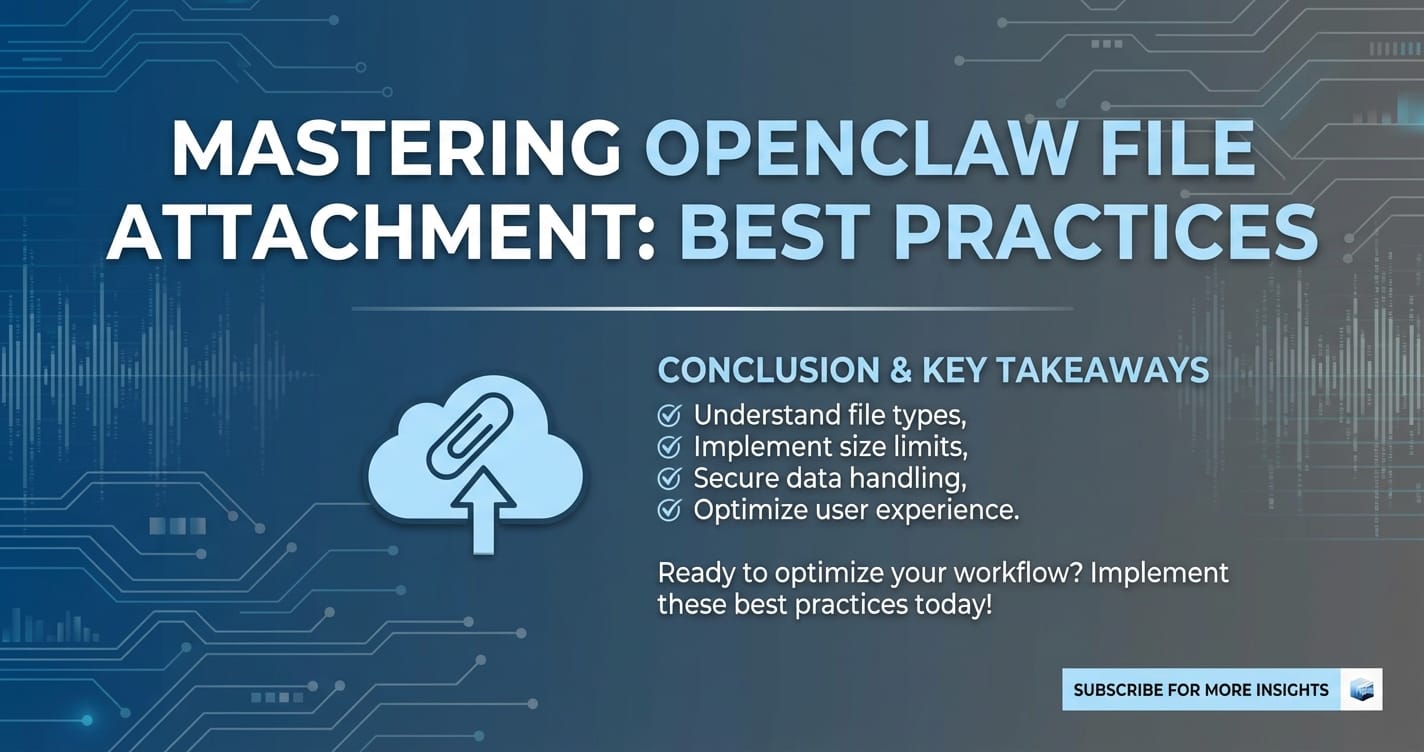
Mastering OpenClaw file attachment is more than a technical challenge; it's a strategic imperative for any organization looking to harness the full power of modern large language models. The journey from a raw file to an intelligently processed input for an AI system is layered with considerations, each impacting the efficiency, security, cost, and ultimate effectiveness of your applications.
We've delved into seven critical best practices, starting with the foundational step of intelligent data pre-processing and preparation. This ensures that the data presented to the LLM is clean, concise, and semantically rich, setting the stage for accurate and relevant outputs. Following this, robust API integration and meticulous Api key management form the bedrock of a secure and reliable connection, safeguarding your credentials and ensuring uninterrupted service.
Furthermore, we explored advanced performance optimization strategies, from minimizing network latency and leveraging asynchronous processing to efficient resource utilization. These steps are crucial for delivering a responsive user experience and handling large volumes of attachments without bottlenecks. Simultaneously, a sharp focus on cost optimization through smart data handling, tiered storage, and vigilant monitoring ensures that your powerful AI capabilities remain economically sustainable.
Finally, designing for scalability and high availability ensures your system can grow with demand, while a steadfast commitment to security and compliance protects sensitive data and maintains user trust.
The landscape of AI is continuously evolving, with multimodal capabilities and unified API platforms like XRoute.AI simplifying access to a diverse array of LLMs. By adopting these best practices and embracing such innovative solutions, developers and businesses can transcend the complexities of file attachment, unlocking unprecedented levels of intelligence, efficiency, and value from their OpenClaw-powered applications. The future of AI interaction is rich, nuanced, and deeply integrated with external data – mastering file attachments is the key to unlocking this potential.
Frequently Asked Questions (FAQ)
Q1: What is the most common challenge when attaching large files to an LLM like OpenClaw?
A1: The most common challenge is exceeding the LLM's context window (token limit) and encountering API payload size limits. This often leads to increased latency, higher costs due to more tokens, and outright failure if the file is too large. Solutions involve intelligent data pre-processing, chunking, summarization, and using Retrieval Augmented Generation (RAG) to only send the most relevant snippets.
Q2: How can I optimize costs related to OpenClaw file attachments?
A2: Cost optimization can be achieved by: 1. Reducing data sent: Aggressive pre-processing, summarization, and RAG. 2. Efficient storage: Using tiered cloud storage and data lifecycle policies. 3. Optimized compute: Utilizing serverless functions for pre-processing and right-sizing resources. 4. Monitoring: Actively tracking API usage and setting budget alerts. 5. Leveraging unified platforms: Platforms like XRoute.AI offer cost-effective AI by routing requests to optimal models.
Q3: What is the importance of API Key Management for OpenClaw integrations?
A3: Meticulous Api key management is paramount for security and preventing unauthorized access. Poor management can lead to compromised accounts, data breaches, and inflated costs. Best practices include secure storage (environment variables, secrets managers), regular rotation, applying the principle of least privilege, and continuous monitoring of key usage.
Q4: How does OpenClaw handle different file types, and what pre-processing is typically required?
A4: OpenClaw-like LLMs are primarily text-based. Therefore, non-textual files (images, audio, spreadsheets) require pre-processing to convert them into a text-friendly format. This includes: * PDFs/DOCX: Text extraction, OCR for scanned documents, semantic chunking. * Spreadsheets: Conversion to CSV or JSON. * Images: Image captioning, object detection, or direct multimodal embeddings (if supported). * Audio: Speech-to-Text (STT) transcription. The goal is to provide the LLM with clean, structured, and relevant textual context.
Q5: Can a unified API platform like XRoute.AI help with file attachment challenges?
A5: Absolutely. Platforms like XRoute.AI are designed to simplify complex AI integrations. For file attachments, they can help by: * Simplifying multimodal workflows: Providing a single endpoint for various models, reducing integration complexity. * Optimizing performance: Offering low latency AI and high throughput, which are critical for processing attachments efficiently. * Enhancing cost-effectiveness: Intelligently routing requests to the most cost-effective AI models behind the scenes. * Streamlining API Key Management: Consolidating access to multiple LLM providers under a single, unified API key strategy.
🚀You can securely and efficiently connect to thousands of data sources with XRoute in just two steps:
Step 1: Create Your API Key
To start using XRoute.AI, the first step is to create an account and generate your XRoute API KEY. This key unlocks access to the platform’s unified API interface, allowing you to connect to a vast ecosystem of large language models with minimal setup.
Here’s how to do it: 1. Visit https://xroute.ai/ and sign up for a free account. 2. Upon registration, explore the platform. 3. Navigate to the user dashboard and generate your XRoute API KEY.
This process takes less than a minute, and your API key will serve as the gateway to XRoute.AI’s robust developer tools, enabling seamless integration with LLM APIs for your projects.
Step 2: Select a Model and Make API Calls
Once you have your XRoute API KEY, you can select from over 60 large language models available on XRoute.AI and start making API calls. The platform’s OpenAI-compatible endpoint ensures that you can easily integrate models into your applications using just a few lines of code.
Here’s a sample configuration to call an LLM:
curl --location 'https://api.xroute.ai/openai/v1/chat/completions' \
--header 'Authorization: Bearer $apikey' \
--header 'Content-Type: application/json' \
--data '{
    "model": "gpt-5",
    "messages": [
        {
            "content": "Your text prompt here",
            "role": "user"
        }
    ]
}'
With this setup, your application can instantly connect to XRoute.AI’s unified API platform, leveraging low latency AI and high throughput (handling 891.82K tokens per month globally). XRoute.AI manages provider routing, load balancing, and failover, ensuring reliable performance for real-time applications like chatbots, data analysis tools, or automated workflows. You can also purchase additional API credits to scale your usage as needed, making it a cost-effective AI solution for projects of all sizes.
Note: Explore the documentation on https://xroute.ai/ for model-specific details, SDKs, and open-source examples to accelerate your development.