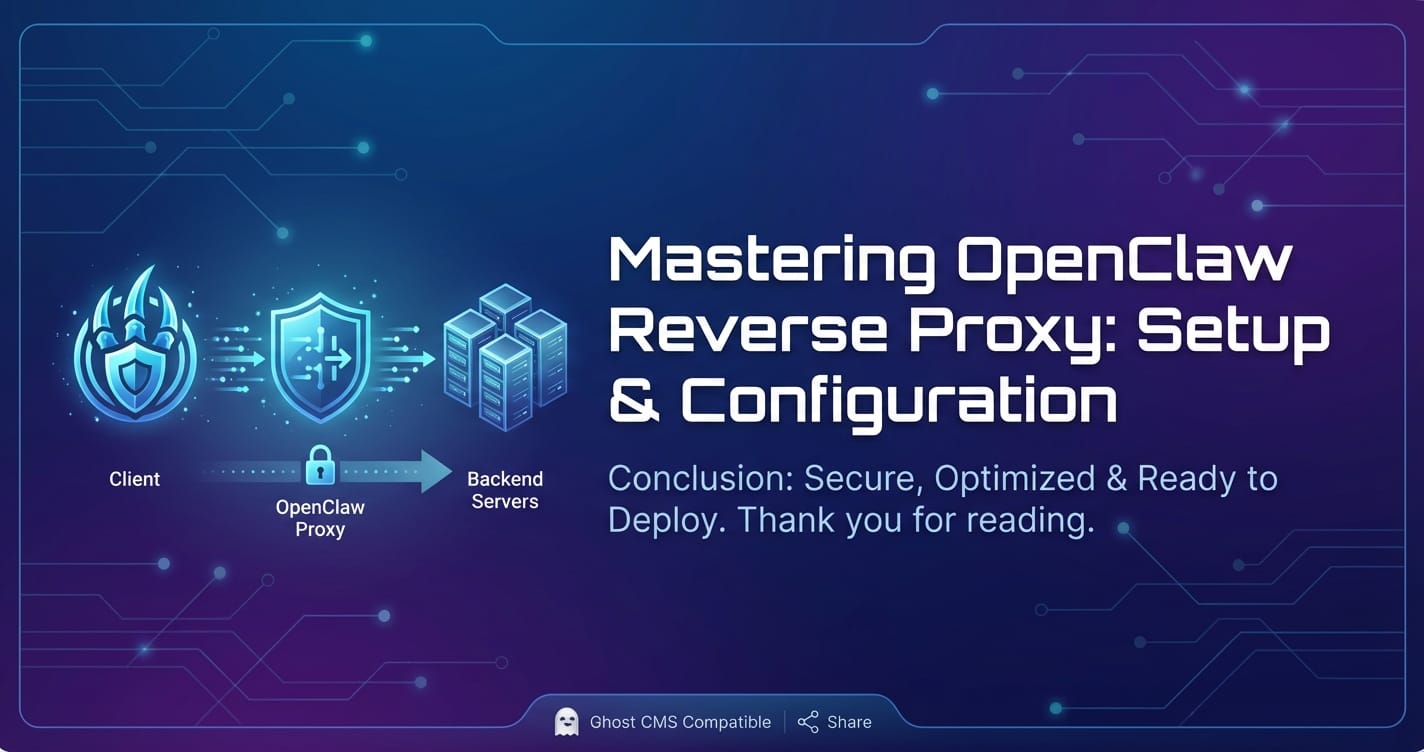
Mastering OpenClaw Reverse Proxy: Setup & Configuration


In the rapidly evolving landscape of artificial intelligence and machine learning, deploying and managing powerful models like those accessible through OpenClaw can be both exhilarating and challenging. OpenClaw, a sophisticated platform designed to facilitate interaction with various large language models (LLMs) and AI services, offers immense potential for developers and enterprises. However, to truly harness its capabilities in a production environment, simply running OpenClaw isn't enough. A robust, well-configured reverse proxy stands as a critical component, acting as the guardian and accelerator of your OpenClaw deployment.
This comprehensive guide delves into the intricate world of setting up and configuring a reverse proxy for OpenClaw, transforming your basic setup into a highly secure, performant, and scalable system. We will explore the fundamental reasons why a reverse proxy is indispensable, examine popular proxy technologies like Nginx and Caddy, and walk through detailed configuration steps designed to optimize every facet of your OpenClaw infrastructure. From enhancing security and managing traffic to achieving significant performance optimization and driving cost optimization through efficient resource utilization, this article provides the insights and practical knowledge you need to master your OpenClaw deployment. We will also touch upon strategies for handling diverse AI services, including those with multi-model support, ensuring your infrastructure is ready for the demands of modern AI applications.
The journey through this guide will equip you with the expertise to build a resilient and efficient OpenClaw environment, ensuring that your AI services are delivered reliably, securely, and at optimal performance. Prepare to elevate your OpenClaw experience from development to enterprise-grade deployment.
Understanding OpenClaw and the Indispensability of a Reverse Proxy
Before we plunge into the technicalities of proxy configuration, it's crucial to solidify our understanding of OpenClaw and the fundamental role a reverse proxy plays in its operational success.
What is OpenClaw?
OpenClaw can be conceptualized as an intelligent gateway or an intermediary layer that streamlines access to, and interaction with, various AI models, particularly large language models (LLMs). It often provides a unified interface, abstracting away the complexities of different model APIs, authentication mechanisms, and data formats. For developers, this means a simplified pathway to integrate advanced AI capabilities into their applications, whether it's for natural language processing, content generation, intelligent chatbots, or sophisticated data analysis. By consolidating access, OpenClaw can facilitate experimentation, testing, and deployment of AI-driven features, making advanced AI more accessible and manageable.
A typical OpenClaw deployment might involve several backend AI services or models, each with its own resource requirements and operational nuances. OpenClaw acts as the orchestrator, routing requests, handling authentication, and often managing rate limits or quotas across these diverse services. This architecture inherently benefits from a strong foundational layer that can manage network traffic, secure communications, and optimize performance – precisely where a reverse proxy comes into play.
The Critical Need for a Reverse Proxy
Operating OpenClaw directly exposed to the internet, without the protective and enhancing layer of a reverse proxy, is akin to running a bustling city without any traffic lights, security checkpoints, or robust infrastructure. The risks are substantial, and the inefficiencies are profound. A reverse proxy acts as an intermediary server that sits in front of one or more backend servers (in our case, the OpenClaw application), intercepting client requests and forwarding them to the appropriate server. But its role extends far beyond simple forwarding.
Here’s why a reverse proxy is not just beneficial, but essential for any serious OpenClaw deployment:
- Enhanced Security:
- Abstraction and Anonymity: The reverse proxy shields the actual IP addresses and internal architecture of your OpenClaw servers from direct exposure. Clients interact only with the proxy's IP address, making it harder for attackers to map your internal network or launch direct attacks against your backend.
- DDoS Protection: By buffering requests and filtering malicious traffic, a reverse proxy can help mitigate Distributed Denial of Service (DDoS) attacks, preventing them from overwhelming your OpenClaw instances.
- SSL/TLS Termination: The proxy can handle all SSL/TLS encryption and decryption, offloading this CPU-intensive task from OpenClaw. This ensures that all client-proxy communication is secure (HTTPS), while internal proxy-OpenClaw communication can be over plain HTTP (if within a trusted network), simplifying certificate management and reducing server load.
- Web Application Firewall (WAF) Integration: Many reverse proxies or services built around them can integrate WAF functionalities, inspecting incoming requests for common web vulnerabilities (e.g., SQL injection, cross-site scripting) and blocking malicious payloads before they reach OpenClaw.
- Load Balancing and Scalability:
- Distributing Traffic: As your OpenClaw usage grows, a single instance might struggle to handle the influx of requests. A reverse proxy can intelligently distribute incoming traffic across multiple OpenClaw instances, preventing any single server from becoming a bottleneck. This is crucial for maintaining responsiveness and reliability under heavy loads.
- High Availability: If one OpenClaw instance fails, the reverse proxy can automatically detect the failure and redirect traffic to healthy instances, ensuring continuous service availability. This drastically improves the resilience of your AI applications.
- Seamless Scaling: Adding or removing OpenClaw instances becomes a simple matter of updating the reverse proxy's configuration, without interrupting service or requiring changes from client applications. This flexibility is key for adapting to fluctuating demand.
- Performance Optimization:
- Caching: For static assets or frequently requested data that doesn't change often (though less common for dynamic AI model responses, it can apply to API documentation or model metadata), a reverse proxy can cache responses and serve them directly to clients, reducing the load on OpenClaw and decreasing response times.
- Compression: The proxy can compress HTTP responses (e.g., Gzip, Brotli) before sending them to clients, significantly reducing bandwidth usage and improving page load times, especially for clients with slower network connections.
- Connection Management: Proxies can maintain persistent connections with backend servers and efficiently manage client connections, reducing the overhead of establishing new connections for every request.
- Request Buffering: By buffering client requests, the proxy can protect backend servers from slow client attacks and ensure that requests are sent to OpenClaw in a controlled and efficient manner. This is a key aspect of performance optimization.
- Simplified API Gateway Functionality:
- URL Rewriting and Routing: The reverse proxy can inspect incoming URLs and rewrite them or route them to different backend services based on defined rules. This allows for cleaner URLs, versioning of APIs, and seamless migration of services.
- Authentication and Authorization: While OpenClaw will have its own authentication, the proxy can act as an initial gatekeeper, enforcing API keys, JWT validation, or even integrating with identity providers before requests even reach OpenClaw.
- Rate Limiting: To protect your OpenClaw instances from abuse or resource exhaustion, the proxy can implement rate limiting, controlling how many requests a client can make within a given timeframe.
By strategically deploying a reverse proxy, you're not just adding another layer; you're building a foundation for a robust, secure, and highly performant AI service delivery platform. This strategic component becomes instrumental in achieving cost optimization by efficiently utilizing resources and preventing overprovisioning, while simultaneously ensuring that your OpenClaw applications provide the best possible user experience through superior performance optimization.
Choosing Your Reverse Proxy Technology
The market offers several powerful reverse proxy solutions, each with its strengths, complexities, and ideal use cases. For most OpenClaw deployments, especially those aiming for high performance and scalability, Nginx and Caddy are top contenders. Envoy Proxy, while more complex, also presents a compelling option for cloud-native architectures.
Let's explore these options in detail:
Nginx: The Workhorse of the Internet
Nginx (pronounced "engine-x") is an open-source web server that can also function as a reverse proxy, HTTP cache, and load balancer. Renowned for its high performance, stability, rich feature set, and low resource consumption, Nginx powers a significant portion of the world's busiest websites and applications.
Strengths: * Exceptional Performance: Designed for handling concurrent connections efficiently, making it excellent for high-traffic OpenClaw deployments. * Robust Load Balancing: Offers various load balancing algorithms (round-robin, least connections, IP hash) for intelligent traffic distribution. * Advanced Features: Extensive capabilities for SSL termination, caching, URL rewriting, request buffering, Gzip compression, and more. * Mature Ecosystem: Large community, abundant documentation, and extensive third-party modules. * Fine-grained Control: Highly configurable, allowing for precise control over request processing.
Weaknesses: * Configuration Complexity: Its powerful configuration language, while flexible, can be steep for newcomers, especially for complex setups. * Manual SSL Management: While it handles SSL termination beautifully, obtaining and renewing SSL certificates usually requires external tools like Certbot, adding a management layer.
Ideal for: Large-scale OpenClaw deployments, high-traffic APIs, environments where performance optimization and fine-grained control are paramount, and teams comfortable with detailed configuration.
Caddy: The Modern Alternative with Automatic HTTPS
Caddy is an open-source web server and reverse proxy that stands out for its simplicity and automatic HTTPS capabilities. It's built with modern web practices in mind and aims to reduce the operational overhead associated with secure deployments.
Strengths: * Automatic HTTPS: Caddy automatically provisions and renews SSL/TLS certificates via Let's Encrypt (or other ACME providers), eliminating manual certificate management. This is a game-changer for quick, secure deployments. * Simplified Configuration: The Caddyfile is incredibly easy to read and write, using a declarative syntax that's far less verbose than Nginx for common tasks. * HTTP/2 and HTTP/3 Support: Modern protocol support out-of-the-box, enhancing communication efficiency. * Plugin Ecosystem: Extensible with plugins for various functionalities.
Weaknesses: * Newer Ecosystem: While rapidly maturing, its community and documentation are smaller compared to Nginx. * Less Fine-grained Control (historically): While highly capable, for extremely niche or low-level network configurations, Nginx might offer more granular control. However, Caddy is constantly evolving.
Ideal for: Developers, small to medium-sized OpenClaw deployments, prototypes, and anyone prioritizing ease of use, rapid deployment, and automatic security, especially where the development cycle is fast and cost optimization through reduced operational overhead is a key factor.
Envoy Proxy: The Cloud-Native Powerhouse
Envoy Proxy is an open-source edge and service proxy designed for cloud-native applications. It's often used in conjunction with service meshes (like Istio) in Kubernetes environments, providing advanced traffic management, observability, and security features.
Strengths: * Service Mesh Integration: Core component of modern service mesh architectures, offering advanced traffic routing, fault injection, and observability. * Dynamic Configuration: Can be dynamically configured via APIs, making it ideal for highly agile, containerized environments. * Advanced Load Balancing: Sophisticated load balancing algorithms, including circuit breakers and outlier detection. * Rich Observability: Deep metrics, logging, and tracing capabilities out-of-the-box.
Weaknesses: * Complexity: Significantly more complex to set up and manage than Nginx or Caddy, especially outside of a Kubernetes context. * Higher Resource Usage: Generally has a larger memory footprint than Nginx.
Ideal for: Large-scale, cloud-native OpenClaw deployments within Kubernetes, microservices architectures, and organizations already leveraging service meshes, where the benefits of multi-model support through dynamic service discovery and advanced traffic policies are critical.
Other Options: HAProxy and Traefik
- HAProxy: Known for its high performance and reliability as a load balancer for TCP and HTTP applications. It's often used in conjunction with Nginx (HAProxy for L4, Nginx for L7). Excellent for extreme high-volume traffic.
- Traefik: A modern HTTP reverse proxy and load balancer that integrates with your existing infrastructure components (Docker, Kubernetes, Swarm, Mesos, Marathon, Consul, Etcd, Rancher, Amazon ECS, etc.) and configures itself automatically and dynamically. Ideal for dynamic, containerized environments, similar to Envoy but often simpler.
For the purpose of this guide, we will focus on Nginx and Caddy due to their widespread adoption, balance of features, and suitability for a broad range of OpenClaw deployments.
| Feature / Proxy | Nginx | Caddy | Envoy Proxy | HAProxy | Traefik |
|---|---|---|---|---|---|
| Primary Role | Web Server, Reverse Proxy | Web Server, Reverse Proxy | Service Proxy, Edge Proxy | Load Balancer, Reverse Proxy | Reverse Proxy, Load Balancer |
| Configuration Style | Imperative, directive-based | Declarative, Caddyfile | YAML/JSON via APIs (dynamic) | Declarative, config file | Declarative, dynamic via providers |
| Automatic HTTPS | No (requires Certbot) | Yes (Let's Encrypt built-in) | No (usually external management) | No | Yes (Let's Encrypt built-in) |
| Performance | Excellent (low resource) | Very Good | Excellent (higher resource) | Extreme (L4/L7 load balancing) | Good |
| Complexity | Medium to High | Low to Medium | High | Medium to High | Medium |
| Ecosystem | Mature, extensive | Growing, modern | Cloud-native, rapidly evolving | Mature, focused | Modern, container-focused |
| Best Use Case | High-traffic, fine-grained control | Rapid deployment, ease of use | Kubernetes, service mesh, microservices | High-performance L4/L7 load balancing | Containerized, dynamic environments |
By carefully considering the needs of your OpenClaw deployment, your team's expertise, and your desired operational overhead, you can select the reverse proxy that best aligns with your goals for performance optimization and cost optimization.
Pre-requisites and Environment Setup
Before diving into the intricate configurations, let's ensure you have a solid foundation in place. A well-prepared environment simplifies the setup process and minimizes potential roadblocks.
1. Operating System
Most reverse proxies, including Nginx and Caddy, run efficiently on Linux distributions (Ubuntu, Debian, CentOS, Fedora). For production environments, a server-grade Linux distribution is highly recommended for its stability, security, and community support. You could also run them in Docker containers, which offers excellent portability and isolation.
2. Server Resources
While reverse proxies are generally lightweight, especially Nginx, the overall requirements depend on your anticipated traffic and the complexity of your OpenClaw deployment.
- CPU: A 2-core CPU is often sufficient for moderate traffic. For high-throughput scenarios, more cores can improve SSL/TLS handshake performance and overall request processing.
- RAM: 2GB to 4GB of RAM is a good starting point. Nginx typically uses minimal memory, but caching mechanisms, if enabled, will consume more.
- Disk Space: 20GB-40GB of SSD space is usually ample for the OS, proxy software, logs, and any cached data. SSDs are preferred for log writing and cache performance.
- Network Bandwidth: Ensure your server's network interface and upstream connectivity can handle your expected peak traffic.
3. Domain Name and DNS Configuration
A registered domain name (e.g., api.yourcompany.com) is crucial for secure, user-friendly access to your OpenClaw service.
- DNS
ARecord: You'll need anArecord (orAAAAfor IPv6) pointing your chosen subdomain (e.g.,api.yourcompany.com) to the public IP address of your reverse proxy server. Without this, clients won't be able to find your proxy.
4. SSL/TLS Certificates
To ensure secure communication (HTTPS), you'll need an SSL/TLS certificate for your domain.
- Let's Encrypt (Recommended): Free, automated, and widely trusted certificates. Tools like Certbot (for Nginx) or Caddy's built-in functionality make this straightforward.
- Commercial CAs: If your organization requires specific enterprise-grade features or extended validation, you might opt for certificates from commercial Certificate Authorities (CAs).
5. OpenClaw Deployment
Before configuring the reverse proxy, your OpenClaw application should be running and accessible on a specific internal IP address and port within your network. For instance, it might be listening on http://127.0.0.1:8000 or http://192.168.1.100:8000. This is the backend address the reverse proxy will forward requests to.
If you're deploying OpenClaw in Docker, ensure its container is running and its internal port is exposed to the Docker host or an internal network.
6. Firewall Configuration
Your server's firewall (e.g., ufw on Ubuntu, firewalld on CentOS) must be configured to allow incoming traffic on the necessary ports:
- Port 80 (HTTP): Required for initial certificate issuance (if using Let's Encrypt HTTP-01 challenge) and HTTP to HTTPS redirects.
- Port 443 (HTTPS): Essential for all secure client-proxy communication.
Example ufw commands:
sudo ufw allow 80/tcp
sudo ufw allow 443/tcp
sudo ufw enable
sudo ufw status
7. Basic Software Installation
Depending on your chosen reverse proxy:
- Nginx:
bash sudo apt update sudo apt install nginx -y sudo systemctl enable nginx sudo systemctl start nginx - Caddy: Follow instructions on the official Caddy website (caddyserver.com) as it's often installed via a custom package repository or direct download.
By meticulously setting up these prerequisites, you lay a solid groundwork, making the subsequent configuration of your reverse proxy for OpenClaw a much smoother and more efficient process. This upfront planning is a crucial step towards robust performance optimization and ensuring the long-term stability and security of your AI service infrastructure, contributing to overall cost optimization by minimizing future troubleshooting and downtime.
XRoute is a cutting-edge unified API platform designed to streamline access to large language models (LLMs) for developers, businesses, and AI enthusiasts. By providing a single, OpenAI-compatible endpoint, XRoute.AI simplifies the integration of over 60 AI models from more than 20 active providers(including OpenAI, Anthropic, Mistral, Llama2, Google Gemini, and more), enabling seamless development of AI-driven applications, chatbots, and automated workflows.
Deep Dive into Nginx Configuration for OpenClaw
Nginx is a powerhouse when it comes to reverse proxying, offering unparalleled control and performance. This section will guide you through setting up Nginx to securely and efficiently proxy requests to your OpenClaw instance.
1. Basic Nginx Setup and Directory Structure
After installing Nginx, its main configuration file is typically located at /etc/nginx/nginx.conf. It often includes configuration files from /etc/nginx/sites-available/ via include directives. We'll create a new configuration file for OpenClaw.
First, create a new server block file:
sudo nano /etc/nginx/sites-available/openclaw_proxy.conf
Then, link it to sites-enabled to activate it:
sudo ln -s /etc/nginx/sites-available/openclaw_proxy.conf /etc/nginx/sites-enabled/
Always test your Nginx configuration for syntax errors before reloading:
sudo nginx -t
If successful, reload Nginx to apply changes:
sudo systemctl reload nginx
2. Proxying OpenClaw with HTTP
Let's start with a basic HTTP proxy configuration. Assume your OpenClaw instance is running on http://127.0.0.1:8000.
Inside openclaw_proxy.conf:
server {
    listen 80;
    listen [::]:80;
    server_name api.yourcompany.com; # Replace with your domain

    location / {
        proxy_pass http://127.0.0.1:8000; # Address of your OpenClaw instance
        proxy_set_header Host $host;
        proxy_set_header X-Real-IP $remote_addr;
        proxy_set_header X-Forwarded-For $proxy_add_x_forwarded_for;
        proxy_set_header X-Forwarded-Proto $scheme;
        # Optional: Adjust timeouts for long-running AI model requests
        proxy_connect_timeout 60s;
        proxy_send_timeout 60s;
        proxy_read_timeout 120s; # AI responses might take longer
    }
}
Explanation of directives: * listen 80;: Nginx listens for incoming HTTP requests on port 80. * server_name api.yourcompany.com;: Specifies the domain name this server block should respond to. * location / { ... }: This block defines how requests to the root path (/) are handled. * proxy_pass http://127.0.0.1:8000;: This is the core directive. It forwards all requests to your OpenClaw application. Make sure the IP address and port match your OpenClaw setup. * proxy_set_header ...: These directives are crucial for preserving original client information. OpenClaw will see the proxy's IP address by default. These headers ensure OpenClaw receives the client's original IP, host, and protocol, which is important for logging, rate limiting, and other application-level logic. * Host: Passes the original Host header from the client. * X-Real-IP: Passes the client's real IP address. * X-Forwarded-For: Appends the client's IP to a list, useful if multiple proxies are chained. * X-Forwarded-Proto: Indicates the original protocol (HTTP or HTTPS) used by the client. * proxy_connect_timeout, proxy_send_timeout, proxy_read_timeout: These adjust the timeouts for connecting to, sending data to, and reading responses from the OpenClaw backend. AI models can sometimes take longer to process requests, so increasing proxy_read_timeout is often beneficial.
3. SSL/TLS Termination with HTTPS
For any production OpenClaw deployment, HTTPS is non-negotiable. Nginx excels at SSL termination.
Obtaining an SSL Certificate (Let's Encrypt with Certbot)
- Install Certbot:
bash sudo snap install core sudo snap refresh core sudo snap install --classic certbot sudo ln -s /snap/bin/certbot /usr/bin/certbot - Obtain Certificate for Nginx:
bash sudo certbot --nginx -d api.yourcompany.comFollow the prompts. Certbot will automatically configure Nginx, create a cron job for automatic renewal, and often add a redirect from HTTP to HTTPS.
After Certbot runs, it will modify your openclaw_proxy.conf to include HTTPS settings. It usually creates a structure similar to this:
server {
    listen 80;
    listen [::]:80;
    server_name api.yourcompany.com;
    return 301 https://$host$request_uri; # Redirect HTTP to HTTPS
}

server {
    listen 443 ssl http2;
    listen [::]:443 ssl http2;
    server_name api.yourcompany.com;

    ssl_certificate /etc/letsencrypt/live/api.yourcompany.com/fullchain.pem;
    ssl_certificate_key /etc/letsencrypt/live/api.yourcompany.com/privkey.pem;
    ssl_trusted_certificate /etc/letsencrypt/live/api.yourcompany.com/chain.pem; # For OCSP stapling

    # Recommended SSL settings for security and performance
    ssl_session_cache shared:SSL:10m;
    ssl_session_timeout 1h;
    ssl_ciphers 'ECDHE-ECDSA-AES128-GCM-SHA256:ECDHE-RSA-AES128-GCM-SHA256:ECDHE-ECDSA-AES256-GCM-SHA384:ECDHE-RSA-AES256-GCM-SHA384:ECDHE-ECDSA-CHACHA20-POLY1305:ECDHE-RSA-CHACHA20-POLY1305:DHE-RSA-AES128-GCM-SHA256:DHE-RSA-AES256-GCM-SHA384';
    ssl_prefer_server_ciphers on;
    ssl_protocols TLSv1.2 TLSv1.3;
    ssl_stapling on; # Enable OCSP stapling
    ssl_stapling_verify on; # Verify OCSP response
    add_header Strict-Transport-Security "max-age=63072000; includeSubDomains; preload"; # HSTS
    add_header X-Content-Type-Options nosniff;
    add_header X-XSS-Protection "1; mode=block";
    add_header X-Frame-Options DENY;

    location / {
        proxy_pass http://127.0.0.1:8000; # Or https://127.0.0.1:8000 if your OpenClaw listens on HTTPS internally
        proxy_set_header Host $host;
        proxy_set_header X-Real-IP $remote_addr;
        proxy_set_header X-Forwarded-For $proxy_add_x_forwarded_for;
        proxy_set_header X-Forwarded-Proto $scheme;
        proxy_connect_timeout 60s;
        proxy_send_timeout 60s;
        proxy_read_timeout 120s;
    }
}
Key SSL/TLS directives: * listen 443 ssl http2;: Nginx listens on port 443 for HTTPS requests and enables HTTP/2 for better performance optimization. * ssl_certificate and ssl_certificate_key: Point to your full chain certificate and private key files. * ssl_protocols, ssl_ciphers, ssl_prefer_server_ciphers: These configure the acceptable SSL/TLS protocols and cipher suites for strong security. * ssl_stapling on;: Enables OCSP stapling, which improves SSL handshake performance and reduces the overhead of checking certificate revocation status. * add_header Strict-Transport-Security ...: Implements HSTS (HTTP Strict Transport Security), telling browsers to always connect via HTTPS for your domain.
4. Load Balancing Multiple OpenClaw Instances
For high availability and scalability, you'll likely run multiple OpenClaw instances. Nginx can distribute traffic across them.
First, define an upstream block in your openclaw_proxy.conf (or a separate file included in nginx.conf):
upstream openclaw_backend {
    server 127.0.0.1:8000; # Instance 1
    server 127.0.0.1:8001; # Instance 2
    server 192.168.1.10:8000; # Instance 3 on another server
    # You can add weights for uneven distribution, e.g., server 127.0.0.1:8000 weight=3;
    # Or specify load balancing method:
    # least_conn; # Send to server with fewest active connections
    # ip_hash;    # Ensure requests from the same IP go to the same server
}

server {
    listen 443 ssl http2;
    listen [::]:443 ssl http2;
    server_name api.yourcompany.com;

    # ... (SSL certificate and security settings as above) ...

    location / {
        proxy_pass http://openclaw_backend; # Use the upstream block name
        proxy_set_header Host $host;
        proxy_set_header X-Real-IP $remote_addr;
        proxy_set_header X-Forwarded-For $proxy_add_x_forwarded_for;
        proxy_set_header X-Forwarded-Proto $scheme;
        proxy_connect_timeout 60s;
        proxy_send_timeout 60s;
        proxy_read_timeout 120s;
    }
}
Load Balancing Methods: * Round-robin (default): Requests are distributed sequentially to each server. Simple and effective for equally capable servers. * least_conn: Directs new requests to the server with the fewest active connections. Good for ensuring servers aren't overloaded. * ip_hash: Ensures requests from the same client IP address are always directed to the same backend server. Useful for sessions that require "stickiness" but can lead to uneven distribution. * weight: Assigns a weight to each server, allowing you to prioritize more powerful servers.
Load balancing is fundamental for performance optimization and high availability, making your OpenClaw deployment robust against failures and traffic spikes.
5. Caching Strategies (Limited Applicability for AI Responses)
While Nginx's caching is powerful, for dynamic AI model responses (which change per query), full content caching is rarely appropriate. However, you might cache static assets served by OpenClaw (e.g., UI elements, documentation) or certain stable API endpoints that don't vary per request.
To enable proxy caching (for suitable content):
# In http block (usually /etc/nginx/nginx.conf)
proxy_cache_path /var/cache/nginx levels=1:2 keys_zone=openclaw_cache:10m inactive=60m max_size=1g;

server {
    # ... (server block content) ...

    location /static/ { # Example: caching static files
        proxy_cache openclaw_cache;
        proxy_cache_valid 200 302 10m; # Cache successful responses for 10 minutes
        proxy_cache_valid 404 1m;     # Cache 404s for 1 minute
        proxy_cache_lock on;          # Prevent dog-piling on cache misses
        proxy_cache_use_stale error timeout updating; # Serve stale content on error
        proxy_pass http://openclaw_backend;
        # ... other proxy_set_header directives ...
    }

    location / {
        # No caching for dynamic AI responses
        proxy_pass http://openclaw_backend;
        # ... other proxy_set_header directives ...
    }
}
Caching can significantly improve response times and reduce the load on your OpenClaw instances for specific types of content, contributing to overall performance optimization.
6. Security Enhancements
Beyond SSL/TLS, Nginx offers several ways to harden your setup.
Rate Limiting: Protect against abuse and ensure fair usage. ```nginx # In http block (usually /etc/nginx/nginx.conf) limit_req_zone $binary_remote_addr zone=openclaw_rate:10m rate=10r/s; # 10 requests per second per IPserver { # ...
location /api/ { # Apply rate limiting to specific API paths
    limit_req zone=openclaw_rate burst=20 nodelay; # Allow 20 burst requests, then delay
    proxy_pass http://openclaw_backend;
    # ...
}
} Rate limiting is crucial for **cost optimization** by preventing resource exhaustion from malicious or runaway clients. * **Blocking Malicious IPs:**nginx
In http block
deny 1.2.3.4; # Block a specific IP allow all; # Allow everything else * **Limiting Request Body Size:** Prevent large, potentially malicious uploads.nginx client_max_body_size 10M; # Max request body size 10MB `` This directive typically goes in thehttpblock or within aserver` block.
7. Performance Optimization Techniques
Nginx offers various directives to fine-tune performance.
- Gzip Compression: Compress responses to reduce bandwidth and improve load times.
nginx # In http block (usually /etc/nginx/nginx.conf) gzip on; gzip_vary on; gzip_proxied any; gzip_comp_level 6; gzip_buffers 16 8k; gzip_http_version 1.1; gzip_types text/plain text/css application/json application/javascript text/xml application/xml application/xml+rss text/javascript;Be mindful that compressing AI model output (which might already be compressed or highly dynamic) might not always yield significant benefits and can consume CPU cycles on the proxy. Test thoroughly. - Keep-Alive Connections: Reduce overhead by reusing TCP connections.
nginx # In http block keepalive_timeout 65; # Keep connections open for 65 seconds - Worker Processes and Connections: Optimize Nginx's internal resource usage.
nginx # In main nginx.conf (outside http block) worker_processes auto; # Usually 1 per CPU core worker_connections 1024; # Max connections per worker (adjust based on RAM)
By diligently configuring these aspects, your Nginx reverse proxy becomes a highly optimized gateway for OpenClaw, ensuring performance optimization and robust security, all while contributing to cost optimization by efficiently managing network resources and backend server load.
| Nginx Directive | Purpose | Impact on OpenClaw Deployment |
|---|---|---|
proxy_pass |
Forwards client requests to the OpenClaw backend. | Core functionality, determines target service. |
proxy_set_header |
Passes original client info (IP, Host, Proto) to OpenClaw. | Essential for accurate logging, rate limiting, and app logic. |
listen 443 ssl http2 |
Enables secure HTTPS and HTTP/2 for clients. | Security, Performance optimization (faster load times). |
ssl_certificate |
Specifies the SSL certificate file. | Enables HTTPS. |
upstream block |
Defines a group of OpenClaw backend servers for load balancing. | Performance optimization, High Availability, Scalability. |
limit_req_zone |
Configures rate limiting zones. | Cost optimization, Prevents abuse, ensures fair usage. |
gzip on |
Enables Gzip compression for responses. | Performance optimization, Reduces bandwidth. |
proxy_read_timeout |
Sets timeout for reading responses from OpenClaw. | Crucial for AI models with longer processing times. |
client_max_body_size |
Limits the maximum size of client request bodies. | Security, Prevents resource exhaustion. |
add_header Strict-Transport-Security |
Enforces HTTPS connections with HSTS. | Security. |
Caddy for Simplified OpenClaw Proxying
Caddy offers a refreshing alternative to Nginx, particularly for those who prioritize ease of use and automatic HTTPS. Its Caddyfile syntax is declarative and intuitive, making configuration less prone to errors for common use cases.
1. Why Caddy? Automatic HTTPS as a Game Changer
The standout feature of Caddy is its built-in, automatic management of SSL/TLS certificates via Let's Encrypt. For a domain like api.yourcompany.com, Caddy will automatically: 1. Request a certificate. 2. Handle the domain validation (usually HTTP-01 challenge). 3. Install the certificate. 4. Renew it automatically before expiration. 5. Serve your OpenClaw application over HTTPS. 6. Even redirect HTTP to HTTPS by default.
This significantly reduces the operational overhead and potential for misconfiguration, directly contributing to cost optimization by saving administrator time.
2. Basic Caddyfile Configuration for OpenClaw
Assuming Caddy is installed and running (e.g., as a systemd service), its primary configuration file is usually /etc/caddy/Caddyfile.
# /etc/caddy/Caddyfile

api.yourcompany.com {
    # This block automatically enables HTTPS via Let's Encrypt and redirects HTTP to HTTPS.

    # Reverse proxy to your OpenClaw instance
    reverse_proxy 127.0.0.1:8000 {
        # Pass necessary headers (Caddy does some by default, but these are good practice)
        header_up Host {host}
        header_up X-Real-IP {remote_ip}
        header_up X-Forwarded-For {remote_ip}
        header_up X-Forwarded-Proto {scheme}

        # Optional: Adjust timeouts for long-running AI model requests
        transport http {
            read_timeout 120s
            write_timeout 60s
            dial_timeout 60s
        }
    }

    # Optional: Enable Gzip compression
    encode gzip

    # Optional: Basic logging
    log {
        output file /var/log/caddy/openclaw_access.log
        format console
    }

    # Optional: Rate limiting (using a Caddy module if installed, or specific to internal Caddy apps)
    # The default Caddy installation doesn't have a built-in rate limit directive
    # For advanced rate limiting, you might need Caddy modules or an external WAF.
    # Example using a common rate limit module syntax (if module is installed):
    # rate_limit {
    #     rate 10rps
    #     burst 20
    #     key remote_ip
    #     zone api
    # }
}
After modifying the Caddyfile, reload Caddy to apply changes:
sudo systemctl reload caddy
Explanation of directives: * api.yourcompany.com { ... }: This defines a site block for your domain. Caddy automatically assumes HTTPS and handles certificate management. * reverse_proxy 127.0.0.1:8000: This is the core proxy directive. It forwards all requests to your OpenClaw instance at 127.0.0.1:8000. * header_up ...: These directives are similar to Nginx's proxy_set_header, ensuring that OpenClaw receives the correct client information. Caddy by default already sets Host and X-Forwarded-Proto, but explicitly setting X-Real-IP and X-Forwarded-For is good practice. * transport http { ... }: Allows fine-tuning of the HTTP transport between Caddy and the backend. read_timeout is particularly important for AI models that might take longer to generate responses, contributing to performance optimization. * encode gzip: Enables Gzip compression for responses, similar to Nginx's gzip on, enhancing performance optimization by reducing bandwidth. * log { ... }: Configures access logging. * Rate Limiting: Caddy's core distribution doesn't include a built-in rate_limit directive out-of-the-box. For rate limiting, you would typically need to build Caddy with a specific rate limiting plugin (e.g., github.com/caddyserver/rate-limit) or implement it at the application layer or with a separate WAF. This is an important consideration for cost optimization and preventing abuse.
3. Load Balancing with Caddy
Caddy's reverse_proxy directive can easily handle multiple backend OpenClaw instances for load balancing.
# /etc/caddy/Caddyfile

api.yourcompany.com {
    reverse_proxy 127.0.0.1:8000 127.0.0.1:8001 192.168.1.10:8000 {
        # By default, Caddy uses a weighted round-robin strategy for load balancing.
        # It automatically detects unhealthy backends and avoids sending requests to them.

        # Pass necessary headers
        header_up Host {host}
        header_up X-Real-IP {remote_ip}
        header_up X-Forwarded-For {remote_ip}
        header_up X-Forwarded-Proto {scheme}

        transport http {
            read_timeout 120s
            write_timeout 60s
            dial_timeout 60s
        }
    }
    encode gzip
    log {
        output file /var/log/caddy/openclaw_access.log
        format console
    }
}
Caddy's default load balancing strategy is intelligent round-robin, with automatic health checks. If a backend server becomes unresponsive, Caddy will stop sending traffic to it and resume when it recovers. This automatic behavior simplifies high availability configurations and enhances performance optimization by ensuring requests only go to healthy instances.
4. Security Features in Caddy
Beyond automatic HTTPS, Caddy provides several security-focused features:
- HTTP Strict Transport Security (HSTS): Caddy automatically adds the
Strict-Transport-Securityheader by default when serving HTTPS, promoting secure connections. - Secure Defaults: Caddy is built with security in mind, defaulting to strong cipher suites and protocols, minimizing common misconfigurations.
- WebSockets Support: Caddy handles WebSocket connections out of the box, which is often crucial for interactive AI applications (e.g., real-time chatbots) without requiring special configuration.
5. Advanced Configuration (Example: Multiple OpenClaw Services)
If your OpenClaw setup exposes different API endpoints that you want to proxy to distinct services or even different OpenClaw instances, Caddy's path matching is straightforward.
# /etc/caddy/Caddyfile

api.yourcompany.com {
    # Default proxy for general API requests
    reverse_proxy /api/* 127.0.0.1:8000 {
        header_up Host {host}
        header_up X-Real-IP {remote_ip}
        header_up X-Forwarded-For {remote_ip}
        header_up X-Forwarded-Proto {scheme}
        transport http {
            read_timeout 120s
        }
    }

    # Proxy for specific high-latency model
    reverse_proxy /models/heavy/* 127.0.0.1:8002 { # Maybe a dedicated instance for heavy models
        header_up Host {host}
        header_up X-Real-IP {remote_ip}
        header_up X-Forwarded-For {remote_ip}
        header_up X-Forwarded-Proto {scheme}
        transport http {
            read_timeout 300s # Longer timeout for heavy models
        }
    }

    # Proxy for static documentation
    reverse_proxy /docs/* 127.0.0.1:8080 { # Maybe a separate web server for docs
        header_up Host {host}
        header_up X-Real-IP {remote_ip}
        header_up X-Forwarded-For {remote_ip}
        header_up X-Forwarded-Proto {scheme}
        # No special timeouts needed here
    }

    encode gzip
    log {
        output file /var/log/caddy/openclaw_access.log
        format console
    }
}
This demonstrates how Caddy can manage different location (or path) based routing, ensuring that specific parts of your OpenClaw API or related services get routed to appropriate backends, potentially with different settings (like longer timeouts for heavy models). This level of granular control is vital for optimizing resources and ensuring performance optimization across diverse AI services that might fall under the umbrella of multi-model support.
Caddy's simplicity, coupled with its powerful automatic HTTPS and robust default settings, makes it an excellent choice for deploying OpenClaw quickly and securely, while still providing ample flexibility for performance optimization and managing the inherent complexities of AI infrastructure.
| Caddy Directive | Purpose | Impact on OpenClaw Deployment |
|---|---|---|
domain { ... } |
Defines a site, automatically handles HTTPS for the domain. | Security, Ease of Use, Cost optimization (admin time). |
reverse_proxy |
Forwards client requests to one or more OpenClaw backends. | Core functionality, Performance optimization, High Availability. |
header_up |
Passes original client info to OpenClaw. | Essential for logging, rate limiting, app logic. |
transport http |
Configures HTTP transport between Caddy and backend. | Fine-tuning timeouts for AI models, Performance optimization. |
encode gzip |
Enables Gzip compression for responses. | Performance optimization, Reduces bandwidth. |
log |
Configures access logging. | Monitoring, Troubleshooting. |
Path matching (/path/*) |
Routes specific URL paths to different backends. | Flexible architecture for multi-model support, resource isolation. |
Advanced Scenarios and Best Practices
Having covered the foundational setup of Nginx and Caddy, let's explore more advanced scenarios and best practices that can further enhance your OpenClaw reverse proxy deployment. These considerations are critical for large-scale operations, ensuring high availability, robust monitoring, and readiness for future AI innovations.
1. High Availability Setups
While load balancing distributes traffic, high availability (HA) ensures that your reverse proxy itself doesn't become a single point of failure.
- Active-Passive (Failover): Two proxy servers are deployed, one active and one passive. The passive server monitors the active one. If the active fails, the passive takes over its IP address (using technologies like Keepalived or VRRP) and assumes control. This provides redundancy for the proxy layer.
- Active-Active (Clustered): Multiple proxy servers are active simultaneously, each handling a portion of the traffic. This requires a mechanism to share a virtual IP address or use DNS-based load balancing (e.g., AWS Route 53 with health checks) to direct clients to any available proxy. This offers both redundancy and increased capacity.
Implementing HA often involves: * Shared Storage: For SSL certificates, configuration files, and possibly cache data, ensuring consistency across proxy instances. * Virtual IP (VIP): A single IP address that can float between active proxy nodes, allowing clients to connect without knowing which physical server is active. * Health Checks: Mechanisms for the HA solution to detect failures in both the proxy itself and the backend OpenClaw instances.
2. Monitoring and Logging
A well-monitored system is a resilient system. Comprehensive monitoring and logging are essential for understanding performance, identifying bottlenecks, and troubleshooting issues.
- Access Logs: Both Nginx and Caddy generate access logs (which client accessed what resource, when, and with what outcome). These are vital for traffic analysis, security audits, and debugging. Configure them to log useful information like client IP, request method, URL, response status, and response time.
- Error Logs: Capture details about proxy errors, backend server issues, and misconfigurations. Monitor these closely for early detection of problems.
- Metrics: Collect metrics from your proxy server (CPU, RAM, network I/O) and the proxy software itself (e.g., Nginx Stub Status, Caddy metrics endpoint).
- Nginx Stub Status: A simple module providing basic Nginx metrics (active connections, requests processed).
- Prometheus Exporters: For more detailed metrics, consider running Prometheus exporters for Nginx or Caddy, which can then be scraped by a Prometheus server and visualized in Grafana. Key metrics include request rates, error rates, response times, and upstream health.
- Alerting: Set up alerts (e.g., via Prometheus Alertmanager, PagerDuty) for critical events, such as high error rates, proxy server downtime, or backend OpenClaw instance failures.
Effective monitoring contributes significantly to performance optimization by providing insights into where bottlenecks might occur and to cost optimization by enabling proactive resolution of issues before they impact users or require extensive debugging efforts.
3. Containerization (Docker/Kubernetes) with OpenClaw and Reverse Proxies
Deploying OpenClaw and its reverse proxy in containers (Docker) and orchestrating them with Kubernetes is a common and highly recommended practice for modern AI applications.
- Docker:
- Encapsulates OpenClaw and its dependencies into a portable image.
- Allows running Nginx or Caddy in separate containers, providing isolation.
- Docker Compose can define multi-container applications (OpenClaw + Proxy) for easy local development and testing.
- Kubernetes:
- Service Discovery: Kubernetes' internal DNS or
Serviceobjects simplify routing from the proxy to OpenClaw. Instead of hardcoding IPs, you refer toopenclaw-service.namespace.svc.cluster.local. - Ingress Controller: In a Kubernetes cluster, an Ingress Controller (often Nginx, Caddy, or Traefik) acts as the cluster's reverse proxy, routing external traffic to internal services. This means you might not deploy Nginx/Caddy as a standalone server but rather configure an Ingress resource.
- Scalability: Kubernetes automatically scales OpenClaw pods based on demand, and the Ingress controller handles distributing traffic to new instances.
- Health Checks: Kubernetes built-in health checks (
livenessandreadinessprobes) ensure only healthy OpenClaw pods receive traffic. low latency AIenvironments: Kubernetes, combined with efficient container images for OpenClaw and specialized Ingress controllers, is ideal for achieving low latency AI by optimizing network paths and resource allocation.
- Service Discovery: Kubernetes' internal DNS or
This approach offers unparalleled scalability, resilience, and operational efficiency, especially when dealing with multi-model support where different AI services might be deployed as separate microservices.
4. Integrating with API Gateways
For complex enterprise environments or publicly exposed APIs, a dedicated API Gateway (e.g., Kong, Apigee, Amazon API Gateway) might be used in front of or alongside your reverse proxy.
- Beyond Simple Proxying: API Gateways offer advanced features like:
- Centralized Authentication/Authorization: OAuth2, JWT validation, API key management.
- Throttling and Quotas: More sophisticated rate limiting than a basic proxy.
- Request/Response Transformation: Modifying payloads, adding headers.
- Monitoring and Analytics: Deep insights into API usage.
- Developer Portals: Self-service for API consumers.
In such setups, your Nginx/Caddy proxy might act as the edge gateway for external traffic, forwarding to the API Gateway, which then routes to OpenClaw. This layered approach provides maximum flexibility and control for cost optimization by intelligently managing API traffic and developer access.
5. Future-Proofing Your Setup
The AI landscape is constantly evolving. A flexible reverse proxy setup can accommodate future changes.
- Versioned APIs: Use path-based routing (
/v1/api/,/v2/api/) to gracefully introduce new API versions without breaking existing clients. - Feature Flags/Canary Deployments: Use the proxy to route a small percentage of traffic to new OpenClaw features or model versions for testing before a full rollout.
Multi-model supportExpansion: As OpenClaw grows to support more diverse AI models, your reverse proxy configuration should be designed to easily add new backend services, perhaps routingapi.yourcompany.com/model-x/to one service andapi.yourcompany.com/model-y/to another. This is where the power of dynamic configuration (especially with Caddy or an Ingress controller) shines, ensuring seamless integration of new AI capabilities.
This flexibility is crucial for long-term cost optimization and maintaining competitive advantage in the fast-paced AI domain.
Unifying Your AI Access with XRoute.AI
As you mature your OpenClaw deployment, you'll likely encounter the broader challenge of managing a diverse ecosystem of Large Language Models and AI services. Each model, whether from OpenAI, Anthropic, Google, or others, comes with its own API, authentication, and integration complexities. This is precisely the problem that a unified API platform like XRoute.AI is designed to solve.
XRoute.AI is a cutting-edge unified API platform that streamlines access to large language models (LLMs) for developers, businesses, and AI enthusiasts. By providing a single, OpenAI-compatible endpoint, XRoute.AI simplifies the integration of over 60 AI models from more than 20 active providers. This dramatically reduces the complexity of managing multiple API connections, aligning perfectly with the goal of achieving robust multi-model support without significant engineering overhead.
For OpenClaw users, or those building applications that leverage OpenClaw, XRoute.AI can act as a powerful upstream for even more diverse LLMs. Your OpenClaw instance could, for example, route specific requests to XRoute.AI, leveraging its capabilities for low latency AI and cost-effective AI. XRoute.AI optimizes requests to ensure the fastest possible responses and helps you make intelligent routing decisions to balance performance with cost, drawing parallels with the performance optimization and cost optimization principles we've discussed for reverse proxies.
Imagine a scenario where your OpenClaw setup needs to dynamically switch between different LLMs based on user query characteristics or desired performance/cost tradeoffs. Instead of directly integrating with dozens of individual LLM APIs, OpenClaw could route these requests to XRoute.AI's unified endpoint. XRoute.AI would then intelligently manage the connection to the optimal backend model, providing a resilient and efficient layer for accessing the full spectrum of modern AI.
By embracing platforms like XRoute.AI, developers are empowered to build intelligent solutions with seamless development of AI-driven applications, chatbots, and automated workflows, without the complexity of managing multiple API connections. This strategic integration can significantly simplify your AI infrastructure, making it more scalable, cost-effective, and ready for the future of multi-model support.
Conclusion
Mastering the setup and configuration of a reverse proxy for your OpenClaw deployment is not merely a technical task; it's a strategic imperative for anyone serious about deploying robust, secure, and high-performance AI services. We've journeyed through the fundamental principles that make a reverse proxy indispensable, from bolstering security and enabling seamless load balancing to achieving critical performance optimization and driving significant cost optimization.
Whether you opt for the battle-tested power of Nginx or the modern simplicity of Caddy with its automatic HTTPS, the principles remain consistent: protect your backend, distribute traffic intelligently, and optimize every interaction. We've delved into detailed configurations, illuminated the nuances of SSL termination, and explored advanced scenarios like high availability, comprehensive monitoring, and containerized deployments.
The future of AI is undeniably multi-model support, and your infrastructure must be ready to embrace this diversity. By diligently implementing these best practices for your reverse proxy, you create a resilient foundation that can evolve with your AI applications, seamlessly integrating new models and services. Furthermore, by understanding how specialized platforms like XRoute.AI can unify access to a vast array of LLMs, you can envision an even more streamlined and cost-effective AI future, where low latency AI is not just a goal, but a standard.
Embrace these powerful tools and techniques. Your OpenClaw deployment, fortified by a meticulously configured reverse proxy, will not only meet the demands of today but also stand ready to scale and innovate in the dynamic world of artificial intelligence.
Frequently Asked Questions (FAQ)
Q1: Why is a reverse proxy absolutely necessary for OpenClaw, even for a small deployment? A1: Even for small deployments, a reverse proxy provides crucial benefits like SSL/TLS termination (HTTPS), basic security (hiding backend IP), and the flexibility to easily scale or modify your backend without changing client configurations. It acts as a single, secure entry point, offloading tasks from OpenClaw and making your setup more robust and maintainable from day one. It's foundational for good security and prepares for future performance optimization.
Q2: Which reverse proxy should I choose for OpenClaw: Nginx or Caddy? A2: For ease of use and rapid deployment with automatic HTTPS, Caddy is an excellent choice, especially for developers or projects where quick setup and reduced operational overhead are priorities (contributing to cost optimization). If you require extremely fine-grained control, advanced features like complex caching rules, or are already familiar with its powerful configuration language, Nginx remains a top contender, particularly for high-traffic environments where maximum performance optimization is critical.
Q3: How does a reverse proxy contribute to "cost optimization" for my OpenClaw deployment? A3: A reverse proxy contributes to cost optimization in several ways: 1. Efficient Resource Utilization: By load balancing, it prevents over-provisioning of backend servers, ensuring each OpenClaw instance is utilized optimally. 2. Reduced Bandwidth: Features like Gzip compression minimize data transfer costs. 3. Security Offloading: Handling SSL/TLS termination and rate limiting on the proxy reduces the computational load on OpenClaw, potentially allowing fewer or smaller OpenClaw instances. 4. Operational Efficiency: Automatic HTTPS (with Caddy) and simplified certificate management reduce administrative time, leading to lower operational costs. 5. DDoS Mitigation: Protecting against DDoS attacks prevents expensive server downtime and bandwidth spikes.
Q4: Can a reverse proxy help with "multi-model support" if OpenClaw interacts with different AI models? A4: Yes, absolutely. A reverse proxy is excellent for multi-model support. You can configure it to route requests based on URL paths (/modelA/, /modelB/) or headers to different OpenClaw backend instances, each potentially specialized for a particular AI model or type of request. This allows you to manage diverse AI services, scale them independently, and apply specific configurations (like longer timeouts for complex models) at the proxy level. Platforms like XRoute.AI further extend this by providing a unified API layer on top of many different LLMs, simplifying the multi-model support even further.
Q5: What are the key considerations for achieving "performance optimization" with a reverse proxy for OpenClaw? A5: Key considerations for performance optimization include: 1. SSL Termination: Offloading encryption/decryption to the proxy reduces OpenClaw's CPU load. 2. HTTP/2 and HTTP/3: Using modern protocols improves request multiplexing and reduces latency. 3. Load Balancing: Distributing requests across multiple OpenClaw instances prevents bottlenecks and ensures responsiveness. 4. Connection Management: Keep-alive connections reduce overhead. 5. Gzip Compression: Reduces data transfer size and improves load times. 6. Timeouts: Properly configured proxy_read_timeout ensures that long-running AI model responses are not prematurely cut off, while sensible connect and send timeouts prevent hanging connections. 7. Resource Allocation: Ensuring the proxy server itself has adequate CPU and RAM to handle the expected traffic efficiently. These factors directly contribute to a more responsive and efficient AI service delivery.
🚀You can securely and efficiently connect to thousands of data sources with XRoute in just two steps:
Step 1: Create Your API Key
To start using XRoute.AI, the first step is to create an account and generate your XRoute API KEY. This key unlocks access to the platform’s unified API interface, allowing you to connect to a vast ecosystem of large language models with minimal setup.
Here’s how to do it: 1. Visit https://xroute.ai/ and sign up for a free account. 2. Upon registration, explore the platform. 3. Navigate to the user dashboard and generate your XRoute API KEY.
This process takes less than a minute, and your API key will serve as the gateway to XRoute.AI’s robust developer tools, enabling seamless integration with LLM APIs for your projects.
Step 2: Select a Model and Make API Calls
Once you have your XRoute API KEY, you can select from over 60 large language models available on XRoute.AI and start making API calls. The platform’s OpenAI-compatible endpoint ensures that you can easily integrate models into your applications using just a few lines of code.
Here’s a sample configuration to call an LLM:
curl --location 'https://api.xroute.ai/openai/v1/chat/completions' \
--header 'Authorization: Bearer $apikey' \
--header 'Content-Type: application/json' \
--data '{
    "model": "gpt-5",
    "messages": [
        {
            "content": "Your text prompt here",
            "role": "user"
        }
    ]
}'
With this setup, your application can instantly connect to XRoute.AI’s unified API platform, leveraging low latency AI and high throughput (handling 891.82K tokens per month globally). XRoute.AI manages provider routing, load balancing, and failover, ensuring reliable performance for real-time applications like chatbots, data analysis tools, or automated workflows. You can also purchase additional API credits to scale your usage as needed, making it a cost-effective AI solution for projects of all sizes.
Note: Explore the documentation on https://xroute.ai/ for model-specific details, SDKs, and open-source examples to accelerate your development.