Mastering OpenClaw WhatsApp Group Mode: Tips & Tricks
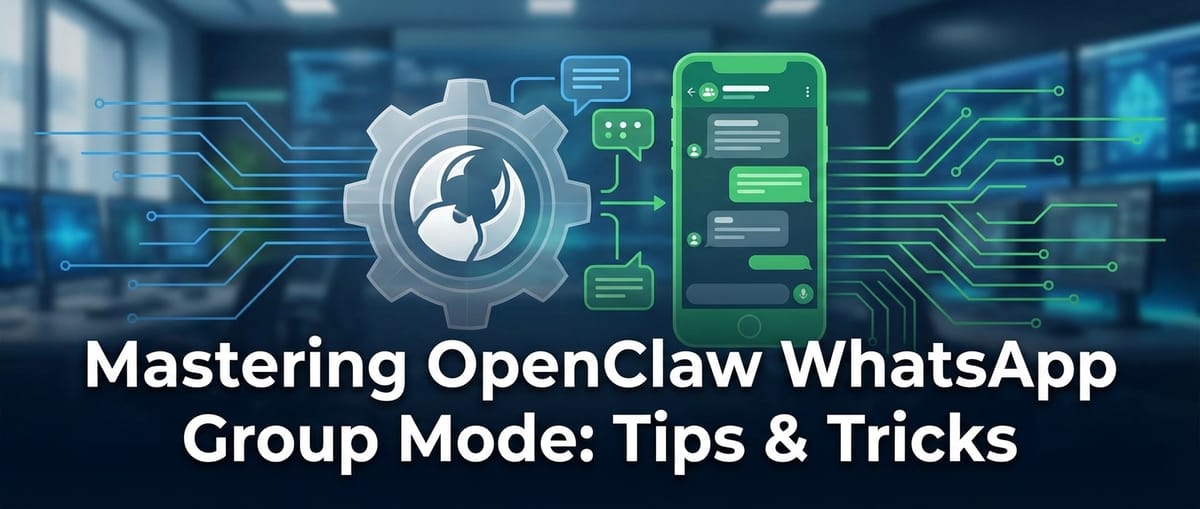

In the ever-evolving landscape of digital communication, WhatsApp has cemented its position as a ubiquitous platform for personal and professional interactions alike. From casual chats with friends to critical business discussions, its ease of use and wide adoption make it an indispensable tool. However, managing large or numerous WhatsApp groups, especially in a professional context, can quickly become overwhelming. This is where intelligent automation and AI-driven solutions step in, transforming chaos into clarity and manual effort into streamlined efficiency. Among these innovative tools, OpenClaw stands out, offering a sophisticated WhatsApp Group Mode designed to empower users with unprecedented control and automation capabilities.
This comprehensive guide delves deep into mastering OpenClaw's WhatsApp Group Mode, providing an exhaustive array of tips, tricks, and strategies to maximize its potential. We’ll explore not only the technical aspects of its implementation but also the strategic applications that allow individuals and organizations to truly understand how to use AI at work to revolutionize their group interactions. By leveraging OpenClaw, you can transform your WhatsApp groups from simple messaging channels into dynamic, intelligent hubs for collaboration, customer support, and information dissemination.
The Dawn of Intelligent Group Management: Understanding OpenClaw WhatsApp Group Mode
Before diving into the intricacies of its operation, it's crucial to grasp what OpenClaw WhatsApp Group Mode truly entails. At its core, OpenClaw is an advanced platform that integrates seamlessly with WhatsApp, extending its functionalities through artificial intelligence and automation. The "Group Mode" specifically targets the challenges associated with managing group conversations, offering tools that range from automated messaging and content moderation to insightful analytics and intelligent response generation.
In an era where digital communication often dictates the pace of business, the ability to effectively manage group dynamics, disseminate information, and respond promptly is paramount. Traditional methods often fall short, requiring constant human oversight, which is both time-consuming and prone to error. OpenClaw addresses these pain points by introducing a layer of intelligence that automates repetitive tasks, enhances engagement, and maintains order within even the most bustling groups. It's not just about sending messages; it's about creating an intelligent, self-sustaining communication environment.
Imagine a large project team scattered across different time zones, needing to stay updated on critical milestones. Or a customer support team inundated with queries in a community group. Manual moderation and individual responses would be a logistical nightmare. OpenClaw’s Group Mode steps in as a digital assistant, capable of handling routine inquiries, filtering spam, providing summaries, and even generating context-aware responses, freeing up human agents to focus on more complex, nuanced interactions. This fundamental shift from reactive management to proactive, intelligent orchestration is the cornerstone of OpenClaw's value proposition.
Setting the Stage: Initial Setup and Configuration of OpenClaw
Embarking on your journey with OpenClaw WhatsApp Group Mode begins with a straightforward yet critical setup process. Proper configuration ensures that the platform operates efficiently and securely, aligning with your specific requirements. This section will guide you through the essential steps, ensuring a smooth integration and optimal performance.
1. Account Creation and Linkage: The first step involves creating an OpenClaw account and then securely linking it to your WhatsApp Business or personal account. This typically involves scanning a QR code, similar to how WhatsApp Web functions, establishing a secure connection that allows OpenClaw to access your groups. It’s vital to use a dedicated number if you're managing professional groups to maintain separation and professionalism.
2. Understanding Permissions and Security: Upon linkage, OpenClaw will request certain permissions to operate effectively within your WhatsApp environment. These usually include access to read messages, send messages, and manage group participants. It's imperative to review these permissions carefully and understand their implications. OpenClaw, as a reputable platform, prioritizes data security and privacy, employing robust encryption and compliance protocols to safeguard your information. Always ensure you are comfortable with the requested access levels.
3. Initial Group Sync and Selection: Once connected, OpenClaw will sync with your WhatsApp account, identifying all your active groups. You'll then be prompted to select which groups you wish to manage through OpenClaw’s Group Mode. This selective approach is crucial, as it allows you to apply intelligent automation only where it's most beneficial, preventing unintended actions in personal or less critical groups. For each selected group, you can begin to define specific rules and automation workflows.
4. Core Settings Configuration: Before deploying any advanced AI features, familiarizing yourself with OpenClaw’s core settings is key. This includes: * Time Zone Settings: Ensuring that all scheduled messages and reports align with your local time or your target audience's time zone. * Language Preferences: Setting the default language for AI responses and interface elements. * Notification Preferences: Customizing how and when you receive alerts from OpenClaw regarding group activities or system status.
5. Integrating with External Systems (API AI Foundations): A powerful aspect of OpenClaw is its capability to integrate with other services, often through robust API AI connections. For advanced users or businesses, this might involve connecting OpenClaw to your CRM system, ticketing software, or custom databases. This initial integration, though potentially more complex, unlocks immense potential for automating workflows, fetching dynamic data, and pushing information back into your enterprise systems. Understanding the basics of API interaction, even at a conceptual level, will greatly enhance your ability to leverage OpenClaw's full power. The OpenClaw documentation typically provides clear guides on setting up these integrations, often involving API keys and webhook configurations.
By meticulously following these setup steps, you lay a solid foundation for harnessing the full power of OpenClaw WhatsApp Group Mode, preparing your groups for a new era of intelligent, automated management.
Unlocking Intelligence: Core Features and AI-Driven Functionalities
With OpenClaw successfully configured, it's time to explore the myriad features that define its intelligent group management capabilities. These functionalities leverage advanced AI algorithms to streamline operations, enhance communication, and provide actionable insights, making your WhatsApp groups more productive and less burdensome.
1. Automated Moderation and Content Filtering
Maintaining a healthy and productive group environment is paramount, especially for professional or community groups. OpenClaw’s AI-powered moderation tools are designed to enforce group rules automatically, reducing the need for constant human oversight.
- Keyword Detection and Blocking: Configure OpenClaw to identify and automatically delete messages containing specific keywords or phrases deemed inappropriate, offensive, or off-topic. This can include spam links, hate speech, or competitor mentions.
- Link Filtering: Automatically detect and manage external links. You can set rules to block all links, allow only whitelisted domains, or flag suspicious URLs for manual review. This is invaluable in preventing phishing attempts or the spread of misinformation.
- Media Management: Control the types of media shared within the group. For instance, you can restrict image uploads to maintain focus or automatically remove excessively large video files that might clog the chat.
- Spam Prevention: Advanced AI algorithms can identify and remove spam messages and even automatically remove users who repeatedly violate group rules, keeping the conversation clean and relevant.
2. Intelligent Response Generation: The Power of an AI Response Generator
Perhaps one of the most transformative features of OpenClaw is its capacity for intelligent response generation. This capability turns OpenClaw into an AI response generator, capable of crafting contextually relevant and helpful replies, drastically improving response times and reducing workload.
- FAQ Automation: Populate OpenClaw with a database of frequently asked questions and their corresponding answers. When a user asks a question matching an entry, OpenClaw automatically provides the correct answer, offering instant support without human intervention. This is a prime example of how to use AI at work to handle repetitive inquiries.
- Contextual Replies: Beyond simple FAQs, OpenClaw can analyze the sentiment and intent of incoming messages to generate more nuanced responses. For example, if a user expresses frustration, the AI might offer an apology and suggest contacting a human agent, whereas a query about product features would receive a detailed informational response.
- Message Summarization: In active groups, it's easy to miss crucial details. OpenClaw can periodically summarize long conversations or key decisions, providing concise digests to keep everyone informed without having to read through hundreds of messages.
- Personalized Greetings and Auto-Responders: Set up automatic welcome messages for new members, provide instant acknowledgments for queries outside business hours, or send personalized follow-ups based on specific triggers.
3. Data Analysis and Insight Generation
Beyond direct interaction, OpenClaw provides powerful analytical tools that help group administrators understand user engagement, identify trends, and measure the effectiveness of their communication strategies.
- Activity Reports: Generate reports on message volume, active users, peak activity times, and common topics of discussion. These insights help optimize posting schedules and content strategies.
- Sentiment Analysis: OpenClaw's AI can gauge the overall sentiment within a group (positive, negative, neutral), helping administrators quickly identify brewing issues or measure the success of a campaign.
- Keyword Trend Monitoring: Track the frequency of specific keywords to understand what topics are most discussed or what questions are most common, feeding into your FAQ and content strategy.
- User Engagement Metrics: Identify key influencers, highly engaged members, or inactive participants, allowing for targeted engagement strategies.
4. Scheduled Messaging and Campaigns
OpenClaw simplifies the process of sending timely announcements, reminders, or promotional content to your groups.
- Batch Messaging: Send a single message to multiple selected groups simultaneously, saving significant time for widespread announcements.
- Scheduled Posts: Plan messages to be sent at specific dates and times, perfect for event reminders, daily updates, or staggered content releases.
- Drip Campaigns: For marketing or onboarding purposes, set up a series of automated messages to be sent to new members over a period, providing a guided experience.
5. Seamless Integration with External Systems (Deepening API AI Utilization)
The true power of OpenClaw for businesses lies in its ability to integrate with existing tech stacks. This is where the concept of API AI truly shines, allowing OpenClaw to act as a bridge between your WhatsApp groups and other critical business applications.
- CRM Integration: Automatically log new leads from WhatsApp group interactions into your CRM, update customer profiles, or trigger follow-up tasks based on group activity.
- Ticketing Systems: Convert specific group messages (e.g., customer complaints) into support tickets in platforms like Zendesk or Freshdesk, ensuring no query goes unnoticed and streamlining customer service.
- Custom Database Interaction: For developers, OpenClaw’s API AI can be configured to fetch data from custom databases or push information into them, enabling highly tailored automation workflows. For instance, querying inventory levels directly from a WhatsApp group or updating a project management board based on group discussions.
- Webhook Support: OpenClaw typically offers webhook functionalities, allowing you to trigger actions in external applications based on events within your WhatsApp groups (e.g., a new member joining, a specific keyword being used).
By mastering these core features, you transform your WhatsApp groups into highly efficient, self-managing entities, dramatically enhancing productivity and engagement across all your communication channels.
Strategic Applications: How to Use AI at Work with OpenClaw
The capabilities of OpenClaw WhatsApp Group Mode extend far beyond simple automation; they offer strategic advantages that can redefine how businesses and teams operate. Understanding how to use AI at work effectively with OpenClaw can unlock new levels of efficiency, collaboration, and customer satisfaction.
1. Enhancing Team Collaboration and Project Management
For internal teams, OpenClaw can act as an intelligent project assistant, streamlining communication and task management.
- Automated Meeting Summaries: After a voice or video call in a WhatsApp group, OpenClaw can process the chat transcript (if available, or based on key messages) and generate a concise summary of decisions made, action items, and responsible parties. This ensures everyone is on the same page, even those who couldn't attend.
- Task Assignment and Tracking: Integrate OpenClaw with project management tools via API AI. When a task is mentioned in the group (e.g., "John, please draft the report by Friday"), OpenClaw can parse this, create a task in your PM software, assign it to John, and even send automated reminders as the deadline approaches.
- Information Retrieval: Instead of sifting through endless chat history, team members can query OpenClaw directly for specific information – "What was the budget for Q3?" or "Where is the link to the client brief?" – and the AI response generator provides an instant, accurate answer based on previously shared data.
- Knowledge Base Integration: Connect OpenClaw to your internal knowledge base. When a team member asks a question, the AI can pull relevant articles or documents, fostering self-service support within the team.
2. Revolutionizing Customer Support and Engagement
Customer service is an area where OpenClaw's AI capabilities can yield immediate and significant returns, improving response times and agent efficiency.
- 24/7 Instant Support: For common queries, OpenClaw acts as an always-on chatbot. Customers can get immediate answers to FAQs, product specifications, or troubleshooting steps, reducing wait times and improving satisfaction. This is a classic example of how to use AI at work to scale support.
- Lead Qualification and Routing: In sales-oriented groups, OpenClaw can ask qualifying questions to new members, gather essential information (e.g., "What product are you interested in?", "What's your budget?"), and then route qualified leads to the appropriate sales agent via direct message or by tagging them in the group.
- Personalized Announcements and Promotions: Based on user segments or past interactions (if integrated with CRM via API AI), OpenClaw can send targeted promotional messages, special offers, or event invitations to specific groups or individuals within groups.
- Feedback Collection: Prompt customers for feedback after a support interaction or a product launch. OpenClaw can collect responses and even perform sentiment analysis to gauge overall customer satisfaction.
3. Streamlining Information Dissemination and Community Management
For organizations managing large communities, educational groups, or widespread information campaigns, OpenClaw offers unparalleled control and reach.
- Automated News and Updates: Schedule daily news digests, weekly newsletters, or real-time alerts to be automatically posted in relevant groups. This ensures consistent information flow without manual effort.
- Event Management: From sending event invitations and collecting RSVPs to distributing agenda updates and post-event surveys, OpenClaw can automate the entire event communication lifecycle.
- Resource Sharing: Automatically share relevant articles, documents, or multimedia content based on group discussions or pre-defined schedules, enriching the group's knowledge base.
- Onboarding New Members: For community groups, OpenClaw can automate the onboarding process for new members, sending welcome messages, providing links to group rules, and introducing them to key features or resources.
4. Marketing and Sales Automation
OpenClaw can significantly boost marketing and sales efforts by automating engagement and lead nurturing.
- Product Demos and FAQs: Use the AI response generator to provide instant information about product features, pricing, or use cases. Even offer mini-demos through multimedia messages.
- Flash Sale Announcements: Schedule time-sensitive offers and reminders to maximize impact.
- Engagement Campaigns: Run interactive quizzes, polls, or surveys within groups to boost engagement and gather valuable market insights. OpenClaw can automatically tally results and provide instant feedback.
- Personalized Follow-ups: Based on user interactions within the group (e.g., asking about a specific product), OpenClaw can trigger personalized follow-up messages, nurturing leads without manual intervention.
By strategically implementing these applications, businesses and individuals can leverage OpenClaw to not only manage their WhatsApp groups more efficiently but to fundamentally enhance communication, collaboration, and customer relationships, demonstrating the profound impact of how to use AI at work.
XRoute is a cutting-edge unified API platform designed to streamline access to large language models (LLMs) for developers, businesses, and AI enthusiasts. By providing a single, OpenAI-compatible endpoint, XRoute.AI simplifies the integration of over 60 AI models from more than 20 active providers(including OpenAI, Anthropic, Mistral, Llama2, Google Gemini, and more), enabling seamless development of AI-driven applications, chatbots, and automated workflows.
Best Practices and Optimization Strategies
While OpenClaw offers powerful automation, its effectiveness hinges on thoughtful implementation and adherence to best practices. Maximizing your use of OpenClaw WhatsApp Group Mode requires a blend of technical acumen, strategic thinking, and a keen understanding of group dynamics.
1. Define Clear Goals and KPIs
Before deploying extensive automation, articulate what you aim to achieve. Are you looking to: * Reduce customer support response times by 30%? * Increase team engagement in project discussions? * Automate 80% of routine queries? * Improve content moderation efficiency?
Having clear Key Performance Indicators (KPIs) will enable you to measure the success of your OpenClaw implementation and identify areas for improvement.
2. Start Small and Iterate
Don't try to automate everything at once. Begin with a single, high-impact use case (e.g., FAQ automation in a customer support group) and gradually expand. Learn from your initial deployments, gather feedback, and refine your rules and AI models before scaling up. This iterative approach minimizes risks and optimizes performance.
3. Maintain a Human Touch
While automation is powerful, completely removing human interaction can lead to a sterile, unengaging experience. Use OpenClaw to handle routine tasks, but ensure there's always a clear path for users to connect with a human agent for complex or sensitive issues. The goal is to augment human capabilities, not replace them entirely. The AI response generator should sound helpful and informative, but never dismissive.
4. Regularly Update AI Training Data
The effectiveness of OpenClaw’s AI response generator and moderation tools relies on the quality and freshness of its training data. Regularly review chat logs, update your FAQ database, and refine keyword lists. As your products, services, or team dynamics evolve, so too should your AI's understanding of your group's context. This continuous feedback loop is crucial for maintaining high accuracy and relevance.
5. Monitor Performance and Analyze Insights
Leverage OpenClaw's analytical dashboards. Pay attention to: * Response Accuracy: Are the AI-generated responses always correct and helpful? * User Satisfaction: Are group members responding positively to the automation? * Moderation Effectiveness: Is the AI successfully filtering unwanted content without false positives? * API AI Integration Health: Are all your external integrations functioning smoothly without errors? * Engagement Metrics: Is the group activity increasing or decreasing?
Regular monitoring helps identify bottlenecks, optimize rules, and adjust strategies to ensure OpenClaw continues to serve its purpose effectively.
6. Prioritize Security and Privacy
When dealing with WhatsApp groups, especially those containing sensitive business or customer information, security and privacy are paramount. * Data Encryption: Ensure OpenClaw utilizes robust encryption for data in transit and at rest. * Access Control: Limit who has access to OpenClaw's admin panel and ensure strong authentication methods are in place. * Compliance: Understand and adhere to relevant data protection regulations (e.g., GDPR, CCPA) concerning the data processed by OpenClaw. * User Consent: If collecting specific user data or employing advanced AI features, ensure group members are aware and have provided consent where necessary.
7. Clear Communication with Group Members
Inform your group members about the presence and capabilities of OpenClaw. Explain how the AI response generator will assist them, how automated moderation works, and what benefits they can expect. Transparency builds trust and helps users adapt to the automated environment.
8. Leverage API AI for Custom Workflows
For unique business needs, don't shy away from utilizing OpenClaw’s API AI capabilities. This allows you to create highly tailored automation flows that precisely fit your operational requirements. For example: * Triggering external actions based on specific keywords in WhatsApp. * Pushing custom reports from OpenClaw to an internal dashboard. * Integrating with proprietary systems for data synchronization.
By diligently applying these best practices, you can transform OpenClaw WhatsApp Group Mode from a powerful tool into an indispensable asset, ensuring that your automated groups run smoothly, securely, and with maximum impact.
Troubleshooting Common Issues
Even with the most robust systems, occasional hiccups can occur. Understanding how to diagnose and resolve common issues with OpenClaw WhatsApp Group Mode can save you significant time and frustration.
| Issue | Potential Causes | Solutions |
|---|---|---|
| OpenClaw Disconnected/Offline | WhatsApp session expired, internet connectivity issues, OpenClaw server issues. | 1. Re-scan QR code to reconnect WhatsApp. 2. Check your device's internet connection. 3. Verify OpenClaw's status page for outages. 4. Ensure your phone with WhatsApp is online and not in power-saving mode. |
| AI Responses are Inaccurate/Irrelevant | Outdated FAQ data, poor AI training, insufficient context, conflicting rules. | 1. Review and update your FAQ database. 2. Refine AI training data with more diverse queries/responses. 3. Add more contextual keywords to your rules. 4. Check for conflicting automation rules. 5. Increase AI sensitivity if applicable. |
| Automated Moderation Not Working | Incorrect keyword configuration, permissions revoked, group not selected for moderation. | 1. Double-check keyword lists and blocking rules for typos or missing variations. 2. Verify OpenClaw has necessary WhatsApp permissions. 3. Ensure the specific group is enabled for moderation in OpenClaw. |
| Messages Not Being Sent/Scheduled | Incorrect schedule settings, WhatsApp API rate limits, network issues, message content issues. | 1. Review scheduled message times and recipient groups. 2. Check OpenClaw's logs for any API errors. 3. Ensure message content isn't violating WhatsApp's terms of service (e.g., excessive spam). 4. Test with a simple message. |
| API AI Integration Failure | Incorrect API keys, network firewall, endpoint changes, data format mismatch. | 1. Verify API keys and secret tokens are correctly entered. 2. Check your network/firewall for outbound connection blocks. 3. Consult OpenClaw and external service documentation for recent API changes. 4. Review data payload formats. |
| High Latency/Slow Performance | Overloaded system, large data processing, network congestion, inefficient rules. | 1. Optimize complex rules to be more efficient. 2. Review background processes. 3. Consider scaling your OpenClaw plan if available. 4. Check your internet speed. 5. Monitor your API AI usage to avoid rate limits. |
| Unexpected User Removals/Blocks | Overly aggressive moderation rules, false positives, multiple rule violations. | 1. Review and soften moderation rules, especially for automated user actions. 2. Analyze logs to identify which rule triggered the action. 3. Exclude specific trusted users from certain moderation rules if necessary. |
By methodically working through these potential causes and solutions, most issues can be resolved efficiently, ensuring your OpenClaw WhatsApp Group Mode operates seamlessly. For persistent problems, OpenClaw's official support channels and documentation are invaluable resources.
The Future of AI-Driven Communication and the Role of Unified API Platforms
As AI continues its rapid evolution, the capabilities of platforms like OpenClaw will only become more sophisticated. We are on the cusp of a new era where communication tools are not just smart but predictive, personalized, and profoundly integrated into our daily workflows. Future enhancements for AI in WhatsApp groups might include:
- Proactive Insights: AI analyzing conversations to identify potential conflicts or opportunities before they fully emerge.
- Hyper-Personalization: Tailoring group content and responses down to the individual user, based on their past interactions, preferences, and roles.
- Multimodal AI: Processing and generating responses not just from text, but also from voice notes, images, and videos, leading to richer and more intuitive interactions.
- Enhanced Interoperability: Seamless integration across even more communication platforms, creating a truly unified communication experience.
However, as AI models become more powerful and specialized, the complexity of integrating and managing them grows exponentially. Developers and businesses often find themselves juggling multiple APIs from various providers, each with its own documentation, authentication, and rate limits. This fragmentation can hinder innovation and add significant overhead.
This is precisely where platforms like XRoute.AI become not just beneficial, but essential for the future of AI-driven applications. XRoute.AI is a cutting-edge unified API platform designed to streamline access to large language models (LLMs) for developers, businesses, and AI enthusiasts. By providing a single, OpenAI-compatible endpoint, XRoute.AI simplifies the integration of over 60 AI models from more than 20 active providers, enabling seamless development of AI-driven applications, chatbots, and automated workflows.
For tools like OpenClaw, which likely leverage various AI models for its AI response generator, sentiment analysis, and content filtering, integrating through a platform like XRoute.AI would mean:
- Simplified Development: Instead of building custom connectors for each AI model provider, OpenClaw developers could use a single XRoute.AI API, drastically reducing development time and effort.
- Cost-Effective AI: XRoute.AI focuses on providing cost-effective AI solutions by allowing users to dynamically switch between models based on performance and price, ensuring optimal resource utilization.
- Low Latency AI: With a focus on low latency AI, XRoute.AI ensures that AI responses are delivered quickly, which is critical for real-time applications like WhatsApp group chatbots and instant moderation.
- Enhanced Reliability and Scalability: A unified platform means better management of API uptimes, rate limits, and overall system scalability, crucial for applications handling high volumes of messages.
In essence, while OpenClaw empowers intelligent WhatsApp group management, XRoute.AI empowers the intelligent AI integrations behind OpenClaw and countless other AI products. It’s the foundational layer that ensures AI remains accessible, manageable, and performant for everyone looking to build the next generation of intelligent solutions. Without such platforms, the promise of ubiquitous, powerful AI would be bogged down by integration complexities. XRoute.AI is paving the way for a future where leveraging the best AI models is as simple as making a single API call, accelerating the pace at which we learn how to use AI at work to its fullest potential.
Conclusion: Embracing the Future of Communication
Mastering OpenClaw WhatsApp Group Mode is more than just learning a new tool; it's about embracing a paradigm shift in how we manage and interact within digital communities. By intelligently automating routine tasks, generating context-aware responses, and providing invaluable insights, OpenClaw transforms WhatsApp groups from basic messaging platforms into dynamic, efficient, and intelligent hubs for collaboration, support, and engagement.
From simplifying internal team project management to revolutionizing customer service with an always-on AI response generator, the applications are vast and impactful. Businesses and individuals who learn how to use AI at work through platforms like OpenClaw gain a significant edge, optimizing their operations and enhancing their ability to connect with their audience.
The journey to effective AI integration is continuous, requiring thoughtful planning, iterative refinement, and a commitment to leveraging powerful underlying technologies. As platforms like OpenClaw evolve, supported by sophisticated API AI solutions and unified platforms such as XRoute.AI, the future of intelligent communication promises even greater efficiency, connectivity, and transformative potential. By understanding and implementing the strategies outlined in this guide, you are not just managing WhatsApp groups; you are actively shaping a smarter, more connected future.
Frequently Asked Questions (FAQ)
1. What exactly is OpenClaw WhatsApp Group Mode and how does it benefit businesses? OpenClaw WhatsApp Group Mode is an AI-powered platform that integrates with WhatsApp to automate group management tasks, enhance communication, and provide analytical insights. For businesses, it translates to faster customer support, streamlined team collaboration, automated lead generation, efficient content moderation, and significant time savings by acting as an intelligent digital assistant within your WhatsApp groups. It helps businesses understand how to use AI at work effectively in their communication strategies.
2. How does OpenClaw utilize AI to help automate responses in group chats? OpenClaw uses advanced AI algorithms, functioning as an AI response generator, to analyze incoming messages, understand user intent, and provide contextually relevant replies. This is achieved through pre-trained knowledge bases (like FAQs), natural language processing (NLP) to understand queries, and machine learning to continuously improve response accuracy. It can handle routine inquiries, summarize conversations, and even suggest appropriate replies for human agents.
3. Is OpenClaw's API integration secure for connecting with other business tools? Yes, OpenClaw prioritizes security for its API AI integrations. Reputable platforms like OpenClaw typically employ industry-standard encryption protocols (like HTTPS/SSL), secure authentication methods (e.g., API keys, OAuth), and strict data privacy policies to protect information exchanged between OpenClaw and your integrated business tools (CRM, ticketing systems, etc.). Always ensure you review their security documentation and data handling practices.
4. Can OpenClaw generate custom responses for different types of WhatsApp groups or user segments? Absolutely. One of the strengths of OpenClaw's AI response generator is its configurability. You can define distinct rules, FAQs, and AI models for different groups or segments of users. For example, a customer support group might have an AI focused on product troubleshooting, while a sales group might have an AI geared towards lead qualification and product information, allowing for highly tailored and effective communication.
5. What are the key privacy considerations when using an AI tool like OpenClaw in WhatsApp groups? Privacy is crucial. When using OpenClaw, consider: (a) Data Access: Understand what data OpenClaw accesses and for how long it's stored. (b) User Consent: Inform group members about the AI's presence and its functions, and obtain consent where necessary, especially for data collection. (c) Compliance: Ensure your usage adheres to relevant data protection regulations (e.g., GDPR, CCPA). (d) Security Practices: Verify OpenClaw's security measures to protect chat data and user information from unauthorized access.
🚀You can securely and efficiently connect to thousands of data sources with XRoute in just two steps:
Step 1: Create Your API Key
To start using XRoute.AI, the first step is to create an account and generate your XRoute API KEY. This key unlocks access to the platform’s unified API interface, allowing you to connect to a vast ecosystem of large language models with minimal setup.
Here’s how to do it: 1. Visit https://xroute.ai/ and sign up for a free account. 2. Upon registration, explore the platform. 3. Navigate to the user dashboard and generate your XRoute API KEY.
This process takes less than a minute, and your API key will serve as the gateway to XRoute.AI’s robust developer tools, enabling seamless integration with LLM APIs for your projects.
Step 2: Select a Model and Make API Calls
Once you have your XRoute API KEY, you can select from over 60 large language models available on XRoute.AI and start making API calls. The platform’s OpenAI-compatible endpoint ensures that you can easily integrate models into your applications using just a few lines of code.
Here’s a sample configuration to call an LLM:
curl --location 'https://api.xroute.ai/openai/v1/chat/completions' \
--header 'Authorization: Bearer $apikey' \
--header 'Content-Type: application/json' \
--data '{
    "model": "gpt-5",
    "messages": [
        {
            "content": "Your text prompt here",
            "role": "user"
        }
    ]
}'
With this setup, your application can instantly connect to XRoute.AI’s unified API platform, leveraging low latency AI and high throughput (handling 891.82K tokens per month globally). XRoute.AI manages provider routing, load balancing, and failover, ensuring reliable performance for real-time applications like chatbots, data analysis tools, or automated workflows. You can also purchase additional API credits to scale your usage as needed, making it a cost-effective AI solution for projects of all sizes.
Note: Explore the documentation on https://xroute.ai/ for model-specific details, SDKs, and open-source examples to accelerate your development.