Open WebUI vs LibreChat: Choose Your Ideal AI Chat UI
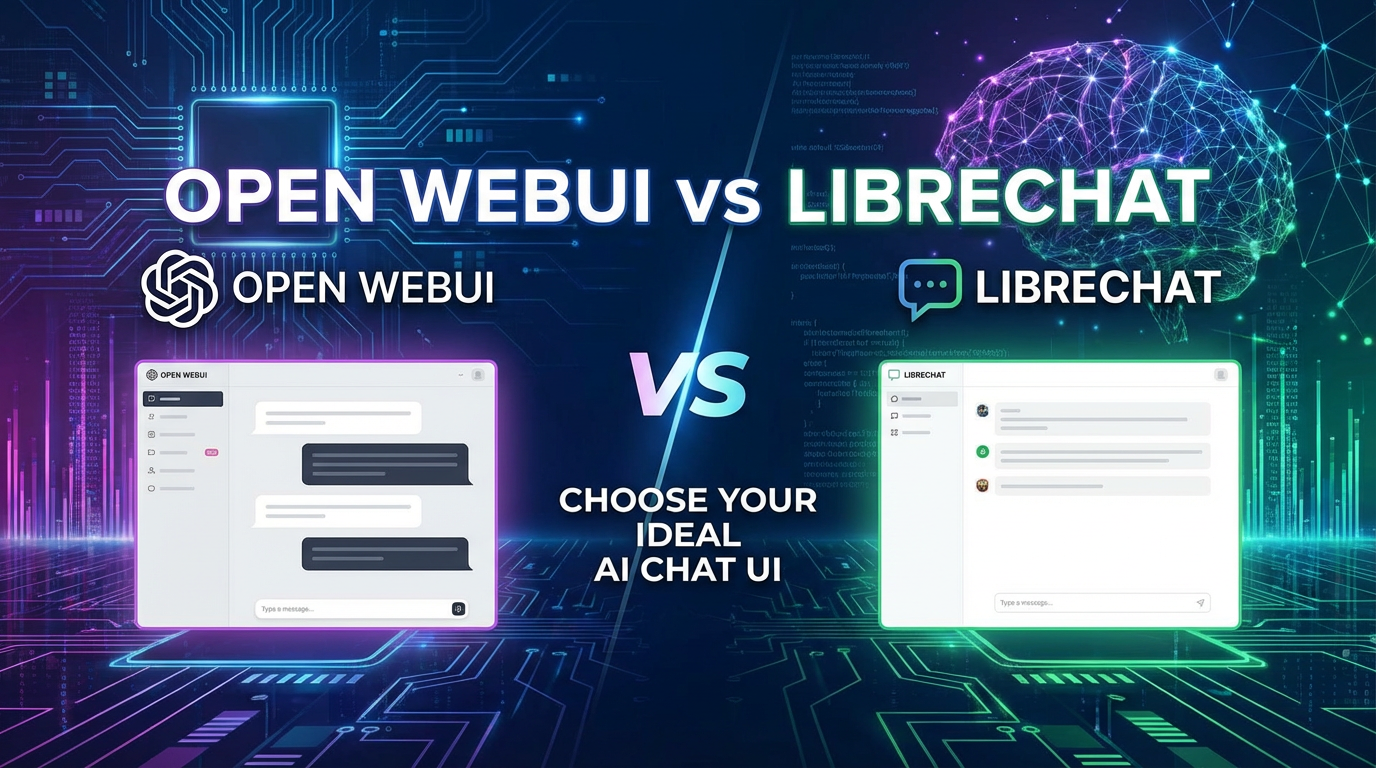

The landscape of Artificial Intelligence is evolving at a breathtaking pace, with Large Language Models (LLMs) moving from specialized research tools to accessible, everyday utilities. As these powerful models become more ubiquitous, the need for robust, user-friendly, and highly customizable interfaces for interacting with them has skyrocketed. Developers, researchers, and enthusiasts alike are seeking reliable "LLM playground" environments that offer control, flexibility, and an engaging user experience. In this dynamic arena, two prominent open-source solutions have emerged as leading contenders for self-hosted AI chat UIs: Open WebUI and LibreChat.
This comprehensive "ai comparison" aims to provide an in-depth analysis of Open WebUI vs LibreChat, dissecting their core philosophies, feature sets, technical underpinnings, and ideal use cases. By exploring their strengths, weaknesses, and unique offerings, we intend to equip you with the knowledge necessary to make an informed decision and choose the AI chat UI that best aligns with your specific needs, whether you're a casual user experimenting with local models or an enterprise seeking a scalable, custom-branded solution for your team.
The Resurgence of Local LLM Interfaces: Why Self-Hosting Matters
The initial wave of generative AI tools largely resided in the cloud, provided by tech giants like OpenAI, Google, and Anthropic. While convenient, this model often came with concerns regarding data privacy, escalating API costs, and a lack of granular control over the underlying infrastructure. The open-source movement, spearheaded by projects like Meta's Llama series, has democratized access to powerful LLMs, enabling individuals and organizations to run these models locally on their own hardware.
This shift has created an imperative for sophisticated, yet accessible, front-end interfaces that can effectively manage and interact with these locally hosted models, as well as integrate seamlessly with commercial APIs. Self-hosting an AI chat UI offers numerous compelling advantages:
- Enhanced Privacy and Security: Sensitive data remains within your controlled environment, eliminating reliance on third-party servers for conversational processing.
- Cost Efficiency: Running models locally can significantly reduce ongoing API costs, especially for frequent or high-volume usage.
- Customization and Control: Open-source platforms allow for deep customization, enabling users to tailor the interface, integrate specific tools, and adapt it to unique workflows.
- Offline Capability: Local models can function without an internet connection, crucial for environments with limited or no connectivity.
- Experimentation and Development: These UIs serve as excellent "LLM playground" environments, facilitating prompt engineering, model fine-tuning, and application development.
Open WebUI and LibreChat stand at the forefront of this movement, each offering a distinct approach to solving the challenges of interacting with LLMs. Understanding their foundational differences is key to appreciating their individual strengths.
Deep Dive into Open WebUI: Simplicity Meets Power
Open WebUI has rapidly gained popularity for its straightforward approach to providing an intuitive interface for LLM interaction, particularly with local models powered by Ollama. It positions itself as an accessible entry point into the world of self-hosted AI, prioritizing ease of use without sacrificing essential functionality.
2.1 Core Philosophy and Design Principles
Open WebUI's design philosophy revolves around simplicity, accessibility, and directness. It aims to abstract away the complexities of managing LLMs, presenting users with a clean, responsive, and familiar chat interface reminiscent of mainstream AI tools. The project emphasizes:
- User-Friendliness: A minimal learning curve, making it ideal for beginners and casual users.
- Self-Hosting Focus: Designed primarily for running on personal hardware or private servers, with robust integration for local model runners like Ollama.
- Community-Driven Development: An active open-source community contributes to its continuous improvement and feature expansion.
- Modern Aesthetics: A visually appealing and customizable interface with various themes and settings.
2.2 Key Features and Capabilities
Open WebUI packs a surprising amount of functionality into its seemingly simple facade, making it a powerful "LLM playground" for a wide range of users.
2.2.1 Intuitive User Interface
The immediate impression upon launching Open WebUI is its clean, modern, and highly responsive design. The layout is intuitive, mimicking popular chat applications, which minimizes the learning curve for new users.
- Conversational Flow: A clear chat window displays turns between the user and the AI, with options to edit messages or regenerate responses.
- Dark/Light Modes and Themes: Users can personalize their experience with various visual themes, enhancing comfort during prolonged use.
- Markdown Support: AI responses are beautifully rendered with full Markdown support, including code blocks, lists, and tables, making complex information digestible.
- Responsive Design: Works seamlessly across different screen sizes, from desktops to mobile devices, ensuring accessibility on the go.
2.2.2 Comprehensive Model Management
One of Open WebUI's strongest selling points is its deep integration with Ollama, a popular tool for running open-source LLMs locally. This integration transforms Open WebUI into an effective "LLM playground."
- Ollama Integration: Users can browse, download, and manage a vast library of Ollama-compatible models directly from the Open WebUI interface. This includes models like Llama 3, Mistral, Gemma, and many others, offering a diverse range of capabilities.
- Model Switching: Easily switch between different models within a conversation or for new chats, allowing for quick experimentation and comparison of model outputs.
- Custom Model Configuration: Advanced users can adjust model parameters such as temperature, top-p, top-k, and context window size to fine-tune model behavior for specific tasks.
- Remote Model Integration: While primarily focused on Ollama, Open WebUI also supports integration with other API endpoints, including OpenAI, Google Gemini, and custom API services, broadening its reach beyond purely local execution. This flexibility makes it a powerful "ai comparison" tool for evaluating various models.
2.2.3 Robust Conversation Management
Maintaining an organized history of interactions is crucial for effective AI usage, and Open WebUI provides solid features for this.
- Persistent Chat History: All conversations are saved, allowing users to revisit, continue, or reference past interactions.
- Folders and Tags: Organize chats into folders or apply custom tags for better categorization and quick retrieval, especially useful when managing numerous projects or topics.
- Search Functionality: A powerful search bar enables users to quickly find specific conversations or messages based on keywords, ensuring no valuable insight is lost.
- Export Options: Export conversations in various formats (e.g., Markdown, JSON) for archival, sharing, or further analysis.
2.2.4 Advanced Prompt Engineering Features
Effective interaction with LLMs hinges on well-crafted prompts. Open WebUI offers features to streamline this process.
- System Prompts: Define custom system instructions for each chat, guiding the AI's persona, tone, and response style. This is vital for consistent output and specialized tasks.
- Prompt Templates: Save frequently used prompts as templates, complete with variables, to quickly initiate new conversations with predefined instructions or contexts. This significantly enhances efficiency in an "LLM playground."
- Pre-defined Tools/Agents: While not as extensive as some more advanced platforms, Open WebUI allows for basic integration of tools or agents through custom instructions and, in some cases, plugins.
2.2.5 Multimodal Support (Evolving)
The capability to process and generate different types of media is becoming increasingly important.
- Image Input: For models that support multimodal input (e.g., Llama Vision, LLaVA), Open WebUI allows users to upload images alongside text prompts, enabling visual reasoning tasks.
- Code Interpreter: While not a built-in interpreter, the UI's excellent code block rendering makes it an ideal environment for interacting with models for code generation, explanation, and debugging.
2.2.6 Plugins and Extensions
Open WebUI offers a growing ecosystem of plugins that extend its core functionality. These can range from web browsing capabilities to deeper integration with specific tools or services, enhancing its utility as an "LLM playground." The community actively contributes to this expanding library.
2.2.7 Authentication and User Management
For multi-user environments or shared setups, Open WebUI provides essential management features.
- Multi-User Support: Set up multiple user accounts, each with their own isolated conversation history and settings.
- Basic Authentication: Implement basic login protection to secure access to the interface.
- Admin Panel: An administrative interface allows for managing users, models, and global settings.
2.2.8 Performance and Resource Usage
Open WebUI is generally lightweight and efficient, especially when running with local Ollama models. Its frontend is optimized for responsiveness, and its backend is designed to handle interactions smoothly without excessive resource consumption. The performance is largely dictated by the underlying hardware and the efficiency of the chosen LLM.
2.3 Strengths of Open WebUI
- Exceptional Ease of Setup and Use: Docker-based deployment makes it incredibly simple to get up and running. The UI is immediately familiar.
- Deep Ollama Integration: Best-in-class support for local LLMs, making it a perfect "LLM playground" for offline experimentation.
- Clean and Modern Interface: Visually appealing and highly responsive, enhancing user experience.
- Active Community: Strong community support and continuous development ensure new features and bug fixes.
- Good Starting Point: Ideal for individuals or small teams new to self-hosted LLMs.
2.4 Limitations of Open WebUI
- Less Granular Control for API Integrations: While it supports external APIs, the level of fine-tuning and advanced configuration for these might be less than platforms designed specifically for multi-API orchestration.
- Plugin Ecosystem Still Growing: While promising, its plugin ecosystem might not be as mature or extensive as some older, more established platforms.
- Enterprise Features: Lacks some of the advanced multi-user features, role-based access control (RBAC), and sophisticated auditing capabilities required by larger enterprises.
- Reliance on Ollama for Local Models: While a strength, it ties the user closely to the Ollama ecosystem for truly local LLM interaction.
Deep Dive into LibreChat: The Advanced LLM Orchestrator
LibreChat takes a more ambitious approach, aiming to be a fully-fledged, self-hosted alternative to commercial AI chat platforms like ChatGPT, but with vastly greater flexibility and control. It's designed for power users, developers, and organizations that require extensive customization, broad API integration, and robust multi-user management.
3.1 Core Philosophy and Design Principles
LibreChat's philosophy centers on openness, extensibility, and advanced functionality. It seeks to empower users with a versatile platform that can seamlessly connect to a multitude of LLM providers, offering a truly unified "LLM playground" experience. Key principles include:
- Open-Source & Self-Hosted: Emphasizes user control over data and infrastructure.
- API Agnostic: Designed to integrate with a wide array of commercial and open-source LLM APIs, including OpenAI, Anthropic, Google, Azure, and custom endpoints.
- Feature Parity (and Beyond): Aims to replicate and enhance features found in leading commercial AI chat applications.
- Developer-Centric: Provides extensive configuration options, API access, and robust deployment tools.
- Scalability: Built with multi-user and enterprise scenarios in mind, offering features for managing teams and access.
3.2 Key Features and Capabilities
LibreChat distinguishes itself with a rich set of features tailored for advanced users and organizational deployments, making it an incredibly powerful tool for "ai comparison" and development.
3.2.1 Familiar Yet Customizable User Interface
LibreChat's UI is deliberately designed to feel familiar to users accustomed to ChatGPT, minimizing cognitive load for transition. However, it layers on a significant degree of customization.
- ChatGPT-like Experience: The layout, conversational flow, and interaction patterns mirror popular commercial tools, ensuring immediate comfort.
- Advanced UI Customization: Beyond themes, LibreChat offers more granular control over various UI elements, allowing organizations to brand the interface to their specifications.
- Rich Markdown Rendering: Excellent support for Markdown, ensuring that complex AI outputs, including code, tables, and formatted text, are presented clearly.
- Dynamic and Interactive Elements: Support for interactive elements within conversations (e.g., buttons, forms) if implemented via plugins or custom tools.
3.2.2 Unparalleled Model Integration and Flexibility
This is where LibreChat truly shines, positioning itself as the ultimate "LLM playground" for diverse models. It is designed to be a unified gateway to virtually any LLM.
- Multi-Provider Support: Out-of-the-box integration with OpenAI, Anthropic, Google Gemini, Azure OpenAI, Hugging Face, custom API endpoints, and local models via Ollama or other compatible APIs. This unparalleled breadth allows for extensive "ai comparison."
- Unified API Access: LibreChat acts as a proxy, abstracting away the differences between various LLM APIs, providing a consistent experience regardless of the backend model. This is particularly valuable for developers leveraging platforms like XRoute.AI. XRoute.AI, a cutting-edge unified API platform, streamlines access to large language models (LLMs) for developers, businesses, and AI enthusiasts. By providing a single, OpenAI-compatible endpoint, XRoute.AI simplifies the integration of over 60 AI models from more than 20 active providers, enabling seamless development of AI-driven applications. LibreChat can easily integrate with XRoute.AI as a single API endpoint, gaining access to XRoute.AI's benefits like low latency AI, cost-effective AI, and high throughput, without the complexity of managing individual provider connections.
- Model Configuration and Management: Detailed configuration options for each integrated model, including API keys, base URLs, model names, and specific parameters (temperature, max tokens, etc.). This level of control is essential for advanced prompt engineering and "ai comparison."
- Fallbacks and Load Balancing: Potential for configuring model fallbacks or load balancing across different providers, enhancing reliability and optimizing costs (though requiring custom setup).
3.2.3 Advanced Conversation Management and Collaboration
LibreChat goes beyond basic history, offering features that support collaborative and complex workflows.
- Enhanced Search and Filtering: Powerful search capabilities combined with advanced filters (by model, user, tags, date) for efficient retrieval of specific conversations.
- Conversation Sharing and Export: Securely share conversations with other users or publicly (if enabled) and export them in various formats (JSON, Markdown, PDF).
- Pinned Conversations: Pin important conversations for quick access.
- Version History: For critical prompts or interactions, some setups might allow for tracking changes, though this often requires external integration.
3.2.4 Sophisticated Prompt Engineering and Tools
For serious prompt engineers and application developers, LibreChat offers an unparalleled "LLM playground."
- Rich Prompt Presets: Create, save, and manage complex prompt presets with multiple system messages, few-shot examples, and dynamic variables.
- Tools and Function Calling: Native support for tool integration and function calling (often referred to as 'plugins' or 'agents'). This allows LLMs to interact with external services, perform calculations, retrieve real-time information, and execute code. This is a game-changer for building sophisticated AI applications.
- Context Management: Advanced options for managing context window sizes and retrieval-augmented generation (RAG) setups for longer conversations or domain-specific knowledge bases.
- Jailbreak Prevention/Moderation: Tools and configurations to implement content moderation, filter harmful outputs, or prevent "jailbreaking" attempts on models.
3.2.5 Extensive Plugin and Extension Ecosystem
The plugin architecture of LibreChat is designed for maximum extensibility, allowing developers to add virtually any functionality.
- Custom Plugins: Develop and integrate custom plugins for specific business needs, such as connecting to internal databases, CRM systems, or specialized data sources.
- Community Plugins: A growing library of community-contributed plugins extends capabilities from web browsing to image generation and more.
3.2.6 Robust Authentication and Multi-User Management
LibreChat is built to scale for teams and organizations, offering comprehensive user management capabilities.
- Multiple Authentication Methods: Supports various authentication strategies, including email/password, OAuth (Google, GitHub, etc.), and potentially LDAP/SSO for enterprise environments.
- Role-Based Access Control (RBAC): Define different user roles (e.g., admin, user, guest) with granular permissions, controlling access to models, features, and settings.
- User Quotas and Usage Tracking: Implement usage limits or track API consumption per user or group, essential for cost management and resource allocation.
- API Key Management: Allow users to manage their own API keys for different providers, or centralize key management for administrative control.
3.2.7 Developer Experience and Deployment
LibreChat is designed with developers in mind, offering flexibility and extensive documentation.
- Docker-First Deployment: Highly optimized for Docker and Docker Compose, simplifying setup and ensuring consistent environments. Kubernetes deployment options are also available.
- Comprehensive API: Exposes a robust API for programmatic interaction, allowing developers to integrate LibreChat's functionalities into other applications.
- Extensive Configuration Options: Nearly every aspect of the platform can be configured via environment variables or configuration files, offering unparalleled control.
3.2.8 Performance and Scalability
While potentially more resource-intensive due to its broader feature set, LibreChat is built for scalability. Its modular architecture allows for deploying different components (frontend, backend, database) independently, optimizing performance for varying loads. The use of a database (MongoDB is common) ensures persistence and robust data management.
3.3 Strengths of LibreChat
- Unrivaled API Integration: Connects to a vast array of commercial and open-source LLMs, making it the ultimate "ai comparison" and "LLM playground" tool.
- Advanced Features: Native support for tools, function calling, and sophisticated prompt engineering.
- Robust Multi-User Support & RBAC: Ideal for teams, enterprises, and shared environments requiring granular control.
- High Customizability: Deep configuration options for branding, features, and model parameters.
- Developer-Friendly: Extensive API, flexible deployment, and strong backend capabilities.
- Enterprise-Ready: Features like usage tracking, moderation, and SSO integration position it for business use.
3.4 Limitations of LibreChat
- Steeper Learning Curve: The sheer number of features and configuration options can be overwhelming for new users.
- More Complex Setup: While Docker simplifies it, configuring multiple API integrations and advanced features requires more technical expertise than Open WebUI.
- Higher Resource Footprint: Depending on the number of integrations and users, it can be more resource-intensive than simpler UIs.
- Requires External APIs for Full Potential: While it can run local models, its true power comes from integrating with various external LLM APIs, which often incur costs.
XRoute is a cutting-edge unified API platform designed to streamline access to large language models (LLMs) for developers, businesses, and AI enthusiasts. By providing a single, OpenAI-compatible endpoint, XRoute.AI simplifies the integration of over 60 AI models from more than 20 active providers(including OpenAI, Anthropic, Mistral, Llama2, Google Gemini, and more), enabling seamless development of AI-driven applications, chatbots, and automated workflows.
Head-to-Head Comparison: Open WebUI vs LibreChat
To truly understand the differences between these two powerful tools, a direct "ai comparison" across key metrics is essential.
4.1 Setup and Installation
- Open WebUI: Emphasizes simplicity. Typically a single
docker runcommand ordocker-compose upwill get you started, especially if Ollama is already running. The focus is on getting users interacting with models as quickly as possible. This ease makes it a great entry point for an "LLM playground." - LibreChat: More involved. While also Docker-based, it requires careful configuration of environment variables for various API keys, database connections (often MongoDB), and potentially reverse proxies. It’s designed for a more robust, customizable deployment, which inherently adds complexity.
4.2 User Interface and Experience
- Open WebUI: Clean, modern, and highly intuitive. It's designed for direct, seamless interaction with LLMs, especially local ones. The focus is on a smooth conversational flow and minimal distractions. The experience is akin to a refined chat client.
- LibreChat: Familiar, resembling ChatGPT, but with deeper layers of customization. While user-friendly on the surface, its advanced features and configuration options are always accessible, potentially making the initial experience denser for some. It feels like a professional toolkit masquerading as a chat app.
4.3 Model Support and Flexibility
- Open WebUI: Primarily excels with Ollama for local models. It supports other APIs but with less configurability than LibreChat. It’s an excellent "LLM playground" for local experimentation.
- LibreChat: Unparalleled. It's a true "LLM playground" for a vast ecosystem of models, seamlessly integrating OpenAI, Anthropic, Google, Azure, custom APIs (like XRoute.AI), and local models via compatible endpoints. Its strength lies in being a universal front-end for virtually any LLM backend, making it ideal for "ai comparison" across different providers.
4.4 Advanced Features for Prompt Engineering
- Open WebUI: Offers solid foundational features: system prompts, prompt templates, and basic image input. Sufficient for most individual users and standard "LLM playground" activities.
- LibreChat: Dominates here. With robust support for tools, function calling, sophisticated prompt presets with dynamic variables, and deeper context management, it's built for serious prompt engineers and developers building complex AI applications.
4.5 Scalability and Multi-User Management
- Open WebUI: Basic multi-user support with isolated chat histories and simple authentication. Suitable for personal use or very small, informal teams.
- LibreChat: Enterprise-grade. Offers comprehensive multi-user management with RBAC, multiple authentication methods (OAuth, SSO potential), user quotas, and audit trails. Designed for large teams and organizations requiring fine-grained control and security.
4.6 Community and Support
- Open WebUI: Very active and growing community, especially on platforms like GitHub and Discord. Rapid development and frequent updates.
- LibreChat: Also boasts a strong, developer-focused community. Excellent documentation, reflecting its complexity and extensive features.
4.7 Performance and Resource Footprint
- Open WebUI: Generally lightweight and efficient, especially the frontend. Resource usage is largely dictated by the specific LLMs run via Ollama.
- LibreChat: Can be more resource-intensive due to its broader feature set, database requirements, and potential for orchestrating multiple API calls. However, its modular architecture allows for optimized scaling.
4.8 Security and Privacy Considerations
Both platforms, being self-hosted, offer inherent privacy advantages over cloud-based solutions, as your data remains on your server.
- Open WebUI: Straightforward privacy benefits from local model execution via Ollama. Data doesn't leave your machine unless you configure it to use external APIs.
- LibreChat: Offers strong privacy by design for self-hosting. For external API integrations, the data naturally goes to the respective API provider, but LibreChat itself acts as a controlled gateway. Its robust authentication and access control features also enhance security for multi-user environments.
Table 1: Feature Comparison Matrix
| Feature / Aspect | Open WebUI | LibreChat |
|---|---|---|
| Ease of Setup | Very Easy (Docker) | Moderate to Complex (Docker, env vars, DB setup) |
| User Interface | Clean, Modern, Intuitive (ChatGPT-like) | Familiar (ChatGPT-like), Highly Customizable |
| Local LLM Integration | Excellent (Ollama-centric) | Good (via Ollama or other local API endpoints) |
| External LLM API Support | Good (OpenAI, Google, custom, less config) | Excellent (OpenAI, Anthropic, Google, Azure, Custom APIs like XRoute.AI, extensive config) |
| Model Management | Browse, Download, Config (Ollama) | Extensive per-model config, API key management |
| Prompt Engineering | System Prompts, Templates, Image Input | Advanced Presets, Tools/Function Calling, Context Mgmt |
| Multimodal Support | Image Input (for compatible models) | Image Input, potentially other modalities via plugins |
| Plugins / Tools | Growing ecosystem | Robust, extensible architecture, Function Calling support |
| Multi-User Management | Basic (isolated history, simple auth) | Advanced (RBAC, multiple auth, quotas, admin panel) |
| Customization / Branding | Themes, basic settings | Deep UI/backend customization, branding options |
| Developer Focus | User-friendly API | Extensive API, detailed configuration, Docker-first |
| Performance | Lightweight, responsive | Optimized for scale, potentially more resource-intensive |
| Community | Very Active, Rapid Development | Active, Developer-focused, Comprehensive Documentation |
Table 2: Ideal Use Case Suitability
| Use Case | Open WebUI | LibreChat |
|---|---|---|
| Individual User/Beginner | Excellent: Easy setup, intuitive UI, local models | Good: Familiar UI, but setup complexity can be high |
| Local LLM Experimentation | Excellent: Deep Ollama integration, "LLM playground" | Good: Integrates local models, but shines with external |
| "AI Comparison" | Good (for local models & few external APIs) | Excellent: Unified access to vast array of LLMs |
| Developer/Power User | Good (for quick prototyping) | Excellent: Tools, function calling, deep configuration, API |
| Small Teams | Good (basic multi-user) | Excellent: RBAC, multiple auth, collaborative features |
| Enterprise / Large Org | Limited (lacks advanced features) | Excellent: Scalability, security, customizability |
| Cost Optimization | Excellent (primarily local models) | Good (allows choice of cost-effective APIs, usage tracking) |
| Maximum Customization | Moderate | Excellent |
Choosing Your Ideal AI Chat UI
The choice between Open WebUI and LibreChat ultimately depends on your specific requirements, technical proficiency, and intended scale of use. There's no single "better" option; rather, it's about finding the best fit for your "LLM playground" or enterprise solution.
5.1 For the Beginner or Casual User
If you're just starting your journey with self-hosted LLMs, primarily want to experiment with models on your local machine, and prioritize ease of use above all else, Open WebUI is likely your ideal choice.
- Its straightforward setup, clean interface, and seamless Ollama integration make it incredibly accessible. You can download and chat with powerful local models within minutes, turning your machine into an instant "LLM playground" without getting bogged down in complex configurations. It's a fantastic stepping stone into the world of open-source AI.
5.2 For the Developer or Power User
For those who demand granular control, extensive model integration, advanced prompt engineering capabilities, and the ability to build sophisticated AI applications, LibreChat stands out.
- If you need to connect to a diverse array of commercial and open-source APIs, leverage tools and function calling for automation, or customize almost every aspect of your AI chat experience, LibreChat provides the robust framework you need. Its API-agnostic design and comprehensive feature set make it an unparalleled "LLM playground" for serious development and "ai comparison" across various models.
5.3 For Teams and Enterprises
Organizations seeking a scalable, secure, and highly customizable AI chat platform for their teams will find LibreChat to be the superior option.
- Its robust multi-user management, role-based access control, various authentication methods, and potential for integration with enterprise systems make it well-suited for business environments. The ability to manage API keys, track usage, and enforce moderation policies are crucial for compliance and cost management in an organizational context. LibreChat can provide a unified, controlled "LLM playground" for an entire workforce.
5.4 When to Consider Alternatives
While Open WebUI and LibreChat cover a broad spectrum, very niche requirements might necessitate looking at other solutions:
- Ultra-Lightweight/Minimalist: If you need something even more barebones, perhaps a command-line interface or a custom script.
- Highly Specialized Niche: If your AI application is extremely specific (e.g., medical diagnostics, financial modeling) and requires deeply embedded custom logic not easily abstracted by general chat UIs.
- Fully Managed Cloud Solutions: If the complexities of self-hosting are entirely undesirable, and budget allows for premium, fully managed cloud AI platforms, though this often comes with less control and higher recurring costs.
The Future of LLM Interfaces and Bridging the Gap
The rapid evolution of LLMs means that the interfaces we use to interact with them must also adapt and innovate. The trend is moving towards even greater integration, flexibility, and efficiency. As developers and businesses increasingly leverage a mix of local and cloud-based LLMs from various providers, the challenge of managing multiple API keys, different model formats, and varying latencies becomes significant.
This is precisely where innovative solutions like XRoute.AI emerge as crucial components in the AI ecosystem. XRoute.AI is a cutting-edge unified API platform designed to streamline access to large language models (LLMs) for developers, businesses, and AI enthusiasts. By providing a single, OpenAI-compatible endpoint, XRoute.AI simplifies the integration of over 60 AI models from more than 20 active providers, enabling seamless development of AI-driven applications, chatbots, and automated workflows.
How does XRoute.AI fit into the Open WebUI vs LibreChat discussion?
- Enhancing LibreChat's Multi-Provider Strengths: LibreChat's greatest strength is its ability to integrate with multiple LLM APIs. However, manually configuring and managing 20+ different API connections can still be cumbersome. By integrating XRoute.AI as a single custom API endpoint within LibreChat, users immediately gain access to XRoute.AI's entire catalog of over 60 models and 20+ providers. This dramatically simplifies LibreChat's backend configuration, turning it into an even more powerful and easier-to-manage "ai comparison" and "LLM playground" for a vast range of models. With XRoute.AI, LibreChat users benefit from low latency AI and cost-effective AI routing, ensuring optimal performance and expenditure without needing to set up complex individual provider connections. The high throughput and scalability offered by XRoute.AI further elevate LibreChat's capabilities for enterprise-level applications.
- Expanding Open WebUI's External Model Access: While Open WebUI is primarily focused on Ollama, it does support custom API endpoints. If an Open WebUI user wants to experiment with a wider range of cutting-edge models beyond what's available through Ollama or a single OpenAI key, they could configure XRoute.AI as a custom API endpoint. This would instantly broaden their "LLM playground" to include models from various providers, leveraging XRoute.AI's unified access and optimized performance.
Platforms like XRoute.AI are becoming indispensable by abstracting away the underlying complexities of LLM ecosystems, offering a developer-friendly experience that accelerates innovation. They provide the necessary infrastructure for self-hosted UIs like LibreChat and Open WebUI to truly unlock their potential, especially when dealing with diverse and demanding AI workloads. With a focus on low latency AI, cost-effective AI, and developer-friendly tools, XRoute.AI empowers users to build intelligent solutions without the complexity of managing multiple API connections. The platform’s high throughput, scalability, and flexible pricing model make it an ideal choice for projects of all sizes, from startups to enterprise-level applications.
Conclusion
Both Open WebUI and LibreChat offer compelling solutions for interacting with Large Language Models, representing the pinnacle of open-source "LLM playground" environments. Our "ai comparison" reveals that while both share the core goal of providing a user-friendly chat interface, their philosophies and target audiences diverge significantly.
Open WebUI shines as the accessible, user-friendly gateway to local LLMs, particularly through its deep integration with Ollama. It prioritizes ease of setup and an intuitive experience, making it perfect for individuals, hobbyists, and those new to self-hosting AI. Its clean interface and rapid development make it an exciting project for the future.
LibreChat, on the other hand, is the sophisticated powerhouse. It's built for those who demand maximum flexibility, extensive model integration, advanced features like tools and function calling, and robust multi-user management. For developers, power users, and enterprises seeking a highly customizable, scalable, and API-agnostic "LLM playground" that can handle complex AI workflows, LibreChat is the unequivocal choice.
Ultimately, the decision of which platform to choose boils down to a clear understanding of your needs. Are you looking for a quick, easy way to chat with local models, or do you require a comprehensive, extensible platform capable of orchestrating a diverse array of LLMs and supporting complex organizational structures?
Regardless of your choice, the future of AI interaction is undoubtedly moving towards more open, customizable, and user-controlled interfaces. And with platforms like XRoute.AI bridging the gap between diverse LLM providers, the possibilities for innovation with self-hosted UIs are more exciting than ever. By carefully weighing the strengths and limitations of Open WebUI vs LibreChat, you can confidently select the AI chat UI that will best empower your journey in the fascinating world of artificial intelligence.
Frequently Asked Questions (FAQ)
Q1: Is Open WebUI completely free to use, including the models?
A1: The Open WebUI software itself is completely free and open-source. When it comes to models, it primarily integrates with Ollama, which allows you to download and run many open-source LLMs locally for free. However, if you configure Open WebUI to use commercial APIs (like OpenAI, Google, Anthropic), you will incur costs associated with those third-party services. The platform itself doesn't cost anything to use.
Q2: Can LibreChat integrate with custom or private LLMs that aren't publicly available?
A2: Yes, absolutely. LibreChat is highly flexible and designed to integrate with any LLM that provides a compatible API endpoint. This includes custom models you might have fine-tuned and deployed on your own infrastructure, or private models hosted within your organization. As long as the model exposes an API that LibreChat can communicate with (ideally an OpenAI-compatible API, or one that can be adapted), it can be configured as a provider. Platforms like XRoute.AI can further simplify this by providing a unified endpoint even for private models, if routed through it, offering low latency AI and cost-effective AI management.
Q3: Which platform, Open WebUI or LibreChat, is better for privacy?
A3: Both platforms offer superior privacy compared to purely cloud-based commercial solutions because they are self-hosted. Your data remains on your server. * Open WebUI excels if you primarily use local models via Ollama, as your data never leaves your local machine or private server. * LibreChat also keeps its application data (chat history, user info) on your server. However, if you configure LibreChat to use external LLM APIs (e.g., OpenAI, Anthropic), then your prompts and responses will naturally be sent to those third-party providers. The privacy advantage here is the control you have over which providers you use and how they are configured.
Q4: Do I need strong technical skills to set up Open WebUI or LibreChat?
A4: * Open WebUI: Requires moderate technical skills. If you're comfortable with basic command-line operations and Docker, you can usually get it running quite easily with minimal configuration. It's designed for quick setup. * LibreChat: Requires stronger technical skills. While it also uses Docker, configuring multiple API providers, a database (like MongoDB), authentication methods, and advanced features can be more complex and requires a good understanding of environment variables, backend services, and potentially network configurations. It's built for developers and those comfortable with more intricate self-hosting.
Q5: How does XRoute.AI fit into using these UIs like Open WebUI or LibreChat?
A5: XRoute.AI is a complementary unified API platform that enhances the capabilities of UIs like Open WebUI and LibreChat, especially when dealing with multiple LLM providers. * Instead of configuring dozens of individual LLM API endpoints directly within LibreChat (or Open WebUI), you can configure XRoute.AI as a single, OpenAI-compatible API endpoint. * This single connection then gives you access to XRoute.AI's entire catalog of over 60 AI models from more than 20 active providers. * This simplifies setup, ensures low latency AI and cost-effective AI routing, and provides high throughput and scalability by abstracting away the complexity of managing diverse LLM backends. It makes your chosen UI an even more powerful and flexible "LLM playground" without added configuration hassle.
🚀You can securely and efficiently connect to thousands of data sources with XRoute in just two steps:
Step 1: Create Your API Key
To start using XRoute.AI, the first step is to create an account and generate your XRoute API KEY. This key unlocks access to the platform’s unified API interface, allowing you to connect to a vast ecosystem of large language models with minimal setup.
Here’s how to do it: 1. Visit https://xroute.ai/ and sign up for a free account. 2. Upon registration, explore the platform. 3. Navigate to the user dashboard and generate your XRoute API KEY.
This process takes less than a minute, and your API key will serve as the gateway to XRoute.AI’s robust developer tools, enabling seamless integration with LLM APIs for your projects.
Step 2: Select a Model and Make API Calls
Once you have your XRoute API KEY, you can select from over 60 large language models available on XRoute.AI and start making API calls. The platform’s OpenAI-compatible endpoint ensures that you can easily integrate models into your applications using just a few lines of code.
Here’s a sample configuration to call an LLM:
curl --location 'https://api.xroute.ai/openai/v1/chat/completions' \
--header 'Authorization: Bearer $apikey' \
--header 'Content-Type: application/json' \
--data '{
    "model": "gpt-5",
    "messages": [
        {
            "content": "Your text prompt here",
            "role": "user"
        }
    ]
}'
With this setup, your application can instantly connect to XRoute.AI’s unified API platform, leveraging low latency AI and high throughput (handling 891.82K tokens per month globally). XRoute.AI manages provider routing, load balancing, and failover, ensuring reliable performance for real-time applications like chatbots, data analysis tools, or automated workflows. You can also purchase additional API credits to scale your usage as needed, making it a cost-effective AI solution for projects of all sizes.
Note: Explore the documentation on https://xroute.ai/ for model-specific details, SDKs, and open-source examples to accelerate your development.