OpenClaw BlueBubbles Bridge: Connect & Chat Seamlessly
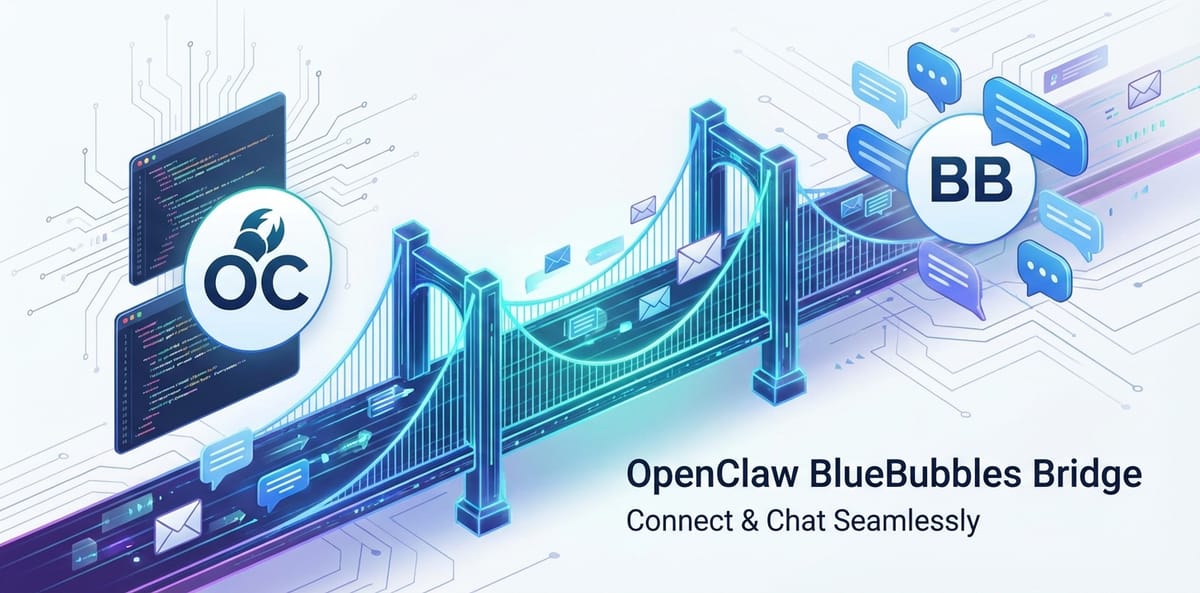

The Dawn of Unified Communication: Bridging Divides in a Digital World
In today's hyper-connected world, communication is paramount, yet ironically, it has become increasingly fragmented. We juggle a plethora of messaging applications – iMessage for Apple users, WhatsApp for global reach, Telegram for privacy-conscious groups, Slack for professional teams, and countless others. Each app serves a specific purpose, catering to different demographics and operating systems. While this diversity offers choice, it simultaneously creates a siloed communication landscape, leading to missed messages, context switching fatigue, and a constant struggle to maintain a coherent conversational flow. The user experience is often disjointed, leaving individuals and businesses yearning for a more streamlined, cohesive approach to digital interaction.
Imagine a world where your messages, regardless of their origin, converge into a single, intuitive interface. A world where the boundaries between platforms dissolve, allowing you to connect and chat seamlessly with anyone, anywhere, without the friction of switching applications or worrying about compatibility issues. This vision, once a distant dream, is now within reach thanks to innovative solutions like the OpenClaw BlueBubbles Bridge. This groundbreaking technology is not just another messaging app; it’s an architectural marvel designed to unify your digital conversations, bringing unprecedented convenience and efficiency to your daily interactions. By acting as a sophisticated conduit, the OpenClaw BlueBubbles Bridge promises to revolutionize how we perceive and engage with instant messaging, transforming a fragmented ecosystem into a harmonious symphony of seamless communication.
This article delves deep into the OpenClaw BlueBubbles Bridge, exploring its intricate functionalities, technical underpinnings, and the profound impact it has on both personal and professional communication. We will uncover how this bridge not only solves the immediate problem of platform fragmentation but also lays the groundwork for advanced AI integration, allowing for capabilities such as smart replies, content summarization, and even dynamic interactions powered by leading large language models like gpt chat, kimi chat, and qwen chat. Prepare to embark on a journey that redefines the essence of digital connectivity, paving the way for a truly unified and intelligent chat experience.
The Modern Communication Conundrum: A Labyrinth of Platforms
The digital age, for all its wonders, has inadvertently created a labyrinth of communication platforms. From instant messaging to video conferencing, social media direct messages to email, the sheer volume of channels can be overwhelming. Each platform often comes with its own set of features, user interface quirks, and, crucially, its own walled garden. Apple users swear by iMessage for its seamless integration within the iOS ecosystem, its end-to-end encryption, and the coveted "blue bubble" status that signifies a native Apple-to-Apple conversation. Android users, on the other hand, rely on Google Messages, WhatsApp, or other third-party apps, often feeling excluded from the iMessage experience.
This divide isn't merely cosmetic; it impacts user experience, functionality, and even social dynamics. Group chats become complicated when members are split across different platforms. Important messages can be delayed or missed when users have to constantly monitor multiple applications. For businesses, this fragmentation translates into reduced productivity, challenges in client communication, and difficulties in maintaining a unified brand presence across diverse customer touchpoints. Support teams, for instance, might need to monitor Facebook Messenger, Instagram DMs, WhatsApp, and their website's live chat, leading to inefficiencies and potential customer dissatisfaction.
Furthermore, the rise of Artificial Intelligence (AI) has added another layer of complexity. As AI-driven chatbots and virtual assistants become more prevalent, the challenge shifts from merely connecting human users across platforms to enabling AI agents to operate seamlessly within these diverse environments. How do you deploy an intelligent assistant powered by gpt chat that can interact with customers on both iMessage and WhatsApp? How can you ensure that a specialized AI for customer support, perhaps fine-tuned with kimi chat capabilities, provides a consistent experience regardless of the incoming channel? The need for a universal connector that not only bridges human communication but also facilitates AI integration across these disparate systems has become undeniably urgent. The OpenClaw BlueBubbles Bridge emerges as a timely and robust answer to this intricate communication conundrum, offering a path towards true interoperability and intelligent interaction.
The Cost of Fragmentation: More Than Just Inconvenience
The impact of communication fragmentation extends beyond mere inconvenience. It incurs significant costs, both tangible and intangible:
- Productivity Loss: Employees spend valuable time switching between applications, searching for information, and consolidating conversations. This "context switching" is a known drain on efficiency.
- Customer Dissatisfaction: Delayed responses, inconsistent support, and a lack of personalized engagement due to scattered communication channels can severely damage customer loyalty.
- Security Vulnerabilities: Managing multiple accounts across various platforms increases the attack surface, making it harder to implement consistent security policies and monitor for threats.
- Data Silos: Information resides in separate applications, making comprehensive data analysis, trend identification, and knowledge management incredibly difficult. This hinders strategic decision-making.
- Operational Overheads: Businesses often invest in multiple tools and subscriptions to manage different communication channels, leading to increased operational costs and administrative burden.
- Mental Fatigue: For individuals, the constant bombardment of notifications from various apps, coupled with the mental load of remembering where each conversation is taking place, contributes to digital burnout and stress.
Understanding these profound costs underscores the critical need for a unifying solution. The OpenClaw BlueBubbles Bridge directly addresses these issues by creating a centralized hub, transforming communication from a source of friction into a streamlined asset.
Unveiling the OpenClaw BlueBubbles Bridge: The Ultimate Connector
At its core, the OpenClaw BlueBubbles Bridge is an innovative software solution meticulously engineered to dismantle the barriers between disparate messaging platforms, particularly focusing on bringing the rich, integrated experience of iMessage to a broader audience. While BlueBubbles itself allows non-Apple devices (like Android phones or Windows PCs) to send and receive iMessages through a dedicated Mac server, the "OpenClaw Bridge" component elevates this concept to an entirely new level. It implies an extensible, powerful, and potentially open-source framework that not only facilitates BlueBubbles' core functionality but also extends its reach and capabilities, turning a simple relay into a sophisticated communication hub.
Think of the OpenClaw BlueBubbles Bridge as a universal translator and router for your digital conversations. It acts as a middleware layer, an intelligent intermediary that intercepts messages from various sources, translates them into a common format, and then intelligently dispatches them to their intended recipients, regardless of the underlying messaging application. This means a message sent from an Android phone via the Bridge could appear as a native blue bubble on an iPhone, and vice versa, creating a truly seamless illusion of direct communication.
The "OpenClaw" designation suggests a robust, adaptable, and potentially community-driven project that embraces interoperability and customization. It hints at a system designed with extensibility in mind, allowing developers and power users to integrate new chat services, build custom features, and even embed advanced AI functionalities. This open philosophy is crucial in an ever-evolving digital landscape, ensuring the bridge remains relevant and adaptable to future communication trends and emerging technologies.
Architectural Philosophy: Integration without Compromise
The design philosophy behind the OpenClaw BlueBubbles Bridge centers on providing integration without compromising the core features or security of the individual platforms it connects. It strives to replicate the full fidelity of each messaging service, including:
- Rich Media Support: Sending and receiving photos, videos, audio messages, and attachments seamlessly.
- Reactions and Tapbacks: Ensuring that iMessage tapbacks or emoji reactions from one platform are correctly translated and displayed on another.
- Read Receipts and Typing Indicators: Maintaining the real-time feedback that users expect from modern messaging applications.
- Group Chat Management: Allowing for the creation, modification, and management of group conversations across platforms.
- End-to-End Encryption: Where possible and appropriate, the bridge is designed to respect and maintain the encryption protocols of the underlying services, ensuring privacy and data security.
By adhering to these principles, the OpenClaw BlueBubbles Bridge transcends the limitations of simple message forwarding. It crafts a genuinely integrated experience, making the user forget they are even using a bridge, and instead feel as though they are interacting directly within a unified communication ecosystem.
Key Features and Transformative Capabilities
The OpenClaw BlueBubbles Bridge is packed with features designed to simplify, secure, and enrich your communication experience. Its capabilities extend far beyond mere message relay, positioning it as a pivotal tool for both individuals and organizations seeking a truly integrated digital presence.
1. Seamless Cross-Platform Messaging
The cornerstone of the OpenClaw BlueBubbles Bridge is its ability to facilitate communication across seemingly incompatible platforms. By establishing a robust link to a macOS server running BlueBubbles, it allows users of non-Apple devices (Android, Windows, Linux) to fully participate in iMessage conversations. This means:
- Unified Inbox: All your iMessages, regardless of the originating device, appear in a single, consistent interface. No more switching to an old iPhone just to respond to an iMessage.
- Native iMessage Experience: Users on Android can send and receive attachments, reactions (tapbacks), read receipts, and typing indicators, mirroring the experience of an iPhone user. The "blue bubble" status for iMessage conversations is maintained.
- Beyond iMessage (Potential): While its primary focus is BlueBubbles, the "OpenClaw" aspect suggests potential for extending this unification to other messaging services (e.g., WhatsApp, Telegram, Signal) through plugins or modular connectors, creating an even broader "universal inbox."
2. Robust Security and Privacy Controls
Security and privacy are paramount in any communication solution, and the OpenClaw BlueBubbles Bridge is engineered with these considerations at its forefront. Unlike cloud-based solutions that centralize your data on third-party servers, the Bridge often leverages a self-hosted model, giving you unprecedented control:
- Local Data Hosting: Your message data, including media, remains on your own macOS server. This significantly reduces the risk of third-party data breaches and enhances privacy.
- End-to-End Encryption Preservation: For iMessage conversations, the bridge works by routing messages through your Mac, allowing Apple's native end-to-end encryption to remain intact between your Mac and the recipient's Apple device. The connection between your client (e.g., Android phone) and your Mac server is also typically secured with strong encryption protocols.
- Open-Source Advantage (if applicable): If the "OpenClaw" component is open-source, it allows for community scrutiny, ensuring that security vulnerabilities are identified and addressed transparently. This fosters trust and allows for independent verification of privacy claims.
- Access Control: Users have granular control over who can access their bridge server, ensuring that only authorized clients and applications can connect.
3. Advanced AI Integration: Elevating Your Chat Experience
Perhaps one of the most exciting capabilities of the OpenClaw BlueBubbles Bridge lies in its potential for deep integration with Artificial Intelligence. This transforms the bridge from a mere connector into an intelligent communication assistant, leveraging the power of large language models (LLMs) to enhance every interaction.
Imagine the possibilities:
- Intelligent Auto-Replies and Suggestions: An integrated AI could analyze incoming messages and suggest contextually relevant replies, helping you respond faster and more effectively. This could be powered by a lightweight, on-device model or by more sophisticated cloud-based LLMs.
- Conversation Summarization: For long group chats or professional discussions, an AI agent could provide concise summaries of key points, saving you time and ensuring you never miss critical information. Models like gpt chat are exceptionally good at understanding and distilling complex texts.
- AI-Driven Content Generation: Need to draft a quick email based on a chat conversation? Or perhaps generate a creative response? An integrated AI could assist in crafting messages, offering stylistic variations, or even translating on the fly. Leveraging models like kimi chat could provide nuanced, culturally aware responses, while qwen chat might be ideal for generating content requiring specific technical or domain-specific knowledge.
- Proactive Information Retrieval: An AI assistant could monitor your conversations for keywords or questions and proactively fetch relevant information from your notes, calendar, or the web, presenting it directly within your chat interface.
- Sentiment Analysis and Prioritization: For business use cases, an AI could analyze the sentiment of incoming messages, automatically prioritizing urgent or negative feedback, ensuring critical communications are addressed promptly.
By allowing direct access points for AI models, the OpenClaw BlueBubbles Bridge creates a fertile ground for developing highly personalized and intelligent communication workflows. This integration doesn't just make chatting easier; it makes it smarter, more efficient, and incredibly powerful.
4. Customization and Extensibility
The "OpenClaw" aspect hints at a highly modular and customizable architecture. This means:
- Plugin Ecosystem: The ability to add third-party plugins or develop custom extensions to integrate with other services (e.g., calendar apps, task managers, CRM systems) or add new functionalities (e.g., automated backups, advanced notification rules).
- API and Webhook Support: Providing APIs or webhooks allows developers to programmatically interact with the bridge, opening up possibilities for integrating it into larger automation workflows or custom applications.
- Themed Interfaces: Potential for users to customize the look and feel of their client applications connected to the bridge, tailoring the aesthetics to their personal preferences.
- Self-Hosting Flexibility: The self-hosted nature gives users complete control over the server environment, allowing for custom hardware configurations, specific operating system choices, and fine-tuned resource allocation.
5. Reliability and Performance
A communication bridge must be robust and performant. The OpenClaw BlueBubbles Bridge is designed to ensure:
- High Throughput: Capable of handling a large volume of messages and simultaneous conversations without degradation in performance.
- Low Latency: Messages are routed and delivered with minimal delay, preserving the real-time nature of instant messaging.
- Resilience: Built with error handling and recovery mechanisms to ensure continuous operation, even in the face of network interruptions or minor service glitches.
- Scalability (for advanced setups): While a single Mac can serve many users, the underlying architecture might allow for advanced deployments that can scale to enterprise-level requirements, handling hundreds or thousands of concurrent connections.
These key features collectively transform the fragmented communication landscape into a unified, secure, intelligent, and highly personalized experience. The OpenClaw BlueBubbles Bridge is not just a tool; it's a paradigm shift in how we connect and converse in the digital age.
Technical Deep Dive: The Engine Under the Hood
To fully appreciate the OpenClaw BlueBubbles Bridge, it's essential to understand the technical architecture that powers its seamless operation. While the "OpenClaw" component might be an abstraction or an extensible layer, the fundamental BlueBubbles architecture provides the core mechanism for iMessage integration.
Core Components of the Bridge Ecosystem
The OpenClaw BlueBubbles Bridge relies on a synergistic interplay of several key components:
- The macOS Server (BlueBubbles Server): This is the heart of the operation. A dedicated macOS machine (Mac mini, iMac, MacBook) must be running the BlueBubbles server application. This server acts as the primary conduit for all iMessage traffic.
- iMessage Integration: The server leverages macOS's native Messages app and its underlying frameworks to send and receive iMessages. This is crucial because Apple does not provide a public API for iMessage, necessitating a native macOS environment.
- API/WebSocket Server: The BlueBubbles server hosts an API (often a RESTful API) and a WebSocket server. This allows external clients to connect securely, authenticate, and send/receive messages in real-time.
- Database: A local database (e.g., SQLite, PostgreSQL) stores message history, attachments, contact information, and configuration settings, ensuring persistence and fast retrieval.
- Client Applications: These are the user-facing interfaces on non-Apple devices that connect to the macOS server.
- Android Client: A dedicated BlueBubbles Android app provides a full-featured messaging experience, replicating iMessage functionalities.
- Web Client: A web-based interface allows access from any device with a modern web browser, offering broad compatibility.
- Desktop Clients (e.g., Windows, Linux): Dedicated desktop applications might exist or be developed, offering a native feel on various operating systems.
- OpenClaw Bridging Layer (Conceptual/Extensible): This is where the "OpenClaw" concept comes into play, expanding beyond just BlueBubbles. This layer could be:
- Plugin Architecture: A framework on the macOS server allowing developers to write modules that connect to other messaging services (e.g., WhatsApp Web, Telegram Bot API, Signal Desktop) and translate their messages into a format compatible with the BlueBubbles server's internal logic.
- API Gateway: A unified API endpoint that consolidates connections from various client apps and routes them to the appropriate underlying messaging service (iMessage via BlueBubbles, or other services via their respective plugins).
- AI Integration Module: A specific component designed to interface with LLM providers, allowing messages to be processed by AI models like gpt chat, kimi chat, or qwen chat before being sent or after being received. This module would handle API calls, authentication, and data formatting for the AI services.
Data Flow and Protocol Interaction
The communication process through the OpenClaw BlueBubbles Bridge involves several stages:
- Outbound Message (e.g., Android to iPhone):
- An Android user types a message in their BlueBubbles client.
- The Android client encrypts the message and sends it via a secure connection (e.g., HTTPS, WSS) to the user's self-hosted macOS BlueBubbles server.
- The macOS server receives the message, decrypts it (if server-side encryption is used for client-server communication), and processes it.
- The server then uses macOS's native Messages app to send the message as a standard iMessage to the recipient's iPhone.
- Apple's end-to-end encryption ensures the message is secure from the macOS server to the recipient's iPhone.
- Inbound Message (e.g., iPhone to Android):
- An iPhone user sends an iMessage to the user's Apple ID associated with the macOS server.
- The macOS Messages app receives the iMessage.
- The BlueBubbles server monitors the Messages app and captures the incoming message.
- The server processes the message (e.g., extracts text, attachments, reactions).
- It then pushes this message (often via WebSockets for real-time delivery) to all connected BlueBubbles client applications (e.g., Android phone, web client).
- The client applications decrypt and display the message to the user.
- AI Integration Flow (Conceptual):
- Pre-send processing: An outgoing message from a client could first be routed through the OpenClaw's AI integration module. This module could send the message content to an LLM (e.g., gpt chat for tone analysis, kimi chat for rephrasing, or qwen chat for factual enrichment) before it's dispatched to the macOS Messages app.
- Post-receive processing: An incoming message could also be routed through the AI module. The LLM could then summarize it, identify action items, or generate smart reply suggestions that are presented to the user in their client app.
Scalability and Resilience
For individual users, a single macOS server is typically sufficient. However, for more demanding scenarios or future enterprise applications, the architecture could be extended:
- Horizontal Scaling (Conceptual): While iMessage integration necessitates a single Apple ID per Mac, the "OpenClaw" layer might allow for multiple bridging servers to handle different messaging platforms or scale out client connections.
- Load Balancing: Distributing client connections across multiple instances of the bridging layer (if modular) to ensure high availability and performance.
- Redundancy and Failover: Implementing backup macOS servers or replication strategies for the database to minimize downtime and prevent data loss.
| Component | Role in OpenClaw BlueBubbles Bridge | Key Functionality |
|---|---|---|
| macOS Server | Core host for BlueBubbles; primary iMessage gateway | Manages iMessage traffic, hosts API/WebSocket server, stores data |
| BlueBubbles Client | User-facing application for non-Apple devices | Connects to macOS server, sends/receives messages, displays UI |
| OpenClaw Layer | Extensible middleware; facilitates advanced integrations & AI | Plugin management, unified API gateway, AI module integration |
| Database | Persistent storage for messages, contacts, configuration | Ensures message history and settings are retained |
| AI Integration Module | Interfaces with LLM providers (e.g., gpt chat, kimi chat) | Sends/receives data from LLMs, processes/enhances messages |
This intricate technical architecture allows the OpenClaw BlueBubbles Bridge to deliver a robust, secure, and intelligent unified communication experience, paving the way for advanced integrations like sophisticated AI assistants directly within your chat streams.
XRoute is a cutting-edge unified API platform designed to streamline access to large language models (LLMs) for developers, businesses, and AI enthusiasts. By providing a single, OpenAI-compatible endpoint, XRoute.AI simplifies the integration of over 60 AI models from more than 20 active providers(including OpenAI, Anthropic, Mistral, Llama2, Google Gemini, and more), enabling seamless development of AI-driven applications, chatbots, and automated workflows.
Setting Up Your OpenClaw BlueBubbles Bridge: A Step-by-Step Journey
Embarking on the journey to unify your communication with the OpenClaw BlueBubbles Bridge involves a series of steps, primarily revolving around setting up the BlueBubbles server on a macOS machine. While the "OpenClaw" aspect hints at further customization and AI integration, the core setup lays the essential groundwork.
1. Prerequisites: Gathering Your Tools
Before you begin, ensure you have the following ready:
- Dedicated macOS Machine: This is non-negotiable. You'll need an always-on Mac (Mac mini, iMac, MacBook Pro/Air) to host the BlueBubbles server.
- Operating System: macOS Catalina (10.15) or newer is generally recommended for optimal compatibility and security.
- Internet Connection: A stable, reliable internet connection is crucial for consistent messaging.
- Power Supply: Ensure the Mac remains powered and doesn't go to sleep.
- Apple ID: An active Apple ID is required for iMessage. This can be your primary Apple ID or a dedicated one for the server.
- Port Forwarding (Optional but Recommended): For external access to your bridge from outside your home network, you'll need to configure port forwarding on your router.
- Default Port: BlueBubbles typically uses a specific port (e.g., 2222) which you'll need to forward to your Mac's internal IP address.
- Static IP: Assign a static local IP address to your Mac to ensure port forwarding remains consistent.
- Domain Name (Optional for HTTPS): While not strictly required, a custom domain name (and dynamic DNS if your home IP changes) allows for easy access and enables secure HTTPS connections with an SSL certificate.
2. Installation Guide: Bringing the Bridge to Life
The installation process primarily focuses on setting up the BlueBubbles server and client. The "OpenClaw" integration would typically occur as a layer on top or through plugins.
Step 1: Prepare Your macOS Server
- Disable Sleep and Automatic Updates: Go to System Settings > Displays > Advanced and prevent your Mac from sleeping automatically. Also, disable automatic macOS updates to prevent unexpected reboots.
- Enable iMessage: Log into the Messages app on your Mac with the Apple ID you intend to use for the bridge. Ensure iMessage is fully enabled and sending/receiving messages correctly.
- Install Xcode Command Line Tools: Open Terminal and run
xcode-select --install. This provides essential development tools. - Install Homebrew: A package manager for macOS. Install it by running
/bin/bash -c "$(curl -fsSL https://raw.githubusercontent.com/Homebrew/install/HEAD/install.sh)"in Terminal.
Step 2: Install the BlueBubbles Server
- Download Server: Visit the official BlueBubbles website (bluebubbles.app) and download the latest server application.
- Run Installer: Drag the BlueBubbles server application to your Applications folder and launch it.
- Initial Setup Wizard: Follow the on-screen wizard. You'll be prompted to:
- Generate/Import Certificate: This is crucial for securing the connection between your server and clients. Generate a new one if you don't have one.
- Set Password: Choose a strong password for your server. This secures API access.
- Port Configuration: Confirm the port your server will listen on (default is often 2222).
- Configure Reverse Proxy (Optional): If you're using a domain name and plan to use a reverse proxy (like Nginx) for HTTPS, configure it here.
- Start Server: Once configured, start the BlueBubbles server. It should indicate that it's "Online" and listening for connections.
Step 3: Configure Network and External Access (If Desired)
- Port Forwarding: Access your router's administration interface.
- Find the "Port Forwarding" or "NAT" settings.
- Create a new rule:
- External Port: The port you configured (e.g., 2222).
- Internal Port: The same port.
- Internal IP: The static IP address of your macOS server.
- Protocol: TCP.
- Dynamic DNS (for changing IPs): If your internet service provider assigns dynamic public IP addresses, set up a dynamic DNS service (e.g., No-IP, DuckDNS) and configure your router to update it. This ensures you can always reach your server by a domain name.
Step 4: Connect Client Applications
- Download Client: On your Android phone or other desired device, download the BlueBubbles client app from the respective app store or website.
- Connect to Server:
- Open the client app.
- Enter your server's address (your public IP address with port, or your dynamic DNS domain with port).
- Enter the password you set for the server.
- The client should connect and sync your iMessage history.
3. Initial Testing and Troubleshooting
Once installed and connected, perform these tests:
- Send a Test Message: Send an iMessage from your BlueBubbles client (e.g., Android) to an iPhone contact. Ensure it arrives as a blue bubble.
- Receive a Test Message: Have an iPhone contact send you an iMessage. Ensure it appears in your BlueBubbles client.
- Media Transfer: Test sending and receiving photos, videos, and attachments.
- Group Chat: Create or join a group iMessage and verify functionality.
Common Troubleshooting Tips:
| Issue | Possible Cause | Solution |
|---|---|---|
| Client won't connect to server. | Incorrect IP/domain, wrong port, firewall, no port forward. | Double-check server address and port. Verify macOS firewall allows BlueBubbles. Ensure port forwarding is correctly configured on your router. Test local connection first. |
| Messages stuck as "Sending..." | iMessage issues on Mac, BlueBubbles server not running. | Check if iMessage is working natively on your Mac. Restart the BlueBubbles server. Ensure your Mac's Messages app is signed in. |
| No read receipts/typing indicators. | Feature not enabled or synchronization issue. | Verify "Send Read Receipts" is enabled in Messages on your Mac. Ensure BlueBubbles client settings are configured for these features. |
| Attachments not sending/receiving. | Firewall, network issues, server storage. | Check firewall settings. Ensure your Mac has enough storage. Test with different file types. |
| BlueBubbles server keeps going offline. | Mac sleeping, network instability, software crash. | Disable sleep for your Mac. Ensure stable internet. Check BlueBubbles server logs for errors and restart the application. |
This detailed setup guide empowers you to establish a foundational OpenClaw BlueBubbles Bridge, bringing your iMessage conversations into a unified fold. The next step is to explore how to extend this bridge with advanced features, especially through intelligent AI integrations.
Advanced Configurations and Optimization: Unleashing Full Potential
The basic setup of the OpenClaw BlueBubbles Bridge provides core functionality, but its true power is unlocked through advanced configurations and integrations. This section explores how to enhance its capabilities, particularly in integrating third-party services and, crucially, embedding sophisticated AI functionalities.
1. Integrating Third-Party Services: Expanding the Ecosystem
The "OpenClaw" philosophy encourages extensibility. While direct plugins might be community-driven or custom-developed, the server's API and webhook capabilities offer robust avenues for integration:
- Webhooks for Event-Driven Automation:
- The BlueBubbles server often supports webhooks, which can send HTTP POST requests to a specified URL whenever certain events occur (e.g., new message received, message sent, contact updated).
- Use Cases:
- Notification Automation: Trigger a notification on another service (e.g., Slack, Discord) when a specific keyword is detected in an iMessage.
- Archiving: Automatically send important messages or attachments to a cloud storage service or document management system.
- CRM Integration: Log iMessage conversations with clients directly into a CRM system like Salesforce or HubSpot.
- Task Management: If a message contains a specific command or keyword ("#todo"), an external script can create a task in your preferred task manager (e.g., Todoist, Asana).
- Custom API Development:
- Developers can build custom applications that interact directly with the BlueBubbles server's API. This allows for highly tailored integrations beyond what webhooks can offer.
- Examples:
- Developing a custom desktop client with unique features.
- Creating a dashboard to monitor message volume and server health.
- Building a custom AI bot that responds to specific queries within the chat.
- Reverse Proxies for Security and HTTPS:
- Using a reverse proxy like Nginx or Caddy in front of your BlueBubbles server provides several benefits:
- HTTPS Encryption: Encrypts traffic between external clients and your server, even if BlueBubbles itself uses HTTP internally. This is essential for security.
- Custom Domain Names: Allows you to use a user-friendly domain name (e.g.,
chat.mydomain.com) instead of an IP address. - Load Balancing: (For very high-traffic, multi-server setups) Distributes requests across multiple backend servers.
- Security: Adds an extra layer of protection, filtering malicious requests.
- Using a reverse proxy like Nginx or Caddy in front of your BlueBubbles server provides several benefits:
2. Enhancing AI Capabilities with External Models: The Role of XRoute.AI
This is where the OpenClaw BlueBubbles Bridge truly transforms into an intelligent communication hub. The integration of advanced AI models like gpt chat, kimi chat, and qwen chat can automate tasks, provide intelligent assistance, and enrich conversations. However, directly managing multiple LLM API connections can quickly become complex, expensive, and lead to high latency.
Introducing XRoute.AI: Your Unified AI API Platform
While direct integration with individual AI models is possible, managing multiple API keys, different provider SDKs, varying pricing structures, and ensuring optimal performance across a diverse set of LLMs can be incredibly cumbersome for developers and businesses alike. This is precisely where a unified API platform like XRoute.AI becomes an indispensable tool.
XRoute.AI is a cutting-edge unified API platform designed to streamline access to large language models (LLMs) for developers, businesses, and AI enthusiasts. By providing a single, OpenAI-compatible endpoint, XRoute.AI simplifies the integration of over 60 AI models from more than 20 active providers, enabling seamless development of AI-driven applications, chatbots, and automated workflows. With a focus on low latency AI, cost-effective AI, and developer-friendly tools, XRoute.AI empowers users to build intelligent solutions without the complexity of managing multiple API connections. The platform’s high throughput, scalability, and flexible pricing model make it an ideal choice for projects of all sizes, from startups to enterprise-level applications.
How XRoute.AI Integrates with OpenClaw BlueBubbles Bridge:
Instead of writing separate code to interact with OpenAI for gpt chat, Alibaba Cloud for qwen chat, or a specific provider for kimi chat, the OpenClaw Bridge's AI integration module can simply make calls to the single XRoute.AI endpoint.
- Simplified LLM Switching: Developers can easily switch between different LLMs for specific tasks within their OpenClaw BlueBubbles Bridge setup. For instance, use a highly optimized model for quick factual lookups, a creative model for generating engaging responses, and a cost-effective model for routine tasks – all through the same XRoute.AI API call by simply changing the
modelparameter. - Cost Optimization: XRoute.AI's intelligent routing can automatically select the most cost-effective AI model for a given query, ensuring you get the best value without manual comparison of pricing tiers across providers.
- Low Latency AI: XRoute.AI is engineered for low latency AI responses. This is critical for real-time chat interactions where users expect immediate feedback from an AI assistant. The platform optimizes routing and connection to ensure quick processing.
- Model Redundancy and Fallback: If one LLM provider experiences an outage or performance degradation, XRoute.AI can automatically switch to a fallback model from a different provider, ensuring continuous AI service within your bridge.
- Experimentation: Easily A/B test different LLMs (e.g., comparing the response quality of gpt chat vs. kimi chat for specific prompts) within your OpenClaw setup without significant code changes.
Example Use Case with XRoute.AI:
Imagine you want to implement an AI assistant in your OpenClaw BlueBubbles Bridge that can: 1. Summarize long messages (best done by a strong text summarization model like a powerful gpt chat variant). 2. Answer quick factual questions (could be handled by a more general, cost-effective AI model accessed via XRoute.AI). 3. Draft creative responses for group chats (perhaps a specialized creative model, also available through XRoute.AI).
With XRoute.AI, your OpenClaw Bridge's AI module makes a single API call, specifying the task and the desired model or letting XRoute.AI choose the optimal one. This dramatically simplifies development, enhances flexibility, and future-proofs your AI integrations against evolving LLM landscapes.
3. Performance Tuning and Optimization
To ensure your OpenClaw BlueBubbles Bridge runs smoothly, especially with increased traffic or AI processing, consider these optimizations:
- Mac Hardware: Use a Mac with a decent processor (M1/M2/M3 chips are excellent) and sufficient RAM (8GB minimum, 16GB or more recommended for heavy use or AI).
- SSD Storage: Ensure your Mac uses an SSD for faster data access and overall system responsiveness.
- Network Bandwidth: A stable, high-bandwidth internet connection is crucial.
- Resource Monitoring: Regularly monitor your Mac's CPU, RAM, and network usage. Tools like Activity Monitor can help identify bottlenecks.
- Database Optimization: For very large message histories, consider optimizing your database (e.g., regular vacuuming for SQLite, indexing for PostgreSQL).
- Client App Settings: Ensure client apps are not excessively polling the server, which can drain battery and consume bandwidth.
4. Security Hardening
Beyond basic setup, fortifying your bridge's security is critical:
- Strong Passwords: Use complex, unique passwords for your macOS server, Apple ID, and any client connections.
- Firewall Rules: Configure your Mac's firewall (System Settings > Network > Firewall) to only allow necessary incoming connections to the BlueBubbles server.
- Regular Software Updates: Keep macOS, BlueBubbles server, and client applications updated to patch security vulnerabilities.
- Backup Strategy: Implement a regular backup strategy for your macOS server's data, including message history and configuration files.
- SSH Access (for advanced users): If you enable SSH for remote management, ensure you use strong SSH keys and disable password authentication.
- VPN (Optional): For ultimate security, restrict external access to your bridge only when connected to a VPN, providing an encrypted tunnel to your home network.
By meticulously implementing these advanced configurations and continuously optimizing your setup, the OpenClaw BlueBubbles Bridge transforms into an incredibly powerful, secure, and intelligent communication hub. The integration of a platform like XRoute.AI further empowers this bridge, allowing for dynamic and cost-effective AI interactions, truly pushing the boundaries of what's possible in unified messaging.
The Myriad Benefits of a Unified Chat Experience
The adoption of a solution like the OpenClaw BlueBubbles Bridge transcends mere technological convenience; it fundamentally transforms the way we interact, work, and connect in the digital realm. The benefits ripple across personal, professional, and even societal spheres, addressing the core challenges of communication fragmentation.
1. Enhanced Productivity and Efficiency
- Reduced Context Switching: The most immediate and tangible benefit is the elimination of constant app switching. By consolidating conversations into a single interface, users no longer waste precious seconds or minutes navigating between different applications, saving valuable cognitive load and minimizing distractions.
- Streamlined Workflows: For professionals, this means being able to manage client queries, team discussions, and personal communications from one place. AI integrations, leveraging models like gpt chat for rapid drafting or kimi chat for nuanced feedback, further accelerate response times and decision-making processes.
- Faster Information Retrieval: With all conversations in one place, searching for past messages, attachments, or contact details becomes significantly faster and more reliable, boosting overall efficiency.
- Improved Focus: A single, consistent notification stream reduces the mental fatigue associated with managing multiple alerts, allowing users to concentrate on the task at hand without constant interruption from disparate sources.
2. Superior User Experience and Accessibility
- Seamless Cross-Platform Interaction: The bridge levels the playing field, ensuring that users on Android, Windows, or other platforms can fully participate in iMessage conversations without being relegated to green bubbles or experiencing feature limitations. This fosters inclusivity in group chats and family communication.
- Consistent Interface: While client applications may vary, the underlying unified message stream provides a consistent interaction model, reducing the learning curve associated with new messaging platforms.
- Accessibility for Diverse Needs: For users with accessibility requirements, a single, customizable interface can be easier to navigate and interact with than multiple distinct applications.
- Full Feature Parity: The bridge ensures that rich media, reactions, read receipts, and typing indicators are preserved across platforms, maintaining the fidelity and expressiveness of modern messaging.
3. Fortified Security and Privacy
- Self-Hosted Control: The ability to host the bridge on your own hardware grants unparalleled control over your data. Unlike cloud-based services that demand trust in third-party providers, your message history and media remain on your own server, minimizing exposure to external threats.
- End-to-End Encryption Preservation: For iMessage, Apple's robust end-to-end encryption is maintained from your Mac server to the recipient, ensuring secure communication. The connection between your client and server is also strongly encrypted.
- Reduced Attack Surface: Consolidating communication through a well-secured, self-managed bridge can be more secure than scattering your digital presence across numerous, potentially less secure, third-party applications.
- Transparent Operations: For open-source components of the "OpenClaw" bridge, the transparency allows for community auditing and verification of security practices, building greater trust.
4. Cost-Effectiveness and Resource Optimization
- Reduced Subscription Costs (Potential): While many messaging apps are free, businesses often pay for premium versions of team communication tools. A unified bridge might reduce the need for multiple specialized subscriptions by consolidating features.
- Optimized AI Spending with XRoute.AI: When integrating AI, platforms like XRoute.AI offer cost-effective AI solutions by allowing dynamic switching between various LLMs. This ensures you're always using the most economical model for a given task, preventing overspending on high-tier models for simple queries, and leveraging features like low latency AI for critical, time-sensitive applications without breaking the bank.
- Efficient Hardware Utilization: A single dedicated macOS server can manage communications for multiple clients, making efficient use of hardware resources rather than having several devices running separate messaging instances.
5. Future-Proofing Communication Infrastructure
- Adaptability to Emerging Technologies: The extensible nature of the OpenClaw Bridge, particularly its "OpenClaw" layer, means it can adapt to new messaging platforms and future AI advancements. As new LLMs emerge (perhaps even more specialized alternatives to qwen chat or gpt chat), integrating them via a platform like XRoute.AI becomes straightforward.
- Innovation Platform: The bridge serves as a powerful platform for developers and businesses to innovate, building custom AI agents, automation tools, and unique communication experiences on top of a unified foundation.
- Preparation for the AI-First Era: As AI becomes increasingly pervasive in daily life, having a communication infrastructure that is already designed for deep AI integration, facilitated by tools like XRoute.AI, positions users and organizations at the forefront of digital evolution.
| Benefit Category | Description | Key Impact |
|---|---|---|
| Productivity | Reduces app switching, centralizes information, AI-powered assistance. | Saves time, reduces cognitive load, speeds up decision-making. |
| User Experience | Seamless cross-platform chat, consistent interface, full feature parity. | Enhances satisfaction, improves accessibility, fosters inclusivity. |
| Security & Privacy | Self-hosted data control, E2E encryption, transparent operations (open-source). | Protects personal/sensitive data, reduces breach risk, builds trust. |
| Cost-Effectiveness | Optimized AI spending via XRoute.AI, efficient resource utilization. | Lowers operational costs, maximizes return on AI investments. |
| Future-Proofing | Adaptable architecture, AI integration readiness, innovation platform. | Ensures relevance, enables future growth, stays ahead of tech trends. |
In essence, the OpenClaw BlueBubbles Bridge offers more than just connectivity; it provides a holistic solution to the complexities of modern communication, delivering an experience that is efficient, secure, intelligent, and truly unified.
Real-World Use Cases: Where the Bridge Shines Brightest
The versatility of the OpenClaw BlueBubbles Bridge allows it to address a wide array of communication challenges across various user demographics and organizational structures. Its ability to unify disparate chat platforms and integrate advanced AI capabilities makes it an invaluable tool in numerous real-world scenarios.
1. Personal Use: Simplifying Everyday Connections
For individuals, the bridge is a game-changer in managing their personal digital lives:
- Family Communication: Families often have a mix of Apple and Android users. The bridge ensures that everyone can participate fully in iMessage group chats, sharing photos, videos, and reactions seamlessly without anyone feeling left out due of "green bubbles." Grandparents on Android can effortlessly communicate with grandchildren on iPhones.
- Friend Groups: Social circles are rarely homogenous. The bridge allows friends with different phones to connect without friction, maintaining rich conversations across the iMessage divide.
- Digital Decluttering: By consolidating messages into a single client, individuals can reduce the number of apps they need to check daily, leading to a less cluttered digital life and reduced screen time spent context switching.
- Enhanced Notifications: Users can route all their iMessage notifications through a single, preferred client (e.g., their Android phone), ensuring they never miss an important message, even if their Mac server is in another room.
- AI for Personal Assistance: An integrated AI, powered by gpt chat via XRoute.AI, could help manage personal reminders, summarize lengthy family chat histories before holidays, or even suggest dinner plans based on conversational context.
2. Small Business & Freelancers: Professional Communication Elevated
For small businesses, startups, and independent contractors, clear and efficient communication is directly tied to success. The OpenClaw BlueBubbles Bridge offers significant advantages:
- Unified Client Communication: Freelancers can communicate with clients who prefer iMessage without needing an iPhone themselves, presenting a professional, unified front. This is crucial when clients are primarily Apple users.
- Streamlined Team Collaboration: For small teams with mixed devices, internal communication can be consolidated. A dedicated server ensures team members can communicate efficiently without worrying about platform incompatibility.
- Customer Support Automation: An AI assistant integrated into the bridge can handle routine customer inquiries arriving via iMessage, providing instant answers to FAQs, routing complex issues to human agents, and even collecting initial customer data. Leveraging a kimi chat model through XRoute.AI could provide more empathetic and contextually aware support, while a qwen chat instance could be trained on specific product knowledge for technical queries.
- Meeting Summaries: For quick project updates or informal discussions, an AI could summarize key decisions and action items from chat logs, saving time on follow-up emails.
- Lead Generation & Engagement: Small businesses can use the bridge to engage with potential leads who reach out via iMessage, providing quick, personalized responses, potentially even with AI assistance.
3. Enterprise Applications: Scalable and Intelligent Communication
While the core BlueBubbles setup is often for personal use, the "OpenClaw" bridge concept, with its extensibility and API hooks, opens doors for larger organizations:
- Internal Communications Hub: Large enterprises could develop custom bridging solutions to unify internal communication across different departments that might use varying tools (e.g., sales on iMessage for clients, engineering on Slack).
- Customer Engagement Platform: Businesses can integrate the bridge into their customer relationship management (CRM) systems, allowing customer service representatives to manage all iMessage interactions from a centralized dashboard, complete with chat history and AI-driven insights from gpt chat or similar models.
- Omni-channel Support: As part of a broader omni-channel strategy, the bridge can funnel iMessage conversations alongside interactions from WhatsApp, email, and live chat into a single agent interface, providing a comprehensive view of customer interactions.
- Automated Information Dissemination: AI agents leveraging the bridge can proactively disseminate important company updates, alerts, or policy changes to employees through their preferred messaging app.
- Security and Compliance: For regulated industries, the self-hosted nature of the bridge allows for greater control over data residency and compliance, as messages remain within the organization's infrastructure. Custom auditing and logging can be implemented on the server.
- AI-Powered Data Analysis: By having all chat data in one accessible location, businesses can leverage AI for sentiment analysis, trend identification, and gathering valuable insights into customer preferences and operational efficiencies. The ability to dynamically switch LLMs via XRoute.AI ensures that the most appropriate and cost-effective AI model is always used for complex data processing tasks, leading to better business intelligence.
These diverse use cases highlight how the OpenClaw BlueBubbles Bridge is not just a niche solution but a powerful, adaptable tool capable of transforming communication for anyone seeking a more connected, efficient, and intelligent digital experience. Its potential for deep integration with AI through platforms like XRoute.AI further solidifies its position as a forward-thinking communication enabler.
The Future of Unified Communication with AI: A Vision Beyond Today
The journey towards seamless and intelligent communication is far from over; it's an evolving landscape where technology continually pushes the boundaries of possibility. The OpenClaw BlueBubbles Bridge, with its core unification capabilities and its potential for deep AI integration, stands as a testament to this ongoing evolution, offering a glimpse into a future where communication is not just connected, but also profoundly smart.
1. Hyper-Personalization and Predictive Communication
Imagine a future where your communication bridge doesn't just route messages but anticipates your needs. AI, powered by advanced LLMs (like future iterations of gpt chat, kimi chat, or qwen chat), will analyze your communication patterns, preferences, and context to offer hyper-personalized experiences:
- Proactive Suggestions: The bridge could suggest optimal times to send a message to a contact based on their activity patterns, or even draft entire message responses that perfectly match your tone and style.
- Contextual Information Delivery: As you chat, the AI could proactively fetch relevant information (e.g., flight details if you're discussing travel, restaurant reviews if you're making dinner plans) and present it subtly within your conversation, enriching your dialogue without requiring you to leave the chat.
- Language and Cultural Nuance: AI will become even more adept at understanding and generating content that respects cultural nuances and linguistic subtleties, ensuring that cross-cultural communication is always clear and appropriate.
- Voice and Multimodal Integration: The future bridge could seamlessly integrate voice commands and multimodal inputs, allowing you to dictate messages, query AI, or share multimedia content with greater ease, breaking down barriers between text, voice, and visual communication.
2. Autonomous AI Agents in Your Conversations
The concept of AI agents interacting within our chat streams will move beyond simple chatbots. Future iterations of the OpenClaw Bridge, especially when leveraging robust unified AI API platforms like XRoute.AI, will host more sophisticated, semi-autonomous agents:
- Personal Digital Concierges: An AI agent could manage your calendar, book appointments, order groceries, or even handle customer service interactions on your behalf, all initiated and managed through simple chat commands.
- Collaborative AI Teammates: For professional environments, AI agents could act as active participants in team chats, providing real-time data analysis, summarising meeting notes, assigning tasks, and facilitating decision-making processes.
- Ethical AI Governance: As AI agents become more powerful, the bridge will need robust mechanisms for ethical AI governance, ensuring transparency, explainability, and user control over AI actions.
3. The Central Role of Unified API Platforms like XRoute.AI
In this AI-first future, the importance of platforms like XRoute.AI will only grow. As the number and diversity of LLMs explode, managing direct integrations will become untenable for most developers.
- Simplifying AI Access: XRoute.AI's promise of a unified API platform will be even more critical, allowing the OpenClaw Bridge (or any application) to tap into an ever-growing ecosystem of specialized AI models without re-engineering its integration logic for each new LLM.
- Optimized Performance and Cost: The need for low latency AI and cost-effective AI will be paramount. XRoute.AI's intelligent routing, model selection, and fallback mechanisms will ensure that AI integrations within the bridge are always efficient, reliable, and economical.
- Democratizing Advanced AI: By abstracting away the complexities of multiple LLM providers, XRoute.AI democratizes access to cutting-edge AI, enabling smaller teams and individual developers working on solutions like the OpenClaw Bridge to implement advanced AI functionalities that would otherwise be out of reach.
- Future-Proofing AI Strategy: As new models (beyond current gpt chat, kimi chat, or qwen chat offerings) emerge, XRoute.AI's platform will allow the OpenClaw Bridge to seamlessly adopt them, ensuring its AI capabilities remain at the forefront.
4. Beyond Text: Multimodal Communication and Reality Integration
The future bridge will extend beyond text to seamlessly integrate all forms of communication:
- Augmented Reality (AR) Chat: Imagine sharing AR overlays directly within your chat, collaborating on virtual objects, or visualizing data in an immersive way, all facilitated by the underlying communication bridge.
- Integrated IoT Communication: Your smart home devices could communicate with you through the unified chat interface, sending alerts, receiving commands, and providing updates within your familiar messaging environment.
The OpenClaw BlueBubbles Bridge is a pioneering step towards this exciting future. By solving today's fragmentation challenges and embracing the potential of advanced AI through platforms like XRoute.AI, it lays the foundation for a communication paradigm that is not only unified but also intuitively intelligent, profoundly personal, and seamlessly integrated with our evolving digital lives.
Conclusion: Embracing a Connected and Intelligent Future
In an era defined by constant digital connectivity, the paradox of communication fragmentation has long been a source of frustration, inefficiency, and missed opportunities. The proliferation of disparate messaging applications, each with its own ecosystem and limitations, has created a complex web of interactions that often hinders rather than facilitates genuine connection. From personal endeavors to large-scale enterprise operations, the need for a cohesive, streamlined communication strategy has never been more pressing.
The OpenClaw BlueBubbles Bridge emerges as a groundbreaking solution, meticulously engineered to dismantle these digital barriers. By acting as an intelligent intermediary, it transforms the fragmented landscape into a unified, accessible, and highly efficient communication hub. Its core ability to bridge the iMessage divide, allowing non-Apple users to participate fully in blue-bubble conversations, is just the beginning. The "OpenClaw" philosophy signifies an extensible, open-ended architecture, ready to integrate with other messaging platforms and, crucially, to harness the transformative power of Artificial Intelligence.
We've explored how this bridge offers a myriad of benefits, from significantly boosting productivity by eliminating context switching to enhancing user experience through seamless cross-platform interactions. Its self-hosted nature provides robust security and privacy, giving users unparalleled control over their data. Moreover, its potential for deep AI integration, allowing for capabilities like intelligent auto-replies, conversation summarization, and proactive information retrieval, positions it as a truly intelligent communication assistant. The ability to seamlessly incorporate leading LLMs like gpt chat, kimi chat, and qwen chat means that users can leverage state-of-the-art AI to enrich every conversation, making interactions smarter, faster, and more effective.
Crucially, the journey into advanced AI integration is made significantly simpler and more efficient through platforms like XRoute.AI. By offering a unified API platform that provides a single, OpenAI-compatible endpoint to over 60 AI models from more than 20 providers, XRoute.AI empowers developers to implement low latency AI and cost-effective AI solutions within the OpenClaw BlueBubbles Bridge without the daunting complexity of managing multiple API connections. This strategic partnership between a unifying communication bridge and an intelligent AI routing platform represents a powerful leap forward, democratizing access to advanced AI and future-proofing our communication infrastructure.
As we look ahead, the vision for unified communication, augmented by intelligent AI, is one of hyper-personalization, autonomous agents, and multimodal integration. The OpenClaw BlueBubbles Bridge is not merely a tool for today; it's a foundational component for tomorrow's intelligent digital landscape. By embracing solutions that prioritize seamless connectivity, robust security, and smart AI integration, we move closer to a future where communication is truly effortless, infinitely intelligent, and profoundly human, regardless of the underlying technology.
Embrace the future of communication. Connect, chat, and innovate seamlessly with the OpenClaw BlueBubbles Bridge, empowered by the intelligent backbone of XRoute.AI.
Frequently Asked Questions (FAQ)
Q1: What exactly is the OpenClaw BlueBubbles Bridge and how does it differ from just using BlueBubbles?
A1: The OpenClaw BlueBubbles Bridge refers to an enhanced and potentially more extensible version of the core BlueBubbles server. BlueBubbles primarily allows non-Apple devices to send and receive iMessages through a dedicated Mac server. The "OpenClaw" aspect suggests an additional layer or framework that not only facilitates this core function but also expands it through potential open-source contributions, modular plugins, and deeper integrations, particularly with AI models. It aims to create a more comprehensive "bridge" that could potentially connect even more services beyond iMessage, all while offering advanced customization and intelligence.
Q2: Is the OpenClaw BlueBubbles Bridge secure, especially regarding my iMessages?
A2: Yes, security is a core concern. The bridge typically leverages your own macOS server, meaning your message data remains on your hardware, not on a third-party cloud. For iMessages, Apple's native end-to-end encryption is preserved between your Mac server and the recipient's Apple device. The connection between your client device (e.g., Android phone) and your Mac server is also secured with strong encryption protocols. The open-source nature (if applicable) of the "OpenClaw" components allows for community scrutiny, further enhancing transparency and trust in its security practices.
Q3: Can I integrate popular AI models like gpt chat, kimi chat, or qwen chat with the OpenClaw BlueBubbles Bridge?
A3: Absolutely. One of the significant advantages of the OpenClaw BlueBubbles Bridge, especially with its extensible "OpenClaw" layer, is its capability for deep AI integration. You can integrate advanced large language models like gpt chat, kimi chat, or qwen chat to enable features such as intelligent auto-replies, conversation summarization, content generation, and proactive information retrieval directly within your unified chat interface. This transforms your bridge into an intelligent communication assistant, making your interactions smarter and more efficient.
Q4: How does XRoute.AI fit into the OpenClaw BlueBubbles Bridge ecosystem?
A4: XRoute.AI plays a crucial role in simplifying and optimizing the integration of multiple AI models. Instead of directly managing separate API connections for each LLM (like OpenAI for gpt chat or different providers for kimi chat and qwen chat), the OpenClaw Bridge can connect to XRoute.AI as a unified API platform. XRoute.AI provides a single, OpenAI-compatible endpoint that gives you access to over 60 AI models from 20+ providers. This dramatically simplifies development, ensures low latency AI responses, allows for cost-effective AI by intelligently selecting models, and provides model redundancy and fallback, making your AI integrations robust and flexible.
Q5: What are the main prerequisites for setting up the OpenClaw BlueBubbles Bridge?
A5: The primary prerequisite is a dedicated, always-on macOS machine (e.g., Mac mini, iMac) running a modern version of macOS. This Mac acts as your BlueBubbles server. You'll also need a stable internet connection, an active Apple ID for iMessage, and potentially some network configuration like port forwarding on your router if you wish to access your bridge from outside your home network. Basic technical comfort with command-line tools and network settings can be beneficial for a smooth setup and advanced configurations.
🚀You can securely and efficiently connect to thousands of data sources with XRoute in just two steps:
Step 1: Create Your API Key
To start using XRoute.AI, the first step is to create an account and generate your XRoute API KEY. This key unlocks access to the platform’s unified API interface, allowing you to connect to a vast ecosystem of large language models with minimal setup.
Here’s how to do it: 1. Visit https://xroute.ai/ and sign up for a free account. 2. Upon registration, explore the platform. 3. Navigate to the user dashboard and generate your XRoute API KEY.
This process takes less than a minute, and your API key will serve as the gateway to XRoute.AI’s robust developer tools, enabling seamless integration with LLM APIs for your projects.
Step 2: Select a Model and Make API Calls
Once you have your XRoute API KEY, you can select from over 60 large language models available on XRoute.AI and start making API calls. The platform’s OpenAI-compatible endpoint ensures that you can easily integrate models into your applications using just a few lines of code.
Here’s a sample configuration to call an LLM:
curl --location 'https://api.xroute.ai/openai/v1/chat/completions' \
--header 'Authorization: Bearer $apikey' \
--header 'Content-Type: application/json' \
--data '{
    "model": "gpt-5",
    "messages": [
        {
            "content": "Your text prompt here",
            "role": "user"
        }
    ]
}'
With this setup, your application can instantly connect to XRoute.AI’s unified API platform, leveraging low latency AI and high throughput (handling 891.82K tokens per month globally). XRoute.AI manages provider routing, load balancing, and failover, ensuring reliable performance for real-time applications like chatbots, data analysis tools, or automated workflows. You can also purchase additional API credits to scale your usage as needed, making it a cost-effective AI solution for projects of all sizes.
Note: Explore the documentation on https://xroute.ai/ for model-specific details, SDKs, and open-source examples to accelerate your development.