Seedream-3-0-t2i-250415: The Ultimate Text-to-Image Guide
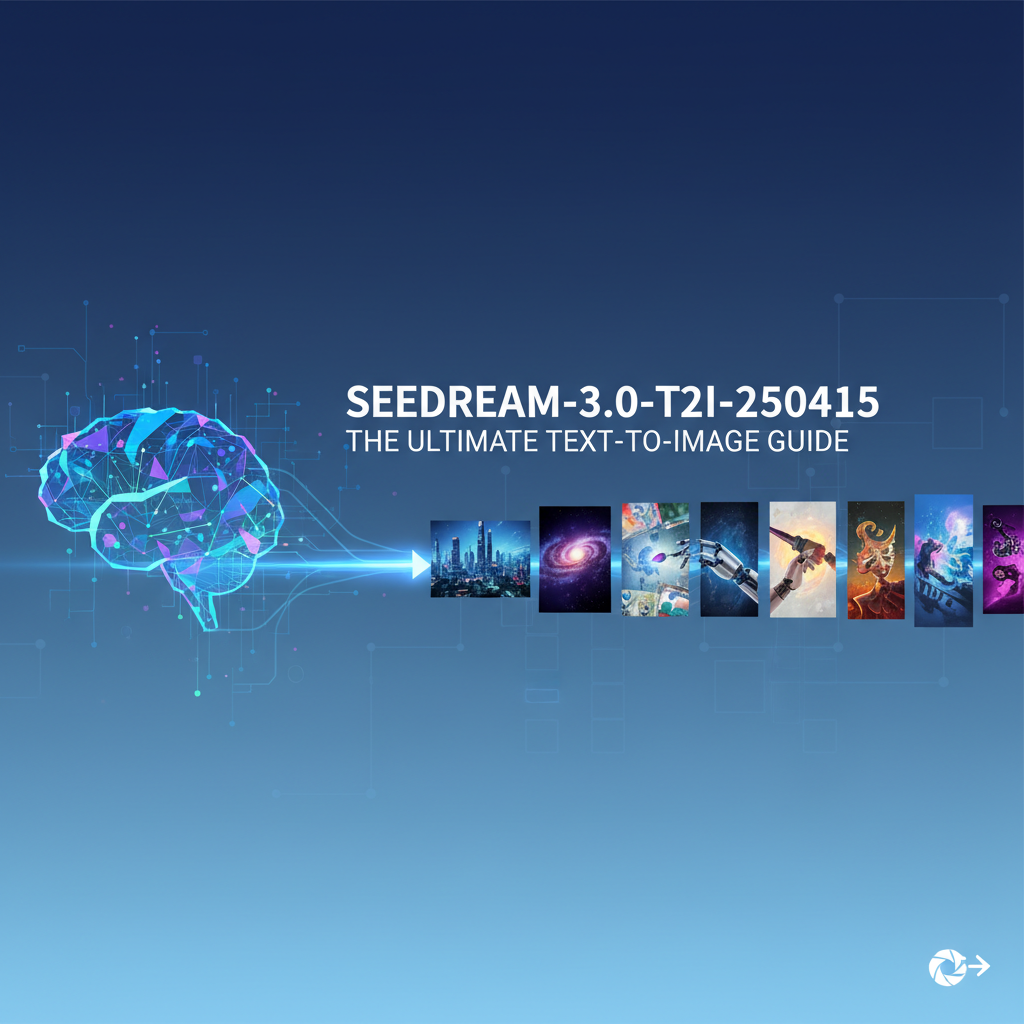

In an age where artificial intelligence is continually blurring the lines between imagination and reality, text-to-image (T2I) generators stand as monumental achievements, empowering creators across every conceivable domain. These sophisticated tools have revolutionized how ideas are visualized, transforming mere textual descriptions into rich, vibrant, and often breathtaking visual art. Among the forefront of these innovations is Seedream 3.0, a powerful iteration that promises to redefine the boundaries of AI-driven creativity. This comprehensive guide, focusing specifically on the high-performance t2i-250415 model within the Seedream 3.0 ecosystem, aims to equip you with the knowledge and techniques to harness its full potential, transforming your wildest concepts into stunning digital imagery.
Whether you're an artist seeking new inspiration, a marketer looking to create compelling visuals, a developer exploring the frontiers of AI, or simply an enthusiast eager to experiment, understanding seedream 3.0 is your gateway to an unparalleled creative journey. We'll delve deep into its functionalities, explore the nuances of prompt engineering, and provide practical insights on seedream 3.0 how to use effectively, ensuring you can leverage this cutting-edge seedream image generator to its maximum capacity. Prepare to unlock a universe of visual possibilities, limited only by the power of your words and the vast capabilities of Seedream 3.0.
Understanding Seedream 3.0: A New Era in AI Art Generation
The landscape of AI-powered image generation has evolved at an astonishing pace. From rudimentary algorithms capable of generating abstract patterns, we've transitioned to highly sophisticated models that can produce photorealistic images, intricate illustrations, and conceptual art with remarkable precision and artistic flair. Seedream 3.0 represents a significant leap forward in this evolution, building upon the strengths of its predecessors while introducing groundbreaking improvements in fidelity, control, and creative versatility.
What is Seedream 3.0? Its Core Capabilities and Evolution
At its heart, Seedream 3.0 is an advanced generative AI model designed to interpret natural language prompts and synthesize corresponding visual content. It leverages deep learning architectures, specifically diffusion models, which have shown exceptional prowess in generating high-quality, diverse images. Unlike earlier models that might struggle with complex compositions or nuanced artistic styles, seedream 3.0 boasts an enhanced understanding of semantics, artistic styles, lighting, textures, and spatial relationships. This allows it to generate images that are not only visually appealing but also remarkably coherent and aligned with the user's intent.
The evolution from previous Seedream versions to 3.0 is marked by several key advancements:
- Improved Latent Space Representation: Seedream 3.0 utilizes a more refined latent space, enabling it to better capture the intricate details and relationships within an image. This translates to higher fidelity and fewer artifacts in the generated output.
- Enhanced Semantic Understanding: The model has been trained on significantly larger and more diverse datasets, leading to a deeper comprehension of a vast array of concepts, objects, actions, and artistic styles described in natural language.
- Greater Control and Customization: Seedream 3.0 offers more granular control over various aspects of image generation, from specific artistic mediums and camera angles to emotional tones and environmental details.
- Optimized Performance: While maintaining high quality, Seedream 3.0 often achieves faster generation times and better resource efficiency, making it more accessible for rapid prototyping and iterative design.
This continuous refinement solidifies Seedream 3.0's position as a leading seedream image generator for both professional artists and casual creators.
The Significance of the t2i-250415 Model
Within the robust framework of Seedream 3.0, the t2i-250415 designation refers to a specific, highly optimized model or iteration primarily focused on text-to-image generation. This particular variant has likely undergone specialized training or fine-tuning to excel in certain aspects, such as:
- Exceptional Realism: It might be particularly adept at generating photorealistic images, demonstrating an uncanny ability to render fine details, realistic lighting, and natural textures.
- Artistic Versatility: Conversely, it could be a specialized version optimized for a broader range of artistic styles, from impressionistic paintings to cyberpunk illustrations, with high consistency.
- Finer Prompt Interpretation: The
t2i-250415model may possess an even more nuanced understanding of complex prompts, capable of translating intricate descriptions into accurate visual representations with fewer ambiguities. - Improved Coherence: This iteration might specifically address challenges related to compositional coherence and anatomical correctness, areas where early T2I models sometimes struggled.
For users, understanding that t2i-250415 is a refined component of seedream 3.0 means they are working with a powerful, specialized tool designed for peak performance in text-to-image conversion. This guide will specifically leverage the capabilities inherent in this advanced model to help you achieve superior results.
Why Choose Seedream Image Generator? Benefits and Advantages
In a crowded market of AI image generators, Seedream 3.0 distinguishes itself through a unique combination of features and benefits that cater to a wide spectrum of users. Opting for the seedream image generator can significantly enhance your creative workflow and open up new avenues for visual expression.
Unleashing Creativity Without Artistic Barriers
One of the most profound advantages of Seedream 3.0 is its ability to democratize art creation. You don't need years of artistic training or proficiency with complex design software to bring your visions to life. If you can describe it, Seedream 3.0 can attempt to create it. This removes significant barriers for aspiring artists, designers, writers illustrating their stories, or anyone with an idea but lacking the traditional means to visualize it.
- Instant Visual Prototyping: Quickly generate multiple visual concepts for brainstorming sessions, mood boards, or client presentations.
- Experimentation: Explore diverse artistic styles, compositions, and themes without the time commitment of manual creation.
- Bridging Skill Gaps: Empower individuals without traditional artistic skills to produce professional-looking visuals.
Superior Quality and Fidelity
The t2i-250415 model within seedream 3.0 is engineered to deliver images of remarkable quality. This isn't just about high resolution; it's about the subtle details, the accurate rendering of light and shadow, the naturalness of textures, and the overall aesthetic appeal that distinguishes truly great AI art from merely functional outputs.
| Feature | Description | Impact on Output Quality |
|---|---|---|
| Photorealism | Generates images that are difficult to distinguish from actual photographs. | Ideal for product mockups, architectural visualizations, realistic character design. |
| Artistic Stylization | Adapts to a vast array of artistic movements, from classical to contemporary. | Perfect for illustrations, concept art, unique brand aesthetics. |
| Compositional Coherence | Maintains logical relationships between elements within an image. | Reduces visual confusion, creates more believable and impactful scenes. |
| Detail Preservation | Renders intricate details like hair, fabric textures, and reflections accurately. | Adds depth and richness to the generated images. |
Speed and Efficiency
Time is a precious commodity, especially in creative and professional environments. Seedream 3.0 significantly cuts down the time required for visual asset creation. Instead of spending hours sketching, rendering, or searching for stock photos, you can generate multiple high-quality images in minutes. This speed allows for:
- Rapid Iteration: Quickly generate variations of an idea, refine prompts, and explore different creative directions.
- Increased Productivity: Free up valuable time for other aspects of your project, or simply generate more content.
- Cost-Effectiveness: Reduce reliance on expensive stock image subscriptions or the hiring of freelance artists for basic conceptualization.
Customizability and Control
Beyond just generating images, Seedream 3.0 offers an impressive degree of control over the output. Through carefully crafted prompts and various parameters, users can influence:
- Subject Matter: Clearly define what the image should depict.
- Artistic Style: Specify genres like "oil painting," "digital art," "pencil sketch," or even the style of a particular artist.
- Mood and Atmosphere: Dictate the emotional tone, e.g., "serene," "dramatic," "futuristic."
- Composition and Perspective: Request specific camera angles, depths of field, or layouts.
- Lighting and Color: Control the time of day, light source, and color palette.
This level of customizability ensures that the generated images are not just random outputs but tailored to specific creative briefs, making the seedream image generator an indispensable tool for targeted visual content creation.
Getting Started: Seedream 3.0 How to Use for Beginners
Embarking on your journey with seedream 3.0 is an exciting prospect. For newcomers, the initial steps involve understanding how to access the platform and crafting your very first prompt. This section will guide you through the fundamental process of seedream 3.0 how to use, ensuring a smooth and successful start.
Accessing the Platform/Tool
The method of accessing Seedream 3.0 can vary depending on its deployment. It's commonly available through:
- Web-Based Interface: Many AI image generators offer a user-friendly web portal where you can input prompts, adjust settings, and view generated images directly in your browser. This is often the most accessible starting point for beginners. Look for "Seedream 3.0" on major AI art platforms or directly on Seedream's official website if available.
- API Integration: For developers and businesses, Seedream 3.0 might offer an Application Programming Interface (API) that allows programmatic access to its features. This enables integration into custom applications, automated workflows, and large-scale generation tasks.
- Local Installation (Less Common for cutting-edge models): While some open-source models can be run locally, state-of-the-art models like Seedream 3.0 often require significant computational resources, making cloud-based web interfaces or APIs the preferred access method.
For the purpose of this guide, we'll assume you're interacting with Seedream 3.0 via a web-based interface, which typically presents a text input field for your prompt and various options for customization.
Basic Interface Overview
Upon accessing the Seedream 3.0 web interface, you'll generally encounter a clean and intuitive layout. Key components usually include:
- Prompt Input Field: This is the most crucial element, a text box where you type your descriptive prompts.
- Generate/Submit Button: After entering your prompt, you'll click this to initiate the image generation process.
- Settings/Parameters Panel: Typically located alongside the prompt field or in a collapsible menu, this panel houses various sliders, dropdowns, and checkboxes to fine-tune your generation. We'll explore these in more detail later.
- Image Output Area: This is where your generated images will appear after processing. You'll often find options here to download, upscale, or regenerate images.
- History/Gallery: A section to review your past generations, save favorites, or manage your creations.
Familiarizing yourself with these basic components will make your interaction with the seedream image generator much more efficient.
Your First Steps: A Simple Prompt
To begin, let's try a very simple prompt. The goal here is to understand the basic workflow and see Seedream 3.0 in action.
- Navigate to the Prompt Input Field: Locate the text box designed for entering your text description.
- Enter a Simple Prompt: Start with something straightforward and descriptive. For example:
A vibrant sunset over a calm ocean.orA majestic cat wearing a crown.orA futuristic city at night, neon lights. - Adjust Basic Settings (Optional but Recommended): Before hitting generate, you might want to check for basic settings like:
- Number of Images: Some generators allow you to create multiple images from a single prompt. Start with 1 or 2.
- Aspect Ratio: Common options include 1:1 (square), 16:9 (widescreen), 9:16 (portrait). For your first attempt, 1:1 is a safe bet.
- Guidance Scale (CFG Scale): This setting typically controls how closely the AI adheres to your prompt. A higher value means closer adherence but can sometimes lead to less creativity. A moderate value (e.g., 7-10) is often a good starting point.
- Click Generate: Hit the "Generate" or "Submit" button. The system will then process your request.
- Review Your Images: In a few moments (the exact time depends on system load and complexity), your generated images will appear in the output area.
Congratulations! You've just created your first AI-generated image using Seedream 3.0. This simple exercise demonstrates the core functionality of the seedream image generator. As you become more comfortable, you'll explore more complex prompts and advanced settings to achieve increasingly specific and impressive results.
Mastering the Art of Prompt Engineering with Seedream 3.0
The quality of the image generated by seedream 3.0 is directly proportional to the quality of your prompt. Prompt engineering is less about coding and more about clear, descriptive language and an understanding of how the AI interprets words. It's the most critical aspect of truly mastering seedream 3.0 how to use.
The Power of Prompts: From Simple to Complex
A prompt acts as a set of instructions for the AI. Simple prompts yield simple results, while detailed, well-structured prompts unlock the full creative potential of the seedream image generator.
- Simple Prompt:
A dog.(Result: A generic image of a dog, possibly low detail). - Better Prompt:
A golden retriever puppy playing in a sunlit meadow, realistic, hyperdetailed, vibrant colors.(Result: A much more specific, higher quality image matching the description).
The goal of prompt engineering is to guide the AI precisely towards your vision, leaving less to random interpretation.
Elements of an Effective Prompt
To craft effective prompts for Seedream 3.0, consider breaking down your description into several key components. This structured approach helps ensure all crucial aspects of your desired image are communicated.
1. Subject Matter
Start with the core of your image. What is it about? * A medieval knight * A steaming cup of coffee * An alien landscape
2. Style and Medium
Specify the artistic style or medium you envision. This dramatically influences the aesthetic. * ...oil painting by Van Gogh * ...digital art, rendered in Unreal Engine * ...pencil sketch * ...photorealistic * ...anime style
3. Composition and Perspective
Describe how elements are arranged, the camera angle, or the viewpoint. * ...wide shot * ...close-up portrait * ...from a bird's eye view * ...dynamic pose * ...rule of thirds composition
4. Lighting and Atmosphere
Detail the light source, time of day, and overall mood. * ...golden hour lighting * ...dramatic chiaroscuro * ...soft volumetric fog * ...under moonlight * ...neon glow
5. Details and Attributes
Enrich your prompt with specific characteristics of the subject and environment. * ...wearing gleaming silver armor * ...with intricate steam patterns * ...featuring bioluminescent flora * ...texture, material, patterns
6. Color Palette
Suggest dominant colors or themes. * ...vibrant blues and purples * ...monochromatic tones * ...warm autumn colors
7. Quality and Enhancement Modifiers
Words that instruct the AI to produce a high-quality, detailed image. * ...hyperdetailed, intricate, octane render, 8k, volumetric lighting, photorealistic, cinematic. * ...masterpiece, trending on ArtStation, award-winning.
8. Negative Prompts (What NOT to include)
Often, a separate input field, negative prompts instruct the AI to avoid certain elements or qualities. This is crucial for refining outputs and eliminating undesirable artifacts. * ugly, deformed, blurry, low resolution, bad anatomy, extra limbs, poor quality, watermark, text.
Advanced Techniques: Weights, Modifiers, and Specific Terminology
Beyond simple descriptive words, advanced prompt engineering involves using specific syntax and terminology to exert finer control over the generation process with seedream 3.0.
- Weights/Emphasis: Many T2I models allow you to assign "weights" to specific words or phrases to increase or decrease their importance. This is often done with parentheses or specific numerical syntax (e.g.,
(word:1.2)to emphasize,(word:0.8)to de-emphasize, or[[word]]for stronger emphasis).- Example:
A cat (wearing a hat:1.5) with big eyes.(Emphasizes the hat more than "big eyes").
- Example:
- Layering Concepts: Combine multiple descriptive elements to create complex scenarios.
- Example:
A lone samurai standing on a misty mountain peak, cherry blossoms, ancient Japan, ukiyo-e style, dramatic lighting, highly detailed.
- Example:
- Artist Names: Referencing famous artists can significantly influence the style.
- Example:
A cityscape in the style of Vincent van Gogh, starry night, vibrant, impressionistic.
- Example:
- Camera Terminology: Use photographic terms for precise composition.
- Example:
Full body shot, shallow depth of field, f/1.8, bokeh, lens flare.
- Example:
- Combining Styles: Merge different aesthetics.
- Example:
Cyberpunk samurai, neon glow, traditional armor, rain-slicked streets, film noir.
- Example:
Common Pitfalls and How to Avoid Them
Even with seedream 3.0, prompt engineering can be tricky. Be aware of these common issues:
- Vagueness: Overly general prompts lead to generic results. Be specific!
- Bad:
A flower. - Good:
A single red rose with dew drops on its petals, macro shot, soft studio lighting, ultra HD.
- Bad:
- Contradictory Instructions: The AI can struggle if your prompt contains conflicting elements.
- Bad:
A happy sad person.(Unless you specifically want to explore emotional ambiguity). - Good:
A person with a melancholic smile.(More specific).
- Bad:
- Over-Prompting: Too many unrelated details can confuse the AI or dilute the impact of key elements. Focus on the most important aspects.
- Ignoring Negative Prompts: Often, including a robust negative prompt list is as important as the positive one for eliminating common AI artifacts (e.g., blurry, deformed, bad anatomy).
- Lack of Iteration: Your first prompt might not be perfect. Experiment, modify, and refine your prompts based on the generated outputs. This iterative process is key to mastering seedream image generator.
Remember, prompt engineering is an iterative art form. Continuous experimentation and refinement are essential for achieving truly exceptional results with seedream 3.0. Keep a journal of your successful prompts and the images they generate to build your own library of effective techniques.
Example Prompt for Seedream 3.0 t2i-250415:

Positive Prompt:
"A futuristic cityscape at dusk, towering skyscrapers with glowing neon signs, flying vehicles traversing the sky,
wet reflective streets, distant mountains shrouded in mist, cinematic volumetric lighting, cyberpunk aesthetic,
intricate details, octane render, 8k, ultra-realistic, highly detailed, moody atmosphere, wide angle lens,
shot on Arri Alexa, award winning photography."

Negative Prompt:
"blurry, ugly, deformed, distorted, low-res, bad anatomy, poorly drawn, out of frame, watermark, text, signature, cartoon, 3D render, drawing, painting, illustration"
XRoute is a cutting-edge unified API platform designed to streamline access to large language models (LLMs) for developers, businesses, and AI enthusiasts. By providing a single, OpenAI-compatible endpoint, XRoute.AI simplifies the integration of over 60 AI models from more than 20 active providers(including OpenAI, Anthropic, Mistral, Llama2, Google Gemini, and more), enabling seamless development of AI-driven applications, chatbots, and automated workflows.
Advanced Features and Customization in Seedream 3.0
Beyond crafting compelling prompts, seedream 3.0 offers a suite of advanced features and parameters that provide even finer control over the image generation process. Understanding and utilizing these settings is crucial for professional applications and for pushing the boundaries of what the seedream image generator can achieve.
Resolution and Aspect Ratios
These settings determine the dimensions and shape of your generated images.
- Resolution: Higher resolutions naturally lead to more detailed images, but they also require more processing power and time. Seedream 3.0 often supports various resolutions (e.g., 512x512, 768x768, 1024x1024, or even higher resolutions with upscaling techniques). Choose a resolution appropriate for your final use case.
- Aspect Ratio:
- 1:1 (Square): Ideal for social media profile pictures or compact designs.
- 16:9 (Widescreen): Great for banners, desktop wallpapers, cinematic scenes.
- 9:16 (Portrait): Perfect for mobile backgrounds, posters, or character portraits.
- 4:3 or 3:2: Common photographic ratios, offering a classic feel. Experiment with different aspect ratios to frame your subject effectively and suit various applications.
Stylistic Controls
Many advanced seedream 3.0 interfaces offer specific controls or dropdowns to quickly set a dominant style. While you can always specify styles in your prompt, these dedicated controls can be very efficient.
- Preset Styles: Options like "Photorealistic," "Fantasy Art," "Abstract," "Anime," "Watercolor," "3D Render," "Sketch."
- Art Mediums: Direct controls for "Oil Painting," "Acrylic," "Pencil," "Digital Art," "Sculpture."
- Specific Effects: Parameters for "Vignette," "Grain," "Lens Flare," "Depth of Field."
Seed Values, Iteration Steps, and Guidance Scale
These are fundamental technical parameters that profoundly influence the output.
- Seed Value: A numerical value that determines the initial random noise used to start the generation process. If you use the same prompt and seed, you'll get nearly identical results (assuming all other parameters are constant). This is invaluable for:
- Reproducibility: Recreate a specific image or variations of it.
- Experimentation: Make small changes to a prompt while keeping the overall composition similar.
- Tip: When you generate an image you like, note down its seed value!
- Iteration Steps (Sampling Steps): This controls how many times the AI refines the image during the diffusion process. More steps generally lead to higher quality and more detailed images, but also longer generation times. While there are diminishing returns, a range of 20-50 steps is often a good balance for quality and speed.
- Guidance Scale (Classifier-Free Guidance - CFG Scale): As mentioned earlier, this parameter dictates how strongly the AI adheres to your prompt.
- Low CFG (e.g., 3-6): More creative freedom for the AI, sometimes leading to unexpected but interesting results.
- Medium CFG (e.g., 7-12): A good balance, where the AI follows the prompt while still having some room for interpretation.
- High CFG (e.g., 13-20+): Strong adherence to the prompt, potentially leading to less artistic variation but very precise results. Be careful not to go too high, as it can sometimes introduce artifacts or make images look "over-processed."
Inpainting/Outpainting and Image-to-Image (If Available)
Some advanced seedream image generator platforms, including potentially Seedream 3.0, offer features that allow you to modify existing images.
- Inpainting: Filling in specific areas of an existing image based on a prompt. This is useful for removing unwanted objects, changing elements (e.g., altering a character's clothing), or repairing damaged parts of an image.
- Outpainting: Extending an image beyond its original borders, intelligently generating new content that blends seamlessly with the existing picture. Great for expanding backgrounds or changing aspect ratios while maintaining context.
- Image-to-Image (Img2Img): Using an input image (and a prompt) to guide the generation of a new image. This allows you to transform photos, apply new styles to existing artwork, or generate variations based on a visual reference. The 'denoising strength' parameter often associated with Img2Img controls how much the new image deviates from the original.
Batch Generation
For users with high-volume needs, Seedream 3.0 typically supports batch generation, allowing you to create multiple images simultaneously from a single prompt or even from a list of prompts. This is invaluable for:
- A/B Testing Visuals: Generate several options to test which performs best.
- Creating Variations: Produce a diverse set of images for a single concept.
- Production Workflows: Generate assets for large projects efficiently.
| Advanced Feature | Description | Best Use Case |
|---|---|---|
| Seed Value | Numerical key for reproducibility. | Iterative refinement, generating consistent variations. |
| Iteration Steps | Number of refinement steps during generation. | Balancing quality vs. speed. |
| Guidance Scale | How strictly the AI adheres to the prompt. | Controlling creative freedom vs. prompt accuracy. |
| Inpainting | Filling masked areas of an image with new content. | Object removal, content modification, image repair. |
| Outpainting | Extending image borders with generated content. | Expanding scenes, changing aspect ratios. |
| Image-to-Image | Using an input image as a visual guide for generation. | Style transfer, image transformation, visual concepting. |
| Batch Generation | Generating multiple images simultaneously. | High-volume asset creation, A/B testing, rapid prototyping. |
Mastering these advanced settings alongside expert prompt engineering is the key to unlocking the full power of seedream 3.0 and producing truly bespoke, high-quality visual content.
Practical Applications and Use Cases of Seedream Image Generator
The versatility of the seedream image generator extends across numerous industries and creative pursuits. Its ability to quickly transform text into compelling visuals makes it an invaluable tool for professionals and enthusiasts alike.
Graphic Design and Marketing
In the fast-paced world of design and marketing, visual content is king. Seedream 3.0 empowers designers and marketers to:
- Create Unique Ad Creatives: Generate eye-catching images for social media campaigns, banners, and digital advertisements. Avoid generic stock photos and produce truly original visuals that resonate with target audiences.
- Develop Brand Imagery: Craft distinctive logos, icons, and brand-consistent visuals that align with a company's aesthetic and message.
- Mockups and Prototypes: Rapidly generate visual mockups for products, websites, or app interfaces, accelerating the design feedback loop.
- Infographics and Presentations: Create custom illustrations, charts, and background images that enhance the visual appeal and clarity of presentations and informational graphics.
- Content Marketing: Produce unique blog post headers, thumbnails for videos, and visuals for articles, increasing engagement and SEO value.
Content Creation and Publishing
Writers, bloggers, and publishers can leverage seedream 3.0 to bring their narratives to life.
- Book Covers and Illustrations: Generate stunning covers for novels, short stories, or non-fiction works, and illustrate internal chapters or articles.
- Blog Post Visuals: Create custom images that break up text, enhance readability, and add visual interest to blog posts, reducing reliance on expensive stock photo subscriptions.
- Social Media Content: Design engaging visuals for platforms like Instagram, Pinterest, and Twitter, ensuring a consistent and appealing online presence.
- Storyboarding: Quickly visualize scenes and sequences for videos, films, or comics, aiding in pre-production planning.
Concept Art and Game Development
For artists and developers in the entertainment industry, Seedream 3.0 accelerates the ideation phase significantly.
- Character Design: Generate diverse character concepts, exploring different appearances, costumes, and expressions.
- Environment Art: Create detailed landscapes, architectural designs, and interior spaces for games, films, or virtual reality experiences.
- Asset Generation: Prototype textures, props, and other visual assets, saving time on initial sketches and renders.
- Mood Boards: Develop rich visual mood boards to establish the aesthetic and atmosphere of a project.
Architectural Visualization and Interior Design
Architects and interior designers can utilize the seedream image generator for:
- Early-Stage Concepts: Quickly generate photorealistic renders of architectural designs or interior layouts based on textual descriptions, helping clients visualize projects before detailed CAD work begins.
- Material and Texture Exploration: Experiment with different materials, finishes, and color schemes for surfaces and furnishings.
- Landscape Design: Visualize various landscaping options around buildings or in urban planning projects.
Personal Projects and Education
Beyond professional applications, seedream 3.0 is an excellent tool for personal creativity and learning.
- Art Exploration: Experiment with different art styles, themes, and ideas purely for personal enjoyment and artistic growth.
- Custom Wallpapers/Art: Generate unique digital art for personal use, such as desktop backgrounds, custom prints, or personalized gifts.
- Educational Content: Create engaging visuals for educational materials, presentations, or school projects, making complex topics more accessible and interesting.
The sheer breadth of applications for the t2i-250415 model within Seedream 3.0 highlights its transformative power. It's not just a tool for artists; it's a creative accelerant for anyone who needs to bring ideas into visual form efficiently and effectively.
Optimizing Your Workflow for Seedream 3.0: Tips and Tricks
To truly master seedream 3.0 how to use and consistently generate high-quality images, developing an optimized workflow is essential. This involves not just knowing the features but also adopting smart strategies for prompting, iterating, and managing your creations.
1. Experimentation is Key: Embrace Iteration
No two prompts will yield identical results, and even minor tweaks can lead to significant changes. Don't be afraid to experiment!
- Start Broad, Then Refine: Begin with a general idea, then incrementally add details, modifiers, and stylistic elements.
- A/B Test Prompts: Generate multiple images from slightly varied prompts to see which phrasing works best.
- Explore Seed Values: Once you have a good initial image, try generating variations by changing only the seed value while keeping the prompt constant. This can give you different compositions or interpretations of the same idea.
- Parameter Twisting: Experiment with different guidance scales, iteration steps, and aspect ratios to understand their impact on your desired output.
2. Leverage Community Resources and Learn from Others
The AI art community is vibrant and constantly evolving. Tapping into this collective knowledge can dramatically improve your skills.
- Prompt Databases: Many platforms host databases of successful prompts shared by users. Analyze these to understand effective phrasing, common modifiers, and popular styles.
- Tutorials and Forums: Watch video tutorials, read guides, and participate in online forums or Discord communities dedicated to Seedream 3.0 or general AI art. Learn from experienced prompt engineers and share your own discoveries.
- Artist Studies: Identify artists or styles you admire and try to deconstruct their visual elements into promptable terms. For example, if you like a painter's use of light, try to describe that specific lighting in your prompt.
3. Organize Your Creations
As you generate more images with the seedream image generator, organization becomes crucial.
- Categorize and Tag: Save your generated images into folders or use tagging systems based on project, theme, style, or specific prompts.
- Document Prompts and Settings: Always save the exact prompt (and negative prompt), seed value, and other key parameters (like guidance scale and steps) alongside the images you like. This allows for easy reproduction or iterative refinement. Many platforms automatically record this metadata.
- Create a "Prompt Library": Keep a separate document or spreadsheet of your most successful prompts and the types of results they produce. This acts as a personal reference guide.
4. Integrate with Other Tools (If Applicable)
While Seedream 3.0 is powerful on its own, its capabilities can be extended by integrating it into a broader creative workflow.
- Image Editing Software: Use tools like Photoshop, GIMP, or Canva to perform post-processing on your AI-generated images (e.g., color correction, cropping, adding text, compositing with other elements).
- Vectorization Tools: If you need scalable vector graphics from your AI art, consider using vectorization software to trace and convert raster images.
- AI Enhancement Tools: Some specialized AI tools can upscale images, remove backgrounds, or enhance details, providing a finishing touch to Seedream 3.0's outputs.
5. Ethical Considerations and Best Practices
As with any powerful technology, responsible use of seedream 3.0 is paramount.
- Transparency: If you're using AI-generated art professionally, consider disclosing its origin, especially in contexts where authenticity is important.
- Copyright and Licensing: Understand the terms of use and licensing for the platform you're using, especially concerning commercial use of generated images.
- Bias Awareness: Be aware that AI models can perpetuate biases present in their training data. Critically review your outputs for unintended biases and adjust prompts accordingly.
- Respectful Creation: Avoid generating content that is harmful, hateful, or exploits others.
By adopting these tips and tricks, you'll not only enhance your efficiency and creativity with the seedream image generator but also contribute to a responsible and innovative AI art ecosystem.
The Future of Text-to-Image: Seedream 3.0 and Beyond
The evolution of text-to-image technology, spearheaded by advancements like seedream 3.0, is just beginning. What we see today is merely a glimpse into a future where AI-powered creativity will be even more integrated, sophisticated, and accessible.
Anticipated Developments
The trajectory of T2I models suggests several exciting developments on the horizon:
- Even Greater Coherence and Fidelity: Future iterations will likely achieve near-perfect anatomical accuracy, consistent character generation across multiple images, and even more photorealistic rendering.
- Video Generation from Text: The leap from static images to dynamic video clips based on text prompts is an active area of research, promising to revolutionize film, animation, and content creation.
- 3D Model Generation: Imagine generating complex 3D models and environments directly from descriptive text, streamlining workflows for game developers, architects, and product designers.
- Real-time Interaction: Faster generation speeds and more intuitive interfaces could enable real-time collaborative creative sessions with AI, where designers and artists can iterate on visuals instantly.
- Multimodal AI: T2I models will increasingly integrate with other AI capabilities, allowing for combined text-to-image-to-audio or image-to-text-to-3D generation, creating truly immersive experiences.
- Personalized AI Models: Users might be able to fine-tune personal versions of models like Seedream 3.0 with their own art style or specific assets, creating highly specialized creative tools.
Ethical Considerations and Responsible AI
As these technologies become more powerful, the ethical considerations will also grow in importance. Issues surrounding deepfakes, copyright, intellectual property, and algorithmic bias will require ongoing discussion and the development of robust safeguards and regulations. Developers of platforms like Seedream 3.0 have a crucial role in building these technologies responsibly, focusing on transparency, fairness, and positive societal impact.
The Role of Unified API Platforms in Accelerating AI Development
As the number of powerful AI models, including advanced text-to-image generators like Seedream 3.0, continues to proliferate, developers and businesses face a growing challenge: managing complex integrations with countless different APIs, each with its own documentation, authentication, and pricing structure. This fragmentation can hinder innovation and slow down the adoption of cutting-edge AI.
This is precisely where unified API platforms come into play. They act as a crucial intermediary, abstracting away the complexities of interacting with multiple AI providers. By offering a single, standardized endpoint, these platforms enable developers to access a vast array of AI models with unparalleled ease and efficiency.
One such pioneering platform is XRoute.AI. XRoute.AI is a cutting-edge unified API platform designed to streamline access to large language models (LLMs) and, by extension, other advanced AI models for developers, businesses, and AI enthusiasts. By providing a single, OpenAI-compatible endpoint, XRoute.AI simplifies the integration of over 60 AI models from more than 20 active providers, enabling seamless development of AI-driven applications, chatbots, and automated workflows.
With a focus on low latency AI, cost-effective AI, and developer-friendly tools, XRoute.AI empowers users to build intelligent solutions without the complexity of managing multiple API connections. The platform’s high throughput, scalability, and flexible pricing model make it an ideal choice for projects of all sizes, from startups leveraging the power of a seedream image generator to enterprise-level applications integrating multiple advanced AI functionalities. Platforms like XRoute.AI are not just conveniences; they are essential accelerators, ensuring that the next generation of AI innovations, including even more powerful T2I models, can be brought to market faster and more efficiently, ultimately driving the entire field forward.
Conclusion
The journey through Seedream-3-0-t2i-250415: The Ultimate Text-to-Image Guide has unveiled the immense power and creative potential of this sophisticated seedream image generator. From understanding its core capabilities and the significance of the t2i-250415 model to mastering the art of prompt engineering and leveraging its advanced features, we've explored the comprehensive spectrum of seedream 3.0 how to use.
We've seen how Seedream 3.0 democratizes art, accelerates creative workflows, and offers unparalleled quality and control, making it an indispensable tool across diverse fields like graphic design, marketing, content creation, and even complex visualization tasks. The ability to translate abstract ideas into tangible visuals with such speed and fidelity is nothing short of revolutionary.
As AI continues to evolve, unified API platforms like XRoute.AI will play an increasingly vital role in making these powerful technologies accessible and manageable. By simplifying the integration of advanced models, they ensure that the future of AI art and beyond remains vibrant, innovative, and within reach for every developer and creator.
Your artistic vision is now amplified. Armed with the knowledge from this guide, you are ready to embark on an exciting journey with Seedream 3.0, transforming your imagination into a boundless gallery of digital masterpieces. The only limit is your creativity.
Frequently Asked Questions (FAQ)
Q1: What is Seedream 3.0, and how is the t2i-250415 model different?
A1: Seedream 3.0 is an advanced AI text-to-image generator leveraging deep learning to create visuals from text descriptions. The t2i-250415 model is a specific, highly optimized iteration or version within the Seedream 3.0 family, fine-tuned for exceptional quality, realism, and precise interpretation in text-to-image generation. It represents a refined version designed for peak performance in visual synthesis.
Q2: Is Seedream 3.0 difficult to use for beginners?
A2: No, Seedream 3.0 is designed to be user-friendly, especially through its web-based interfaces. While mastering advanced prompt engineering and specific parameters takes practice, basic image generation is straightforward: you simply input a descriptive text prompt and click 'generate.' This guide provides comprehensive steps on seedream 3.0 how to use for all skill levels.
Q3: What are the most important elements of an effective prompt for the Seedream image generator?
A3: An effective prompt should include a clear subject, desired artistic style or medium, compositional details (e.g., camera angle), lighting and atmosphere, specific details/attributes, and quality enhancement modifiers. Using negative prompts to exclude unwanted elements is also crucial. Specificity and iteration are key to refining your results.
Q4: Can I use images generated by Seedream 3.0 for commercial purposes?
A4: The ability to use generated images for commercial purposes depends on the specific terms of service and licensing agreements of the platform or service hosting Seedream 3.0. Always review the platform's guidelines regarding intellectual property, usage rights, and commercial licensing before using AI-generated content in professional or commercial projects.
Q5: How can a unified API platform like XRoute.AI benefit me when working with Seedream 3.0 or other AI models?
A5: Unified API platforms like XRoute.AI simplify access to multiple AI models, including potentially Seedream 3.0, by providing a single, standardized interface. This means you don't have to manage separate API keys, documentation, or billing for each AI service. XRoute.AI offers low latency AI and cost-effective AI access to over 60 models, streamlining development, reducing complexity, and accelerating your ability to build AI-driven applications and workflows.
🚀You can securely and efficiently connect to thousands of data sources with XRoute in just two steps:
Step 1: Create Your API Key
To start using XRoute.AI, the first step is to create an account and generate your XRoute API KEY. This key unlocks access to the platform’s unified API interface, allowing you to connect to a vast ecosystem of large language models with minimal setup.
Here’s how to do it: 1. Visit https://xroute.ai/ and sign up for a free account. 2. Upon registration, explore the platform. 3. Navigate to the user dashboard and generate your XRoute API KEY.
This process takes less than a minute, and your API key will serve as the gateway to XRoute.AI’s robust developer tools, enabling seamless integration with LLM APIs for your projects.
Step 2: Select a Model and Make API Calls
Once you have your XRoute API KEY, you can select from over 60 large language models available on XRoute.AI and start making API calls. The platform’s OpenAI-compatible endpoint ensures that you can easily integrate models into your applications using just a few lines of code.
Here’s a sample configuration to call an LLM:
curl --location 'https://api.xroute.ai/openai/v1/chat/completions' \
--header 'Authorization: Bearer $apikey' \
--header 'Content-Type: application/json' \
--data '{
    "model": "gpt-5",
    "messages": [
        {
            "content": "Your text prompt here",
            "role": "user"
        }
    ]
}'
With this setup, your application can instantly connect to XRoute.AI’s unified API platform, leveraging low latency AI and high throughput (handling 891.82K tokens per month globally). XRoute.AI manages provider routing, load balancing, and failover, ensuring reliable performance for real-time applications like chatbots, data analysis tools, or automated workflows. You can also purchase additional API credits to scale your usage as needed, making it a cost-effective AI solution for projects of all sizes.
Note: Explore the documentation on https://xroute.ai/ for model-specific details, SDKs, and open-source examples to accelerate your development.
