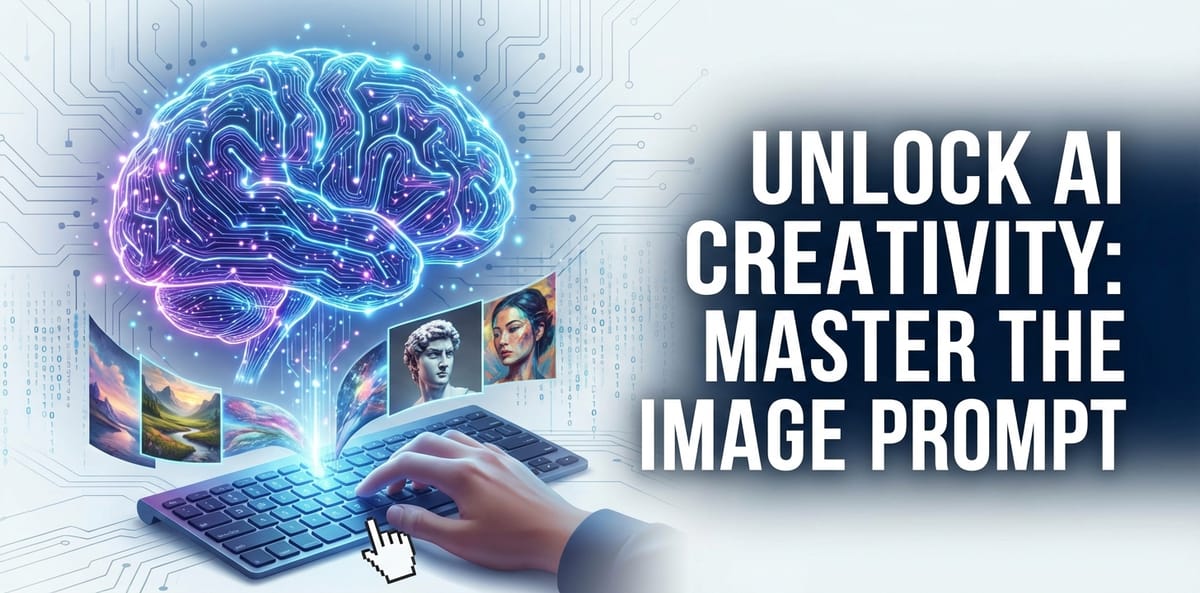
Unlock AI Creativity: Master the Image Prompt

In an era increasingly shaped by artificial intelligence, the boundaries of creativity are being redefined at an unprecedented pace. What was once the exclusive domain of human artists and designers is now being augmented, challenged, and even replicated by sophisticated algorithms. At the forefront of this revolution is AI image generation, a powerful technology that transforms textual descriptions into stunning visual realities. Yet, the true magic isn't solely in the AI's capability, but in the precision and artistry of the human input: the image prompt. Mastering the image prompt is not merely a technical skill; it's a new form of digital craftsmanship, an art form that bridges human imagination with machine learning to unleash unparalleled creative potential.
This comprehensive guide delves deep into the world of AI image generation, offering an intricate roadmap to becoming a master prompt engineer. We will explore the foundational concepts, dissect advanced techniques, provide practical examples using tools like the seedream image generator, and address the common pitfalls and future prospects of this burgeoning field. Whether you're a seasoned artist seeking new tools, a developer exploring AI's visual prowess, or simply curious about generating your own digital masterpieces, understanding the nuances of the image prompt is your key to unlocking a universe of visual possibilities. Prepare to transform your ideas into tangible art, one carefully crafted word at a time.
The Dawn of AI Art: Understanding Image Generation
The journey into AI art begins with a fundamental understanding of how these systems operate. At its core, AI image generation leverages complex neural networks, often based on architectures like Generative Adversarial Networks (GANs) or Diffusion Models, which have been trained on vast datasets of images and their corresponding textual descriptions. This training allows the AI to learn the intricate relationships between words and visual concepts, enabling it to "understand" and then "create" imagery based on textual commands.
What is an Image Prompt?
An image prompt is essentially the set of instructions or descriptions that you provide to an AI image generator. It's the linguistic blueprint from which the AI constructs its visual output. Think of it as communicating your precise vision to a highly skilled, yet literal, digital artist. A well-crafted image prompt acts as a powerful catalyst, guiding the AI to produce results that align closely with your artistic intent, while a vague or poorly structured prompt can lead to ambiguous, unsatisfactory, or even bizarre creations.
The efficacy of an image prompt lies in its ability to convey detail, style, composition, and mood. It’s not just about listing objects; it’s about painting a picture with words, specifying textures, lighting conditions, artistic styles, and emotional tones. For instance, simply asking for "a cat" will yield a generic feline. But asking for "a majestic Siamese cat, with piercing blue eyes, perched on a gothic windowsill bathed in moonlight, oil painting style, hyperrealistic details, deep shadows" evokes a far more specific and artistic vision, directing the AI towards a particular aesthetic outcome.
The Evolution of AI in Visual Arts
The concept of machines generating art has fascinated humanity for decades, but it's only in recent years that AI has truly broken into the mainstream art scene. Early attempts at AI art were often characterized by abstract patterns or simple manipulations of existing images. However, with the advent of deep learning and massive computational power, models like DALL-E, Midjourney, Stable Diffusion, and specialized platforms such as the seedream image generator have revolutionized the landscape.
These advanced AI systems can now generate images that are not only photorealistic but also imbued with specific artistic styles, emotional depth, and complex compositions previously thought to be exclusive to human creativity. This evolution has opened up new avenues for artists, designers, marketers, and hobbyists alike. It allows for rapid prototyping of visual concepts, exploration of boundless creative ideas without physical constraints, and the democratization of art creation, empowering individuals to manifest their imaginations with unprecedented ease. The journey from simple text-to-image to sophisticated AI artistry underscores a profound shift in how we conceive, create, and interact with visual content, making the mastery of the image prompt an indispensable skill in the modern digital age.
Deconstructing the Perfect Image Prompt: Core Elements
Crafting a truly effective image prompt requires a systematic approach, breaking down your desired image into its fundamental components. Just as a painter meticulously plans their canvas, an AI artist must articulate each aspect of their vision. Understanding these core elements is the first step towards transforming abstract thoughts into concrete visual instructions for your AI companion.
Subject and Object: The Heart of Your Vision
The most crucial part of any image prompt is defining what or who you want to see. This involves specifying the main subject(s) and any relevant objects that populate the scene. Be as precise as possible. Instead of "a dog," consider "a golden retriever puppy playing with a red ball."
- Specificity: Describe the subject's breed, type, age, gender, and distinguishing features.
- Attributes: Include adjectives that describe its color, size, texture, and other qualities.
- Quantity: Specify how many subjects you want if more than one.
- Environment: Briefly mention the immediate surroundings or props associated with the subject.
Example: "A majestic Siberian tiger, with piercing emerald eyes and thick striped fur, prowling through a dense bamboo forest under a full moon."
Actions and Interactions: Bringing Life to the Scene
Static images can be beautiful, but dynamic scenes often tell a more compelling story. Actions describe what the subject is doing, while interactions describe how multiple subjects or the subject and its environment are engaging.
- Verbs: Use strong verbs to depict motion or a state of being (e.g., jumping, soaring, meditating, whispering).
- Relationship: If multiple subjects, describe their relationship and interaction (e.g., "a child laughing with a wise old wizard," "two robots shaking hands").
- Context: Place the action within a broader context (e.g., "a lone cowboy riding his horse across a vast desert at sunset").
Example: "A graceful ballerina mid-pirouette, her flowing white tutu billowing around her, on a dimly lit stage with velvet curtains."
Style and Aesthetics: Defining the Look and Feel
This is where you infuse your artistic preferences into the image prompt. AI models are incredibly versatile and can mimic a vast array of artistic styles, from classical paintings to modern digital art. Specifying the style is paramount to achieving your desired aesthetic.
- Artistic Movements: Cubism, Impressionism, Surrealism, Renaissance, Baroque, Pop Art, Abstract Expressionism.
- Mediums: Oil painting, watercolor, charcoal sketch, digital art, photography, sculpture, pixel art.
- Artist Influence: "in the style of Van Gogh," "like a Rembrandt portrait," "inspired by Hayao Miyazaki."
- Visual Qualities: Hyperrealistic, photorealistic, cinematic, cartoonish, fantastical, gritty, minimalist, vibrant, muted.
- Specific Renderers: Unreal Engine, Octane Render, ZBrush, Maya, Blender 3D.
Example: "A bustling futuristic cityscape at night, rendered in a cyberpunk style, reminiscent of Blade Runner, with neon signs glowing and flying cars traversing the sky."
Lighting and Composition: Shaping the Mood and Focus
Lighting and composition are critical for establishing mood, depth, and focus within an image. These elements guide the AI in arranging the visual elements and dictating the overall atmosphere.
- Lighting:
- Type: Natural light, artificial light, backlight, rim light, softbox lighting, volumetric lighting, dramatic lighting.
- Time of Day: Golden hour, blue hour, midday sun, moonlight, dawn, dusk.
- Quality: Soft, harsh, diffused, dappled.
- Effects: God rays, lens flare, glowing, bioluminescent.
- Composition:
- Camera Angle: Wide shot, close-up, aerial view, worm's eye view, dutch angle.
- Framing: Rule of thirds, leading lines, negative space, symmetrical, asymmetrical.
- Depth: Shallow depth of field, deep focus, bokeh effect.
- Perspective: Isometric view, bird's-eye view, one-point perspective.
Example: "A lone lighthouse standing defiant against a tempestuous sea, captured with dramatic chiaroscuro lighting, emphasizing its solitary silhouette against a stormy sky, wide-angle shot, rule of thirds composition."
Negative Prompts: What to Avoid
Often overlooked, negative prompts are just as important as positive ones. They tell the AI what not to include or what qualities to diminish. This is particularly useful for refining images that consistently generate unwanted elements or exhibit common AI artifacts.
- Unwanted Objects: "no text," "no watermark," "no extra limbs," "no ugly hands."
- Unwanted Qualities: "blurry," "distorted," "low quality," "bad anatomy," "mutated," "duplicate," "deformed," "poorly drawn," "monochrome."
- Specific Artistic Choices to Omit: "no black and white," "no cartoon."
By meticulously detailing these core elements, you empower the AI, whether it's the seedream image generator or another platform, to translate your textual instructions into stunning visual outputs with remarkable accuracy and artistic flair. The following table summarizes these crucial components:
| Component | Description | Example Keywords |
|---|---|---|
| Subject/Object | The main entities in the image. | a fluffy cat, ancient warrior, futuristic spaceship, majestic mountain range, child laughing, cyberpunk street |
| Action/Interaction | What the subjects are doing or how they relate. | jumping, running, meditating, fighting, whispering secrets, exploring ruins, flying over city, playing guitar |
| Environment/Setting | Where the scene takes place. | dense jungle, underwater city, cosmic nebula, abandoned factory, cozy cafe, vast desert, cloud-filled sky, Victorian alleyway |
| Art Style/Medium | The aesthetic and artistic rendering of the image. | oil painting, watercolor sketch, hyperrealistic photography, cyberpunk art, steampunk, anime, pixel art, Impressionism, surrealism, concept art, digital painting, 3D render, Unreal Engine |
| Lighting | The quality, direction, and intensity of light. | golden hour, blue hour, dramatic lighting, volumetric light, soft ambient light, harsh shadows, rim light, cinematic lighting, moonlight, neon glow |
| Composition/Camera | How elements are arranged and the perspective. | wide shot, close-up, bird's-eye view, dutch angle, rule of thirds, leading lines, shallow depth of field, bokeh, symmetrical, dynamic composition, extreme close-up, portrait orientation, landscape orientation |
| Color/Mood | The dominant color palette and emotional tone. | vibrant colors, monochromatic, pastel palette, dark and moody, bright and cheerful, eerie atmosphere, serene, melancholy, futuristic glow, warm tones, cool hues |
| Quality/Resolution | Desired level of detail and fidelity. | 8k, 4k, high detail, intricate details, photorealistic, ultra definition, award-winning photograph, finely detailed, masterpiece |
| Negative Prompts | What to exclude or minimize in the output. | blurry, distorted, ugly, low quality, bad anatomy, text, watermark, extra limbs, mutated hands, deformed, monochrome, cropped, out of frame, poorly drawn, disfigured, unrealistic, sketch |
Advanced Prompt Engineering Techniques
Beyond the basic components, mastering the image prompt involves understanding advanced techniques that allow for greater control, nuance, and artistic expression. These methods help you fine-tune the AI's interpretation of your words, ensuring the output is not just good, but exceptional.
Keyword Prioritization and Weighting
Not all words in your prompt are created equal. Some concepts are more central to your vision than others. Advanced prompt engineering often involves methods to prioritize certain keywords or phrases, telling the AI to give them more importance.
- Parentheses and Brackets: Many AI models allow you to use parentheses
()or brackets[]to increase the "weight" or emphasis of a term. For instance,(red car)might be rendered with more prominence than justred car. Some platforms allow multiple parentheses for even stronger weighting, like((red car)). The specific syntax and effect can vary between different generators, including the seedream image generator. - Numerical Weights: Some systems support numerical weighting, where you can append a number to a keyword to indicate its importance, e.g.,
red car:1.5orforest:0.8. This offers precise control over how much attention the AI pays to each element. - Ordering: Generally, keywords at the beginning of your prompt tend to have a stronger influence. Arrange your prompt with the most critical elements first, followed by stylistic and contextual details.
By carefully weighting your keywords, you can prevent less important elements from overshadowing your primary subject or stylistic choices, ensuring the AI focuses its creative energy where it matters most.
Utilizing Parentheses and Brackets for Emphasis
Let's elaborate on the use of parentheses and brackets, as they are a common and powerful feature across many AI image generators.
- Increasing Emphasis: Wrapping a word or phrase in parentheses
()or square brackets[]often tells the AI to pay more attention to that concept. For example, if you want a particularly striking shade of blue, you might write(vibrant cerulean blue)instead of justvibrant cerulean blue. - Decreasing Emphasis: Conversely, some generators might use brackets
[](or sometimes{}, depending on the model) to decrease the emphasis on a term, useful for subtle hints rather than strong directives. Always check the specific documentation for your chosen AI, like the seedream image generator, to understand its unique syntax for emphasis. - Nested Weights: You can often nest parentheses for even greater emphasis, e.g.,
((a radiant sunrise)). This can be useful for concepts that are absolutely central to your image.
Experimentation is key here. What works best for one generator or model might have a different effect on another. It's an iterative process of testing and observing the results.
Iteration and Refinement: The Art of Experimentation
Prompt engineering is rarely a one-shot process. The journey from a basic idea to a perfected seedream ai image often involves multiple iterations and refinements.
- Start Simple: Begin with a clear, concise prompt focusing on your core subject and desired style. Generate a few images.
- Analyze and Adjust: Examine the outputs. What worked? What didn't? Is the lighting correct? Is the style consistent? Are there any unwanted elements?
- Incremental Changes: Make small, targeted adjustments to your prompt. Add a descriptor, adjust a weight, include a negative prompt. Avoid changing too many things at once, as it makes it harder to identify which change had which effect.
- Experiment with Variations: Try different synonyms, rephrase sentences, or rearrange the order of your keywords. A subtle change in wording can sometimes yield dramatically different results.
- Learn from Failures: Every unsatisfactory generation is a learning opportunity. Document what worked and what didn't to build your personal knowledge base of effective prompts.
This iterative process of "prompt, generate, analyze, refine" is at the heart of mastering AI image generation. It transforms prompting from a static command into a dynamic conversation with the AI.
Aspect Ratios and Resolutions: Framing Your Masterpiece
Beyond the textual description, technical parameters like aspect ratio and resolution play a crucial role in the final output.
- Aspect Ratio: This defines the proportional relationship between the width and height of the image. Common aspect ratios include:
1:1(square)16:9(widescreen, cinematic)9:16(portrait, mobile-friendly)4:3(traditional photography)2:3or3:2(common photographic print sizes) Specifying an aspect ratio ensures your image is composed appropriately for its intended use, preventing unwanted cropping or awkward compositions. For example, a majestic landscape might benefit from a16:9ratio, while a character portrait might be better suited for9:16.
- Resolution: This refers to the number of pixels in the image. Higher resolutions generally mean more detail and better print quality, but also take longer to generate and consume more computational resources. While the AI model itself might have a maximum generation resolution, you can often prompt for
high resolution,8k,4k, orultra detailto encourage the AI to render as much detail as possible within its capabilities.
Most AI image generators, including the seedream image generator, offer options to set these parameters directly in their interface or via specific prompt syntax. Understanding and utilizing them ensures your creative vision is framed and delivered with technical excellence, complementing the artistic qualities you've defined in your image prompt.
Diving Deep with Seedream: Your AI Image Generator Companion
While the principles of prompt engineering apply broadly across various AI image generators, specific platforms often have their own nuances, strengths, and interfaces. Let's focus on the seedream image generator as a prime example, exploring how to effectively leverage its capabilities to bring your visions to life.
Exploring the Seedream Image Generator Interface
A user-friendly interface is crucial for any creative tool, and the seedream image generator is designed to streamline the process of AI art creation. While specific layouts can evolve, typical features you'd expect and should explore include:
- Prompt Input Field: This is where you type your image prompt. Pay attention to character limits and any real-time feedback the interface might offer (e.g., highlighting recognized keywords).
- Negative Prompt Field: A separate area to input terms you want the AI to avoid. This keeps your positive prompt clean and focused.
- Style Presets/Models: Many generators, including Seedream AI image, offer pre-trained models or stylistic presets (e.g., "fantasy art," "cinematic," "anime"). These can be excellent starting points or accelerators for your desired aesthetic.
- Aspect Ratio & Resolution Settings: Clearly marked options to select your desired output dimensions.
- Guidance Scale/CFG Scale: A parameter that controls how strongly the AI adheres to your prompt. A higher value means the AI will try harder to match your prompt but might lose some creative freedom. A lower value allows for more artistic interpretation. Experimenting with this setting is vital for achieving the right balance.
- Seed Value: A unique numerical identifier for each generated image. If you find an image you particularly like, noting its seed allows you to regenerate very similar variations by changing only small parts of your prompt, providing remarkable consistency for further iterations.
- Iteration/Generation Count: How many images you want the AI to generate based on a single prompt.
- Image History/Gallery: A place to review, download, and manage your past generations. This is invaluable for tracking your progress and discovering successful prompt elements.
Familiarize yourself with each of these elements within the seedream image generator to gain full control over your creative process.
Crafting Effective Prompts for Seedream AI Image
When specifically working with the seedream image generator, consider these tips to optimize your image prompt:
- Be Specific, But Not Overly Restrictive Early On: Start with a detailed prompt, but allow room for the AI's creativity. If the first results are not what you want, then incrementally add more specific constraints.
- Leverage Seedream's Built-in Styles: If Seedream offers a gallery of example images or predefined styles, study the prompts used to create them. This can give you insights into the language the model understands best for specific aesthetics.
- Experiment with Keyword Order: While general advice suggests placing important keywords first, test different arrangements with the seedream ai image model to see if it has a particular preference.
- Utilize Negative Prompts Diligently: Seedream, like other powerful generators, can sometimes produce artifacts. Use negative prompts like
blurry,deformed,extra limbs,bad anatomy,text,watermarkto clean up your outputs. - Focus on Descriptors: Adjectives and adverbs are your best friends. Instead of "house," try "quaint cottage," "futuristic skyscraper," or "dilapidated mansion."
- Embrace Iteration with Seedream: Generate multiple variations. If you get an interesting result, use its seed value and slightly modify the prompt to explore variations around that successful generation. This technique is particularly effective for refining specific elements or exploring different angles/lighting of an already good composition.
Leveraging Seedream's Unique Features
Beyond standard prompt engineering, the seedream image generator might offer proprietary features that can significantly enhance your workflow:
- Image-to-Image (Img2Img): This feature allows you to upload an existing image as a starting point, which the AI then transforms based on your new image prompt. This is incredibly powerful for stylizing photos, evolving concepts, or fixing elements in a previous AI generation.
- Inpainting/Outpainting: These tools allow you to modify specific areas of an image (inpainting) or expand beyond its original borders (outpainting). For example, you could change a character's clothing, add a new element to a background, or extend a landscape.
- Prompt Blending/Mixing: Some advanced generators allow you to blend elements from multiple prompts, creating hybrid images that combine distinct concepts.
- ControlNet Integration (if available): This cutting-edge feature enables precise control over composition, pose, and depth from reference images or sketches, giving artists an unprecedented level of control over the AI's output beyond just textual prompts.
By actively exploring and integrating these advanced features offered by the seedream image generator, you can move beyond basic text-to-image creation and engage in sophisticated, highly controlled visual development, transforming the seedream ai image outputs into truly bespoke works of art.
Case Studies: From Concept to Seedream AI Image Reality
Let's illustrate the power of meticulous prompting with a few hypothetical case studies using the seedream image generator:
Case Study 1: The Mystical Forest Guardian
- Initial Concept: A fantasy creature in a forest.
- Vague Prompt:
A guardian in a forest.(Results: Generic, uninspired creature, ordinary forest.) - Refined Prompt for Seedream AI Image:
A majestic forest guardian, ancient bark-like skin, glowing bioluminescent eyes, adorned with moss and delicate forest flora, standing sentinel in an ethereal ancient redwood forest at twilight, volumetric god rays filtering through the canopy, fantastical realism, 8k, cinematic lighting. Negative prompt: blurry, deformed, human, ugly, low quality. - Result: A breathtaking seedream ai image of a tree-like entity, its eyes softly glowing, perfectly blended with the mystical forest environment, bathed in dramatic light.
Case Study 2: Cyberpunk Cityscape
- Initial Concept: A city in the future.
- Vague Prompt:
Future city.(Results: Basic city, not distinctly cyberpunk.) - Refined Prompt for Seedream AI Image:
A sprawling cyberpunk metropolis at night, highly detailed, neon-drenched skyscrapers, flying vehicles traversing between buildings, rain-slicked streets reflecting vibrant lights, busy street vendors, futuristic citizens, in the style of Syd Mead, dramatic volumetric lighting, ultra-wide angle, 16:9 aspect ratio, cinematic realism. Negative prompt: text, ugly, blurry, low resolution, bad composition. - Result: A dynamic and immersive seedream ai image that perfectly captures the gritty, neon-soaked atmosphere of a cyberpunk world, with intricate details that draw the viewer in.
These examples highlight how starting with a clear vision and systematically applying prompt engineering principles, especially within the context of a powerful tool like the seedream image generator, can bridge the gap between imagination and stunning visual reality.
XRoute is a cutting-edge unified API platform designed to streamline access to large language models (LLMs) for developers, businesses, and AI enthusiasts. By providing a single, OpenAI-compatible endpoint, XRoute.AI simplifies the integration of over 60 AI models from more than 20 active providers(including OpenAI, Anthropic, Mistral, Llama2, Google Gemini, and more), enabling seamless development of AI-driven applications, chatbots, and automated workflows.
Overcoming Common Prompting Challenges
While AI image generation offers immense creative freedom, the path to mastery is not without its hurdles. Users often encounter common challenges that can lead to frustration. Understanding these pitfalls and learning strategies to overcome them is crucial for effective prompt engineering.
The Problem of Vagueness: Specificity is Key
One of the most frequent issues new users face is the problem of vagueness. AI models, while intelligent, are literal interpreters of language. A lack of specific detail in your image prompt often results in generic, uninspired, or wildly off-base images.
- Challenge: You ask for "a bird," and the AI gives you a common sparrow in a generic setting, when you envisioned an exotic macaw in a rainforest.
- Solution:
- Be Descriptive: Instead of broad terms, use specific nouns and rich adjectives. "Majestic emerald macaw with vibrant plumage, perched on a mossy branch, against a backdrop of dense, misty rainforest foliage."
- Add Context: Provide details about the environment, time of day, weather, and mood.
- Specify Actions: If your subject is doing something, describe it clearly. "Macaw spreading its wings as if about to take flight."
- Use Visual Language: Think like an artist describing a scene to another human. What colors, textures, shapes, and feelings are present?
Battling AI Bias and Misinterpretations
AI models are trained on vast datasets of existing images and text. While this allows them to learn and generate diverse content, it also means they can inherit biases present in the training data, or misinterpret nuances of human language.
- Challenge 1: Stereotypes and Bias: Prompting for "CEO" might consistently generate images of older white men, or "nurse" might exclusively show women. Similarly, certain artistic styles might be overrepresented or underrepresented.
- Solution 1:
- Explicitly Counter Bias: If you want a diverse output, specify it in your prompt: "a diverse group of CEOs," "a male nurse."
- Focus on Traits, Not Titles: Instead of "scientist," describe "a brilliant researcher in a lab coat, focused on an experiment."
- Iterate and Diversify: If initial results are biased, adjust your prompt to introduce new elements or demographics.
- Challenge 2: Misinterpretation of Nuance: The AI might not grasp sarcasm, abstract concepts, or subtle stylistic cues. Asking for "a melancholic clown" might give you a happy clown in a sad color palette, rather than an expressive sad clown.
- Solution 2:
- Break Down Complex Concepts: Instead of one abstract term, describe the visual elements that convey it. For "melancholic clown," specify "clown with downcast eyes, tear-stained makeup, slumped shoulders, standing alone in faded circus tent."
- Use Concrete Examples: If you're struggling to convey a style, reference famous artists or specific art movements.
- Employ Negative Prompts: Use negative prompts to eliminate unwanted interpretations (e.g.,
negative prompt: happy, smiling, joyful).
Achieving Consistency Across Generations
One of the trickiest aspects of AI image generation, especially when working on a series or requiring multiple images with a similar character or style, is maintaining consistency. A single character might look different in every generation, or a specific aesthetic might fluctuate.
- Challenge: You want a consistent character for a comic strip, but each time you generate "a brave knight," they look like entirely different people.
- Solution:
- Use a Seed Value: As mentioned earlier, if you generate a character you like, save its seed value. When you want to generate the same character in a different pose or setting, use the same seed and modify the prompt accordingly. This is a powerful feature in the seedream image generator.
- Highly Detailed Character Description: Create an extremely detailed description of your character (e.g., "Sir Reginald, a tall, rugged knight with a scarred left cheek, short brown hair, wearing ornate silver armor with a crimson cape, holding a broadsword"). Use this exact description in every prompt where you want that character to appear.
- Reference Images (Img2Img): If your generator, like Seedream AI Image, supports Image-to-Image, use a successful generation of your character as an input image for subsequent generations. This provides the AI with a strong visual reference for consistency.
- Keep Prompts as Similar as Possible: When creating a series, try to keep the core elements of your prompt consistent (e.g., style, lighting, character description) and only change what needs to be changed (e.g., action, background).
By systematically addressing these common challenges, you can significantly improve the quality and predictability of your AI image generations, transforming the frustration into a more fluid and rewarding creative process, especially when utilizing robust tools like the seedream image generator.
The Future of AI Art and Prompt Engineering
The landscape of AI art is evolving at a breakneck pace, and what seems cutting-edge today may be commonplace tomorrow. Understanding the trajectory of this field is essential for anyone looking to stay relevant and continue to innovate. The role of the image prompt and the art of prompt engineering will only grow in significance.
AI's Role in Creative Industries
AI is not merely a tool for generating novelty images; it's rapidly integrating into professional creative workflows across various industries.
- Design and Marketing: AI is used to quickly generate concept art for products, create diverse marketing visuals, or even design user interfaces based on textual descriptions. Businesses can explore hundreds of visual ideas in minutes, saving immense time and resources.
- Entertainment (Film, Games): Concept artists and environment designers are leveraging AI to rapidly prototype scenes, characters, and props. This accelerates pre-production and allows for more iterative design processes. The ability to quickly visualize ideas through a refined image prompt changes the entire workflow.
- Fashion: AI can generate new garment designs, fabric patterns, and even entire virtual fashion shows, pushing the boundaries of traditional design.
- Architecture: Architects are using AI to visualize building designs, urban planning concepts, and interior layouts, exploring aesthetic and functional possibilities with unprecedented speed.
- Personal Expression and Fine Art: Beyond commercial applications, AI continues to empower individual artists to create works that were previously beyond their technical or resource capabilities, opening up new forms of digital expression. The unique capabilities of tools like the seedream image generator allow artists to experiment with styles and concepts that were once out of reach.
Ethical Considerations and Copyright in AI Art
As AI art becomes more sophisticated, critical ethical and legal questions arise that demand careful consideration.
- Authorship and Copyright: Who owns the copyright to an AI-generated image? Is it the person who wrote the prompt, the company that developed the AI, or even the AI itself? Current legal frameworks are struggling to keep pace with these new forms of creation. Different jurisdictions are offering varying interpretations, leading to a complex and evolving legal landscape.
- Deepfakes and Misinformation: The ability to generate highly realistic images and manipulate existing ones raises concerns about the potential for creating convincing fake media, which can be used to spread misinformation or harm individuals.
- Bias Reinforcement: As discussed, AI models can inherit and perpetuate biases from their training data, potentially leading to the propagation of stereotypes in visual content. Responsible development and use of prompt engineering techniques are crucial to mitigate this.
- Displacement of Artists: There are concerns that AI could displace human artists. However, many see AI as a powerful co-creative tool that augments human capabilities rather than replaces them, shifting the artist's role from creator to curator, director, and prompt engineer.
Addressing these challenges requires ongoing dialogue between technologists, artists, policymakers, and the public to establish ethical guidelines and legal frameworks that foster innovation while protecting individuals and society.
The Human-AI Collaboration Paradigm
The most compelling vision for the future of AI art is one of profound human-AI collaboration. The AI is not merely a tool, but an intelligent partner that expands the human imagination.
- AI as an Idea Generator: AI can quickly generate numerous variations of an idea, serving as a creative muse to overcome creative blocks or explore uncharted territories. A well-crafted image prompt becomes the starting point for a cascade of ideas.
- AI as a Skill Multiplier: For those with limited traditional artistic skills, AI offers a means to visualize complex ideas. For skilled artists, it acts as an accelerator, allowing them to rapidly prototype and refine concepts.
- The Prompt Engineer as Director: The human artist evolves into a "prompt engineer," a director of AI creativity, guiding the algorithms with increasingly sophisticated prompts to achieve specific artistic visions. This requires not just technical skill, but also a deep understanding of aesthetics, composition, and visual storytelling.
- New Forms of Art: The synergistic relationship between human intent and AI generation is leading to entirely new art forms and aesthetic experiences that were impossible before. The ability to precisely control the outcome with a refined seedream ai image prompt opens up countless artistic avenues.
In this collaborative future, mastering the image prompt is not just about telling an AI what to do; it's about learning to communicate with a nascent form of digital intelligence, pushing the boundaries of what's creatively possible together. It transforms the act of creation into a dialogue, where human intuition meets algorithmic possibility.
The Role of Unified APIs in AI Development
As the AI landscape proliferates with diverse models and specialized generators like the seedream image generator, developers and businesses face the challenge of integrating and managing multiple API connections. This complexity can hinder rapid development and efficient deployment of AI-driven applications. This is where unified API platforms play a transformative role, streamlining access and empowering innovation.
Streamlining Access to LLMs for Prompt Generation
The creation of effective image prompts isn't always straightforward. Crafting highly detailed, evocative, and stylistically precise prompts often requires extensive experimentation and a deep understanding of what a particular AI model responds to. This process can be further enhanced by leveraging Large Language Models (LLMs) which can assist in generating, refining, and optimizing prompts.
Imagine a scenario where a developer wants to build an application that dynamically creates visual content based on user input. This application might need to: 1. Interpret natural language: Understand the user's high-level request (e.g., "create an image of a serene landscape"). 2. Generate a detailed image prompt: Translate that high-level request into a comprehensive, multi-component image prompt suitable for an AI image generator (e.g., "A tranquil mountain lake at sunrise, reflecting snow-capped peaks, mist rising from the water, vibrant orange and purple sky, soft diffused lighting, photorealistic, 8k, rule of thirds composition, serene atmosphere"). 3. Feed the prompt to an image generator: Send this generated prompt to a service like the seedream image generator to produce the actual image.
Managing the connections to both an LLM (for prompt generation) and an image generation model (like the one behind seedream ai image) from different providers can be cumbersome. Each might have a unique API structure, authentication method, and data format. This is precisely the problem unified API platforms solve.
XRoute.AI: Empowering Developers with Seamless Integration
This is where XRoute.AI comes into play as a critical piece of the modern AI development puzzle. XRoute.AI is a cutting-edge unified API platform designed to streamline access to large language models (LLMs) for developers, businesses, and AI enthusiasts.
By providing a single, OpenAI-compatible endpoint, XRoute.AI simplifies the integration of over 60 AI models from more than 20 active providers. This means that a developer building an application that needs to generate sophisticated image prompts can use XRoute.AI to access a powerful LLM without the complexity of managing multiple API connections.
Here’s how XRoute.AI can empower the creation and mastery of the image prompt:
- Simplified LLM Access: Developers can easily plug into a wide array of LLMs through XRoute.AI to generate highly optimized and detailed image prompts. Instead of integrating directly with various LLM providers, they interact with a single, consistent API.
- Low Latency AI: For applications requiring rapid prompt generation (e.g., real-time creative tools or interactive experiences), XRoute.AI’s focus on low latency AI ensures that prompts are generated quickly, minimizing wait times and enhancing user experience.
- Cost-Effective AI: By offering flexible pricing and allowing developers to easily switch between providers or leverage the most cost-effective models for specific tasks, XRoute.AI makes AI development, including prompt generation, more budget-friendly. This is especially beneficial when experimenting with different LLMs to find the best fit for generating nuanced image prompts for, say, the seedream image generator.
- High Throughput and Scalability: For businesses requiring high volumes of prompt generation or image processing, XRoute.AI provides the necessary infrastructure for high throughput and scalability, ensuring that creative workflows can expand without hitting technical bottlenecks.
- Developer-Friendly Tools: With a single, familiar API endpoint (OpenAI-compatible), developers can quickly integrate powerful LLMs into their applications to assist with prompt engineering, from basic keyword suggestions to elaborate narrative creation, all of which ultimately feed into tools like the seedream image generator to produce the final seedream ai image.
In essence, XRoute.AI acts as a crucial bridge, simplifying the complexity of accessing diverse AI models. This allows developers to focus on building innovative applications that leverage the power of LLMs to generate superior image prompts, ultimately unlocking more creative potential when working with AI image generators and transforming their textual ideas into stunning visual realities. It is a testament to the future where underlying infrastructure empowers rather than impedes creative freedom in the AI space.
Conclusion: Your Journey to AI Artistry
The realm of AI image generation is an exhilarating frontier, bursting with untapped creative potential. From the early, nascent attempts at machine-generated visuals to the sophisticated, photorealistic or highly stylized outputs of today's models like the seedream image generator, the journey has been nothing short of remarkable. At the heart of this revolution lies the image prompt—a powerful, yet often underestimated, tool that bridges human imagination with artificial intelligence.
Mastering the image prompt is not about outsmarting the AI; it's about learning to communicate with it effectively, to guide its vast creative potential towards your specific vision. It involves a methodical deconstruction of your ideas into core components, a strategic application of advanced prompt engineering techniques, and an unwavering commitment to iteration and refinement. It means understanding the nuances of tools like the seedream image generator and leveraging its unique features to achieve breathtaking seedream ai image outputs.
As we look to the future, AI's role in creative industries will only deepen, bringing with it both incredible opportunities and important ethical considerations. The collaboration between human and AI is poised to redefine artistry itself, with the prompt engineer emerging as a pivotal figure in this new creative paradigm. Furthermore, foundational platforms like XRoute.AI will continue to democratize access to diverse AI models, streamlining the developer experience and accelerating the pace of innovation, making it easier for everyone to harness the power of AI for tasks like generating sophisticated image prompts.
Your journey to becoming an AI artist is an ongoing adventure of learning, experimenting, and discovering. Embrace the challenge, hone your prompting skills, and let your imagination soar. The canvas of digital creation is boundless, and with a well-crafted image prompt in hand, you are now equipped to paint masterpieces in this brave new world of AI artistry.
Frequently Asked Questions (FAQ)
1. What is an image prompt and why is it so important? An image prompt is a text description you provide to an AI image generator, guiding it to create a specific visual. It's crucial because the AI's output quality and relevance directly depend on how clear, detailed, and specific your prompt is. A well-crafted prompt ensures the AI understands your artistic intent, leading to better, more predictable, and aesthetically pleasing images.
2. How long should an image prompt be for best results? There's no fixed optimal length. A good prompt balances conciseness with detail. Start with your core subject and style, then add modifiers for lighting, composition, mood, and quality. Some highly detailed prompts can be several sentences long, while others might be shorter. The key is to include enough information without being redundant or vague. Experimentation with tools like the seedream image generator will help you find what works best for specific models.
3. What are "negative prompts" and when should I use them? Negative prompts are instructions telling the AI what not to include in the image. They are invaluable for refining your output by eliminating common flaws or unwanted elements (e.g., blurry, deformed, extra limbs, text, ugly). Use them when your AI-generated images consistently include undesirable features, helping to clean up and enhance the overall quality of your seedream ai image results.
4. Can I use AI-generated images for commercial purposes, and what about copyright? The commercial use and copyright of AI-generated images are complex and evolving legal areas. Policies vary depending on the AI model provider, your subscription tier, and the jurisdiction. Some platforms grant users commercial rights, while others have restrictions. Copyright ownership can also be ambiguous. Always check the specific terms of service for the AI image generator you are using (e.g., seedream image generator) and consult legal advice if you plan to use AI art for significant commercial ventures.
5. How can I achieve consistency when generating multiple images of the same character or style? Achieving consistency requires specific techniques: * Seed Value: If you get a desirable image, save its seed number and use it for subsequent generations with modified prompts. * Detailed Descriptions: Create a highly specific and consistent textual description for your character or style, and use that exact phrasing in every relevant prompt. * Image-to-Image (Img2Img): If available (as in many advanced generators including seedream image generator), use a previously generated image as a starting reference for new prompts, guiding the AI toward visual similarity.
🚀You can securely and efficiently connect to thousands of data sources with XRoute in just two steps:
Step 1: Create Your API Key
To start using XRoute.AI, the first step is to create an account and generate your XRoute API KEY. This key unlocks access to the platform’s unified API interface, allowing you to connect to a vast ecosystem of large language models with minimal setup.
Here’s how to do it: 1. Visit https://xroute.ai/ and sign up for a free account. 2. Upon registration, explore the platform. 3. Navigate to the user dashboard and generate your XRoute API KEY.
This process takes less than a minute, and your API key will serve as the gateway to XRoute.AI’s robust developer tools, enabling seamless integration with LLM APIs for your projects.
Step 2: Select a Model and Make API Calls
Once you have your XRoute API KEY, you can select from over 60 large language models available on XRoute.AI and start making API calls. The platform’s OpenAI-compatible endpoint ensures that you can easily integrate models into your applications using just a few lines of code.
Here’s a sample configuration to call an LLM:
curl --location 'https://api.xroute.ai/openai/v1/chat/completions' \
--header 'Authorization: Bearer $apikey' \
--header 'Content-Type: application/json' \
--data '{
    "model": "gpt-5",
    "messages": [
        {
            "content": "Your text prompt here",
            "role": "user"
        }
    ]
}'
With this setup, your application can instantly connect to XRoute.AI’s unified API platform, leveraging low latency AI and high throughput (handling 891.82K tokens per month globally). XRoute.AI manages provider routing, load balancing, and failover, ensuring reliable performance for real-time applications like chatbots, data analysis tools, or automated workflows. You can also purchase additional API credits to scale your usage as needed, making it a cost-effective AI solution for projects of all sizes.
Note: Explore the documentation on https://xroute.ai/ for model-specific details, SDKs, and open-source examples to accelerate your development.