What is API in AI? Explained Simply
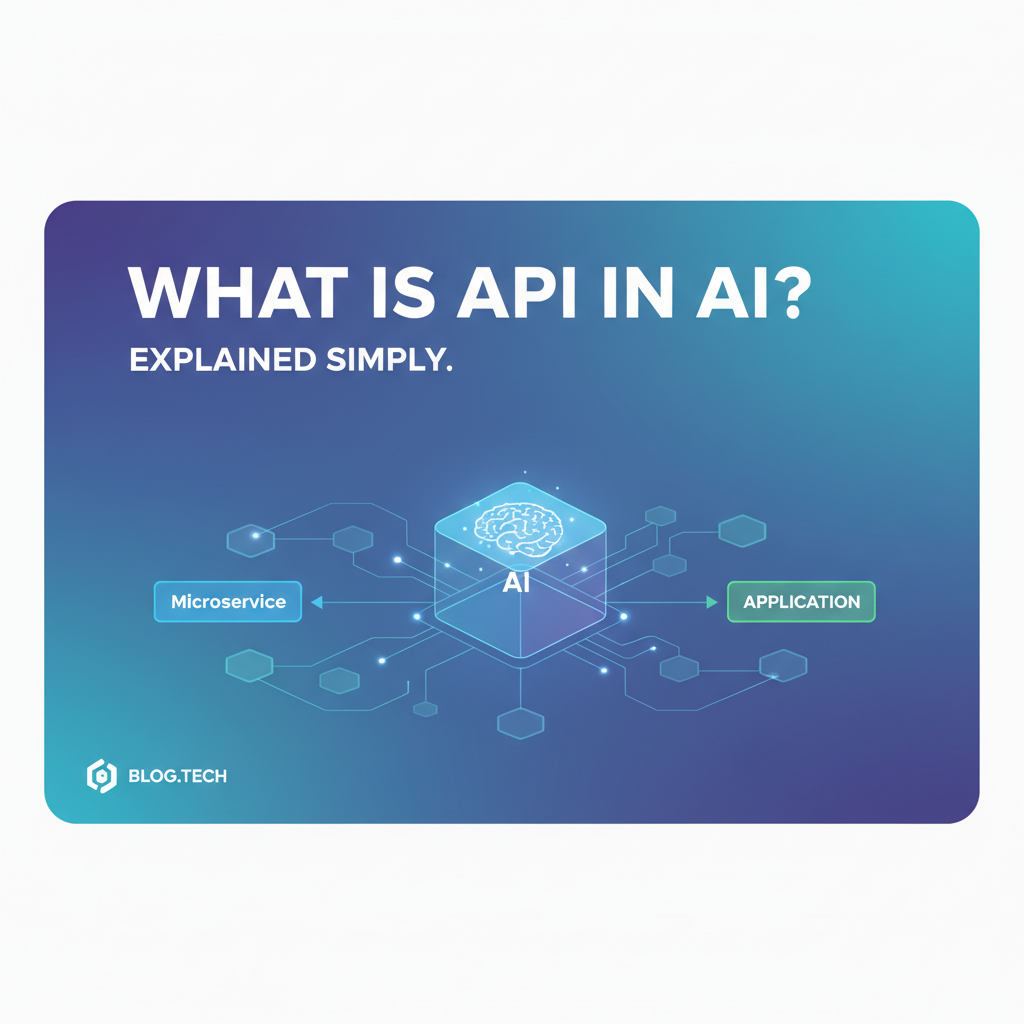

In an increasingly digitized world, the interaction between different software systems forms the backbone of almost every application we use daily. From checking the weather on your phone to streaming a movie, Application Programming Interfaces (APIs) are the invisible architects facilitating these seamless exchanges. Now, imagine this foundational technology meeting the transformative power of Artificial Intelligence (AI). The result is a revolution in how businesses and developers access, integrate, and deploy intelligent capabilities.
The convergence of AI and software development has given rise to a critical question for many: what is API in AI? Simply put, an API AI acts as a sophisticated bridge, enabling applications to tap into complex AI models and services without needing to understand the intricate underlying algorithms or the massive computational infrastructure required to run them. It democratizes AI, making powerful capabilities like natural language processing, computer vision, and machine learning accessible to developers who might not have deep expertise in AI research or specialized hardware. This article will thoroughly explore the fundamental role, diverse types, profound benefits, inherent challenges, and the promising future of APIs in the AI landscape, ultimately simplifying the answer to what is an AI API.
1. Understanding the Foundation: What is an API?
Before diving into the specifics of AI APIs, it's crucial to grasp the concept of an API itself. APIs are not a new invention; they have been fundamental to software development for decades.
1.1. The Restaurant Waiter Analogy
Perhaps the easiest way to understand an API is through a common analogy: a restaurant. * You (the customer): You want to eat, but you don't know how the kitchen works, what ingredients they have, or how to cook the food. You simply know what you want from the menu. * The Kitchen (the system/data/service): This is where all the complex work happens. It holds the ingredients, the recipes, and the chefs. * The Waiter (the API): The waiter is your interface to the kitchen. You tell the waiter your order (make a request), and the waiter takes it to the kitchen. The kitchen prepares the food, and the waiter brings it back to your table (sends a response). You never go into the kitchen yourself, and you don't need to know how the food is cooked; you just interact with the waiter.
In this analogy: * Your application is the "customer." * The external service (e.g., a weather database, a payment gateway) is the "kitchen." * The API is the "waiter," facilitating communication and delivering results.
1.2. Technical Definition: Interface, Protocols, Data Exchange
More technically, an API (Application Programming Interface) is a set of defined rules, protocols, and tools for building software applications. It specifies how software components should interact. APIs enable different software applications to communicate with each other, sharing data and functionality in a structured and secure manner.
Key characteristics include: * Interface: It defines the methods and data formats that applications can use to request and exchange information. * Protocols: It establishes the communication rules, often using standard web protocols like HTTP/HTTPS for web APIs. * Data Exchange: It dictates how data is sent (e.g., JSON, XML) and received.
1.3. Key Components of an API
Every API interaction typically involves several core components:
- Endpoints: These are specific URLs where an API can be accessed. For example,
https://api.example.com/weather/londonmight be an endpoint for fetching London's weather. - Requests: These are messages sent from the client application to the API, asking for specific data or to perform an action. A request includes:
- Method: The type of action (e.g., GET to retrieve, POST to create, PUT to update, DELETE to remove).
- Headers: Metadata about the request (e.g., authentication tokens, content type).
- Body: The data being sent (e.g., parameters for a search).
- Responses: These are messages sent back from the API to the client application, containing the requested data or confirmation of an action. A response includes:
- Status Code: Indicates the outcome of the request (e.g., 200 OK, 404 Not Found, 500 Internal Server Error).
- Headers: Metadata about the response.
- Body: The data being returned (e.g., weather forecast, search results).
- Authentication: Mechanisms to verify the identity of the client making the request, ensuring secure access (e.g., API keys, OAuth tokens).
1.4. Why APIs are Indispensable in Modern Software Development
APIs are the building blocks of the modern internet and software ecosystem. They foster:
- Interoperability: Different systems, built with different technologies, can seamlessly work together.
- Modularity: Software can be broken down into smaller, reusable components, simplifying development and maintenance.
- Innovation: Developers can build new applications by combining existing services, leading to rapid development of complex features.
- Efficiency: Instead of reinventing the wheel, developers can leverage pre-built functionalities, saving time and resources.
2. The AI Revolution: A Brief Overview
Artificial Intelligence (AI) has moved from the realm of science fiction into practical applications that are reshaping industries and daily life. Understanding its core components provides context for why APIs are so crucial.
2.1. Defining Artificial Intelligence (AI)
AI refers to the simulation of human intelligence in machines that are programmed to think like humans and mimic their actions. It encompasses a broad range of technologies and concepts, including:
- Machine Learning (ML): A subset of AI that enables systems to learn from data, identify patterns, and make decisions with minimal human intervention. Instead of being explicitly programmed, ML models are "trained" on vast datasets.
- Deep Learning (DL): A subfield of ML that uses artificial neural networks with multiple layers (hence "deep") to analyze various factors of data with more complex and abstract representations. DL is behind many breakthroughs in image recognition and natural language processing.
- Natural Language Processing (NLP): Allows computers to understand, interpret, and generate human language.
- Computer Vision (CV): Enables machines to "see" and interpret visual information from the world, much like humans do.
2.2. How AI Works: Data, Algorithms, Models, Training, Inference
At its heart, AI typically involves:
- Data Collection: Gathering massive amounts of relevant data (images, text, numbers, audio).
- Algorithm Selection: Choosing appropriate algorithms (e.g., decision trees, neural networks) to process the data.
- Model Training: Feeding the data into the algorithm to "train" a model. During training, the model learns patterns and relationships within the data, adjusting its internal parameters to minimize errors in its predictions. This is a computationally intensive process.
- Model Evaluation: Testing the trained model on new, unseen data to assess its accuracy and performance.
- Inference (Prediction): Once trained and validated, the model can be used to make predictions or decisions on new, real-world data. This is where the AI provides its "intelligence."
2.3. The Impact of AI Across Industries
AI's applications are vast and ever-expanding:
- Healthcare: Disease diagnosis, drug discovery, personalized treatment plans.
- Finance: Fraud detection, algorithmic trading, credit scoring.
- Retail: Personalized recommendations, inventory management, customer service chatbots.
- Automotive: Self-driving cars, predictive maintenance.
- Manufacturing: Quality control, predictive maintenance, supply chain optimization.
- Education: Personalized learning experiences, automated grading.
The ability of AI to automate tasks, analyze massive datasets, and make intelligent predictions is fundamentally transforming how businesses operate and deliver value.
3. Bridging the Gap: What is API in AI?
Now that we understand both APIs and AI, we can fully address the question: what is API in AI? It is the vital link that transforms complex, specialized AI models into readily usable services for developers and applications. An API AI allows any software to send data to an AI model and receive its intelligent output, all without the need for deep AI expertise or extensive infrastructure management.
3.1. The Core Concept: How APIs Connect Software to AI Models
An API in AI context serves several crucial functions:
- Encapsulation: It hides the complexity of the AI model. Developers don't need to know the specific neural network architecture, the training data, or the deep learning frameworks used. They just interact with the API endpoints.
- Standardization: APIs provide a uniform way to interact with diverse AI models, regardless of their underlying technology. This means an application might use a text-to-speech AI API from one vendor and a sentiment analysis AI API from another, interacting with both through similar request/response patterns.
- Accessibility: It makes cutting-edge AI available to a wider audience. Instead of building and training AI models from scratch—a process requiring significant data science skills, computational resources, and time—developers can simply make an API call to leverage pre-trained, highly optimized models.
Essentially, what is an AI API? It's a programmatic gateway to an AI service. You send your input data (e.g., a piece of text, an image, a query) to the API, and the AI model processes it and sends back an intelligent response (e.g., sentiment score, object labels, generated text).
3.2. Why AI Needs APIs: Accessibility, Integration, Scalability, Specialization
The reasons why APIs are indispensable for AI adoption are multifaceted:
- Democratization and Accessibility: AI development is resource-intensive. APIs lower the barrier to entry, allowing anyone with programming skills to integrate AI features into their products, regardless of their AI expertise.
- Seamless Integration: APIs allow AI capabilities to be easily woven into existing applications, websites, and workflows. Instead of rebuilding an entire system, AI can be added as a modular component.
- Scalability: Publicly available AI APIs are often hosted on cloud platforms, designed to handle varying loads. As your application's usage grows, the underlying AI service can scale automatically, without you managing servers or infrastructure.
- Specialization and Expertise: Leading AI companies invest heavily in training highly accurate and specialized models. By using their APIs, developers can leverage this collective expertise without having to replicate it.
- Cost-Effectiveness: Building and maintaining AI infrastructure is expensive. APIs often operate on a pay-as-you-go model, allowing developers to pay only for the computational resources they consume, avoiding hefty upfront investments.
- Rapid Development: APIs significantly speed up the development cycle. Features that once took months to build and train can now be integrated in days or even hours.
3.3. How Developers Interact with AI Models via APIs
The interaction flow is straightforward:
- Authentication: The developer obtains an API key or token from the AI API provider. This key is included in API requests to verify the client's identity and authorize access.
- Request Construction: The developer writes code in their preferred programming language (Python, JavaScript, Java, etc.) to construct an HTTP request. This request typically includes:
- The API endpoint URL (e.g.,
https://api.nlp.com/sentiment). - The HTTP method (usually POST for sending data).
- Request headers (e.g.,
Content-Type: application/json,Authorization: Bearer YOUR_API_KEY). - A JSON body containing the input data for the AI model (e.g.,
{"text": "This movie was absolutely fantastic!"}).
- The API endpoint URL (e.g.,
- Sending the Request: The application sends this HTTP request over the internet to the AI API server.
- AI Processing: The AI API server receives the request, passes the input data to the underlying AI model, which performs its computation (e.g., sentiment analysis).
- Response Handling: The AI model's output is packaged into a JSON response, sent back to the client application. The application then parses this response to extract the intelligent insights (e.g.,
{"sentiment": "positive", "score": 0.95}).
3.4. Illustration: A Simple API Call to an AI Model (Sentiment Analysis)
Consider a simple Python example using a hypothetical sentiment analysis API:
import requests
import json

api_key = "YOUR_SENTIMENT_API_KEY"
api_endpoint = "https://api.example-ai.com/v1/sentiment"

text_to_analyze = "The user experience was incredibly frustrating, leading to a lot of negative feedback."

headers = {
    "Content-Type": "application/json",
    "Authorization": f"Bearer {api_key}"
}

payload = {
    "document": {
        "content": text_to_analyze,
        "type": "PLAIN_TEXT"
    },
    "encodingType": "UTF8"
}

try:
    response = requests.post(api_endpoint, headers=headers, data=json.dumps(payload))
    response.raise_for_status() # Raise an exception for HTTP errors

    sentiment_result = response.json()
    print(f"Text: '{text_to_analyze}'")
    print(f"Sentiment: {sentiment_result['documentSentiment']['sentiment']}")
    print(f"Score: {sentiment_result['documentSentiment']['score']}")
    print(f"Magnitude: {sentiment_result['documentSentiment']['magnitude']}")

except requests.exceptions.HTTPError as errh:
    print ("Http Error:",errh)
except requests.exceptions.ConnectionError as errc:
    print ("Error Connecting:",errc)
except requests.exceptions.Timeout as errt:
    print ("Timeout Error:",errt)
except requests.exceptions.RequestException as err:
    print ("Oops: Something Else",err)
In this example, the developer is not training a sentiment model or managing GPU servers. They are simply sending text to a hosted API and receiving an intelligent analysis back. This perfectly illustrates the power and simplicity of API AI.
4. Types and Categories of AI APIs
The landscape of AI APIs is vast and constantly evolving, reflecting the diverse capabilities of artificial intelligence itself. These APIs can be broadly categorized based on the type of AI task they perform.
4.1. Machine Learning APIs
These APIs provide access to general-purpose machine learning models that can perform various predictive tasks.
- Predictive Analytics (Regression, Classification): Used for forecasting future events or categorizing data.
- Example: An API that predicts customer churn probability based on historical usage data, or classifies an email as spam or not spam.
- Recommendation Engines: APIs that suggest products, content, or services to users based on their past behavior or preferences.
- Example: An e-commerce API that recommends "Customers who bought this also bought..." items.
- Anomaly Detection: Identifies unusual patterns or outliers in data that could indicate fraud, system failures, or other critical events.
- Example: An API that flags unusual financial transactions in real-time.
4.2. Natural Language Processing (NLP) APIs
NLP APIs enable applications to understand, interpret, generate, and manipulate human language.
- Sentiment Analysis: Determines the emotional tone (positive, negative, neutral) expressed in a piece of text.
- Example: Analyzing customer reviews, social media posts, or support tickets to gauge public opinion or user satisfaction.
- Text Summarization: Condenses long documents or articles into shorter, coherent summaries.
- Example: Automatically generating news brief summaries or meeting minutes.
- Language Translation: Translates text from one language to another.
- Example: Powering real-time chat translation in messaging apps or translating website content.
- Named Entity Recognition (NER): Identifies and categorizes specific entities (like names of people, organizations, locations, dates) in text.
- Example: Extracting key information from legal documents or news articles.
- Chatbot APIs: Provide the intelligence layer for conversational AI agents, allowing them to understand user intent and generate appropriate responses.
- Example: Integrating a customer service chatbot into a website or app.
- Text Generation: Creates human-like text based on a given prompt or context.
- Example: Writing marketing copy, product descriptions, or creative stories.
4.3. Computer Vision (CV) APIs
Computer Vision APIs allow applications to "see" and interpret images and videos.
- Object Detection and Recognition: Identifies and locates objects within images or video streams.
- Example: Counting vehicles in traffic, identifying products on a shelf, or detecting specific items in security footage.
- Facial Recognition: Identifies or verifies a person from a digital image or a video frame.
- Example: Secure authentication systems, photo tagging in social media.
- Image Classification: Assigns labels or categories to entire images based on their content.
- Example: Categorizing user-uploaded photos (e.g., "landscape," "portrait," "animal").
- Optical Character Recognition (OCR): Extracts text from images or scanned documents.
- Example: Digitizing invoices, reading license plates, or extracting information from business cards.
4.4. Speech Recognition and Synthesis APIs
These APIs deal with the conversion between spoken language and text.
- Speech-to-Text (STT): Converts spoken audio into written text.
- Example: Transcribing voicemails, powering voice assistants, or generating captions for videos.
- Text-to-Speech (TTS): Converts written text into natural-sounding spoken audio.
- Example: Creating voiceovers for presentations, developing audiobooks, or providing navigational instructions.
4.5. Generative AI APIs
A rapidly expanding and highly impactful category, generative AI APIs are capable of creating new content—text, images, code, and more—that is often indistinguishable from human-created content.
- Large Language Models (LLMs) APIs: These are the most prominent examples, capable of understanding and generating human-like text for a wide array of tasks.
- Example: Writing articles, answering complex questions, summarizing documents, brainstorming ideas, translating languages, and even generating code snippets. Popular models like OpenAI's GPT series or Google's Gemini are accessed primarily through APIs.
- Image Generation (Text-to-Image) APIs: Create images from textual descriptions.
- Example: Generating unique artwork, product mockups, or custom graphics based on user prompts. (e.g., Midjourney, DALL-E).
- Code Generation APIs: Assist developers by generating code, debugging, or explaining code snippets.
- Example: Automatically writing boilerplate code, suggesting functions, or translating code between languages.
4.6. Specialized AI APIs
Beyond these broad categories, many niche AI APIs cater to specific industry needs or highly specialized tasks. These could include APIs for medical image analysis, financial market prediction, agricultural yield forecasting, or material science simulations.
Table 1: Common AI API Types and Their Key Applications
| AI API Category | Key Functionality | Example Applications |
|---|---|---|
| Machine Learning | Predictive analytics, classification, clustering | Customer churn prediction, fraud detection, personalized recommendations, anomaly detection |
| Natural Language Processing (NLP) | Text understanding, generation, translation | Sentiment analysis, chatbots, language translation, text summarization, content creation |
| Computer Vision (CV) | Image/video analysis, object identification | Facial recognition, object detection, image moderation, autonomous driving, quality control |
| Speech Recognition & Synthesis | Audio-to-text, text-to-audio | Voice assistants, transcription services, audiobooks, call center automation |
| Generative AI | Content creation (text, images, code) | Large Language Models (LLMs) for content generation, AI art creation, code auto-completion |
| Specialized AI | Industry-specific intelligence | Medical diagnosis, financial risk assessment, predictive maintenance for specific machinery |
This diverse range of AI APIs demonstrates the immense flexibility and power that API AI brings to the developer community, enabling them to infuse intelligence into almost any application scenario.
XRoute is a cutting-edge unified API platform designed to streamline access to large language models (LLMs) for developers, businesses, and AI enthusiasts. By providing a single, OpenAI-compatible endpoint, XRoute.AI simplifies the integration of over 60 AI models from more than 20 active providers(including OpenAI, Anthropic, Mistral, Llama2, Google Gemini, and more), enabling seamless development of AI-driven applications, chatbots, and automated workflows.
5. The Benefits of Using AI APIs
The widespread adoption of AI APIs isn't just a trend; it's a fundamental shift driven by significant advantages for businesses and developers alike. Leveraging an API AI solution offers a compelling pathway to integrate advanced intelligence without incurring the traditional overheads of AI development.
5.1. Accelerated Development
One of the most immediate benefits is the drastic reduction in development time. Building AI models from the ground up requires: * Extensive Data Collection & Preprocessing: Gathering, cleaning, and labeling vast datasets. * Model Selection & Architecture Design: Choosing or designing complex algorithms and neural networks. * Training & Optimization: Running computationally intensive training processes, fine-tuning parameters, and iterating. * Deployment & Maintenance: Setting up infrastructure, monitoring performance, and updating models.
By contrast, using an AI API bypasses all these steps. Developers can integrate powerful AI capabilities in hours or days, rather than weeks or months. This allows for rapid prototyping, quicker market entry, and faster iteration cycles for new features.
5.2. Cost-Effectiveness
Traditional AI development is expensive. It demands: * Specialized Talent: Data scientists, machine learning engineers, AI researchers. * Computational Resources: High-performance GPUs, cloud computing infrastructure. * Ongoing Maintenance: Monitoring model performance, retraining, and system upkeep.
AI APIs, typically offered on a pay-as-you-go or subscription model, transform these significant capital expenditures into manageable operational costs. Businesses pay only for the requests they make or the specific usage tiers they subscribe to, avoiding large upfront investments in hardware, software licenses, and specialized personnel. This makes advanced AI accessible even for startups and small to medium-sized enterprises (SMEs).
5.3. Accessibility and Democratization
AI APIs democratize artificial intelligence. They lower the barrier to entry for developers who may not have a background in data science or machine learning. A web developer familiar with making HTTP requests can now integrate sentiment analysis, image recognition, or text generation into their applications. This expands the pool of creators capable of building intelligent solutions, fostering innovation across a broader spectrum of industries and applications. It answers the question what is an AI API by showing it as a tool for all.
5.4. Scalability
When building your own AI models, scaling the inference infrastructure to handle fluctuating demand can be a major challenge. Spikes in usage require provisioning more servers, managing load balancers, and ensuring high availability.
Cloud-based AI API providers, however, manage this complexity. Their infrastructure is designed for massive scale, automatically allocating resources to meet demand. This means your application can effortlessly handle thousands or millions of requests per day without you needing to worry about server capacity, downtime, or performance degradation.
5.5. Expertise on Demand
Leading AI companies like Google, Microsoft, Amazon, and OpenAI invest billions in AI research and development. Their AI models are trained on colossal datasets, fine-tuned by world-class experts, and continuously improved.
By using their APIs, developers instantly gain access to this cutting-edge expertise and state-of-the-art models. Instead of trying to replicate this level of sophistication in-house, businesses can leverage models that are often more accurate, robust, and performant than what they could realistically develop themselves.
5.6. Focus on Core Business Logic
With AI APIs handling the complex AI backend, developers are freed from the intricacies of machine learning models. They can concentrate their efforts on building unique application features, refining user experience, and focusing on their core business logic. This strategic shift allows companies to differentiate themselves through innovative product design rather than getting bogged down in AI infrastructure management.
5.7. Rapid Innovation and Experimentation
The ease of integration and lower cost of experimentation make AI APIs ideal for rapid innovation. Developers can quickly test different AI models, experiment with new features, and pivot strategies based on user feedback without significant investment. This agile approach fosters a culture of continuous improvement and allows businesses to stay competitive in a fast-evolving technological landscape.
In essence, an API AI solution isn't just about technical access; it's about strategic advantage, enabling faster, cheaper, and more powerful intelligent applications for everyone.
6. Challenges and Considerations for AI API Integration
While the benefits of using AI APIs are compelling, integrating them effectively and responsibly comes with its own set of challenges and considerations. Navigating these complexities is crucial for successful deployment and long-term sustainability.
6.1. Data Privacy and Security
When you send data to an external AI API, that data leaves your control and enters the provider's infrastructure. This raises significant concerns, especially for sensitive information.
- Data Handling Policies: It's imperative to understand how the API provider handles your data, whether it's stored, for how long, and if it's used for further model training. GDPR, CCPA, and other regional data protection regulations must be thoroughly considered.
- Encryption: Ensure that data is encrypted both in transit (using HTTPS) and at rest on the provider's servers.
- Compliance: Verify that the API provider meets industry-specific compliance standards relevant to your business (e.g., HIPAA for healthcare, PCI DSS for financial data).
- Third-Party Risk: Each API integration introduces a dependency on a third party, expanding your attack surface. Thorough vendor assessment is vital.
6.2. Latency and Performance
For real-time applications (e.g., voice assistants, live chat, interactive games), the speed at which an AI API responds is critical.
- Network Latency: The geographical distance between your application's servers and the AI API's servers can introduce delays. Choosing API providers with data centers closer to your users can mitigate this.
- Processing Time: The complexity of the AI model and the size of the input data affect the time it takes for the API to process a request.
- Throughput: Consider how many requests per second the API can handle without degrading performance. High-volume applications require APIs designed for high throughput.
- Caching: Implementing caching mechanisms for frequently requested but unchanging AI outputs can significantly reduce latency and API calls.
6.3. Cost Management
While AI APIs can be cost-effective, managing costs efficiently requires careful planning.
- Pricing Models: Understand the provider's pricing structure (per-call, per-character, per-second, tiered pricing, etc.). Unexpected usage spikes can lead to unexpectedly high bills.
- Monitoring Usage: Implement robust monitoring to track API calls and associated costs. Set alerts for usage thresholds.
- Optimization: Look for opportunities to reduce redundant calls. For example, avoid re-analyzing the same text multiple times if the content hasn't changed.
- Cost-Benefit Analysis: Continuously evaluate if the value derived from the AI API justifies its cost, especially as your application scales.
6.4. Vendor Lock-in
Relying heavily on a single AI API provider can lead to vendor lock-in.
- Switching Costs: Migrating from one API provider to another can be time-consuming and expensive if your application is deeply integrated with a specific API's unique features or data formats.
- Feature Discontinuation: Providers might change their API, deprecate features, or even cease a service entirely.
- Pricing Changes: A provider might increase prices, leaving you with limited alternatives in the short term.
- Mitigation: Design your application with an abstraction layer that allows easier swapping of AI backend services. Consider using unified API platforms (like XRoute.AI, which we'll discuss later) that abstract away provider-specific differences.
6.5. Model Drift and Updates
AI models are not static; they evolve.
- Model Drift: The accuracy of a model can degrade over time as the real-world data it encounters diverges from its training data. This is particularly true for models trained on dynamic datasets.
- API Updates: Providers regularly update their models and APIs, sometimes introducing breaking changes. Keeping your application compatible requires staying informed about API versioning and update schedules.
- Performance Monitoring: Continuously monitor the output quality of the AI API to detect performance degradation or unexpected behavior.
6.6. Ethical AI and Bias
AI models, especially those trained on vast, unfiltered internet data, can inherit and even amplify biases present in that data.
- Bias in Output: An AI API might produce biased or unfair results concerning certain demographics, leading to discriminatory outcomes in areas like hiring, lending, or law enforcement.
- Responsible Use: Developers have a responsibility to understand the potential biases of the AI APIs they use and to mitigate their impact through careful design, monitoring, and, where possible, input data adjustments.
- Transparency: Be transparent with users when AI is involved in decision-making processes.
6.7. Integration Complexity (Managing Multiple APIs)
While single AI API integrations are straightforward, modern applications often require combining capabilities from multiple APIs (e.g., a generative AI for text, a separate API for image generation, and another for sentiment analysis).
- API Sprawl: Managing authentication, rate limits, error handling, and data formats for numerous APIs can become complex.
- Orchestration: Chaining multiple API calls or coordinating parallel requests requires robust orchestration logic within your application.
- Unified Platforms: This is where unified API platforms, designed to simplify access to diverse AI models from multiple providers, become invaluable. They offer a single interface to manage various AI services, reducing this complexity.
Addressing these challenges proactively ensures that the integration of API AI capabilities is not only technically sound but also secure, ethical, and economically viable for your project.
7. Integrating AI APIs into Your Applications: A Practical Guide
Successful integration of API AI into your applications requires more than just making an HTTP request. It involves a systematic approach to selection, implementation, and ongoing management.
7.1. Choosing the Right AI API Provider
This is a critical first step. Consider the following factors:
- Specific AI Task: Does the API accurately perform the specific task you need (e.g., sentiment analysis, object detection, text generation)?
- Accuracy and Performance: Evaluate the model's accuracy, latency, and throughput, ideally using benchmark data or by running your own tests.
- Pricing Model: Compare costs across providers based on your projected usage. Look for transparent pricing with no hidden fees.
- Scalability and Reliability: Ensure the provider can handle your application's growth and offers high uptime and robust infrastructure.
- Documentation and Support: Comprehensive, clear documentation is essential. Good customer support can save significant development time.
- Data Privacy & Security: Scrutinize their data handling policies, encryption standards, and compliance certifications.
- Geographic Availability: If your users are globally distributed, ensure the API has data centers that can provide low latency access.
- Community and Ecosystem: A vibrant community and extensive ecosystem (SDKs, tutorials) can make integration smoother.
7.2. Understanding API Documentation
Once you've chosen a provider, the API documentation is your bible. It contains all the information you need:
- Authentication Methods: How to authenticate your requests (e.g., API keys, OAuth, JWT).
- Endpoints: The URLs for each specific function or resource.
- Request Formats: The required HTTP methods (GET, POST, etc.), headers, and the structure of the request body (e.g., JSON schema).
- Response Formats: The structure of the data you'll receive back, including success and error responses.
- Rate Limits: The maximum number of requests you can make within a certain time frame to prevent abuse.
- Error Codes: A list of possible error codes and their meanings, crucial for robust error handling.
- Example Code: Often, providers offer code snippets in various programming languages, which can jumpstart your integration.
7.3. Authentication and Authorization
Security is paramount. Always authenticate your API requests.
- API Keys: The most common method. Your unique key identifies your application. Keep it secret and never expose it in client-side code. Use environment variables or secure credential management systems.
- OAuth 2.0: Used for more complex scenarios, especially when your application needs to access user data on behalf of a user. It provides a secure delegation of access.
- JWT (JSON Web Tokens): Often used for stateless authentication, where a token is issued upon successful login and then included in subsequent requests.
7.4. Making API Requests (HTTP Methods, JSON Payload)
Most AI APIs follow the RESTful architectural style and communicate over HTTP.
- HTTP Methods:
- GET: For retrieving data (e.g.,
GET /sentiment?text=hello). - POST: For sending data to be processed or created (e.g.,
POST /generate_textwith a JSON body).
- GET: For retrieving data (e.g.,
- JSON (JavaScript Object Notation): This is the de facto standard for exchanging data with web APIs due to its human-readability and lightweight nature. Your input data for the AI model will typically be formatted as a JSON object in the request body.
# Example of a POST request with JSON payload (using Python requests library)
import requests
import json

url = "https://api.example.com/v1/ai-service"
headers = {
    "Content-Type": "application/json",
    "Authorization": "Bearer YOUR_API_KEY"
}
data = {
    "input_text": "This is a sentence for AI processing.",
    "model_params": {"temperature": 0.7, "max_tokens": 100}
}

response = requests.post(url, headers=headers, data=json.dumps(data))
7.5. Handling Responses and Errors
A robust application doesn't just assume success.
- Parse Responses: Always parse the JSON response from the API to extract the relevant AI output.
- Check Status Codes: HTTP status codes are crucial:
2xx(e.g., 200 OK): Success.4xx(e.g., 400 Bad Request, 401 Unauthorized, 403 Forbidden, 404 Not Found, 429 Too Many Requests): Client-side errors. Your application needs to handle these gracefully.5xx(e.g., 500 Internal Server Error, 503 Service Unavailable): Server-side errors. These indicate issues on the API provider's end.
- Error Messages: The API's JSON error response often contains a detailed message explaining what went wrong. Log these for debugging.
- Retry Logic: For transient errors (e.g.,
503 Service Unavailableor429 Too Many Requests), implement retry logic, possibly with an exponential backoff strategy, to automatically reattempt the request after a short delay.
7.6. Best Practices for Integration
- Abstract API Calls: Create a dedicated service layer or wrapper around your API calls. This isolates API logic, makes it easier to swap providers, and simplifies error handling.
- Rate Limiting: Respect the API's rate limits. Implement a queue or a token bucket algorithm to ensure your application doesn't overwhelm the API and get blocked.
- Asynchronous Processing: For long-running AI tasks, consider asynchronous API calls where the API responds immediately with a job ID, and you poll a separate endpoint to get the final result.
- Error Logging and Monitoring: Log all API requests and responses, especially errors. Set up monitoring tools to track API performance, error rates, and costs.
- Security: Never hardcode API keys directly into your source code. Use environment variables, secret management services, or secure configuration files.
- Testing: Thoroughly test your API integrations, covering success cases, edge cases, and various error scenarios.
- Versioning: Always check the API version you are using. Providers often update their APIs, and older versions may be deprecated.
By following these practical guidelines, developers can effectively integrate API AI capabilities into their applications, creating intelligent and robust solutions.
8. The Future of AI APIs and Unified Platforms
The evolution of AI is accelerating, and with it, the role and sophistication of AI APIs are transforming. Looking ahead, several trends are shaping the future landscape, highlighting the increasing need for efficient and consolidated access to these powerful tools.
8.1. The Rise of Generative AI and LLM APIs
The emergence of Large Language Models (LLMs) and other generative AI models (like text-to-image and text-to-code) has dramatically expanded the capabilities accessible via APIs. These APIs are not just for analysis but for creation, allowing applications to: * Generate entire articles, marketing copy, or creative content. * Summarize complex documents into concise points. * Answer open-ended questions with remarkable fluency. * Transform ideas into visual art or functional code.
This shift from analytical AI to generative AI is making APIs even more central to innovative application development.
8.2. Multi-modal AI APIs
The next frontier for AI APIs involves multi-modal capabilities. Instead of separate APIs for text, image, and audio, future APIs will increasingly be able to process and generate content across different modalities simultaneously. Imagine an API that can: * Understand a spoken command, analyze a related image, and then generate a textual response or a new image based on that combined input. * Create a video clip from a text prompt, including appropriate audio and visual elements.
This will lead to more intuitive and powerful human-computer interactions.
8.3. The Need for Unified API Platforms: Simplifying Access to Diverse Models
As the number of AI models and providers explodes, developers face a new challenge: API sprawl. * Each provider has its own authentication method, rate limits, data formats, and documentation. * Switching between models from different providers (e.g., trying a different LLM for better performance or cost) becomes cumbersome. * Managing multiple API keys and understanding diverse billing structures adds complexity.
This growing complexity creates a strong demand for unified API platforms. These platforms act as a single gateway, providing a standardized interface to access multiple AI models from various providers. They abstract away the provider-specific nuances, offering: * A single API endpoint: Simplifying integration. * Consistent authentication: One key to access many models. * Standardized request/response formats: Reducing integration effort. * Load balancing and fallback: Automatically routing requests to the best-performing or most cost-effective model, or failing over to another model if one fails. * Centralized monitoring and billing: Streamlining operational oversight.
8.4. Introducing XRoute.AI
In this evolving landscape, platforms like XRoute.AI are emerging as essential tools. XRoute.AI is a cutting-edge unified API platform designed to streamline access to large language models (LLMs) for developers, businesses, and AI enthusiasts. By providing a single, OpenAI-compatible endpoint, XRoute.AI simplifies the integration of over 60 AI models from more than 20 active providers, enabling seamless development of AI-driven applications, chatbots, and automated workflows.
XRoute.AI directly addresses the challenges of API sprawl by offering a unified approach, making it significantly easier to build, deploy, and scale AI-powered solutions. Its focus on low latency AI, cost-effective AI, and developer-friendly tools empowers users to build intelligent solutions without the complexity of managing multiple API connections. The platform’s high throughput, scalability, and flexible pricing model make it an ideal choice for projects of all sizes, from startups to enterprise-level applications, ensuring that the promise of API AI is fully realized.
8.5. Edge AI and On-Device Models
While cloud-based APIs are dominant, there's a growing trend towards running AI models closer to the data source—on edge devices (e.g., smartphones, IoT devices, smart cameras). This reduces latency, enhances privacy, and allows for offline capabilities. APIs will still play a role here, but often for managing, updating, and deploying these edge models rather than direct real-time inference.
8.6. Ethical AI and Regulatory Frameworks' Impact
As AI becomes more powerful and pervasive, ethical considerations and regulatory frameworks (like the EU AI Act) will increasingly influence how AI APIs are designed, developed, and consumed. Future AI APIs will likely need to incorporate features for: * Explainability: Providing insights into how a model arrived at its decision. * Bias Detection and Mitigation: Tools to help developers identify and reduce bias in AI outputs. * Safety and Responsible Use: Built-in safeguards to prevent misuse or harmful outputs.
These advancements will ensure that AI APIs not only drive innovation but also contribute to a more responsible and trustworthy AI ecosystem.
Conclusion
The question what is API in AI unveils one of the most transformative concepts in modern technology. It represents the crucial bridge that connects sophisticated artificial intelligence models with the broader world of software applications. An API AI is not merely a technical interface; it is the democratizing force that has propelled AI from academic labs into countless everyday products and services.
Throughout this extensive exploration, we've seen how APIs encapsulate complex AI logic, offering developers a streamlined, cost-effective, and scalable way to integrate powerful capabilities like natural language processing, computer vision, and generative AI. From accelerating development cycles and making advanced AI accessible to a wider audience to leveraging the expertise of leading AI researchers, the benefits of utilizing AI APIs are profound.
However, the journey is not without its challenges. Data privacy, performance latency, cost management, vendor lock-in, and ethical considerations demand careful attention. As the AI landscape continues to evolve, with the rise of multi-modal AI and the increasing demand for seamless integration, unified API platforms like XRoute.AI are becoming indispensable. They simplify access to a vast array of AI models, abstracting away complexities and empowering developers to focus on innovation.
In essence, what is an AI API? It is the key that unlocks the full potential of artificial intelligence, enabling intelligent machines to collaborate effortlessly with human-designed software, shaping a future where intelligent applications are not just possible, but ubiquitous.
Frequently Asked Questions (FAQ)
Q1: Is an AI API different from a regular API?
A1: Conceptually, an AI API is a type of regular API. Both provide a defined interface for software components to communicate. The key difference lies in the functionality they expose. A "regular" API might provide access to a database, a payment gateway, or a mapping service. An AI API specifically provides access to an artificial intelligence model or service. When you send data to an AI API, the underlying service performs an intelligent task (e.g., sentiment analysis, image recognition, text generation) and returns the AI's computed result, whereas a regular API might just retrieve or store data.
Q2: How do I choose the best AI API for my project?
A2: Choosing the best AI API involves several factors: 1. Task Specificity: Ensure the API performs your exact AI task (e.g., if you need face detection, don't pick a general image classification API). 2. Accuracy & Performance: Evaluate the model's accuracy (using benchmarks or your own test data), latency, and throughput. 3. Pricing: Compare cost structures (per-call, tiered, subscription) and understand potential costs at scale. 4. Documentation & Support: Look for clear, comprehensive documentation and reliable customer support. 5. Data Privacy & Security: Scrutinize the provider's data handling policies and compliance certifications, especially for sensitive data. 6. Scalability & Reliability: Ensure the provider can handle your application's growth and offers high uptime. 7. Ease of Integration: Consider available SDKs, community support, and the complexity of their authentication. For diverse models, a unified API platform like XRoute.AI can simplify choice and integration.
Q3: What are the common costs associated with using AI APIs?
A3: AI API costs typically depend on a "pay-as-you-go" model, though many providers offer free tiers or credits for getting started. Common cost factors include: * Usage Volume: Charges often based on the number of API calls, amount of data processed (e.g., per character for text, per image for vision, per minute for audio). * Model Type: More advanced or specialized AI models (e.g., large generative LLMs) might be more expensive than simpler ones. * Features: Additional features like custom model training or enhanced security might incur extra costs. * Data Transfer: Some providers might charge for data ingress/egress. It's crucial to review each provider's specific pricing page and use their cost calculators to estimate your expenses based on projected usage.
Q4: Can I build my own AI model and expose it via an API?
A4: Absolutely! Many developers and organizations train their custom AI models using frameworks like TensorFlow, PyTorch, or Scikit-learn. Once a model is trained, it needs to be deployed. This typically involves: 1. Containerization: Packaging your model and its dependencies (e.g., using Docker). 2. API Wrapper: Writing a lightweight web service (e.g., using Flask or FastAPI in Python) that receives requests, passes data to your model for inference, and returns the results. 3. Deployment: Hosting this service on a cloud platform (AWS, Google Cloud, Azure) or your own servers, making it accessible via HTTP endpoints. This allows you to control the entire AI pipeline and tailor the model precisely to your needs, though it requires more expertise and infrastructure management than using a pre-built API.
Q5: What security considerations should I keep in mind when using AI APIs?
A5: Security is paramount. Here are key considerations: * API Key Management: Never hardcode API keys. Use environment variables, secret management services, or secure configuration files. Rotate keys regularly. * Authentication & Authorization: Ensure your application properly authenticates with the API and that only authorized requests are processed. * Data Encryption: Always use HTTPS to encrypt data in transit. Inquire about the provider's data at-rest encryption policies. * Data Privacy: Understand the provider's data retention, usage, and privacy policies. Ensure compliance with relevant regulations (GDPR, HIPAA, etc.). Avoid sending highly sensitive data if possible, or anonymize it. * Input Validation: Sanitize and validate all input sent to the API to prevent injection attacks or unexpected model behavior. * Rate Limiting & Abuse Prevention: Protect your application and account by adhering to the API's rate limits and implementing measures to prevent unauthorized or excessive usage. * Vendor Due Diligence: Thoroughly research the security practices and certifications of any third-party AI API provider.
🚀You can securely and efficiently connect to thousands of data sources with XRoute in just two steps:
Step 1: Create Your API Key
To start using XRoute.AI, the first step is to create an account and generate your XRoute API KEY. This key unlocks access to the platform’s unified API interface, allowing you to connect to a vast ecosystem of large language models with minimal setup.
Here’s how to do it: 1. Visit https://xroute.ai/ and sign up for a free account. 2. Upon registration, explore the platform. 3. Navigate to the user dashboard and generate your XRoute API KEY.
This process takes less than a minute, and your API key will serve as the gateway to XRoute.AI’s robust developer tools, enabling seamless integration with LLM APIs for your projects.
Step 2: Select a Model and Make API Calls
Once you have your XRoute API KEY, you can select from over 60 large language models available on XRoute.AI and start making API calls. The platform’s OpenAI-compatible endpoint ensures that you can easily integrate models into your applications using just a few lines of code.
Here’s a sample configuration to call an LLM:
curl --location 'https://api.xroute.ai/openai/v1/chat/completions' \
--header 'Authorization: Bearer $apikey' \
--header 'Content-Type: application/json' \
--data '{
    "model": "gpt-5",
    "messages": [
        {
            "content": "Your text prompt here",
            "role": "user"
        }
    ]
}'
With this setup, your application can instantly connect to XRoute.AI’s unified API platform, leveraging low latency AI and high throughput (handling 891.82K tokens per month globally). XRoute.AI manages provider routing, load balancing, and failover, ensuring reliable performance for real-time applications like chatbots, data analysis tools, or automated workflows. You can also purchase additional API credits to scale your usage as needed, making it a cost-effective AI solution for projects of all sizes.
Note: Explore the documentation on https://xroute.ai/ for model-specific details, SDKs, and open-source examples to accelerate your development.