Best Free AI Tools: Boost Productivity & Innovation

The digital landscape is constantly evolving, and at its forefront stands Artificial Intelligence, no longer a concept confined to sci-fi novels but a tangible force reshaping industries, individual workflows, and creative endeavors. What was once the exclusive domain of large corporations and heavily funded research labs has rapidly become accessible to everyone, largely thanks to a burgeoning ecosystem of free AI tools. These innovations are not mere gimmicks; they are powerful enablers, offering unprecedented opportunities to enhance efficiency, spark creativity, and drive innovation without requiring a significant financial outlay.
In an era defined by rapid change and the constant demand for efficiency, the ability to leverage cutting-edge technology without breaking the bank is a game-changer. This comprehensive guide delves into the world of the best AI free tools available today, exploring how they are democratizing access to powerful algorithms and enabling individuals and businesses alike to unlock new levels of productivity. We will dissect various categories of tools, provide practical insights into how to use AI at work, spotlight key players like models offering gpt-4o mini capabilities, and discuss strategies for maximizing their utility while navigating potential challenges. Our journey will reveal that the future of work and innovation is not just intelligent, but also remarkably accessible.
The AI Revolution and the Power of Free Tools
The past decade has witnessed an explosion in AI capabilities, driven by advancements in machine learning, neural networks, and computational power. What began with specialized algorithms has blossomed into general-purpose AI models capable of understanding, generating, and even reasoning with human-like proficiency. This rapid evolution has led to a fascinating phenomenon: the democratization of AI. Developers and researchers, often fueled by open-source principles and a desire to make technology accessible, have released powerful tools and models, many with robust free tiers or completely open licenses.
Why Free AI Matters: Democratizing Innovation
The significance of best AI free offerings cannot be overstated. They are leveling the playing field, allowing startups, small businesses, students, independent creators, and even large enterprises with budget constraints to experiment, innovate, and compete. This accessibility fosters a culture of rapid prototyping and experimentation, where ideas can be tested and refined with minimal barrier to entry.
For individuals, free AI tools serve as personal assistants, creative partners, and knowledge amplifiers. They can automate mundane tasks, accelerate learning, and provide inspiration when creative blocks arise. For businesses, they represent an opportunity to optimize operations, enhance customer service, personalize marketing efforts, and gain competitive insights without the upfront investment typically associated with enterprise-level AI solutions. This shift means that innovation is no longer limited by capital but by imagination and the willingness to explore new possibilities.
The Shift in How We Work and Innovate
The integration of AI into daily workflows is fundamentally altering the nature of work. Repetitive, rule-based tasks are increasingly being offloaded to AI, freeing up human workers to focus on more complex problem-solving, strategic thinking, and creative endeavors that require uniquely human attributes like empathy and intuition.
Consider the role of content creation: what once required hours of brainstorming, research, and drafting can now be augmented by AI tools that generate outlines, suggest topics, summarize lengthy documents, and even craft initial drafts. In data analysis, AI can sift through massive datasets in seconds, identifying patterns and anomalies that might take humans days or weeks to uncover. For customer support, AI-powered chatbots handle routine queries, ensuring customers receive instant assistance around the clock, while human agents can dedicate their expertise to more intricate issues.
This paradigm shift isn't just about doing things faster; it's about doing entirely new things. AI enables hyper-personalization, predictive analytics, and sophisticated automation that were once the stuff of science fiction. The best AI free tools are the entry points into this transformative future, providing a tangible pathway for anyone to become part of the AI revolution.
Categories of "Best AI Free" Tools
The landscape of free AI tools is incredibly diverse, spanning numerous applications and catering to a wide range of needs. To make sense of this rich ecosystem, it's helpful to categorize them based on their primary function.
2.1 Text Generation & Content Creation
This category is perhaps one of the most visible and widely adopted applications of free AI. These tools are designed to assist with all facets of text-based tasks, from generating creative copy to summarizing complex documents.
- Content Generation: AI models can create articles, blog posts, marketing copy, social media updates, and even poetry. They can take a simple prompt and expand it into a coherent, engaging piece of text, saving countless hours for writers, marketers, and content creators.
- Summarization: For anyone inundated with information, AI summarizers are invaluable. They can distill long reports, academic papers, emails, or web pages into concise summaries, highlighting key points and essential information, thus drastically improving information absorption and decision-making speed.
- Brainstorming & Ideation: Facing a creative block? AI can act as a powerful brainstorming partner, generating ideas for topics, headlines, product names, or even plot points for stories. It can offer fresh perspectives and unexpected connections, stimulating human creativity.
- Rewriting & Paraphrasing: These tools help rephrase existing text to improve clarity, change tone, or avoid plagiarism. They are particularly useful for students, researchers, and anyone looking to refine their writing.
- Translation & Localization: While not always perfect, free AI translation tools offer instant linguistic bridges, enabling communication across language barriers and assisting with basic content localization efforts.
Table 1: Common Applications of Free AI Text Tools
| Tool Type | Primary Function | Ideal Users | Benefits |
|---|---|---|---|
| Content Generators | Drafting articles, marketing copy, scripts | Marketers, writers, content creators, students | Saves time, overcomes writer's block, generates ideas |
| Summarizers | Condensing long texts, extracting key points | Researchers, students, professionals, analysts | Improves information retention, speeds up research |
| Brainstorming Assistants | Generating ideas, topics, outlines | Innovators, marketers, writers, project managers | Fosters creativity, provides diverse perspectives |
| Rewriting/Paraphrasing | Enhancing clarity, changing tone, avoiding plagiarism | Students, academics, writers, editors | Refines writing, improves linguistic variation |
| Grammar & Style Checkers | Correcting errors, suggesting style improvements | Everyone who writes | Improves writing quality, professionalism, accuracy |
2.2 Image & Design Tools
The visual domain has also seen significant disruption from AI. Free AI-powered design tools allow users to create stunning visuals without needing advanced graphic design skills or expensive software.
- Image Generation: From text prompts, AI can create entirely new images, illustrations, and digital art in various styles. This capability is revolutionary for designers, artists, and marketers who need unique visuals quickly.
- Image Editing & Enhancement: Tools that can remove backgrounds, upscale images, colorize old photos, or even generate variations of existing images are becoming widely available. These features simplify complex editing tasks and make professional-looking results achievable for novices.
- Logo & Branding: Some free AI tools can assist in generating logo ideas, color palettes, and brand identities, providing a strong starting point for new businesses or rebranding efforts.
2.3 Productivity & Workflow Enhancement
Beyond content creation, AI is proving to be a formidable ally in boosting personal and organizational productivity.
- Task Automation: AI can automate repetitive tasks like data entry, email sorting, scheduling, and report generation, freeing up human employees for more high-value work.
- Meeting Transcription & Summarization: Tools that transcribe spoken words into text and then summarize meeting notes are transforming how teams collaborate, ensuring no critical detail is missed and follow-ups are clear.
- Note-Taking & Organization: AI can help structure notes, extract action items, and organize information, making personal knowledge management more efficient.
- Email Management: Smart inboxes powered by AI can prioritize emails, suggest quick replies, and filter out spam, drastically reducing digital clutter.
2.4 Coding & Development Assistants
Developers are increasingly leveraging AI to streamline their workflow, from writing code to debugging. While many advanced tools in this area come with a price tag, free tiers and open-source alternatives offer significant capabilities.
- Code Generation: AI can suggest code snippets, complete lines of code, or even generate entire functions based on natural language descriptions or existing code context, accelerating development speed.
- Debugging & Error Detection: AI can assist in identifying potential bugs, suggesting fixes, and explaining error messages, simplifying the debugging process.
- Code Refactoring: Tools can analyze code and suggest improvements for efficiency, readability, and adherence to best practices.
- Documentation Generation: AI can help generate code documentation, saving developers the tedious task of manually writing explanations for their work.
2.5 Learning & Education Tools
AI is revolutionizing how we learn and teach, offering personalized experiences and making complex subjects more accessible.
- Personalized Tutoring: AI can provide customized learning paths, explain difficult concepts, and offer practice problems tailored to an individual's pace and learning style.
- Language Learning: AI-powered apps offer interactive exercises, pronunciation feedback, and conversational practice to help users master new languages.
- Research Assistants: Tools can scour vast databases, summarize academic papers, and identify relevant sources, significantly aiding students and researchers.
2.6 Data Analysis & Visualization (Basic Free Tiers)
While advanced data science often requires robust paid platforms, some free AI tools and basic tiers offer capabilities for initial data exploration and visualization.
- Basic Data Cleaning: AI can help identify and rectify inconsistencies or errors in datasets, preparing them for analysis.
- Pattern Recognition: For simpler datasets, AI can help identify trends, correlations, and anomalies that might not be immediately obvious to the human eye.
- Chart & Graph Generation: Some tools can automatically generate appropriate visualizations based on user-provided data, simplifying the process of creating compelling reports.
The sheer breadth of these categories demonstrates that free AI tools are not just niche applications but fundamental components of a new digital toolkit, empowering users across all domains.
Deep Dive into "How to Use AI at Work" for Maximum Impact
Understanding the categories of free AI tools is one thing; effectively integrating them into daily professional life is another. The key to maximizing the impact of AI at work lies in identifying specific pain points and matching them with the right AI solution. This section provides practical guidance for various professional roles on how to use AI at work.
3.1 For Writers & Marketers: Crafting Compelling Narratives
Writers, content creators, and marketers are among the biggest beneficiaries of AI's text generation capabilities. The goal is not to replace human creativity but to augment it.
- Content Generation & Ideation: Use AI to brainstorm blog post topics, generate catchy headlines, or draft outlines for articles. For example, input a topic like "sustainable living tips" and ask for 10 unique blog post ideas. Use these as springboards for your own detailed writing.
- SEO Optimization: AI can help identify relevant keywords, analyze competitor content, and suggest improvements to your copy to rank higher on search engines. You can ask for keyword suggestions for a specific article or even get AI to optimize an existing paragraph for a target keyword.
- Social Media Management: Generate engaging captions for social media posts, develop content calendars, or even create short, punchy ad copy for various platforms. AI can help tailor messages to different audiences and platforms with remarkable speed.
- Email Marketing: Craft personalized email subject lines, body copy, and calls to action. AI can help segment audiences and generate variations of emails to test for optimal engagement.
- Repurposing Content: Easily transform a long blog post into a series of social media updates, an infographic script, or a short video script by asking AI to summarize and adapt the content for different formats.
3.2 For Developers: Accelerating the Code Cycle
Developers can leverage AI to write cleaner code faster, debug more efficiently, and manage documentation with ease.
- Code Generation & Completion: Use AI tools integrated into IDEs (Integrated Development Environments) to suggest code snippets, auto-complete lines, or even generate entire functions based on comments or existing code. This can drastically reduce boilerplate code and speed up initial development.
- Debugging Assistance: When encountering an error, paste the error message and relevant code into an AI tool. It can often explain the error, suggest common causes, and even propose solutions, saving hours of troubleshooting.
- Code Refactoring & Optimization: Ask AI to review your code for efficiency, readability, or adherence to best practices. It can suggest alternative algorithms or simpler syntax.
- Documentation: Generate initial drafts of function descriptions, API documentation, or user guides directly from your code. This ensures consistency and frees up time from a often-dreaded task.
- Learning New Languages/Frameworks: Use AI to explain complex concepts, provide examples in a new language, or even generate small projects to help you learn hands-on.
3.3 For Project Managers: Streamlining Operations
Project managers can use AI to enhance communication, track progress, and make more informed decisions.
- Meeting Summaries & Action Items: Utilize AI tools to transcribe meeting recordings and generate concise summaries, highlighting key decisions, action items, and assigned responsibilities. Share these immediately after the meeting to ensure clarity and accountability.
- Communication Drafts: Draft emails to stakeholders, project updates, or team announcements. AI can help refine the tone and ensure all necessary information is included.
- Risk Assessment: While AI can't replace human judgment, it can help analyze project data to identify potential risks or bottlenecks based on historical patterns, allowing for proactive mitigation.
- Resource Allocation (Basic): For simpler projects, AI might assist in suggesting task assignments based on team member skills and availability, though complex resource management often requires more specialized tools.
3.4 For Educators & Students: Enhancing Learning & Research
AI offers powerful tools for both teaching and learning, making education more personalized and efficient.
- Research Assistance: Students can use AI to quickly summarize academic papers, identify key arguments, or generate bibliographies. Educators can use it to find relevant teaching materials or stay updated on new research.
- Study Aids: Create flashcards, practice questions, or personalized study guides based on course material. AI can explain complex topics in simpler terms or provide different perspectives.
- Assignment Support: Students can use AI for brainstorming essay topics, outlining arguments, or checking grammar and style. Crucially, it should be used as an assistant, not a substitute for original thought and writing. Educators can use AI to generate prompts for assignments or provide initial feedback on drafts.
- Lesson Planning: Teachers can ask AI to generate lesson plans, activity ideas, or assessment questions tailored to specific learning objectives and age groups.
3.5 For General Office Workers: Boosting Daily Efficiency
Even in general office roles, AI can significantly reduce administrative burden and improve daily operations.
- Email Management: Use AI-powered features in email clients to prioritize important messages, draft quick replies, or categorize incoming emails automatically.
- Data Organization: If dealing with unstructured data, AI can help extract key information, categorize it, and even suggest ways to structure spreadsheets or databases.
- Presentation Creation: Get AI to generate outlines for presentations, suggest visual elements, or even draft speaking notes based on your content.
- Report Generation: For routine reports, AI can help gather data points, summarize findings, and even draft initial conclusions, providing a strong foundation for your final report.
Strategies for Effective AI Integration: Ethical Use and Prompt Engineering
To truly master how to use AI at work, a few core strategies are essential:
- Ethical Considerations & Verification: Always remember that AI is a tool. Information generated by AI should always be fact-checked and verified, especially for critical decisions or public-facing content. Be mindful of data privacy when inputting sensitive information into free tools. Understand that AI can perpetuate biases present in its training data, so critical evaluation is paramount.
- Prompt Engineering: The quality of AI's output is directly proportional to the quality of your input (the "prompt"). Learn to write clear, specific, and detailed prompts.
- Be Specific: Instead of "write about marketing," try "write a 200-word blog post introduction about inbound marketing strategies for small businesses, focusing on SEO and social media, with a casual and encouraging tone."
- Provide Context: Give AI background information. If you're summarizing a document, tell it what the document is about and what you're looking for.
- Define Format & Tone: Specify if you want bullet points, a formal report, a casual email, or a creative story.
- Iterate: Don't expect perfection on the first try. Refine your prompts based on the AI's output until you get closer to your desired result.
- Start Small, Scale Up: Begin by using AI for low-stakes tasks, like drafting internal emails or summarizing personal notes. As you become more comfortable and understand its capabilities and limitations, gradually integrate it into more critical workflows.
- Combine Human & AI Strengths: The most powerful use of AI is not replacing humans, but augmenting them. Let AI handle the heavy lifting of data processing, content generation, or idea brainstorming, and then apply your unique human skills—critical thinking, creativity, emotional intelligence, and strategic oversight—to refine, personalize, and validate its output.
By adopting these strategies, professionals across all sectors can confidently and effectively integrate the best AI free tools into their daily routines, driving unprecedented levels of productivity and fostering a culture of continuous innovation.
XRoute is a cutting-edge unified API platform designed to streamline access to large language models (LLMs) for developers, businesses, and AI enthusiasts. By providing a single, OpenAI-compatible endpoint, XRoute.AI simplifies the integration of over 60 AI models from more than 20 active providers(including OpenAI, Anthropic, Mistral, Llama2, Google Gemini, and more), enabling seamless development of AI-driven applications, chatbots, and automated workflows.
Spotlight on Leading Free AI Tools
Now let's highlight some specific tools and models that exemplify the power of free AI, including the notable gpt-4o mini.
4.1 Text Generation Powerhouses: ChatGPT, Google Gemini, and Microsoft Copilot
These large language models (LLMs) have become household names, offering robust free tiers that provide immense value.
- ChatGPT (Free Tier): Developed by OpenAI, the free version of ChatGPT provides access to a powerful conversational AI model (often GPT-3.5 based or similar, depending on availability). It excels at:
- Content Creation: Drafting articles, emails, scripts, and marketing copy.
- Brainstorming: Generating ideas for almost any topic.
- Summarization: Condensing long texts into digestible summaries.
- Code Assistance: Generating code snippets, explaining concepts, or debugging.
- Learning & Research: Explaining complex topics, generating study questions. The strength of ChatGPT lies in its versatility and ability to understand and generate human-like text across a vast range of subjects.
- Google Gemini (Free Tier): Google's entry into the LLM space, Gemini offers conversational AI capabilities similar to ChatGPT. Its free tier is deeply integrated with Google's ecosystem, often providing:
- Real-time Information Access: Unlike some models, Gemini can directly access and process information from Google Search, making it powerful for up-to-date research and fact-checking.
- Multimodal Capabilities: While its full multimodal power is in paid versions, even free tiers hint at its ability to understand and generate various data types beyond just text.
- Productivity Integration: Seamless integration with Google Workspace tools like Docs, Sheets, and Gmail.
- Microsoft Copilot: Integrated directly into Windows and Microsoft Edge, Copilot offers AI assistance for a wide array of tasks:
- Web Browsing: Summarizing web pages, asking questions about content, comparing products.
- Operating System Assistance: Helping with PC settings, file management, or troubleshooting.
- Creative Tasks: Generating images with DALL-E 3 (free within Copilot), writing creative text, brainstorming. Copilot stands out due to its deep integration into the operating system and browser, making AI assistance ubiquitous and context-aware.
4.2 The Ascendant GPT-4o Mini: A New Benchmark for Accessibility and Performance
Amidst the landscape of powerful AI models, the introduction of gpt-4o mini by OpenAI marks a significant moment for accessibility and high-performance AI. This model is designed to offer capabilities approaching those of more advanced, larger models like GPT-4, but with significantly reduced cost and increased speed, making it an ideal choice for a vast array of free or low-cost applications.
- What is GPT-4o mini? It's a highly efficient and cost-effective iteration of OpenAI's flagship GPT-4o model. The "o" stands for "omni," indicating its multimodal capabilities (processing text, audio, and visual inputs), which are also present, albeit perhaps in a more streamlined form, in the mini version. Its core advantage is offering near top-tier performance at a fraction of the computational cost and latency.
- Why is it a game-changer for "Best AI Free" applications?
- Cost-Effectiveness: Its drastically lower cost per token means developers can integrate powerful language capabilities into free-tier applications or highly affordable services without incurring prohibitive infrastructure expenses. This directly contributes to the proliferation of high-quality best AI free tools.
- Low Latency: The "mini" designation often implies optimized architecture for speed. For real-time applications like chatbots, customer service bots, or interactive learning tools, low latency is critical for a smooth user experience.
- Performance: Despite being "mini," it retains a high degree of the reasoning, language generation, and multimodal understanding capabilities of its larger sibling. This means users can expect sophisticated responses and nuanced understanding, even from free-to-use services powered by this model.
- Versatility: From complex text summarization and code generation to advanced conversational agents and creative writing prompts, gpt-4o mini is versatile enough to power a wide range of applications that users can access for free or at very minimal cost.
- Where to find gpt-4o mini-powered tools? While OpenAI might offer limited free access directly, its true impact will be seen as developers integrate it into their own applications. You'll find tools for:
- Advanced Chatbots: More intelligent and responsive free chatbots for customer service or personal assistance.
- Content Generation APIs: Platforms that allow developers to build sophisticated content creation tools with a very low operational cost.
- Educational Platforms: Free tools offering personalized tutoring or language learning, powered by gpt-4o mini's understanding and generation abilities.
- Developer Utilities: Free code review, documentation generation, or smart search within codebases.
The emergence of gpt-4o mini significantly raises the bar for what users can expect from best AI free tools, bringing advanced AI capabilities within reach for a much broader audience and fostering even more innovation.
4.3 Design & Creativity: Canva AI Tools & Adobe Express
These platforms have embraced AI to simplify design for everyone.
- Canva AI Tools (Free Tier): Canva, a popular graphic design platform, integrates various AI features into its free version:
- Magic Write: Generate text for presentations, social media, or marketing materials directly within your designs.
- Text to Image: Create unique images from text descriptions, perfect for quick visuals or abstract concepts.
- Background Remover: Easily remove backgrounds from images for cleaner designs (sometimes a premium feature, but free trials often exist).
- Magic Design: Generate entire design templates from a prompt or image. Canva's strength lies in making professional-looking design accessible and integrating AI features intuitively into its user-friendly interface.
- Adobe Express (Free AI Features): Adobe's answer to simplified graphic design offers a suite of free AI-powered tools:
- Text to Image: Similar to Canva, generate images from text.
- Text Effects: Apply unique text effects instantly.
- Quick Actions: One-click tools for tasks like removing backgrounds, resizing images, converting video to GIF, and more. Adobe Express leverages Adobe's deep expertise in creative software, offering polished results even in its free tier.
4.4 Productivity & Organization: Notion AI (Free Trial/Basic Features) & Grammarly (Free Version)
These tools seamlessly integrate AI to streamline daily tasks.
- Notion AI (Free Trial/Basic Features): Notion, an all-in-one workspace, offers AI capabilities for:
- Summarization: Condensing notes, meeting minutes, or documents within Notion pages.
- Text Generation: Drafting content, brainstorming ideas, or refining existing text.
- Task Management: Assisting with project planning, generating action items. While advanced features are paid, Notion AI often provides a generous free trial or limited free usage, allowing users to experience its power in organizing knowledge and tasks.
- Grammarly (Free Version): A ubiquitous writing assistant, Grammarly's free version uses AI to:
- Check Grammar & Spelling: Identify and correct common errors.
- Punctuation: Ensure correct punctuation usage.
- Clarity & Conciseness: Suggest improvements for sentence structure and word choice to make writing clearer. Grammarly is an indispensable tool for anyone who writes, from students to professionals, significantly improving the quality and professionalism of written communication.
4.5 Coding Assistants: GitHub Copilot (Limited Free Access)
While often a paid subscription, GitHub Copilot does offer limited free access to specific groups.
- GitHub Copilot (Free for Verified Students and Open Source Maintainers): Powered by OpenAI's Codex model, Copilot is an AI pair programmer that:
- Suggests Code: Provides real-time code suggestions as you type.
- Generates Functions: Can generate entire functions from natural language comments.
- Offers Boilerplate: Helps with repetitive code structures. For eligible users, Copilot dramatically increases coding speed and helps in learning new libraries or paradigms by suggesting idiomatic code.
Table 2: Spotlighted Free AI Tools and Their Core Offerings
| Tool/Model | Category | Key Free Features | Ideal For |
|---|---|---|---|
| ChatGPT (Free) | Text Gen, Productivity | Content creation, summarization, brainstorming, coding help | Writers, marketers, students, developers, general users |
| Google Gemini (Free) | Text Gen, Productivity | Conversational AI, real-time info access, Google Workspace integration | Researchers, students, professionals within Google ecosystem |
| Microsoft Copilot | Text Gen, Productivity, Design | Web summary, OS assistance, image generation (DALL-E 3), content drafting | General Windows/Edge users, casual creators |
| GPT-4o Mini | Core AI Model | Powers cost-effective, high-performance applications (via developer integrations) | Developers building free/low-cost AI services, users of advanced free AI apps |
| Canva AI (Free) | Image & Design, Text Gen | Text to image, magic write, background remover (limited), template generation | Marketers, social media managers, casual designers, small businesses |
| Adobe Express (Free) | Image & Design, Text Effects | Text to image, text effects, quick actions (background removal, resize) | Casual designers, social media users, small businesses |
| Notion AI (Trial/Basic) | Productivity, Text Gen | Summarization, content drafting, brainstorming, task assistance | Knowledge workers, project managers, students, teams using Notion |
| Grammarly (Free) | Productivity, Writing | Grammar, spelling, punctuation checks, basic clarity suggestions | Everyone who writes: students, professionals, writers |
| GitHub Copilot (Limited Free) | Coding & Dev | Real-time code suggestions, function generation, boilerplate code (for eligible users) | Verified students, open-source maintainers, developers looking for assistance |
This selection represents just the tip of the iceberg, but it highlights the immense power and versatility now available through best AI free tools. The continuous development of models like gpt-4o mini ensures that these capabilities will only become more sophisticated and accessible over time.
Overcoming Challenges and Maximizing Value from Free AI
While the benefits of free AI tools are undeniable, it's crucial to approach their usage with an awareness of their limitations and potential pitfalls. Maximizing their value also involves strategic thinking and a commitment to responsible use.
5.1 Data Privacy and Security Concerns
One of the most significant considerations, especially with best AI free tools, is data privacy. * Input Data: When you input sensitive or proprietary information into a free AI tool, you must understand its data retention policies. Many free models use user inputs to further train their AI, which could potentially expose confidential data. * Anonymization: Always assume that data entered into free public AI tools is not entirely private. Avoid sharing personally identifiable information (PII), confidential business strategies, or legally protected data. * Terms of Service: Before using any free AI tool for professional purposes, take the time to read its terms of service and privacy policy to understand how your data will be handled. For sensitive applications, consider enterprise-grade paid solutions that offer stronger data governance.
5.2 Bias and Accuracy: The Need for Human Oversight
AI models, regardless of their sophistication, are trained on vast datasets that reflect existing human biases. * Bias in Output: This can lead to AI generating outputs that are biased, stereotypical, or perpetuate harmful narratives. It's critical for users to critically evaluate AI-generated content, especially for sensitive topics. * Hallucinations: AI models can sometimes "hallucinate" or generate factually incorrect information presented as truth. This is why human verification and fact-checking are non-negotiable for any critical information derived from AI. * Lack of Nuance: While advanced, AI often lacks the nuanced understanding of context, emotional intelligence, and ethical considerations that humans possess. It's excellent at synthesizing information, but human judgment is still required for complex decision-making and ethical dilemmas.
5.3 Learning Curve and Integration
While many best AI free tools are designed to be user-friendly, there's still a learning curve associated with mastering them. * Prompt Engineering: As discussed, getting the best results requires learning how to write effective prompts. This is an acquired skill that improves with practice and experimentation. * Workflow Integration: Integrating new tools into existing workflows can take time and effort. It requires rethinking processes and potentially training teams. * Tool Sprawl: The abundance of free tools can lead to "tool sprawl," where users jump between too many disparate applications, hindering rather than helping productivity. Strategic selection and integration are key.
5.4 When to Consider Paid Alternatives or Advanced Solutions
While free tools offer incredible value, there are times when investing in a paid AI solution becomes necessary. * Enhanced Features: Paid tiers often unlock advanced features like larger context windows, faster processing, higher-quality models (e.g., direct access to GPT-4o, not just gpt-4o mini's free capabilities), and specialized functionalities. * Higher Usage Limits: Free tiers typically have strict usage caps (e.g., number of queries per day, word count limits). Businesses with high-volume needs will quickly exceed these and require paid subscriptions. * Data Security & Compliance: For highly regulated industries or handling sensitive data, paid enterprise solutions offer robust security protocols, data residency options, and compliance certifications that free tools cannot match. * Dedicated Support: Paid subscriptions usually come with dedicated customer support, which is invaluable for businesses relying on AI for critical operations. * Customization & Integration: For deep integration into proprietary systems or for building custom AI applications, paid APIs and platforms offer greater flexibility and development tools.
Understanding these challenges and limitations is not a reason to shy away from free AI, but rather a guide for responsible and effective utilization. By exercising caution, applying critical thinking, and knowing when to scale up, users can truly maximize the transformative potential of these powerful tools.
The Future of Free AI and the Role of Unified Platforms
The trajectory of AI development suggests an even more accessible and powerful future for free tools. We are on the cusp of AI becoming as ubiquitous and essential as electricity or the internet. However, this proliferation also brings new challenges, particularly in managing the sheer diversity and complexity of AI models.
6.1 The Rapid Evolution of AI
The pace of innovation in AI shows no signs of slowing down. We can anticipate: * More Powerful "Mini" Models: Following the lead of gpt-4o mini, we'll likely see more compact, efficient, and equally powerful versions of large models, making high-end AI capabilities even more affordable and thus available in free tiers. * Enhanced Multimodality: AI will become increasingly adept at understanding and generating across various modalities simultaneously—text, images, audio, video, and even 3D models—leading to more intuitive and comprehensive tools. * Specialized AI: Alongside general-purpose LLMs, highly specialized AI models designed for niche tasks (e.g., medical diagnosis, legal analysis) will emerge, often with free entry points for exploration. * Better Explainability: Future AI models will likely offer greater transparency into their decision-making processes, addressing current concerns about bias and "black box" operations.
6.2 The Increasing Complexity of Managing Multiple AI Models
As the number of AI models and providers grows, developers and businesses face a new challenge: "AI API sprawl." Integrating with different providers, managing various API keys, handling differing rate limits, and optimizing for cost and performance across a multitude of models can become an administrative nightmare. Each model might have its own quirks, data formats, and authentication methods, making seamless integration a complex, time-consuming, and expensive endeavor. This is where the concept of unified API platforms becomes not just convenient, but essential.
6.3 XRoute.AI: Simplifying Access to the AI Ecosystem
In this complex and rapidly evolving landscape, platforms like XRoute.AI emerge as crucial infrastructure, designed to streamline and simplify access to the vast and fragmented world of AI models. XRoute.AI is a cutting-edge unified API platform designed to streamline access to large language models (LLMs) for developers, businesses, and AI enthusiasts. By providing a single, OpenAI-compatible endpoint, XRoute.AI simplifies the integration of over 60 AI models from more than 20 active providers, enabling seamless development of AI-driven applications, chatbots, and automated workflows.
- Unified Access: Imagine trying to build an application that leverages the unique strengths of GPT-4o for creative writing, Claude 3 for complex reasoning, and a specialized open-source model for cost-effective summarization. Without a unified platform, you'd need to write bespoke code for each API. XRoute.AI eliminates this complexity by offering a single, OpenAI-compatible endpoint. This means developers can integrate diverse LLMs with minimal code changes, drastically accelerating development cycles.
- Cost-Effective AI: XRoute.AI focuses on providing cost-effective AI. By abstracting away the underlying provider differences, it can often route requests to the most economical model that meets performance requirements, optimizing spending without sacrificing quality. This is particularly beneficial for projects that want to offer best AI free services, as it helps manage operational costs.
- Low Latency AI & High Throughput: For real-time applications, speed is paramount. XRoute.AI is engineered for low latency AI and high throughput, ensuring that your applications powered by multiple LLMs remain responsive and scalable, even under heavy load. This means users of free AI tools built on such platforms will experience smoother, faster interactions.
- Scalability & Flexibility: The platform's design supports scalability for projects of all sizes, from small startups experimenting with free tiers to enterprise-level applications demanding robust performance. Its flexible pricing model and ability to swap between providers on the fly offer unparalleled adaptability.
- Developer-Friendly Tools: By centralizing access to over 60 AI models from more than 20 active providers, XRoute.AI empowers developers to build intelligent solutions without the complexity of managing multiple API connections. This abstraction layer is invaluable for accelerating innovation and bringing sophisticated best AI free tools to market faster.
In essence, XRoute.AI acts as an intelligent router for AI models, allowing developers to leverage the full power of the AI ecosystem through a single, easy-to-use interface. This kind of platform is critical for driving the next wave of AI innovation, making advanced AI not just accessible at a free or low cost, but also manageable and highly performant.
Conclusion
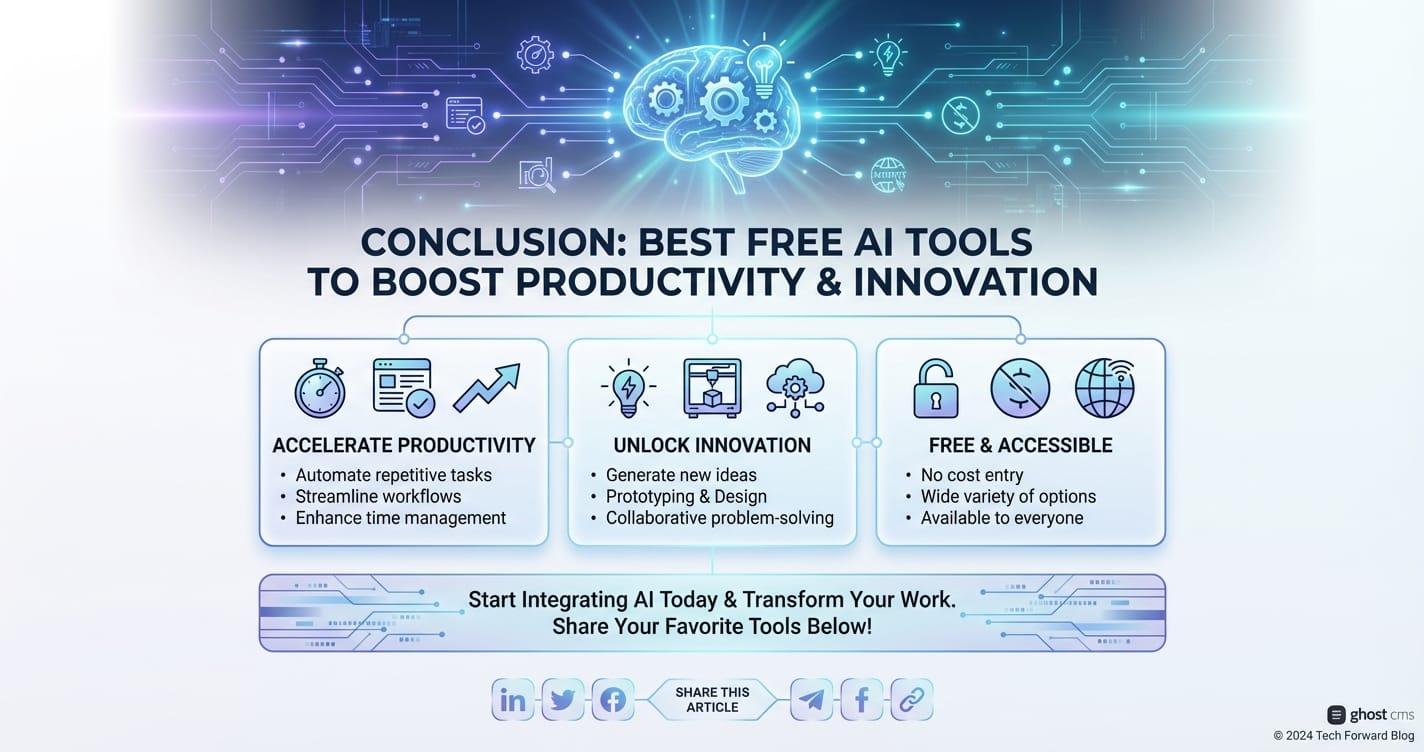
The era of best AI free tools has ushered in a new dawn of productivity and innovation, democratizing access to capabilities once reserved for the elite. From drafting compelling content with models offering gpt-4o mini-level intelligence to streamlining daily tasks and enhancing creative endeavors, these tools are fundamentally changing how to use AI at work across every sector. They empower individuals and organizations to achieve more, think differently, and operate with unprecedented efficiency, all without significant financial barriers.
While navigating the landscape of data privacy, bias, and the nuances of prompt engineering remains crucial, the overarching message is clear: the future of work is intelligent, collaborative, and remarkably accessible. As AI continues its rapid evolution, supported by platforms like XRoute.AI that simplify the integration and management of diverse models, the potential for free AI to boost productivity and spark innovation will only continue to grow, inviting everyone to partake in this transformative journey. Embrace these tools, experiment, learn, and unleash your full potential in this exciting new age of artificial intelligence.
Frequently Asked Questions (FAQ)
Q1: Are "best AI free" tools truly free forever, or do they have hidden costs?
A1: Most "best AI free" tools operate on a freemium model. This means they offer a core set of features for free, often with usage limits (e.g., number of queries per day, word count). For more advanced features, higher usage limits, or dedicated support, they typically require a paid subscription. Some open-source AI models are completely free to use, but may require technical expertise to set up and run locally. Always check the specific tool's terms of service.
Q2: How accurate is AI-generated content, especially from free tools?
A2: While modern AI models like those offering gpt-4o mini capabilities are highly sophisticated, their accuracy can vary. They are prone to "hallucinations" (generating factually incorrect information) and may perpetuate biases present in their training data. Therefore, it is crucial to always fact-check and verify any critical information generated by AI, especially for professional or public-facing content. AI should be used as an assistant to augment human capabilities, not replace critical thinking.
Q3: What are the main ethical concerns when using AI tools at work?
A3: Key ethical concerns include data privacy (what happens to sensitive data input into AI tools?), bias (AI perpetuating societal biases), intellectual property (who owns content generated by AI?), and job displacement. To mitigate these, always prioritize data security, critically evaluate AI outputs for bias, understand copyright implications, and view AI as a tool to augment human work, not just replace it. Transparent communication with teams about AI use is also vital.
Q4: Can free AI tools help with complex tasks, or are they only good for simple automation?
A4: The capabilities of free AI tools are rapidly expanding. While they excel at simple automation (like summarizing emails or generating basic text), advanced models now available in free tiers (or underlying free applications) can assist with surprisingly complex tasks, such as drafting detailed reports, generating functional code snippets, or even providing creative ideas for intricate projects. The key is often in crafting precise prompts ("prompt engineering") and understanding the specific strengths and limitations of the tool you are using.
Q5: How can a platform like XRoute.AI benefit my use of free AI tools?
A5: While XRoute.AI is primarily an API platform for developers, it indirectly benefits users of free AI tools by enabling developers to build more powerful, cost-effective, and low-latency free applications. By providing a unified endpoint to over 60 AI models (including advanced ones like gpt-4o mini capabilities from various providers), XRoute.AI allows developers to choose the best and most economical model for specific tasks. This efficiency translates into better, faster, and more capable free AI tools for end-users, as developers can optimize their backend infrastructure more effectively.
🚀You can securely and efficiently connect to thousands of data sources with XRoute in just two steps:
Step 1: Create Your API Key
To start using XRoute.AI, the first step is to create an account and generate your XRoute API KEY. This key unlocks access to the platform’s unified API interface, allowing you to connect to a vast ecosystem of large language models with minimal setup.
Here’s how to do it: 1. Visit https://xroute.ai/ and sign up for a free account. 2. Upon registration, explore the platform. 3. Navigate to the user dashboard and generate your XRoute API KEY.
This process takes less than a minute, and your API key will serve as the gateway to XRoute.AI’s robust developer tools, enabling seamless integration with LLM APIs for your projects.
Step 2: Select a Model and Make API Calls
Once you have your XRoute API KEY, you can select from over 60 large language models available on XRoute.AI and start making API calls. The platform’s OpenAI-compatible endpoint ensures that you can easily integrate models into your applications using just a few lines of code.
Here’s a sample configuration to call an LLM:
curl --location 'https://api.xroute.ai/openai/v1/chat/completions' \
--header 'Authorization: Bearer $apikey' \
--header 'Content-Type: application/json' \
--data '{
    "model": "gpt-5",
    "messages": [
        {
            "content": "Your text prompt here",
            "role": "user"
        }
    ]
}'
With this setup, your application can instantly connect to XRoute.AI’s unified API platform, leveraging low latency AI and high throughput (handling 891.82K tokens per month globally). XRoute.AI manages provider routing, load balancing, and failover, ensuring reliable performance for real-time applications like chatbots, data analysis tools, or automated workflows. You can also purchase additional API credits to scale your usage as needed, making it a cost-effective AI solution for projects of all sizes.
Note: Explore the documentation on https://xroute.ai/ for model-specific details, SDKs, and open-source examples to accelerate your development.