How to Add Another Provider to Roocode Seamlessly

In the rapidly evolving landscape of artificial intelligence, developers and businesses are constantly seeking ways to enhance their applications with the latest and most powerful models. The challenge, however, often lies in the complexity of integrating these diverse AI services, each with its unique API, authentication methods, and rate limits. This fragmentation can lead to significant development overhead, maintenance burdens, and a fragmented AI strategy. Enter Roocode, a sophisticated platform designed to abstract away these complexities, offering a streamlined approach to AI integration. This article delves deep into the process of seamlessly adding another provider to Roocode, demonstrating how its Unified API and robust Multi-model support empower developers to build flexible, resilient, and cutting-edge AI-driven applications.
The AI Integration Maze: Why Roocode is Your Compass
The journey into modern AI development often begins with a specific need: generating text, analyzing sentiment, creating images, or processing vast amounts of data. Initially, a single AI model from one provider might suffice. However, as applications scale and requirements diversify, developers quickly encounter limitations. Relying on a sole provider can lead to vendor lock-in, expose applications to single points of failure, and restrict access to specialized models that could offer superior performance or cost-efficiency for particular tasks.
Imagine a scenario where your application leverages an OpenAI model for general text generation but finds that an Anthropic model excels at handling sensitive content, or a Google model provides more accurate multilingual translations. Integrating each of these directly means managing separate API keys, understanding distinct API endpoints, handling different response formats, and constantly updating your code as providers release new versions or deprecate old ones. This is the integration maze, a labyrinth of custom connectors and conditional logic that saps development resources and slows innovation.
Roocode emerges as a powerful solution to this dilemma. At its core, Roocode acts as an intelligent abstraction layer, providing a single, consistent interface—a Unified API—through which your applications can communicate with a multitude of underlying AI models from various providers. This design philosophy dramatically simplifies AI integration, allowing developers to focus on building features rather than wrestling with API specifics. By offering comprehensive Multi-model support, Roocode ensures that your application is not just functional but also agile, capable of dynamically switching between models and providers to optimize for performance, cost, or specific task requirements without a complete architectural overhaul. This guide will meticulously walk you through the steps, best practices, and advanced strategies for integrating new AI providers into Roocode, unlocking a new level of flexibility and power for your AI projects.
Understanding Roocode's Architecture and Philosophy
To truly appreciate the seamless integration of new providers, it's essential to grasp the fundamental architecture and guiding philosophy behind Roocode. At its heart, Roocode is engineered as an intelligent intermediary, a sophisticated proxy that sits between your application and the diverse ecosystem of AI model providers. Its primary mission is to simplify, standardize, and optimize the way developers interact with artificial intelligence.
The Unified API Paradigm: A Standardized Gateway
The concept of a Unified API is central to Roocode's value proposition. In a world where every AI provider—be it OpenAI, Anthropic, Google, Cohere, or a myriad of specialized services—offers its own unique application programming interface, developers are typically forced to write bespoke integration code for each. This leads to a complex, brittle, and often redundant codebase. Roocode eliminates this overhead by presenting a single, consistent API endpoint to your application.
Think of Roocode's Unified API as a universal translator and dispatcher. Your application sends a request to Roocode using a standardized format (e.g., an OpenAI-compatible request format, which has become a de facto industry standard). Roocode then interprets this request, identifies the target model or provider based on your configuration and routing rules, translates the request into the specific format required by that provider, dispatches it, receives the response, and finally translates that response back into a consistent format for your application. This abstraction means your application code remains largely unchanged regardless of which underlying AI model or provider you're using. This consistency is not just a convenience; it's a profound enabler for rapid development, easier maintenance, and significantly reduced technical debt.
Multi-model Support: The Power of Choice and Flexibility
Complementing the Unified API is Roocode's robust Multi-model support. This capability goes beyond merely connecting to multiple providers; it's about intelligently managing and leveraging a diverse array of models. Why is this critical? Because no single AI model is a silver bullet. Different models excel at different tasks, possess varying strengths and weaknesses, come with distinct pricing structures, and operate under different performance characteristics (e.g., latency, token limits).
With Roocode's Multi-model support, you're not confined to the capabilities or limitations of one model. You can: * Access Specialized Models: Use an advanced text generation model for creative writing, a highly accurate embedding model for semantic search, and a robust image generation model for visual content. * Optimize for Cost: Route less critical or high-volume requests to more cost-effective models, while reserving premium models for tasks that demand the highest quality. * Improve Latency: Direct requests to providers or models geographically closer to your users, or those known for lower response times. * Enhance Resilience: Implement fallback mechanisms where if one provider or model experiences an outage or rate limit, Roocode can automatically route requests to an alternative. * Future-Proof Your Application: As new, more powerful models emerge, or existing models are updated, Roocode allows for their swift integration without necessitating fundamental changes to your application's core logic.
The modular and provider-agnostic design of Roocode's system is what makes this level of flexibility possible. It decouples your application logic from the ever-changing landscape of AI providers, creating an adaptable and scalable foundation for your AI initiatives. This design philosophy not only simplifies initial integration but also facilitates continuous optimization and innovation, ensuring your AI applications remain at the cutting edge.
Roocode's Internal Components: A Glimpse Under the Hood
While the Unified API presents a simplified front, Roocode's internal architecture is orchestrating a complex ballet of operations. Key components typically include: * Connector Layer: This layer contains specific adapters for each supported AI provider. When a new provider is added, Roocode essentially gains a new adapter that knows how to communicate with that provider's native API. * Routing Engine: This intelligent component is responsible for analyzing incoming requests, evaluating configured rules (e.g., based on model ID, cost, latency, or even custom metadata), and deciding which provider and model should handle the request. * Caching Mechanism: To further optimize performance and reduce costs, Roocode can implement caching for frequently requested or deterministic responses. * Observability and Monitoring: Built-in logging, metrics, and tracing capabilities allow developers to monitor the health, performance, and cost of their AI usage across all integrated providers.
By abstracting away these complexities, Roocode empowers developers to leverage the full potential of AI with unprecedented ease, turning the integration maze into a well-lit, efficient pathway.
Why Add Another Provider? Benefits and Use Cases
Integrating additional providers into Roocode is not merely a technical exercise; it's a strategic move that unlocks a multitude of benefits for your AI applications. The core advantage stems from Roocode's Unified API and Multi-model support, which transform a potentially fragmented ecosystem into a cohesive, manageable, and highly optimized environment. Let's explore the compelling reasons and practical use cases for expanding your provider base within Roocode.
1. Diversification and Redundancy: Fortifying Against Failure
Relying on a single AI provider, no matter how robust, introduces a significant single point of failure. If that provider experiences an outage, performance degradation, or implements sudden policy changes, your application's AI capabilities could be severely impacted or rendered inoperable.
- Vendor Lock-in Avoidance: Adding multiple providers liberates you from being entirely dependent on one vendor's roadmap, pricing, or service level agreements. This fosters greater negotiation power and adaptability.
- Enhanced Resilience: With multiple providers configured in Roocode, you can implement robust fallback mechanisms. If the primary provider fails to respond, or returns an error, Roocode can automatically re-route the request to a secondary provider. This ensures higher availability and a more consistent user experience, critical for mission-critical applications.
- Geographic Redundancy: Certain applications may require data processing or model inference to occur in specific geographic regions to comply with data residency regulations (e.g., GDPR, CCPA). Different providers have data centers in various locations, and by integrating multiple, you can route requests to ensure compliance.
2. Optimizing Performance and Specialization
Not all AI models are created equal, nor are they designed for the same purpose. A model optimized for creative text generation might not be the best for precise code completion, and vice-versa.
- Accessing Specialized Models: By adding providers, you gain access to their unique model offerings. For instance, while OpenAI's GPT series is excellent for general tasks, an Anthropic model might offer superior performance for certain safety-critical applications, or a Google model might have an edge in specific language translation tasks. Roocode's Multi-model support allows you to seamlessly tap into these specialized capabilities.
- Tailored Performance: For specific tasks, one model might offer lower latency, higher accuracy, or better contextual understanding. Roocode enables you to dynamically route requests based on these criteria. For example, a real-time chatbot might prioritize a lower-latency model, while a batch processing job might favor a model with higher throughput, even if it has slightly higher latency.
- Leveraging Cutting-edge Innovations: The AI landscape evolves at an astonishing pace. New models with breakthrough capabilities are released frequently. Roocode allows you to quickly integrate these cutting-edge models from various providers, ensuring your applications always have access to the latest advancements without disrupting your existing infrastructure.
3. Cost Efficiency: Smart Spending on AI Resources
AI model usage can become a significant operational cost, especially at scale. Different providers and models often have vastly different pricing structures for tokens, compute, or specialized features.
- Dynamic Cost Optimization: With multiple providers, Roocode can be configured to intelligently route requests to the most cost-effective model available that still meets your performance and quality requirements. For example, for less critical internal tools, you might prioritize a cheaper, slightly less powerful model. For customer-facing applications, you might opt for a premium model during peak hours and switch to a more affordable alternative during off-peak times.
- Pricing Model Diversity: Some providers charge per token, others per request, or based on compute time. By integrating diverse providers, you can leverage these different pricing models to your advantage, selecting the most economical option for each specific workload.
- Exploiting Promotional Rates: Providers occasionally offer promotional pricing or credits. Roocode makes it easy to incorporate these temporary advantages into your routing strategy.
4. Specific Use Cases in Action
Let's consider concrete scenarios where adding multiple providers via Roocode's Unified API proves invaluable:
- Advanced Chatbots: A chatbot could use a high-end LLM (e.g., GPT-4) for complex query understanding and creative responses, then switch to a more cost-effective model (e.g., Gemini Pro or a smaller open-source model like Llama 3 hosted by a provider) for routine FAQs or simple greetings.
- Content Generation Platform:
- For blog post drafts: Use a provider optimized for long-form creative writing.
- For social media captions: Use a model known for concise, engaging outputs.
- For product descriptions: Use a model capable of generating structured, SEO-friendly text.
- Multilingual Applications: Leverage providers that offer superior translation quality for specific language pairs. For example, Google Cloud's translation services might be preferred for some languages, while DeepL (if integrated) might excel in others.
- Code Generation and Review: Integrate a code-specific LLM (e.g., GitHub Copilot's underlying models, or specialized code generation models from Google or Anthropic) for developer tools, while using a general-purpose model for documentation generation.
The following table illustrates a hypothetical comparison of using a single provider versus leveraging a multi-provider strategy with Roocode:
| Feature/Metric | Single Provider Strategy (e.g., only OpenAI) | Multi-Provider Strategy with Roocode (e.g., OpenAI + Anthropic + Google) |
|---|---|---|
| API Integration | Manage one API directly | Manage one Unified API (Roocode's) |
| Model Access | Limited to one provider's models | Access to diverse models from multiple providers (Multi-model support) |
| Resilience | Single point of failure | High availability with automatic fallbacks |
| Cost Control | Tied to one provider's pricing | Dynamic routing for cost optimization, leverage diverse pricing |
| Performance | Limited to one provider's speed/quality | Route to best-performing model/provider for specific tasks |
| Specialization | General-purpose only | Access to specialized models for specific use cases (e.g., safety, code) |
| Vendor Lock-in | High | Low |
| Development Speed | Moderate (new integrations require new code) | High (new models integrated via config, not code) |
| Future-Proofing | Reactive to one provider's updates | Proactive, agile integration of new models across providers |
By strategically adding providers to Roocode, you transform your AI applications from rigid, single-point solutions into adaptable, highly optimized, and resilient powerhouses ready to tackle the full spectrum of modern AI challenges.
Prerequisites for Adding a New Provider to Roocode
Before diving into the actual configuration, a few preparatory steps are crucial to ensure a smooth and secure integration of a new AI provider into Roocode. These prerequisites lay the groundwork for leveraging Roocode's Unified API and Multi-model support effectively.
1. Roocode Setup and Access
Naturally, the primary prerequisite is that you have a functioning Roocode instance or service already set up and accessible. This could be: * A locally installed Roocode instance for development. * A Roocode service deployed in your cloud environment (e.g., AWS, GCP, Azure). * Access to a managed Roocode platform.
Ensure you have the necessary administrative privileges or access rights to modify Roocode's configuration files or access its management interface. Familiarity with Roocode's existing configuration structure (e.g., where provider settings are stored, how models are currently defined) will be beneficial.
2. Obtaining Provider-Specific Account and API Credentials
This is arguably the most critical step. For each new AI provider you wish to integrate, you will need to:
- Create an Account: If you don't already have one, sign up for an account with the target AI provider (e.g., OpenAI, Anthropic, Google Cloud, Cohere, Hugging Face, etc.).
- Generate API Keys/Tokens: Navigate to the provider's developer console or API management section to generate your API keys or access tokens. This process varies slightly by provider:Security Best Practice: Treat API keys as sensitive credentials. Never hardcode them directly into your application code or Roocode's configuration files if those files are committed to version control. Instead, use environment variables, a secure secrets manager (e.g., HashiCorp Vault, AWS Secrets Manager, Azure Key Vault, Google Secret Manager), or a
.envfile that is excluded from version control. Roocode, like many robust platforms, will often support loading credentials from environment variables for enhanced security.- OpenAI: Typically found under "API Keys" in your OpenAI dashboard.
- Anthropic: Look for "API Keys" in the Anthropic console.
- Google Cloud: Requires setting up a project, enabling relevant APIs (e.g., Vertex AI API), and creating service accounts with appropriate roles to generate JSON key files or API keys.
- Cohere: API keys are usually available in your Cohere dashboard.
- Hugging Face: Access tokens can be generated under your profile settings on the Hugging Face website.
3. Understanding Provider-Specific Nuances
While Roocode's Unified API abstracts many differences, a basic understanding of the new provider's ecosystem can prevent headaches:
- API Versions: Be aware of the API version you intend to use. Providers frequently update their APIs, and older versions might be deprecated. Roocode's connector might support specific versions.
- Available Models: Know which models the provider offers that are relevant to your needs. This helps in mapping them within Roocode.
- Rate Limits: Understand the rate limits imposed by the provider (requests per minute, tokens per minute). This will inform your Roocode routing strategies, especially for load balancing and fallbacks. Exceeding these limits can lead to
429 Too Many Requestserrors. - Data Formats and Endpoints: Although Roocode handles translation, knowing the provider's native endpoints and expected data formats (e.g., for specific model calls like chat completions vs. image generation) can be useful for debugging or advanced configurations.
- Pricing Structure: Familiarize yourself with the provider's pricing model (e.g., per token, per call, per hour). This is crucial for configuring cost-aware routing within Roocode to optimize your spending.
4. Network Considerations (If Applicable)
Depending on where Roocode is deployed and where your target AI provider's services are hosted, you might need to consider network configurations:
- Firewall Rules: Ensure that Roocode's host machine or container has outbound network access to the API endpoints of the new provider. You might need to add specific IP ranges or domain names to your firewall's allowlist.
- Proxy Servers: If your organization uses proxy servers for external internet access, Roocode might need to be configured to use these proxies to reach the provider's API.
- VPN/Private Link: For highly secure or performance-sensitive enterprise environments, you might explore private link or VPN connections directly to the provider's services if they offer such options, though this is less common for public AI APIs.
5. Configuration Management Strategy
Decide how you will manage Roocode's configuration. * Version Control: Store your Roocode configuration files (e.g., YAML, JSON) in a version control system (like Git). This allows for tracking changes, collaboration, and easy rollback. * Environment-Specific Configurations: If you have different environments (development, staging, production), ensure you have separate configurations for each, especially for API keys and endpoint URLs. * CI/CD Integration: Integrate your Roocode configuration updates into your Continuous Integration/Continuous Deployment pipelines to automate deployment and minimize manual errors.
By meticulously addressing these prerequisites, you ensure a solid foundation for seamlessly extending Roocode's capabilities with new AI providers, paving the way for advanced Multi-model support and robust AI applications.
XRoute is a cutting-edge unified API platform designed to streamline access to large language models (LLMs) for developers, businesses, and AI enthusiasts. By providing a single, OpenAI-compatible endpoint, XRoute.AI simplifies the integration of over 60 AI models from more than 20 active providers(including OpenAI, Anthropic, Mistral, Llama2, Google Gemini, and more), enabling seamless development of AI-driven applications, chatbots, and automated workflows.
Step-by-Step Guide: Seamlessly Integrating a New Provider into Roocode
Integrating a new AI provider into Roocode is a structured process that leverages its Unified API design to ensure simplicity and efficiency. This guide will walk you through each step, from identifying the right provider to validating its integration, demonstrating how Roocode's Multi-model support can be configured for optimal performance and flexibility.
Step 1: Identify the Target Provider and Model(s)
The first step is strategic: determine which AI provider and specific models you need to add. This decision should be driven by your application's requirements, considering factors like:
- Task Specialization: Do you need a model specifically for code generation, nuanced sentiment analysis, image understanding, or high-quality multilingual translation?
- Performance Metrics: Is low latency paramount for real-time interactions, or is high throughput more critical for batch processing?
- Cost-Effectiveness: Are there cheaper alternatives for certain tasks that don't require premium performance?
- Ethical and Safety Considerations: Some providers or models might have stronger safeguards or better alignment with specific ethical guidelines.
- Availability and Reliability: Research the provider's uptime, service level agreements (SLAs), and community support.
Example: Let's say your application currently uses OpenAI's gpt-4-turbo for general text generation, but you want to explore Anthropic's Claude models for their strong performance in complex reasoning and longer context windows, and Google's gemini-pro for its versatility and competitive pricing. You might decide to add Anthropic and Google as new providers.
Step 2: Obtain API Credentials
As covered in the prerequisites, securely obtaining API keys or tokens for your chosen provider is essential.
- Visit the Provider's Website: Navigate to the developer console or API management section of the new provider.
- Anthropic: Go to
console.anthropic.comand generate an API key. - Google Cloud: Go to
console.cloud.google.com, create a project, enable theVertex AI API, and create a service account key (JSON file).
- Anthropic: Go to
- Securely Store Credentials:
- Environment Variables (Recommended for Roocode): This is the most common and secure way to inject credentials into your Roocode instance. For example, you might set:
bash export ANTHROPIC_API_KEY="sk-ant-..." export GOOGLE_APPLICATION_CREDENTIALS="/path/to/your/google-service-account.json" - Secrets Management System: For production environments, integrate with a dedicated secrets manager. Roocode would then be configured to fetch credentials from this system.
- Environment Variables (Recommended for Roocode): This is the most common and secure way to inject credentials into your Roocode instance. For example, you might set:
Step 3: Configure Roocode for the New Provider
This is where Roocode's Unified API truly shines. You'll typically modify a configuration file (often YAML or JSON) or use a management UI to define the new provider. The goal is to tell Roocode how to connect to the new provider and map its models.
Hypothetical Roocode Configuration Snippet (YAML example):
Let's assume Roocode's configuration file is roocode_config.yaml. We'll add Anthropic and Google.
# roocode_config.yaml

providers:
  # Existing OpenAI provider (example)
  - name: openai_primary
    type: openai
    api_key_env: OPENAI_API_KEY # Roocode will look for this environment variable
    models:
      - id: gpt-4-turbo-2024-04-09
        alias: advanced-text-gen
      - id: gpt-3.5-turbo
        alias: cost-effective-text-gen

  # New Anthropic provider
  - name: anthropic_secondary
    type: anthropic # Specify the provider type (Roocode's internal connector)
    api_key_env: ANTHROPIC_API_KEY # Environment variable for the API key
    base_url: https://api.anthropic.com # Anthropic's API endpoint (optional, usually default)
    models:
      - id: claude-3-opus-20240229
        alias: claude-opus # Assign a Roocode-specific alias for easy reference
      - id: claude-3-sonnet-20240229
        alias: claude-sonnet # Another alias

  # New Google Cloud provider (Vertex AI)
  - name: google_vertex_ai
    type: google_vertex_ai # Roocode's connector for Google Vertex AI
    project_id: your-google-cloud-project-id # Your Google Cloud project ID
    location: us-central1 # The region where your Vertex AI models are deployed
    credentials_file_env: GOOGLE_APPLICATION_CREDENTIALS # Path to service account JSON via env var
    models:
      - id: gemini-pro # Google's model ID
        alias: gemini-pro-general # Roocode alias
      - id: gemini-pro-vision
        alias: gemini-vision # For multimodal tasks

# Define how Roocode should route requests based on model aliases
# This part might be in a separate routing configuration or within the same file
routing_rules:
  - path: /v1/chat/completions # Standard OpenAI-compatible endpoint
    rules:
      - model_alias: default-chat # If client asks for 'default-chat'
        priorities:
          - provider: openai_primary
            model: advanced-text-gen
            weight: 0.7 # Higher weight for primary
          - provider: anthropic_secondary
            model: claude-sonnet
            weight: 0.3
          - provider: google_vertex_ai
            model: gemini-pro-general
            fallback: true # If others fail, try this
      - model_alias: creative-writing
        priorities:
          - provider: anthropic_secondary
            model: claude-opus
            weight: 1.0 # Only use Claude Opus for this
      - model_alias: fast-cheap-chat
        priorities:
          - provider: openai_primary
            model: cost-effective-text-gen
            weight: 0.6
          - provider: google_vertex_ai
            model: gemini-pro-general
            weight: 0.4
Explanation of Configuration Elements: * name: A unique identifier for this provider configuration within Roocode. * type: Specifies the internal connector Roocode should use (e.g., openai, anthropic, google_vertex_ai). Roocode handles the provider-specific API calls based on this type. * api_key_env / credentials_file_env: Tells Roocode which environment variable contains the sensitive credentials. * base_url: (Optional) If the provider has a non-standard API endpoint. * project_id, location: (For Google Cloud) Specific parameters required by Google's Vertex AI API. * models: A list of models from this provider that you want to make available through Roocode. * id: The actual model ID as recognized by the underlying provider (e.g., claude-3-opus-20240229). * alias: A Roocode-specific alias that your application will use. This is crucial for Multi-model support and the Unified API. Your application always requests claude-opus or gemini-pro-general, and Roocode handles mapping it to the correct provider's id.
After updating the configuration, you'll need to restart your Roocode instance for the changes to take effect.
Step 4: Validate the Integration
Once configured, it's time to verify that Roocode can successfully communicate with the new provider and its models.
- Set Environment Variables: Ensure your
ANTHROPIC_API_KEYandGOOGLE_APPLICATION_CREDENTIALS(and any other provider keys) are correctly set in the environment where Roocode is running. - Send Test Requests: Use
curl, Postman, or a simple script to send API requests to your Roocode endpoint, specifically targeting the aliases you defined for the new provider's models.Examplecurlrequest to Roocode (targeting Anthropic Claude via its alias):bash curl -X POST http://localhost:8000/v1/chat/completions \ -H "Content-Type: application/json" \ -H "Authorization: Bearer YOUR_ROOCODE_API_KEY" \ -d '{ "model": "claude-opus", "messages": [ {"role": "user", "content": "Explain the concept of quantum entanglement in simple terms."} ], "max_tokens": 500 }'Note:YOUR_ROOCODE_API_KEYwould be an API key for Roocode itself, if it requires one for access. - Monitor Roocode Logs: Check Roocode's logs for any connection errors, authentication issues, or errors from the upstream provider. A successful request should show Roocode forwarding the request and receiving a valid response.
- Performance Check: For critical applications, run simple benchmarks to assess the latency and response times when using the new provider through Roocode.
Step 5: Leverage Roocode's Routing and Fallback Capabilities
With the new providers integrated, you can now unleash the full power of Roocode's intelligent routing. This is where you configure Roocode to make smart decisions about which provider/model to use based on your criteria.
- Dynamic Routing Rules: Define rules in Roocode's configuration (as shown in Step 3's example
routing_rules) to:- Cost-Based Routing: Prioritize a cheaper model for non-critical requests.
- Latency-Based Routing: Send requests to the fastest model for real-time applications.
- Capability-Based Routing: Route specific types of requests (e.g., code generation) to a model known for that capability.
- Load Balancing: Distribute requests across multiple providers or models to prevent rate limits or improve overall throughput.
- model_alias: resilient-chat priorities:
- provider: openai_primary model: advanced-text-gen weight: 1.0 # Try OpenAI first
- provider: anthropic_secondary model: claude-sonnet fallback: true # If OpenAI fails, fall back to Claude Sonnet ```
Fallback Mechanisms: Configure primary and secondary models/providers. If the primary fails, Roocode automatically retries with the secondary.```yaml
Example for fallback configuration (part of routing_rules)
This intelligent routing is a cornerstone of Multi-model support, allowing your application to remain flexible and robust without needing to implement complex logic directly.
The table below illustrates a hypothetical scenario of comparing models across different providers, emphasizing why robust Multi-model support is vital for optimal routing and resource utilization in a Roocode environment:
| Model Alias (Roocode) | Underlying Model (Provider) | Strengths | Typical Latency (P95) | Cost (per 1M tokens) | Ideal Use Case |
|---|---|---|---|---|---|
advanced-text-gen |
gpt-4-turbo-2024-04-09 (OpenAI) |
High quality, complex reasoning | ~800ms | $10 (input), $30 (output) | Premium content, critical analysis |
claude-opus |
claude-3-opus-20240229 (Anthropic) |
Long context, safety, reasoning | ~950ms | $15 (input), $75 (output) | Complex legal/medical text, long summaries |
claude-sonnet |
claude-3-sonnet-20240229 (Anthropic) |
Balance of speed/quality | ~600ms | $3 (input), $15 (output) | General purpose, cost-sensitive production |
gemini-pro-general |
gemini-pro (Google Vertex AI) |
Versatile, multilingual | ~550ms | $0.125 (input), $0.375 (output) | High volume, cost-optimized tasks, translations |
cost-effective-chat |
gpt-3.5-turbo (OpenAI) |
Fast, affordable | ~400ms | $0.50 (input), $1.50 (output) | Internal tools, simple Q&A, rapid drafts |
gemini-vision |
gemini-pro-vision (Google Vertex AI) |
Multimodal (text + image) | ~1200ms | Image-specific pricing | Image analysis, visual Q&A |
This table highlights how Roocode, through its Unified API and flexible routing, can direct a request for advanced-text-gen to OpenAI, a request for claude-opus to Anthropic, and a request for gemini-pro-general to Google, all while the application interacts with a consistent interface using meaningful aliases. This strategic selection based on model characteristics and configured rules is the essence of effective Multi-model support.
By following these steps, you not only integrate new providers but also empower your applications with the intelligence to dynamically choose the best AI model for any given task, optimizing for cost, performance, and reliability within your Roocode ecosystem.
Advanced Strategies for Multi-Provider Management with Roocode
Integrating a new provider is just the beginning. The true power of Roocode lies in its ability to intelligently manage multiple AI providers and models, leveraging its Unified API and sophisticated Multi-model support to create highly optimized and resilient AI applications. Here, we explore advanced strategies that elevate your Roocode deployment from functional to strategically invaluable.
1. Dynamic Load Balancing Across Providers
As your application scales, distributing the workload across multiple providers becomes crucial to maintain performance and avoid hitting individual provider rate limits. Roocode can be configured to act as a smart load balancer.
- Round-Robin: Distribute requests evenly among available providers or models. Simple but effective for homogeneous workloads.
- Weighted Round-Robin: Assign different weights to providers based on their capacity, cost-efficiency, or reliability. For instance, a more robust or cheaper provider might receive a higher weight.
- Least Connections/Latency: Route requests to the provider or model that is currently processing the fewest requests or has demonstrated the lowest latency in recent interactions. This requires real-time monitoring of provider performance, a capability often built into advanced Unified API platforms like Roocode.
This ensures that no single provider becomes a bottleneck and that your application can handle fluctuating demand smoothly, all while abstracting the complexity from your core application logic.
2. Cost-Aware Routing
One of the most compelling reasons to adopt a multi-provider strategy is cost optimization. Different models and providers have varying pricing structures. Roocode allows you to implement intelligent routing based on cost.
- Tiered Pricing Rules: Define rules that prioritize cheaper models for less critical or high-volume tasks. For example, simple internal queries might go to a
gpt-3.5-turboorgemini-pro, while complex, client-facing requests are routed togpt-4-turboorclaude-opus. - Budget Guardrails: Configure Roocode to monitor usage against predefined budgets for each provider. If a certain budget threshold is met, Roocode can automatically switch to a more cost-effective alternative or notify administrators.
- Dynamic Provider Selection: Based on real-time pricing updates (if available from the providers or manually updated in Roocode's config), Roocode can choose the most economical provider for a given request. This is particularly useful for providers with dynamic or spot pricing.
3. Latency-Optimized Routing for Real-Time Applications
For applications where responsiveness is paramount (e.g., real-time chatbots, voice assistants, interactive user interfaces), minimizing latency is critical. Roocode can route requests based on observed or historical latency.
- Geographic Proximity: If your users are globally distributed, configure Roocode to send requests to providers with data centers closest to the user's origin, reducing network round-trip time.
- Performance Benchmarking: Continuously benchmark the performance of different models/providers through Roocode. Route requests to the one currently demonstrating the lowest latency for specific model types.
- Fastest Available: Similar to fallback, but optimized for speed. If the primary low-latency provider is experiencing a momentary slowdown, Roocode can quickly switch to the next fastest available option.
4. Content-Based and Context-Aware Routing
Go beyond simple model ID routing by instructing Roocode to analyze the content or context of a request before dispatching it.
- Keyword/Intent Detection: Route requests containing specific keywords or detected intents to specialized models. For example, if a user asks about "code debugging," route to a code-focused LLM. If the query is about "customer service," route to a model pre-trained on support interactions.
- Input Length/Complexity: Send short, simple prompts to faster, cheaper models, and longer, more complex prompts (which might exceed token limits of smaller models) to more capable, context-rich models.
- Security/Safety Classification: Pre-process prompts to identify potentially sensitive or unsafe content. Route such content to models or providers with robust safety features or additional moderation layers.
This level of intelligent routing ensures that the right tool (model) is always used for the right job, maximizing both efficiency and quality.
5. A/B Testing and Experimentation with Providers/Models
Roocode's Unified API makes it incredibly easy to conduct A/B tests or multi-variate experiments with different AI models or providers.
- Traffic Splitting: Route a small percentage of production traffic to a newly integrated model or provider to assess its performance, quality, and cost impact without affecting the majority of users.
- Feature Flags: Use feature flags in your application to dynamically tell Roocode which model alias to use, allowing you to quickly switch between experimental and production models.
- Comparative Analysis: Gather metrics from Roocode's monitoring (latency, cost, success rates, model outputs) to quantitatively compare the effectiveness of different AI solutions, enabling data-driven decisions.
6. Monitoring and Analytics: The Command Center
Effective multi-provider management requires robust observability. Roocode, as a central proxy, is perfectly positioned to provide comprehensive insights.
- Unified Logging: Aggregate logs from all AI interactions in one place, regardless of the underlying provider. This simplifies debugging and auditing.
- Performance Metrics: Track key performance indicators (KPIs) such as request latency, error rates, throughput, and token usage for each provider and model.
- Cost Attribution: Gain granular visibility into AI spending across all providers, allowing you to attribute costs to specific features, teams, or projects.
- Alerting: Set up alerts for anomalies like increased error rates from a specific provider, unusually high latency, or sudden spikes in cost.
The Power of Roocode's Unified API for Complex Workflows
All these advanced strategies are fundamentally enabled by Roocode's Unified API and its sophisticated Multi-model support. Your application code interacts with a single, consistent interface. The intelligence—the dynamic routing, load balancing, cost optimization, and fallback logic—resides within Roocode. This decouples your business logic from the intricate details of AI provider management, leading to:
- Simplified Application Development: Developers write less boilerplate code for AI integration.
- Increased Agility: Rapidly switch, add, or remove providers/models with configuration changes rather than code deployments.
- Enhanced Reliability: Built-in redundancy and failover mechanisms ensure higher uptime.
- Optimized Resource Utilization: Smarter routing leads to better performance and lower costs.
In essence, Roocode transforms what could be a chaotic, multi-point integration challenge into a well-orchestrated, intelligent AI ecosystem, ready to adapt to the ever-changing demands of modern applications.
Embracing the Future of AI Integration with Roocode and XRoute.AI
The journey of seamlessly adding new providers to Roocode is a testament to the platform's foresight in anticipating the evolving needs of AI development. As we've explored, Roocode's Unified API and advanced Multi-model support are not just features; they are foundational principles that empower developers to overcome the inherent complexities of integrating diverse artificial intelligence services. By abstracting away the idiosyncrasies of individual provider APIs, Roocode enables a level of agility, resilience, and cost-efficiency previously unattainable for many organizations.
In this dynamic landscape, where new large language models (LLMs) and specialized AI services emerge with remarkable frequency, the ability to seamlessly switch between or combine these powerful tools is no longer a luxury but a necessity. Platforms like Roocode are pivotal in simplifying this integration, ensuring that developers can focus on innovation and creating value, rather than on managing a tangled web of API connections.
It's within this context that solutions like XRoute.AI stand out as leading examples of cutting-edge innovation in the Unified API space. XRoute.AI is a cutting-edge unified API platform designed to streamline access to large language models (LLMs) for developers, businesses, and AI enthusiasts. By providing a single, OpenAI-compatible endpoint, XRoute.AI simplifies the integration of over 60 AI models from more than 20 active providers, enabling seamless development of AI-driven applications, chatbots, and automated workflows. This remarkable breadth of Multi-model support, accessible through a standardized interface, directly aligns with the very principles we’ve discussed regarding Roocode’s architecture and benefits.
With a focus on low latency AI, cost-effective AI, and developer-friendly tools, XRoute.AI empowers users to build intelligent solutions without the complexity of managing multiple API connections. This emphasis on practical benefits—reducing response times, optimizing expenditure, and easing the developer's burden—resonates deeply with the advanced strategies for provider management in Roocode. The platform’s high throughput, scalability, and flexible pricing model make it an ideal choice for projects of all sizes, from startups to enterprise-level applications, ensuring that AI-powered solutions can scale reliably and efficiently.
Just as Roocode allows you to integrate diverse providers and dynamically route requests to optimize for cost or performance, XRoute.AI offers a robust, production-ready environment that embodies these very capabilities. Whether you are building a new application from scratch or looking to enhance an existing one, embracing platforms that offer a Unified API and comprehensive Multi-model support is the path forward. They are the essential infrastructure that enables rapid iteration, experimentation, and the deployment of intelligent solutions that truly leverage the best of what the AI world has to offer. By continuously seeking out and integrating powerful tools and platforms like Roocode and XRoute.AI, developers and businesses can confidently navigate the future of AI, turning complex challenges into seamless opportunities for innovation.
Conclusion
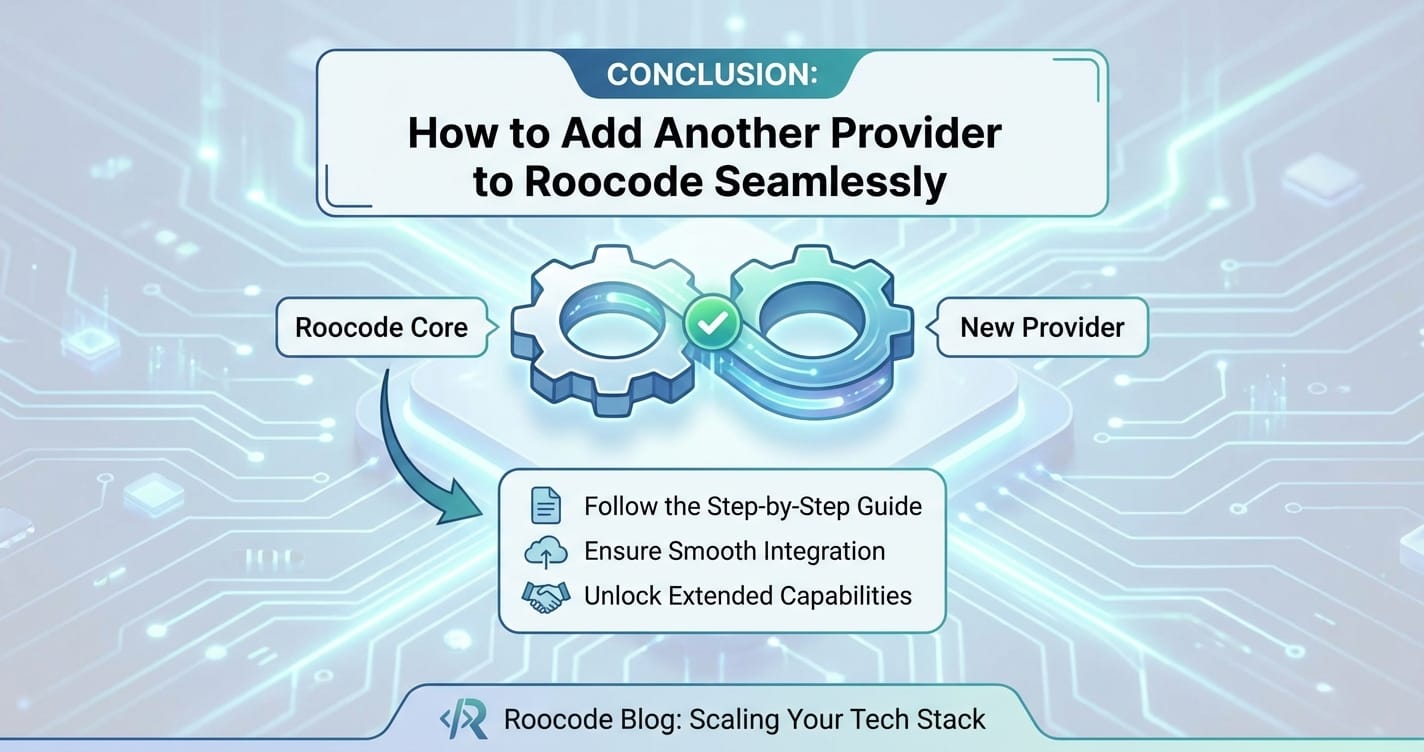
In an era defined by rapid advancements in artificial intelligence, the ability to effectively integrate and manage a diverse array of AI models from multiple providers is paramount for building cutting-edge applications. This comprehensive guide has explored the intricate process of how to add another provider to Roocode seamlessly, highlighting the transformative power of its Unified API and robust Multi-model support.
We began by acknowledging the challenges posed by fragmented AI ecosystems and positioned Roocode as an indispensable solution, simplifying integration and offering a consistent gateway to numerous AI services. A deep dive into Roocode's architecture underscored how its Unified API acts as a universal translator, abstracting away provider-specific complexities, while its Multi-model support provides the flexibility to choose the optimal model for any task, enhancing resilience, performance, and cost-efficiency.
We then detailed the compelling reasons for adopting a multi-provider strategy, from achieving diversification and redundancy to optimizing for specialized performance and significant cost savings. Practical use cases demonstrated how strategic integration via Roocode can empower advanced chatbots, intelligent content generation platforms, and resilient multilingual applications.
The step-by-step integration process, from obtaining API credentials to configuring Roocode's intelligent routing rules, illustrated the practical aspects of setting up new providers. We emphasized the importance of secure credential management and the strategic use of model aliases to streamline interactions with Roocode's Unified API. Finally, we delved into advanced strategies, including dynamic load balancing, cost-aware routing, latency optimization, and content-based dispatch, showcasing how Roocode enables sophisticated management of your AI resources.
By embracing platforms like Roocode, developers are liberated from the intricate details of individual API integrations, allowing them to channel their creativity and expertise into building truly intelligent and impactful applications. The future of AI development hinges on such streamlined, powerful, and flexible integration layers, paving the way for unprecedented innovation and efficiency.
We encourage you to explore Roocode's capabilities and strategically integrate new providers, unlocking a new dimension of flexibility and power for your AI projects. The ability to seamlessly add, manage, and optimize diverse AI models is not just a technical advantage; it's a strategic imperative for staying competitive in the ever-evolving world of artificial intelligence.
Frequently Asked Questions (FAQ)
1. What is a "Unified API" in the context of Roocode? A Unified API, as implemented by Roocode, is a single, standardized interface that your application communicates with. Instead of interacting directly with separate APIs from OpenAI, Anthropic, Google, etc., your application sends requests to Roocode's Unified API. Roocode then handles the translation and routing of that request to the appropriate underlying provider and model, and returns a consistent response back to your application. This simplifies development, reduces integration complexity, and makes your application more adaptable.
2. Why is "Multi-model support" important when using Roocode? Multi-model support is crucial because no single AI model is perfect for every task. Different models excel in different areas (e.g., text generation, image processing, code completion), have varying performance characteristics (latency, accuracy), and come with different pricing. Roocode's Multi-model support allows you to integrate and dynamically switch between these diverse models from multiple providers, optimizing for cost, performance, quality, or task-specific requirements without changing your application's core code.
3. How does Roocode ensure secure integration of API keys from different providers? Roocode prioritizes security by recommending and often requiring that sensitive API keys are not hardcoded directly into configuration files. Instead, it supports loading these credentials from secure environment variables or integrating with dedicated secrets management systems (like AWS Secrets Manager, HashiCorp Vault). This approach keeps your API keys out of version control and protects them from unauthorized access, ensuring that only your Roocode instance can access them securely during operation.
4. Can Roocode help me save costs on my AI API usage? Absolutely. One of Roocode's significant benefits is its ability to enable cost-aware routing. By integrating multiple providers and models, you can configure Roocode to dynamically choose the most cost-effective model for a given request, based on your defined rules. For example, less critical tasks can be routed to cheaper models, while premium models are reserved for high-value applications, helping you significantly reduce overall AI spending without sacrificing essential quality or performance.
5. How does Roocode handle provider outages or rate limits to maintain application reliability? Roocode enhances application reliability through intelligent routing and robust fallback mechanisms. If a primary provider experiences an outage, returns an error, or hits a rate limit, Roocode can be configured to automatically re-route the request to an alternative, pre-configured provider or model. This ensures higher availability and a seamless user experience by preventing single points of failure and gracefully managing service disruptions.
🚀You can securely and efficiently connect to thousands of data sources with XRoute in just two steps:
Step 1: Create Your API Key
To start using XRoute.AI, the first step is to create an account and generate your XRoute API KEY. This key unlocks access to the platform’s unified API interface, allowing you to connect to a vast ecosystem of large language models with minimal setup.
Here’s how to do it: 1. Visit https://xroute.ai/ and sign up for a free account. 2. Upon registration, explore the platform. 3. Navigate to the user dashboard and generate your XRoute API KEY.
This process takes less than a minute, and your API key will serve as the gateway to XRoute.AI’s robust developer tools, enabling seamless integration with LLM APIs for your projects.
Step 2: Select a Model and Make API Calls
Once you have your XRoute API KEY, you can select from over 60 large language models available on XRoute.AI and start making API calls. The platform’s OpenAI-compatible endpoint ensures that you can easily integrate models into your applications using just a few lines of code.
Here’s a sample configuration to call an LLM:
curl --location 'https://api.xroute.ai/openai/v1/chat/completions' \
--header 'Authorization: Bearer $apikey' \
--header 'Content-Type: application/json' \
--data '{
    "model": "gpt-5",
    "messages": [
        {
            "content": "Your text prompt here",
            "role": "user"
        }
    ]
}'
With this setup, your application can instantly connect to XRoute.AI’s unified API platform, leveraging low latency AI and high throughput (handling 891.82K tokens per month globally). XRoute.AI manages provider routing, load balancing, and failover, ensuring reliable performance for real-time applications like chatbots, data analysis tools, or automated workflows. You can also purchase additional API credits to scale your usage as needed, making it a cost-effective AI solution for projects of all sizes.
Note: Explore the documentation on https://xroute.ai/ for model-specific details, SDKs, and open-source examples to accelerate your development.